

Project management involves organizing the project plan, objectives, milestones, and deliverables while managing all team members, project budgets, and timelines in order to ensure the success of a project. As per a recent report, 11.4% of investment is wasted due to poor project performance.
To avoid such scenarios, it is important to build a robust project management foundation by using tools that simplify the entire project management process.
But it can be a daunting task to choose a project management software for your business. Among the myriad options available in the market right now, monday.com is the one that stands out.
With an SW score of 96%, monday.com is one of the highest-rated project management software on our website. In this article, let’s discuss more about the aspects that make monday.com stand apart from its competitors.
In this article, we’ll discuss –
– What is project management?
– What is monday.com?
– 5 things that make monday.com the best project management software
Table of Contents
What is project management?
Project management is the practice of applying skills, tools, and techniques to all aspects of a project in order to meet project requirements. It involves –
– Determining project feasibility within an acceptable cost and time frame.
– Creating a project management plan.
– Figuring out the key project deliverables.
– Breaking project deliverables into more manageable tasks.
– Keeping the project running smoothly by managing teams, tasks, and tools.
The Project Management Body of Knowledge (PMBOK) breaks down project management into a five-step process –
a. Initiating
The first step is about preparation where the scope of the project is determined and a project foundation is created.
b. Planning
The second stage is about planning, where key milestone dates are set along with project completion dates. The goal of this stage is to be very clear and intentional with project timing so that all team members aim towards the same goal.
c. Executing
This stage is about getting things done. During this stage, the team ensures that all the preset deliverables are executed and delivered in a timely fashion.
d. Monitoring/controlling
This stage is about figuring where the current progress stands with respect to the pre-determined project plan. Timely and regular check-ins are critical for ensuring project success.
e. Closing
The final stage is the project delivery stage where all activities are wrapped up and the final product is shared with the client.
What is monday.com?
monday.com is among one of the best project management platforms available in the market. Based on work operating system (WorkOS), monday.com allows managing ongoing projects, customer data, and current tasks using a sleek, modern dashboard with customizable project templates. Its attractive, simple, easy-to-use interface and high level of customization help create transparency among all the team members working on a project.
Through monday.com Work OS, project managers can create customizable functionalities to build their ideal project management software. Anything from Gantt charts and individual tasks to visual timelines can be custom-built on monday.com
Understanding WorkOS
WorkOS is a cloud-based software platform that allows teams to build custom workflow apps. WorkOS allows teams to plan, track, and run projects while providing the flexibility to adapt to any workflow.
Work OS can become a digital workspace within an organization where building blocks can be assembled to develop apps for managing any kind of work. It therefore offers organizations a way to achieve organizational agility and digital transformation.
5 things that make monday.com the best project management software
Overall, monday.com is a simple, intuitive, flexible, and versatile tool that allows users to easily onboard team members, create workflows, create dashboards, comment on tasks, and track progress using different views like Kanban view, Gantt chart view, map view, timeline view, etc.
But that’s not all. There’s a reason why big clients like Uber, Adobe, Unilever, Schneider Electric, etc. use monday.com to manage their workflows. Here are the five reasons that make monday.com the best project management tool –
1. It’s easy to set up
monday.com allows you to quickly create and customize whatever tools you need to run your projects and collaborate with team members in real-time. It offers hundreds of visual and customizable templates to quickly set up your projects. You can also create your own templates.
This kind of ease-of-use and quick set-up functionalities are hard to find in other project management tools.
2. It’s not just a project management tool
Although monday.com has project management functionalities, it’s more than simply a project management tool. It’s probably one of the most versatile tools you’ll find in the market.
That’s because along with managing all your projects, you can also use monday.com for marketing, CRM, sales, design, task management, HR, recruitment, software development, and other 200+ solutions. There are probably several hundred ways to use monday.com, making it akin to a Swiss army knife.
3. It’s completely visual
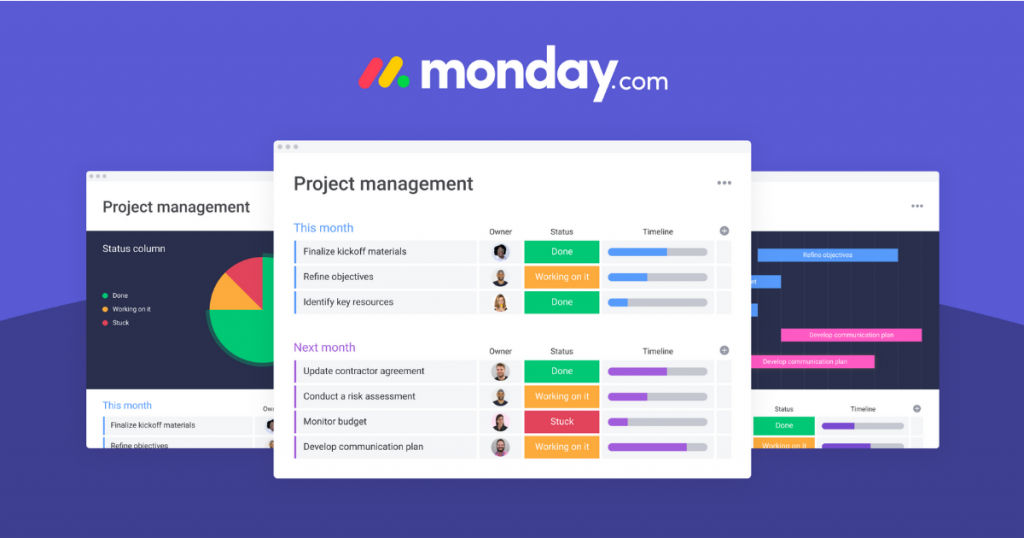
A big highlight of monday.com is that it’s completely visual. You can easily create summaries, reports, and get an overview of all the important tasks going on in the project.
Visuals can be amazingly powerful and having colored statuses makes it easy to understand where things stand without having to read anything.
monday.com allows you to define processes and communicate without having to use words. Moreover, visual dashboards are really good for making data-driven decisions.
4. It uses automation to save time
monday.com can easily automate repetitive and mundane tasks so that you can focus on doing more important work. Through its custom automation builder, you can easily create customized workflows to send automated emails, notifications, reminders, or other such tasks.
5. It can seamlessly integrate with your existing tools
monday.com offers more than 40 integrations with tools that you might be already using. It offers integrations with all popular tools like HubSpot, Mailchimp, Zendesk, Gmail, Excel, Outlook, Shopify, Slack, Zoom, Dropbox, etc.
Moreover, it’s easy to set up these integrations in just a few clicks. Therefore, with monday.com, you can have all your work and data in one place.
Conclusion
The bottom line is that monday.com offers a comprehensive set of features and functionalities that are not available on other project management tools. Since it is based on WorkOS, the level of customization that can be achieved with monday.com is truly remarkable.
What’s more is the fact that it is an easy-to-use and highly visual tool, making it ideal for working on projects with large, complex datasets.
In case you’d like to know more about monday.com, you can check out this page.
As always, if you need any help in making a decision about which software to choose for your business, get in touch with us at www.SaaSworthy.com
