
Close Menu
  • Categories
    • Top Software
    • Statistics
    • Research Reports
    • Guides
    • Software Reviews
    • SaaS Talks
  • Resources
    • SW Score Methodology
    • SaaS Terms Glossary
  • Browse Software
Facebook X (Twitter) Instagram
SaaSworthy Blog | Top Software, Statistics, Insights, Reviews & Trends in SaaSSaaSworthy Blog | Top Software, Statistics, Insights, Reviews & Trends in SaaS
  • Categories
    • Top Software
    • Statistics
    • Research Reports
    • Guides
    • Software Reviews
    • SaaS Talks
  • Resources
    • SW Score Methodology
    • SaaS Terms Glossary
  • Browse Software
SaaSworthy Blog | Top Software, Statistics, Insights, Reviews & Trends in SaaSSaaSworthy Blog | Top Software, Statistics, Insights, Reviews & Trends in SaaS
Home»Guides»GoToWebinar: A Guide to Using It Effectively
Guides

GoToWebinar: A Guide to Using It Effectively

Saurabh YadavBy Saurabh Yadav4 Mins ReadAugust 28, 2024
Facebook Twitter LinkedIn Reddit Email
Table of Contents
  1. How to Set Up Your GoToWebinar Account?
  2. How to Set Up A Webinar?
  3. Tips for Effective GoToWebinars

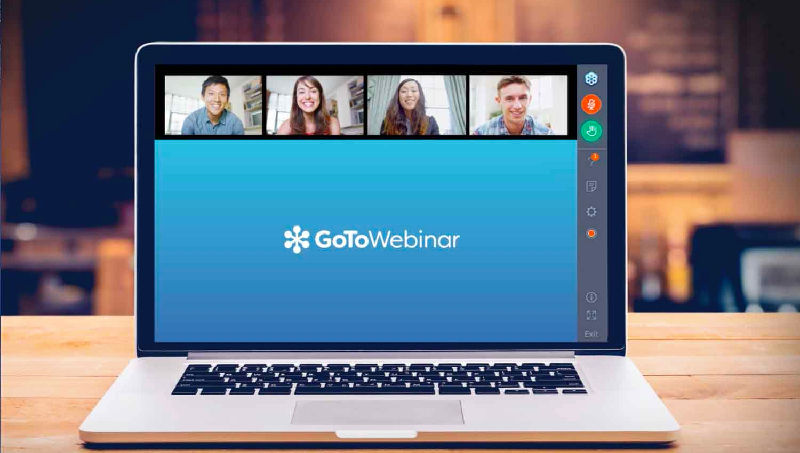
GoToWebinar is a powerful webinar platform that empowers businesses and individuals to connect with their audiences seamlessly. Whether you’re launching a product, hosting a training session, or sharing thought leadership, GoToWebinar gives you the tools to deliver engaging and impactful webinars. In this guide, we’ll explore how to leverage GoToWebinar’s features to achieve your webinar goals effectively.

Table of Contents

  • How to Set Up Your GoToWebinar Account?
  • How to Set Up A Webinar?
    • Step 1 – Sign In to Your Account
    • Step 2 – Create a Webinar
    • Step 3 – Enter Webinar Details
    • Step 4 – Configure Webinar Settings
    • Step 5 – Set Up Invitation and Reminder Emails
    • Step 6 – Add Branding and Customization
    • Step 7 – Save and Review
    • Step 8 – Promote Your Webinar
    • Step 9 – Prepare for the Webinar
    • Step 10 – Host the Webinar
    • Step 11 – Follow Up
  • Tips for Effective GoToWebinars

How to Set Up Your GoToWebinar Account?

  1. Create an Account: Sign up for a GoToWebinar account. Choose a plan that fits your needs and budget.
  2. Schedule Your Webinar: Set a date and time for your webinar. Craft a compelling title and description to attract registrants.
  3. Build Your Registration Page: Customize your registration page with your branding and key information. Collect essential attendee data during registration.

How to Set Up A Webinar?

Step 1 – Sign In to Your Account

  • Go to the GoToWebinar website.
  • Sign in with your GoToWebinar credentials.

Step 2 – Create a Webinar

  • On the GoToWebinar dashboard, click on the “Schedule a Webinar” button.
  • You’ll be directed to the scheduling page.

Step 3 – Enter Webinar Details

  • Title: Enter the title of your webinar.
  • Description: Provide a brief description of what the webinar will cover.
  • Date and Time: Set the date and time for your webinar. You can also select the time zone.
  • Duration: Specify how long the webinar will last.
  • Registration: Choose whether you want to require registration. If yes, you can customize the registration form.

Step 4 – Configure Webinar Settings

  • Presenter Details: Add details about the presenters and their roles.
  • Recording: Decide whether you want to record the webinar.
  • Audio Options: Set up audio options for your webinar, such as using VoIP or telephone.

Step 5 – Set Up Invitation and Reminder Emails

  • Customize the invitation email that will be sent to registrants.
  • Configure reminder emails that will be sent before the webinar starts.

Step 6 – Add Branding and Customization

  • If desired, add your branding elements like your logo or a custom background.
  • Customize the registration and thank you pages with your branding.

Step 7 – Save and Review

  • Review all the details to ensure everything is correct.
  • Click “Save” or “Schedule” to finalize your webinar setup.

Step 8 – Promote Your Webinar

  • Share the registration link with your audience through email, social media, or other channels.
  • Consider setting up a landing page or using a marketing campaign to drive registrations.

Step 9 – Prepare for the Webinar

  • Log in to your GoToWebinar account a bit before the webinar starts.
  • Test your audio and video equipment.
  • Review your presentation and materials.

Step 10 – Host the Webinar

  • At the scheduled time, start the webinar from your GoToWebinar dashboard.
  • Engage with your attendees and manage the webinar using the control panel.

Step 11 – Follow Up

  • After the webinar, review the analytics and attendee feedback.
  • Send follow-up emails, including a link to the recorded webinar if you choose to record it.

By following these steps, you can set up and host a successful webinar on GoToWebinar. If you need more specific details on any step or have any questions, feel free to ask!

Also Read: Mastering Note-Taking: The Best Apps to Keep You Organized

Tips for Effective GoToWebinars

  1. Outline Your Content: Plan your webinar agenda and script in advance.
  2. Test Equipment: Ensure your microphone, camera, and internet connection are functioning properly.
  3. Familiarize with the Platform: Explore GoToWebinar’s features before your event.
  4. Engage with Polls and Surveys: Use interactive tools like polls and surveys to keep your audience engaged.
  5. Use Q&A Features: Encourage participants to ask questions and use the Q&A feature to address them.
  6. Customize Branding: Add your logo and customize registration and thank you pages to align with your branding.
  7. Send Reminder Emails: Set up automatic reminder emails to increase attendance rates.
  8. Practice Beforehand: Run a practice session to get comfortable with the flow and features.
  9. Record the Webinar: Record your session for later distribution or for those who couldn’t attend live.
  10. Analyze Post-Webinar Data: Review attendee data and feedback to improve future webinars.

By following these tips and effectively utilizing GoToWebinar’s features, you can create and deliver impactful webinars that achieve your business goals and leave a lasting impression on your audience. Remember, practice makes perfect, so don’t hesitate to experiment and refine your approach to hosting webinars.

Previous Article6 Best Note-Taking Apps to Keep You Organized in 2024
Next Article Top 7 Use Cases of AI in Martech in 2024
Saurabh Yadav

Saurabh is a seasoned SaaS expert with over eight years of experience, specializing in HR technology, payroll, and workforce management solutions. A PMP-certified professional and an alumnus of XLRI, he has collaborated with leading industry publishers, sharing his insights on ATS, payroll, employee engagement, HR software, benefits administration, compensation management, interview scheduling software, performance management systems, and employee recognition. With a deep understanding of SaaS trends, Saurabh continues to shape the future of HR tech through his thought leadership and expertise.

Related Posts

Advanced Security in eSignature Platforms: How SignNow Implements AES-256 Encryption, SOC 2, and HIPAA Compliance

October 6, 2025

Enterprise Grade Document Security in PDF Tools: How pdfFiller Handles Encryption, Access Controls, and Compliance

October 1, 2025

Nano Banana Trend: How to Make 3D Figurines with AI (2025)

September 16, 2025

How to Use Integrated Risk Management to Improve Cybersecurity Posture

September 15, 2025
Editor's Picks

Freshdesk Pricing Plans 2025: Which Plan Is Right for Your Support Team

September 24, 2025

Best Employer of Record (EOR) Services for September 2025

September 2, 2025

Top 50 Onboarding Statistics for 2025

July 31, 2025

Comet vs Dia: The Rise of AI Browsers

July 21, 2025

NinjaOne Acquires Dropsuite to Unify Backup and Endpoint Management

July 15, 2025

Talkroute Review 2025: Is This the Virtual Phone System Your Business Needs?

July 10, 2025

Employer of Record vs PEO: Which Service Is Right for You?

July 7, 2025

ClickUp Pricing Plans & Features (2025): Is It Still the Best All-in-One Work Platform?

June 19, 2025

SaaS Pricing Models Explained: 7 Strategies to Maximize Revenue in 2025

June 11, 2025

Gusto Pricing Explained: Which Plan Is Right for Your Business in 2025?

June 9, 2025
Recent Posts

Top 11 Cloud-Based CRM Software in 2025

March 16, 2026

10 Best Cloud Accounting Software in 2025

October 10, 2025

OpenAI Launches Apps Inside ChatGPT, Pushing Towards a New Platform Future

October 9, 2025

8 Best Self-Employed Accounting Software for 2025

October 7, 2025

Advanced Security in eSignature Platforms: How SignNow Implements AES-256 Encryption, SOC 2, and HIPAA Compliance

October 6, 2025

Enterprise Grade Document Security in PDF Tools: How pdfFiller Handles Encryption, Access Controls, and Compliance

October 1, 2025

Nano Banana Trend: How to Make 3D Figurines with AI (2025)

September 16, 2025

How to Use Integrated Risk Management to Improve Cybersecurity Posture

September 15, 2025

Patriot Pricing Plans 2025: Tiers, Plans, Discounts, and Features Explained

September 12, 2025

Market Size & Growth Trends in Resource Management Software

September 11, 2025

Subscribe now!

Power up your business growth through innovation! Subscribe to our monthly newsletter for cutting-edge SaaS insights and to stay ahead of the curve with the latest trends in software

About
  • Home
  • All Categories
  • Blog
  • SW Score Methodology
  • SaaS Terms Glossary
Vendors
  • Get Listed
Legal
  • Privacy Policy
  • Terms of Use
  • Cookie Policy
SaaSworthy
Facebook X (Twitter) LinkedIn Instagram

feedback@saasworthy.com

©2026 SaaSworthy.com

Type above and press Enter to search. Press Esc to cancel.