
Close Menu
  • Categories
    • Top Software
    • Statistics
    • Research Reports
    • Guides
    • Software Reviews
    • SaaS Talks
  • Resources
    • SW Score Methodology
    • SaaS Terms Glossary
  • Browse Software
Facebook X (Twitter) Instagram
SaaSworthy Blog | Top Software, Statistics, Insights, Reviews & Trends in SaaSSaaSworthy Blog | Top Software, Statistics, Insights, Reviews & Trends in SaaS
  • Categories
    • Top Software
    • Statistics
    • Research Reports
    • Guides
    • Software Reviews
    • SaaS Talks
  • Resources
    • SW Score Methodology
    • SaaS Terms Glossary
  • Browse Software
SaaSworthy Blog | Top Software, Statistics, Insights, Reviews & Trends in SaaSSaaSworthy Blog | Top Software, Statistics, Insights, Reviews & Trends in SaaS
Home»Guides»How to Take Meeting Minutes – Featuring Top AI Note-Takers
Guides

How to Take Meeting Minutes – Featuring Top AI Note-Takers

Saurabh YadavBy Saurabh Yadav4 Mins ReadNovember 12, 2024
Facebook Twitter LinkedIn Reddit Email
Table of Contents
  1. Understanding the Purpose of Meeting Minutes
  2. How to Take Effective Minutes of a Meeting
  3. Preparing Before the Meeting
  4. During the Meeting
  5. After the Meeting
  6. Formatting and Structuring the Meeting Minutes
  7. Follow-Up
  8. Top 10 AI Note-Takers
  9. FAQs

Taking effective minutes during meetings is a crucial skill that can significantly enhance communication and accountability within any organization. Meeting minutes serve as an official record of what transpired, including discussions, decisions made, and action items assigned. They not only help attendees recall the meeting’s content but also provide a reference for those who were unable to attend. In this guide, we will explore the essential steps to take effective minutes, along with tips on utilizing AI tools to streamline the process.

Table of Contents

  • Understanding the Purpose of Meeting Minutes
  • How to Take Effective Minutes of a Meeting
  • Preparing Before the Meeting
  • During the Meeting
  • After the Meeting
  • Formatting and Structuring the Meeting Minutes
  • Follow-Up
  • Top 10 AI Note-Takers
  • FAQs
    • What should be included in meeting minutes?
    • How long should the meeting minutes be?
    • How quickly should minutes be distributed?
    • Who is responsible for taking minutes?
    • Can AI tools fully replace human note-takers?
    • What should you do if you miss part of the discussion?

Understanding the Purpose of Meeting Minutes

Meeting minutes are more than just notes; they are formal documentation of discussions and decisions made during a meeting. Their primary purpose is to ensure that all participants have a clear understanding of what was discussed and agreed upon, fostering accountability and follow-through on action items. Accurate and concise minutes can prevent misunderstandings and provide a valuable historical record for future reference.

How to Take Effective Minutes of a Meeting

To take effective minutes of a meeting, focus on capturing key discussions, decisions, and action items concisely. Stay organized by using a template, following the agenda, and distributing finalized notes promptly.

Preparing Before the Meeting

  1. Review the Agenda: Familiarize yourself with the agenda and any materials provided beforehand. This will help you understand the context of discussions.
  2. Confirm Attendance: Know who will be attending and note any absentees. This information is vital for accountability.
  3. Prepare a Template: Create a standard template to maintain consistency in your notes. Include sections for the date, time, attendees, agenda items, and action items.

During the Meeting

  1. Record Attendees: Start by noting who is present and who is absent.
  2. Follow the Agenda: Keep your notes aligned with the agenda items to ensure that all topics are covered systematically.
  3. Summarize Discussions: Focus on capturing the main points rather than transcribing every word. This keeps your notes concise and relevant.
  4. Note Decisions and Actions: Clearly document any decisions made, actions assigned, deadlines set, and responsible individuals.
  5. Ask for Clarification if Needed: If something is unclear during the discussion, don’t hesitate to ask for clarification to ensure accuracy in your notes.

After the Meeting

  1. Organize Notes: Review and organize your notes immediately after the meeting while details are still fresh in your mind.
  2. Distribute Minutes Promptly: Send out the finalized minutes within 24-48 hours to keep everyone informed about decisions and action items.

Also read: How to Use AI SDR Software to Maximize Sales Outreach

Formatting and Structuring the Meeting Minutes

Effective meeting minutes typically include:

  1. Header: Meeting title, date, time, and location.
  2. Attendees: List of attendees and absentees.
  3. Agenda Topics: Each agenda item will include summarized discussion points, decisions made, and assigned actions.
  4. Next Steps: Action items with deadlines and responsible individuals.
  5. Next Meeting: If applicable, note the date and time of the next meeting.

Follow-Up

After distributing the minutes, track action items to ensure they are completed by responsible parties. This follow-up is essential for maintaining accountability.

Top 10 AI Note-Takers
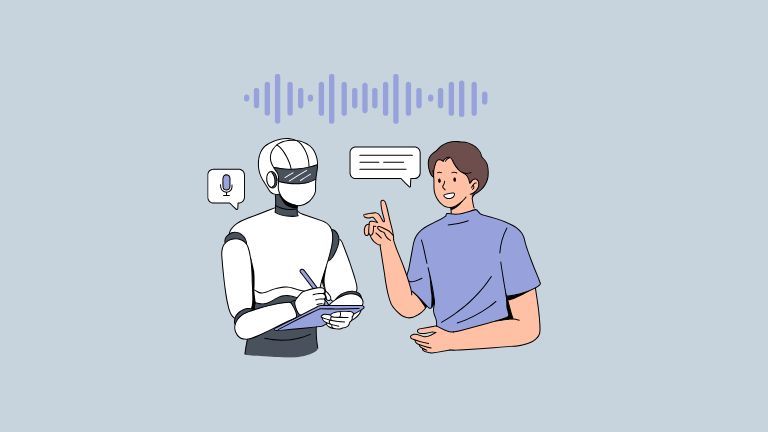
To assist in capturing meeting minutes efficiently, here’s a shuffled list of top AI-powered note-taking tools:

  1. Fireflies.ai – Records meetings and summarizes discussions effectively.
  2. Otter.ai – Offers real-time collaboration and speaker identification.
  3. Notion AI – Generates summaries from meeting notes with comprehensive features.
  4. Zoom AI Companion – Provides transcripts and highlights key points during Zoom meetings.
  5. Fathom – Integrates with video conferencing tools to summarize meetings seamlessly.
  6. Krisp.ai – Primarily noise-canceling but includes real-time transcription features.
  7. Descript – Known for audio/video editing with efficient transcription capabilities.
  8. MeetGeek.ai – Analyzes meetings to provide insights, action items, and highlights.
  9. Tactiq – A Chrome extension that generates summaries directly in Google Meet.
  10. Rev.ai – Offers accurate transcriptions with easy integration options.

By following these guidelines and leveraging AI tools where appropriate, you can enhance your minute-taking skills significantly—ensuring that every meeting is productive and actionable.

FAQs

  1. What should be included in meeting minutes?

    Meeting minutes should capture the date, time, location, attendees, a summary of discussions, decisions made, action items with deadlines, and details about the next meeting if applicable.

  2. How long should the meeting minutes be?

    Aim for 1-2 pages that focus on the main points without unnecessary details.

  3. How quickly should minutes be distributed?

    Distribute minutes within 24-48 hours post-meeting for timely communication.

  4. Who is responsible for taking minutes?

    Typically done by the meeting organizer or a designated attendee; in formal settings, a secretary may handle this task.

  5. Can AI tools fully replace human note-takers?

    While AI tools assist in transcription and summarization, human oversight is crucial for ensuring context and clarity.

  6. What should you do if you miss part of the discussion?

    Seek clarification afterward or refer to recordings if available to ensure accuracy in your notes.

Previous ArticleThe Top10 AI-Powered SaaS Platforms Transforming Business Operations
Next Article Email Marketing Statistics and Key Trends to Know for 2025
Saurabh Yadav

Saurabh is a seasoned SaaS expert with over eight years of experience, specializing in HR technology, payroll, and workforce management solutions. A PMP-certified professional and an alumnus of XLRI, he has collaborated with leading industry publishers, sharing his insights on ATS, payroll, employee engagement, HR software, benefits administration, compensation management, interview scheduling software, performance management systems, and employee recognition. With a deep understanding of SaaS trends, Saurabh continues to shape the future of HR tech through his thought leadership and expertise.

Related Posts

Advanced Security in eSignature Platforms: How SignNow Implements AES-256 Encryption, SOC 2, and HIPAA Compliance

October 6, 2025

Enterprise Grade Document Security in PDF Tools: How pdfFiller Handles Encryption, Access Controls, and Compliance

October 1, 2025

Nano Banana Trend: How to Make 3D Figurines with AI (2025)

September 16, 2025

How to Use Integrated Risk Management to Improve Cybersecurity Posture

September 15, 2025
Editor's Picks

Freshdesk Pricing Plans 2025: Which Plan Is Right for Your Support Team

September 24, 2025

Best Employer of Record (EOR) Services for September 2025

September 2, 2025

Top 50 Onboarding Statistics for 2025

July 31, 2025

Comet vs Dia: The Rise of AI Browsers

July 21, 2025

NinjaOne Acquires Dropsuite to Unify Backup and Endpoint Management

July 15, 2025

Talkroute Review 2025: Is This the Virtual Phone System Your Business Needs?

July 10, 2025

Employer of Record vs PEO: Which Service Is Right for You?

July 7, 2025

ClickUp Pricing Plans & Features (2025): Is It Still the Best All-in-One Work Platform?

June 19, 2025

SaaS Pricing Models Explained: 7 Strategies to Maximize Revenue in 2025

June 11, 2025

Gusto Pricing Explained: Which Plan Is Right for Your Business in 2025?

June 9, 2025
Recent Posts

Top 11 Cloud-Based CRM Software in 2025

March 16, 2026

10 Best Cloud Accounting Software in 2025

October 10, 2025

OpenAI Launches Apps Inside ChatGPT, Pushing Towards a New Platform Future

October 9, 2025

8 Best Self-Employed Accounting Software for 2025

October 7, 2025

Advanced Security in eSignature Platforms: How SignNow Implements AES-256 Encryption, SOC 2, and HIPAA Compliance

October 6, 2025

Enterprise Grade Document Security in PDF Tools: How pdfFiller Handles Encryption, Access Controls, and Compliance

October 1, 2025

Nano Banana Trend: How to Make 3D Figurines with AI (2025)

September 16, 2025

How to Use Integrated Risk Management to Improve Cybersecurity Posture

September 15, 2025

Patriot Pricing Plans 2025: Tiers, Plans, Discounts, and Features Explained

September 12, 2025

Market Size & Growth Trends in Resource Management Software

September 11, 2025

Subscribe now!

Power up your business growth through innovation! Subscribe to our monthly newsletter for cutting-edge SaaS insights and to stay ahead of the curve with the latest trends in software

About
  • Home
  • All Categories
  • Blog
  • SW Score Methodology
  • SaaS Terms Glossary
Vendors
  • Get Listed
Legal
  • Privacy Policy
  • Terms of Use
  • Cookie Policy
SaaSworthy
Facebook X (Twitter) LinkedIn Instagram

feedback@saasworthy.com

©2026 SaaSworthy.com

Type above and press Enter to search. Press Esc to cancel.