

Expense reports were once a manual, time-consuming hassle—lost receipts, delayed reimbursements, and endless email chains for approvals. Expensify changed that. What started as a simple receipt scanner has grown into a full-scale financial management platform, offering tools for expense tracking, corporate cards, travel booking, invoicing, and team communication.
In this guide, we break down Expensify’s 2026 pricing, compare the available plans, and outline key features to help you decide which option best fits your business. But before diving into the details, here’s our curated list of top expense management software worth considering.
Table of Contents
Is Expensify Free?
95 % SW Score The SW Score ranks the products within a particular category on a variety of parameters, to provide a definite ranking system. Read more

What is Expensify and how does it work?
Expensify is a US-based software company that offers expense management software for both individual and group use. The products are available as a web service that can be used with any computer browser and comes in the form of mobile application as well. It carries all essential functionality like allowing employees/user to upload receipts and request reimbursement. All expenses are recorded automatically, which in turn, are used to prepare expense reports based on the projects, types of expenses, etc. One can approve reimbursement directly from the software without any need to use a third-party money transfer application. The app tracks every expense incurred on food, travel, fuel, etc and uses artificial intelligence to extract information such as merchant’s name and date of expense from the uploaded receipt. Moreover, it also allows users to download their respective expense report. Expensify integrates with applications like Xero, Workday, Intacct and a few more. The company also has several partners like Uber, TripActions and Locomote that enable the user to automatically import expenses incurred for taking services from these partner companies.
Read moreSW Score Breakdown
- Features 100%
- Reviews 75%
- Momentum 60%
- Popularity 67%
- Free Trial Not Available
- Starts at $5.00.
Yes, to a certain extent.
Expensify offers a free tier called New Expensify. It allows individuals and small teams to access core features such as receipt scanning, person-to-person payments, and chat functionality. It is well-suited for freelancers, contractors, or businesses with minimal expense management needs.
However, businesses that require structured workflows—such as approval hierarchies, reimbursements, budgeting, and integrations—will need to opt for one of Expensify’s paid plans: Collect or Control.
Expensify Pricing Plans in 2026
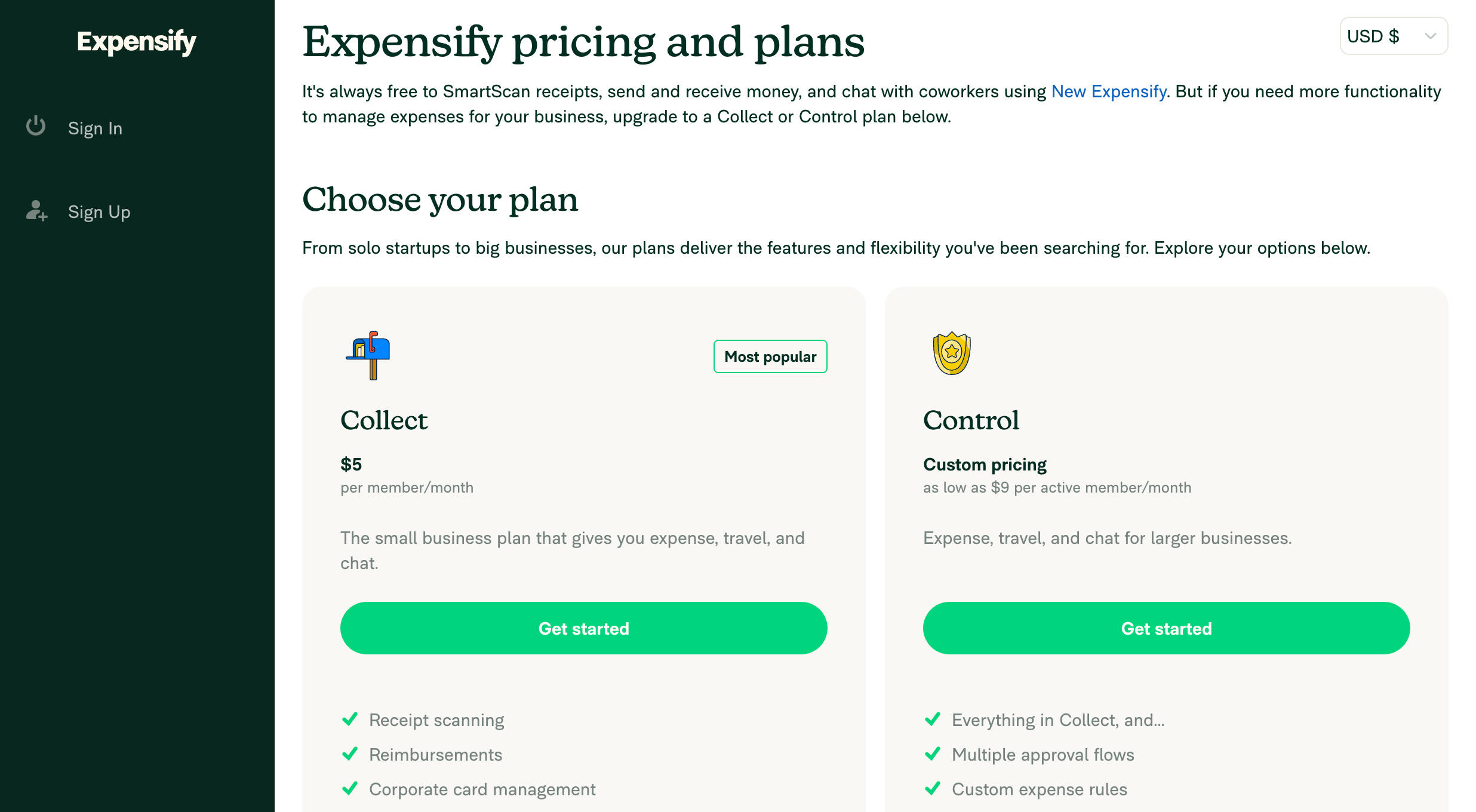
Expensify Collect – $5 per user/month
A lightweight plan designed for small teams with straightforward expense management needs.
Collect is ideal for businesses that require a basic structure around approvals and reimbursements but do not need advanced compliance or enterprise integrations. At $5 per user per month, this plan provides a cost-effective solution for companies that want to streamline expense reporting and accounting processes.
Features included:
-
Unlimited SmartScan receipt capture
-
ACH reimbursements for employees
-
Expense and travel approval workflows
-
Corporate card integration and management
-
Integration with QuickBooks Online and Xero
-
In-app chat and collaboration on reports
-
Access to travel booking tools with policy customization
SaaSworthy Insight: Companies using the Expensify Card may qualify for a 50 percent discount on this plan, reducing the cost to $2.50 per user per month.
Expensify Control – Starting at approximately $9 per active user/month
Designed for larger teams and finance departments with compliance requirements and more complex workflows.
Control builds on the functionality of the Collect plan and introduces greater administrative controls, deeper integrations, and advanced reporting capabilities. It is especially suited for organizations with multiple departments, policy enforcement needs, or ERP systems in place.
Features included (in addition to Collect):
-
Support for multiple approvers and multi-level workflows
-
Custom expense and travel policies
-
Role-based access and permission settings
-
Department-level budgeting and spend tracking
-
SAML/SSO authentication for secure access
-
Integrations with NetSuite, Sage Intacct, QuickBooks Desktop, Certinia, and Workday
-
Audit trails and customizable financial reporting
SaaSworthy Insight: Expensify charges only for users who are active in a billing cycle. If an employee does not submit an expense or use the platform during the month, no fee is incurred for that user.
Expensify Pricing Plans vs. Feature Comparison Table
| Feature | New Expensify (Free) | Collect ($5/user/month) | Control (~$9+/active user/month) |
|---|---|---|---|
| SmartScan receipts | Included | Included | Included |
| ACH reimbursements | Not included | Included | Included |
| Expense and travel approvals | Not included | Included | Advanced workflows |
| Accounting software integrations | Not included | QuickBooks, Xero | Adds NetSuite, Intacct, Certinia, etc. |
| Corporate card management | Not included | Included | Included |
| Budgeting and policy enforcement | Not included | Limited | Advanced |
| SAML/SSO login | Not included | Not included | Included |
| In-app chat and collaboration | Included | Included | Included |
| Custom reporting and audit trails | Not included | Basic | Advanced |
| Pay for active users only | Yes | Yes | Yes |
Use Cases for Expensify
Freelancers and Contractors:
Use New Expensify for basic receipt tracking, mileage logging, and peer-to-peer payments at no cost.
Startups and Small Businesses:
The Collect plan is well-suited for organizations that need to streamline reimbursements, enforce basic travel policies, and integrate with accounting tools like Xero or QuickBooks.
Scaling Teams and Finance Departments:
Control is designed for larger organizations with compliance obligations, departmental budgeting, ERP integrations, and multi-level approval structures.
Nonprofits and Agencies:
Expensify is also useful for grant-based or project-based organizations that need audit-ready trails and granular expense tracking.
Pros and Cons of Expensify
Pros:
-
Intuitive interface with integrated chat-based collaboration
-
Strong automation capabilities, especially with SmartScan and reimbursements
-
Flexible pricing model based on active users
-
Robust accounting and ERP integrations
-
Centralized platform for expenses, travel, and corporate card management
Cons:
-
Pricing complexity increases with custom features and enterprise needs
-
Initial setup may require administrative time for configuring policies and roles
-
Travel booking features may not match the depth of standalone solutions
-
Support for free-tier users is limited compared to paid plans
Is Expensify the Right Choice for Your Business?
Expensify offers a modern, flexible solution that streamlines expense management without overwhelming users. It is a strong fit for organizations that want to eliminate manual reporting, automate workflows, and integrate expenses with accounting and travel tools.
Choose New Expensify (Free) if you:
-
Are a freelancer or small team managing a low volume of expenses
-
Do not require reimbursements or approval policies
-
Want to digitize receipts and communicate through built-in chat
Choose the Collect plan if you:
-
Need automated reimbursement and approval workflows
-
Use QuickBooks or Xero for accounting
-
Want to manage corporate cards and book travel within one platform
Choose the Control plan if you:
-
Require policy enforcement, budget tracking, or multi-level approvals
-
Need integration with enterprise tools such as NetSuite, Workday, or Sage Intacct
-
Operate across multiple departments or in a regulated industry
-
Prioritize audit compliance and secure user authentication
Frequently Asked Questions (FAQs)
Is Expensify free for individuals?
Yes. Individuals can use core features such as SmartScan, P2P payments, and chat functionality for free through New Expensify.
What does the $5/month Expensify Collect plan include?
It includes unlimited receipt scanning, reimbursements, approval workflows, card management, and integrations with QuickBooks Online and Xero.
How much does the Expensify Control plan cost?
It typically starts around $9 per active user per month. Pricing may vary based on company size and feature requirements.
What defines an “active” user?
An active user is someone who submits expenses, is reimbursed, or books travel during the billing month.
Is the Expensify Card required?
No. However, using it can reduce your subscription fees and enable enhanced automation for expense reconciliation.
Can Expensify replace a standalone travel tool?
Yes. Expensify includes built-in travel booking with approval workflows and policy customization, though advanced needs may still require a dedicated travel management platform.
What accounting tools does Expensify integrate with?
It integrates with QuickBooks (Online and Desktop), Xero, NetSuite, Sage Intacct, and Certinia, among others.
