

Over the years, businesses have become more and more dependent on various types of software to achieve their goals, profits, and success. Irrespective of what domain or niche your business caters to, you need to invest in the right software to ensure the success of your products and services. Today, you will see businesses focusing on two top software – Customer Relationship Management (CRM) and Content Management System (CMS).
Though they may sound similar, these two software have different scopes, thus, making them both valuable to the business. So, how do you choose between CRM and CMS? What are the core functionalities of these two software? Which one of them is suitable for your business? Should you lean towards CRM or CMS?
This comprehensive guide will answer all these queries and more. By the end of this article, we are sure that you, as a businessowner, will be able to decide which of these software does your business need.
Table of Contents
What is CRM?

A customer relationship management (CRM) tool is one of the most important tools used by the sales and marketing teams within an organization. The core of every business is to ensure that they are reaching their customers and ensuring that their customers are satisfied. The best way to do so is to communicate effectively with your customers at the right time. A CRM tool enables you to organize and sort all your customer information, allowing employees to stay on top of their leads and manage them efficiently.
Businesses can use their CRM tool to convert their leads into sales as well as form better relationship with their customers. With the help of their CRM tool, businesses can access a wide range of sales, marketing, and customer-facing functions on one single screen. CRM software comes with vast features and functionalities which help businesses to successfully communicate and deal with their existing as well as potential clients. Today, there are several CRM tools available in the market, each offering amazing features and benefits. Before you decide to purchase any CRM tool, it is vital that you go through their features in detail to ensure that it is suitable for your business needs. You also need to compare the prices of the CRM tools and choose the one that best matches your budget.
Features of CRM
Different CRM platforms offer different features. However, there are some basic features which are common across all the CRM tools.
These features include –
- Contact and data management – Businesses can use their CRM tool to gather in-depth information about their customers which will enable them to better interact with their clients and ensure top-notch service is provided. From gathering basic information, such as name, contact details, gender, etc., to key patterns to crucial insights, CRM tools offer all these and more.
- Lead management – Using this functionality, businesses can find out about potential customers. With the information in hand, the sales and marketing teams can design effective campaigns that will enable them to turn these potential leads into sales.
- Automated workflow – Automation is one of the key features of every CRM tool. The software allows employees to avoid spending their time on redundant and data entry tasks, thus, allowing them to spend their time on productive tasks. Automation also helps in reducing the risk for errors.
- Reporting – The reporting feature is one of the most-used features of any CRM tool. This feature provides timely reports, analysis, insights, etc., regarding the team’s performance, sales figures, etc. It also enables the teams to use the reports to make predictions and develop business strategies and campaigns.
Top 3 CRM software
The popularity of CRM software has grown by leaps and bounds, which has resulted in several CRM platforms making their presence felt in this industry. Here are the top three CRM software that can do wonders for your business.
- Salesforce – Starting at $25, Salesforce is one of the leading CRM tools that helps businesses build strong relationships with their customers. Equipped with AI technology, this tool can help companies improve their customer relationship management.
- Zoho CRM – Zoho CRM is your best bet if you are looking for a feature-rich CRM software. Starting at $14, this tool also offers a free-forever plan, thus, making it useful for businesses of all sizes.
- Pipedrive – If you are looking for a CRM software which offers good customization features, then Pipedrive is an ideal option. Starting at $12.50, Pipedrive offers its clients intuitive interfaces, simple user experience, and clean layouts.
Apart from these, some of the other popular CRM software include –
- Keap
- Insightly
- Vtiger
- Nimble
- Freshworks CRM
What is CMS?
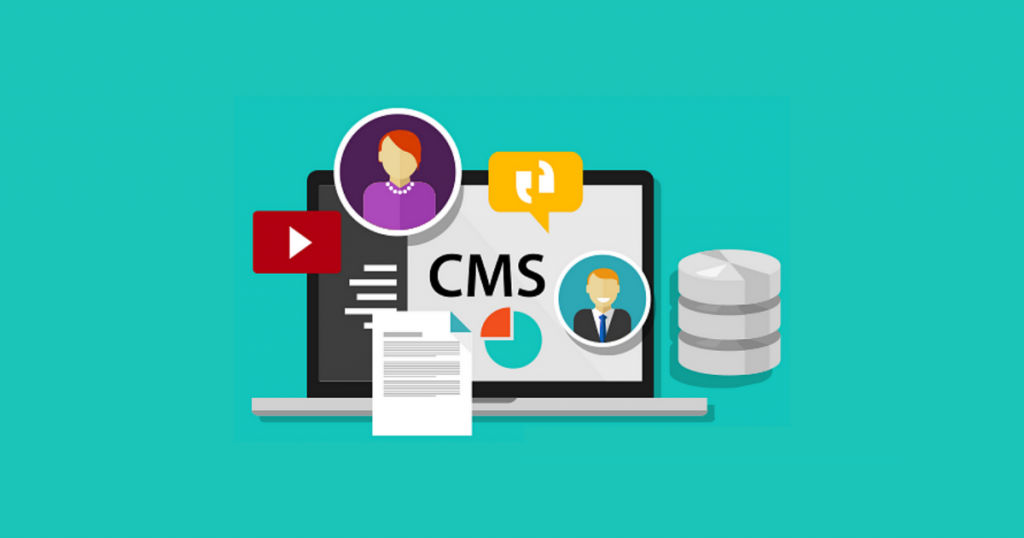
In simple words, a content management software (CMS) is a tool used by businesses to centrally manage all the content that they publish on their website. This tool can be used to create, manage, and update all your website content. With the help of the right CMS tool, users can easily build a website even if they do not have sufficient knowledge of codes. You can either use this tool as a standalone tool or integrate it with other tools, such as a CRM tool to gain better benefits and run your business smoothly.
Majority of the CMS tools available in the market today come with predesigned web templates or themes. This makes your job easier as you do not have to spend your time on creating a template from scratch. However, if you are tech-savvy and would like to experiment, these CMS tools also offer the option to design your own themes. Today, with digital content ruling over traditional content, the need for CMS tools is only increasing. No matter what business you operate, having an online presence is extremely important, and a CMS tool can help you to effectively set up your digital space.
Similar to any CRM tool, a CMS tool also comes loaded with features and you need to compare the features offered by various CMS platforms before choosing the one that matches your business requirement.
Features of CMS
Here are some of the features that are common across most of the CMS platforms.
- Domain names – You can choose custom domain names which are specific to your company name.
- Web hosting – Using this feature, businesses can either store all their data within the CMS platform or integrate the tool with any other web hosting platform.
- Content library – As the name suggests, this feature is a repository of all your content, images, and videos.
- Online store – You can set up an online store for your products and services and integrate it with any payment portal as well.
One of the key things to keep in mind while implementing a CMS platform is to ensure that your website is mobile-friendly.
Top 3 CMS software
With digital platforms becoming the norm, the need for CMS platforms has gone up. As a result, today businesses have the option to choose from a wide range of CMS platforms. Here are the top three CMS platforms –
- Joomla – If you are looking for an easy-to-use CMS platform, then you should try Joomla which allows its users to create a new site with just one click. It offers several features, such as the ‘language feature’ which allows the user to monitor and manage the website in almost 50 languages.
- Drupal – Drupal is a CMS platform which is suitable for various types of businesses. You can also use it to create customized content and manage it effectively to ensure your organization’s success.
- Contentful – This CMS tool is useful for both small as well as large enterprises and is useful in managing content across multiple formats. Contentful is also useful for businesses who want more flexibility in customizing their content.
Apart from these top three CMS software, you can also check out some of the other popular CMS software, such as –
- WordPress
- Sitefinity
- Concrete5
- Craft CMS
- QuickSilk
- elink.io
CRM vs. CMS: What are the differences?
The key difference between a CRM software and a CMS software is that the CRM tool is primarily used by businesses to gather, organize, and manage their customer information to build successful relationships with existing customers and turn potential leads in sales. A CMS software is mainly used for organizing, managing, and publishing content on your website.
In simple terms, CRM is more customer-centric while CMS is content-specific.
CRM vs. CMS: Which one should you use?

Most of the businesses, especially, if they are just starting out are often confused about which software to invest in – CMS or CRM. Ideally, both these software are important for the success and growth of your business; however, this choice also depends on several factors.
For example, if your business is mostly online oriented, then you definitely need to look for a CMS software. If you have started gaining more customers and are looking at increasing your customer base, then you need a good CRM software to manage all the customer information.
Though the primary objective of both these platforms are different, you will probably need both of them in order to ensure the growth and success of your business.
Conclusion
Now that you know what a CRM software is and what a CMS software is, what are their key features, which are the top CRM/CMS platforms, and more, you can take a uniformed decision and invest in the ones that match your business requirements.
If you are looking for more in-depth information about the various CMS or CRM software available in the market, then do check our SaaSworthy!
With information on more than 40,000 software from 300 different categories at your disposal, you will be able to successfully find the best software for your business within no time!
Also read:
• Top 8 Tips To Gain Maximum Benefit Out Of Your CRM Software
