


Hackers with evil intentions are always looking for ways to exploit you and steal your Mac’s data. However, there is a way to stop anything. To prevent these attacks, we have encryption software. To protect your data better, you have the option to encrypt it.
Your Mac might have a lot of essential and critical information stored in it. It may have crucial bank account details or any sort of business document. If these details are exposed due to a security breach, they could be used for blackmailing and other bad things that you won’t even like to think about.
With the help of encryption, any unauthorized third-party entity won’t be able to access your data. This is the importance of encryption software. In this article, we will be telling you everything you need to know about the best encryption software for Mac.
Table of Contents
1. Hider 2
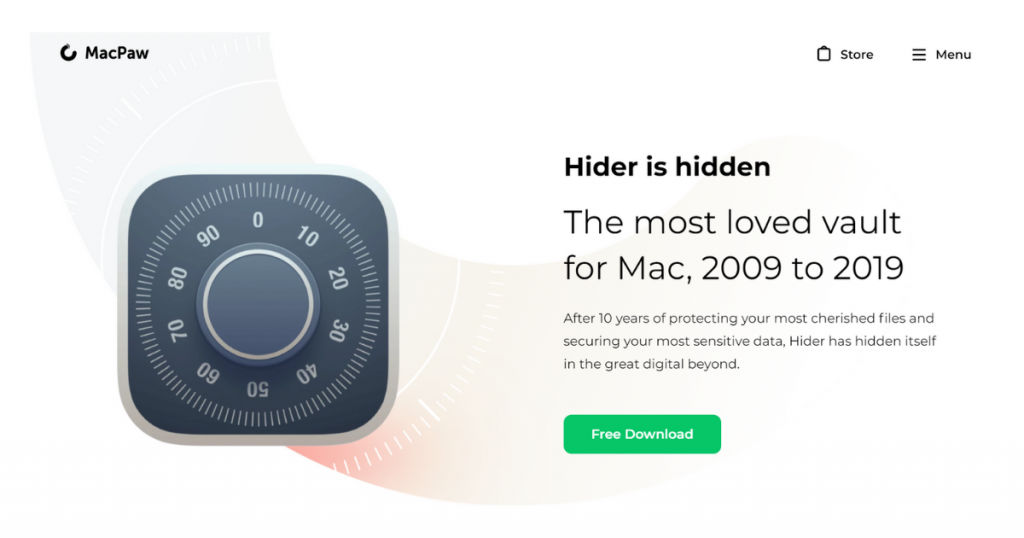
Hider 2 is a super-secure software for all Mac devices. It is considered one of the best tools for digital storage. This tool allows you to hide any kind of photos, notes, and documents and it remains completely safe and secure inside Hider 2’s vault.
The software has a simple user interface that allows an average user to get accustomed to it easily. There is an option for creating several types of documents and files. There is a special feature called “auto-lock” that makes the app lock itself automatically after a few seconds of inactivity. You can set the duration of “auto-lock” as per your liking.
It has a robust AES-256 encryption system that is the fastest in the game. It can also support your external drive and can disconnect the data automatically after it has stopped encrypting it.
You need OS X to run it. The pricing is $19.95 for an individual Mac license.
2. Cisdem AppCrypt
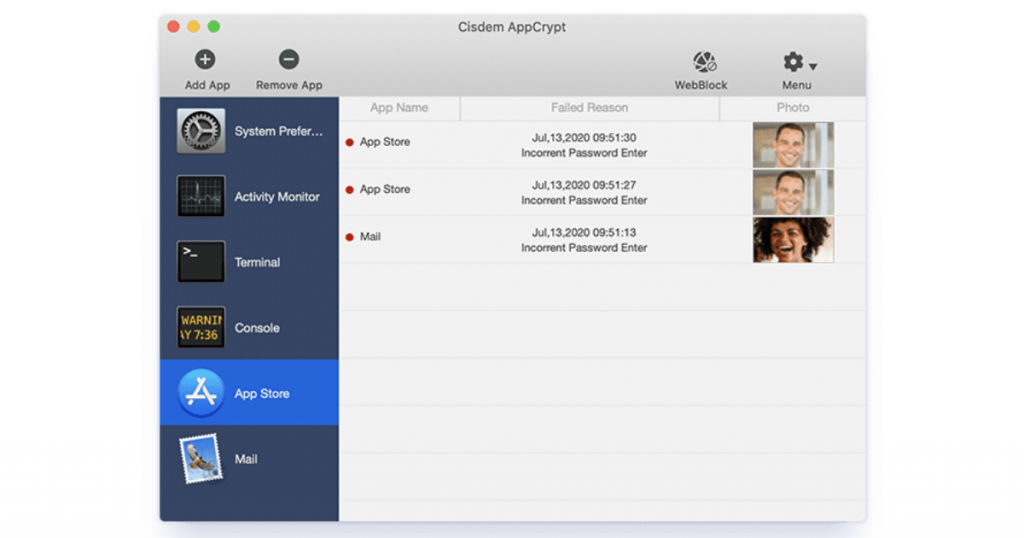
Cisdem AppCrypt is an amazing app when it comes to keeping your apps safe from any kind of external or internal threats. When others are using your Mac, it is advisable to encrypt some apps such as Photos to keep it guarded against prying eyes. You always try to safeguard your privacy.
The app is very easy to use and is effective at what it does. You can lock the required apps easily without having to modify your system or any of the application files. Ensure that you set a robust password so that anyone who is not approved to use your apps does not get access to them.
Suppose if any person opens the app and enters an incorrect password, AppCrypt will immediately record the unsuccessful attempt with the time and date. It will also click a picture of the person trying to break in. This is what makes it one of the best encryption software for Mac.
Without proper authorization, AppCrypt does not allow users to visit specific websites. Here are some of the key features of AppCrypt –
- You can encrypt many important apps like Photos, Notes, Messages, Quicken, Mail, and many more.
- Can record all unsuccessful attempts to open the encrypted apps with the time, date, and snapshots of the unauthorized person.
- Can block any web pages or websites on both Google Chrome and Safari.
- It has a handy scheduling feature.
- Very tough to bypass and is simple to use.
- Protect your privacy and block all unwanted websites.
- Use it for boosting productivity, privacy protection, and parental controls.
- It supports macOS 10.10 or later.
3. VeraCrypt
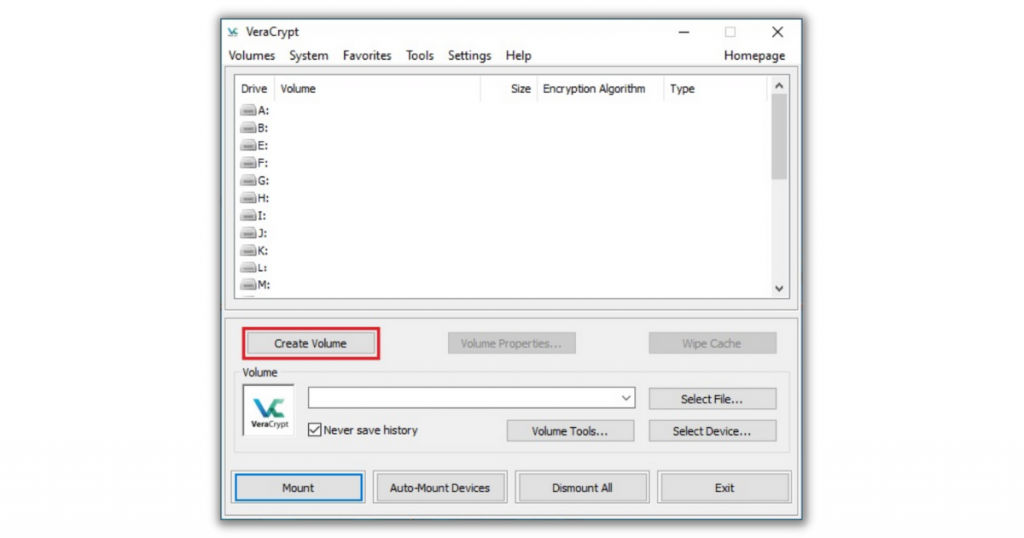
Get the best-grade protection for your data with the help of VeraCrypt. It is very simple to use and is supported by OTEF or on-the-fly encryption. You have the option to encrypt your folder in a customized way. You can either encrypt a part of the file or encrypt it completely, depending upon your needs.
Veracrypt has a lot of advanced security algorithms that make your Mac immune from any future brute-force attacks. You also have the option to insert additional details about your data, such as location, volume, size, etc., to achieve an enhanced level of customization.
These features come in handy when you are trying to protect yourself against any type of theft or any data leak.
4. GNU Privacy Guard
GNU Privacy Guard or GnuPG or GPG is one of the best free encryption software for Mac. You can efficiently encrypt your emails with the help of software. Besides using it on macOS, it can also be used on Linux, Windows, and other operating systems.
GPG is based on PGB, which means it utilizes two kinds of encryption. These are public-key cryptography and symmetric-key cryptography. They are essential in bringing more security and speed into your workflow.
GNU Privacy Guard allows you to encrypt both emails and attachments like photos, videos, and PDF files. When you encrypt an email, it is only visible to the sender and the recipient.
Only the content of your email can be encrypted by GPG and not the subject. If the email contains sensitive matter, ensure that the subject does not have any confidential data.
GPG comes with many advantages. Some of them are given down below –
- Encrypt your data for free on your Mac.
- GNU Privacy Guard can support all expiring signatures and any paired keys also.
- You can encrypt multiple types of data, including emails.
- Can support various algorithms.
- Supports a cross-platform workflow.
There is only one drawback associated with the usage of the GNU Privacy Guard. It is that you can’t encrypt the subject lines of email messages.
5. Concealer
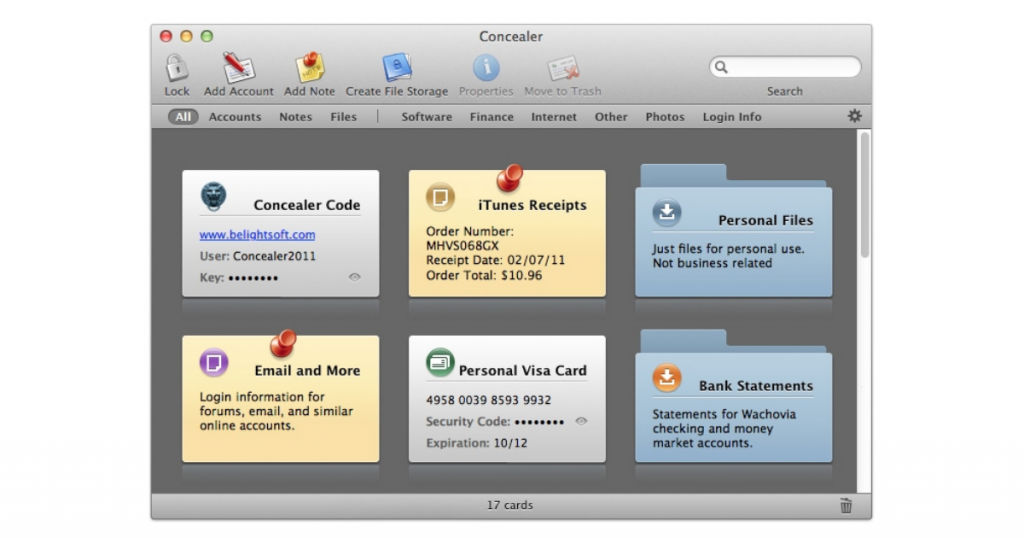
Concealer provides Mac users with robust AES-256 data encryption standards. The security software allows you to safeguard your website passwords, photos, videos, files, credit card information, software license codes, and a lot more like this by securing it using a master key.
You can safely hide your data and also add note cards to it, imitating a kind of journal entry that makes encryption more convenient. It also automatically locks your files if your Mac has not been opened for some time.
Their password manager has card templates that make storing credit card details, software serial numbers, login information, and passwords super easy. You just need to select a category and then proceed to copy the data into the various fields.
No one can discover this encrypted data if they do not know your master password. You can assign the master password to each file or keep a separate password for each file vault to make them more secure by adding an extra layer.
The process of adding files is super simple. You just need to drag them and drop them from the Finder. It is effective and easy. If you have some sensitive information already stored in the form of text, you can conceal it in the security software easily.
You can secure your diary or journal also with the help of note cards. Concealer is capable of securing any kind of information. It is truly a universal security software.
Conclusion
All of the encryption software mentioned here are perfectly capable of hiding confidential and private data on your Mac securely. All of them have a different set of features, and you should choose the one that serves your needs in the best way.
If you need a tool for storing your passwords safely, you can check out this list of the best password management software.
Also read:
• Best Encryption Software to Stay on Top of Your Digital Security and Privacy in 2021
