


When working on a project as a group, you need a tool that is adaptable and capable of meeting everyone’s needs. The covid-19 pandemic has forced teams to work remotely. This has created an even greater demand for a system that can assist in managing projects, coordinating, and keeping everyone informed. Here is where project management software comes to the rescue.
Finding the perfect project management software can be quite nerve-wracking, considering that there has been an influx of project management software in the past decade. To calm your nerves, we at SaaSworthy have put together a list of the top 7 free project management software that you can use in 2021.
Table of Contents
What is a project management software?
Project management software is a sort of online collaboration tool that assists project managers in managing their projects efficiently while ensuring adequate time and resource management. Without spending a penny, free project management software provides you with the flexibility you need to manage tasks, interact with stakeholders, and ensure project visibility.
These software solutions also enable managers to undertake administrative tasks, allowing them to verify that all workers are performing results-oriented activities. They give you a clear picture of the project’s status and health.
Top 7 free project management software to use in 2021
Given below is a list of the top 7 free project management software in 2021. The features and limitations of each software are given in detail to guide you in selecting the one that meets your needs.
1. Asana
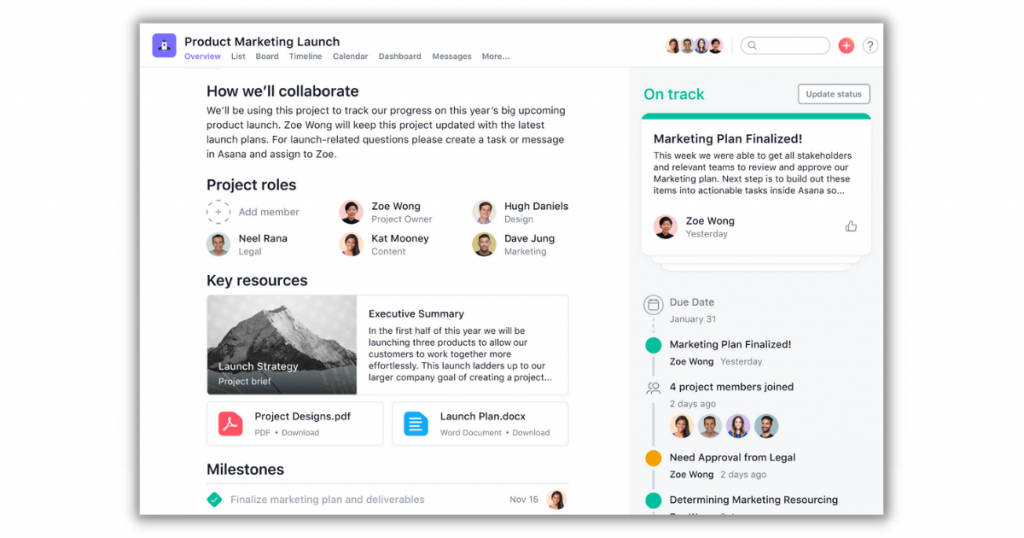
Asana is a cloud-based free project management software that assists teams of all kinds in managing and organizing tasks while also improving communication and cooperation. It facilitates the development of efficient strategies and plans of action, streamlines work, and automates the workflow.
More than 30,000 paying clients in over 192 countries utilize Asana. Retail, government, financial services, hospitality, and non-profit organizations are among the industries that use Asana.
The various features of Asana include –
- Users can specify start and finish dates, and color-coded statuses reflect task progress and importance. Tasks can also be connected together to show dependency.
- You can create tasks, assign them, and track their progress. Users can insert attachments and specify due dates, and there is a section for the job description.
- Its portfolio function serves as a command center for all ongoing projects within an organization. A dashboard view displays the progress, status, priority, dates, custom field values, and project owner for each project.
- It also facilitates job requests, staff onboarding, and the achievement of corporate goals and milestones.
The limitations of Asana are –
- It does not allow you to customize workflows for tasks and operations.
- Some of the advanced features are locked behind a paywall.
2. monday.com
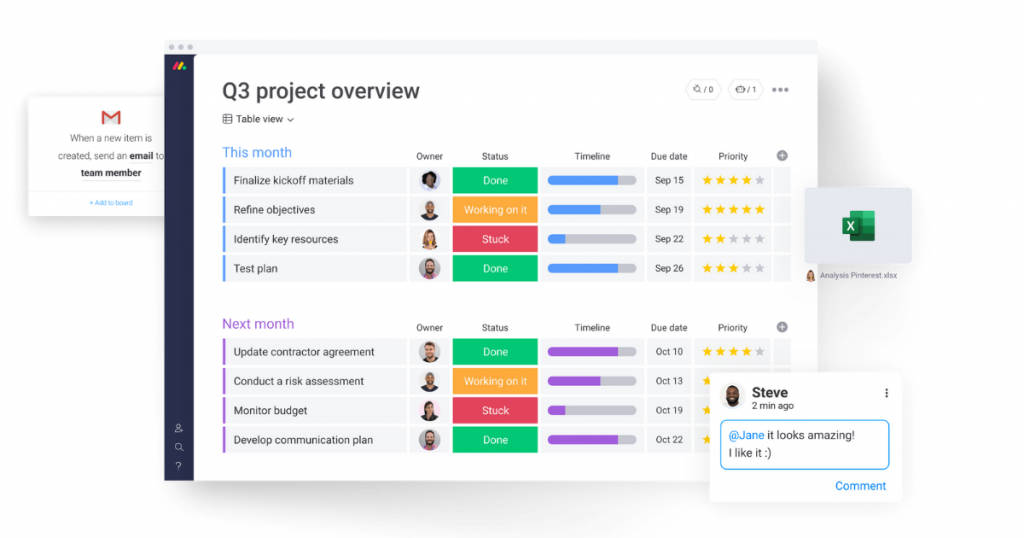
monday.com is one of the best free project management software that employs a visual, collaborative method to assist small and medium-sized businesses in managing a variety of marketing activities. monday.com’s diversified customer base of over 83,000 teams is dispersed across 141 countries and over 200 sectors.
Companies can tailor it to manage projects, ad campaigns, tasks, people, CRM, bug tracking, client projects, and other activities.
The various features of monday.com include –
- A variety of visual tools, such as a calendar, chart, files, Kanban, map, and timeline, make it simple to see where projects are and plan forward.
- You can set the software to trigger and automate repetitive operations such as notifications, due date alerts, status updates, item creation, and dependency due date revisions.
- Attachments, checkboxes, record linkages, multiple selection dates, and other tools are available to help you customize tables to meet the demands of each project.
- Boards enable you to arrange individual things and groups of things according to project stage, timeframe, and so on.
The limitations of monday.com are –
- The user interface is not user-friendly and can be complex for new users to navigate through.
- It can become slow at times.
3. Trello
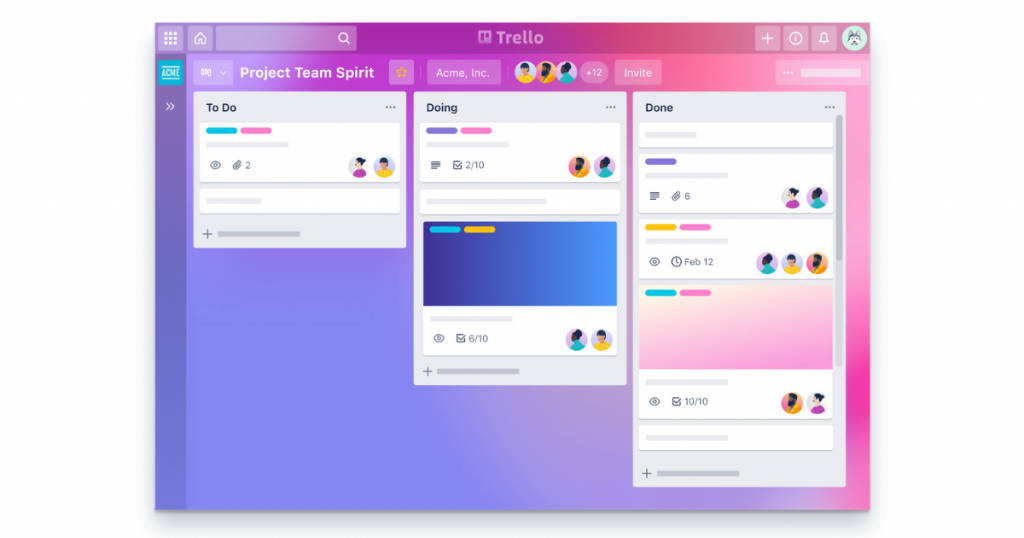
Trello is a cloud-based free project management software for task and project planning. Trello is used by thousands of businesses and millions of individuals worldwide. It enables administrators to assign tasks, create deadlines, and build workflows for a variety of project categories.
It is appropriate for organizations of any size, with clientele ranging from technology and the charity sector to the manufacturing and food industry.
The various features of Trello include –
- You can produce an infinite number of personal boards, cards and lists, as well as one power-up per board, for free. It comes with 10 team boards, rudimentary automation with Butler integration, and two-factor authentication.
- You can specify tasks on each card and route them through the workflow. You can create checklists and link relevant cards to one another to set up and oversee task dependencies.
- You can use cards to facilitate team communication by adding description fields, attachments, and comment threads.
- You can create numerous boards for multiple projects, workflows, etc., and store all associated information organized in one spot.
The limitations of Trello are –
- It is challenging to scale and manage several projects at the same time.
- The mobile version is not intuitive.
4. Wrike
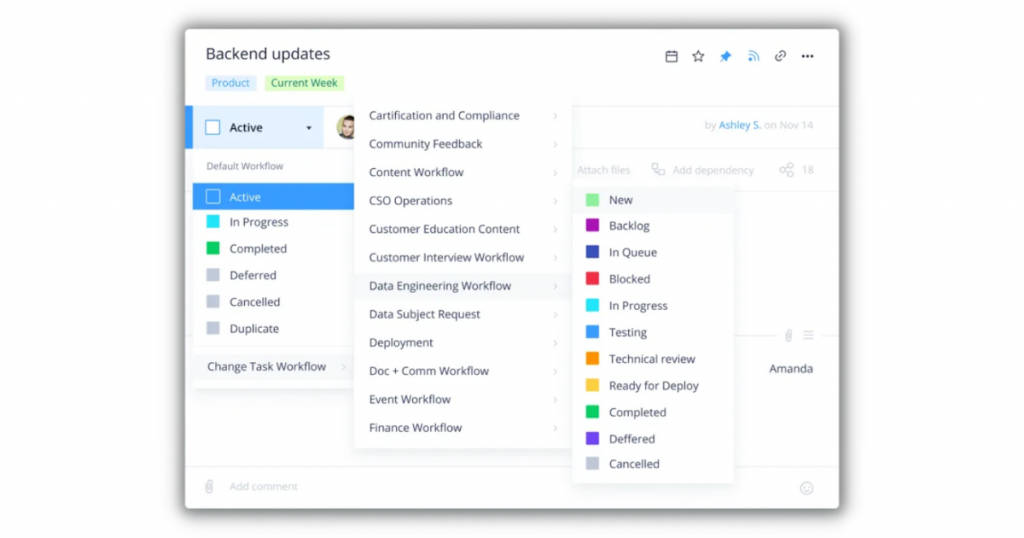
Wrike is a cloud-based project management software that encourages team collaboration and helps users manage tasks remotely. Wrike now has over two million users dispersed across more than 18,000 businesses, including startups, small and medium-sized businesses, and large corporations.
Wrike offers a plethora of features with its free version and is, therefore, SaaSworthy’s top choice as the best free project management software in 2021.
The various features of Wrike include –
- You can set standards that keep each job functioning efficiently during each project phase by using workflow rules.
- A variety of pre-built template types, such as project scheduling, event management, product launches, Kanban projects, and so on, enable teams to get started with crucial components already in hand.
- When work is assigned, the system provides deadline reminders to the assignee as well as management update notifications to enable continuous progress monitoring.
- You can zoom out to get a bird’s-eye perspective of the project’s tasks, dependencies, schedule, and scope. The drag-and-drop interface simplifies changing task deadlines and adding dependents.
The limitations of Wrike are –
- It sends a lot of email notifications if you do not modify the notification settings.
- There is no option to print the entire project.
5. TeamGantt
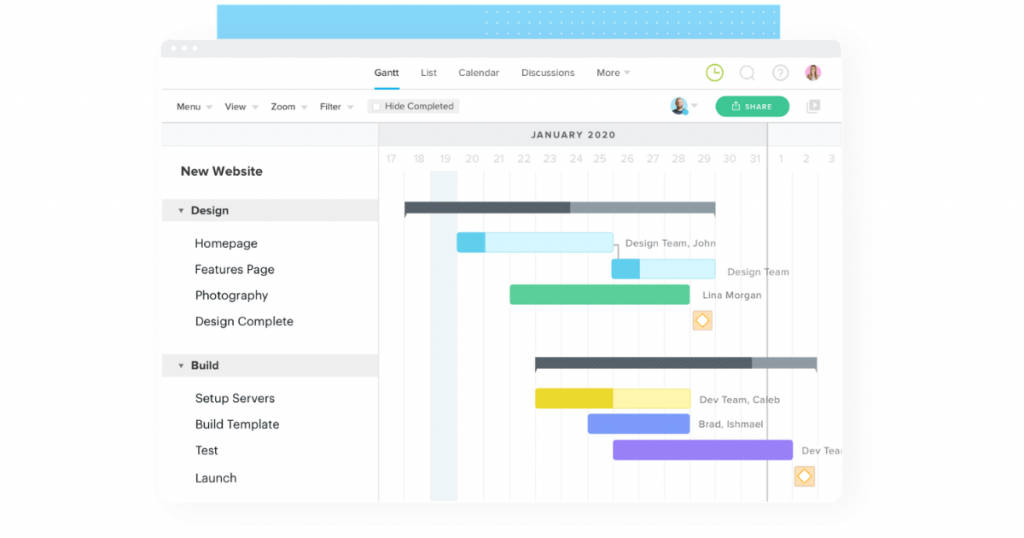
TeamGantt is an online free project management software that includes collaborative features such as file sharing, Gantt charts, time tracking, and project communication. It caters to a wide range of sectors, including manufacturing, finance, healthcare, marketing, hospitality, construction, real estate, and services, among others.
Employees can remark on tasks and attach files to them. Organizations can monitor allocated tasks while also tracking the progress of the project.
The various features of TeamGantt include –
- You can save time by creating reusable templates for similar activities. You can sort task remarks and updates while also specifying the order in which tasks must be performed.
- You can regularly edit and verify assignments, share project progress with your team members, and schedule projects on time.
- You can change the start and finish dates, change timeframes, and reorganize activities with a single click by using the drag-and-drop tool.
- You can build charts with many projects and display them as a calendar with overlapping deadlines, as well as save task comments as discussion threads.
The limitations of TeamGantt are –
- The user interface is clumsy and unimpressive, as well as cluttered and challenging to navigate through.
- It does not provide a feature for exporting customized timelines.
6. Paymo

Paymo is a web-based free project management software for students, freelancers, and small organizations. Paymo offers project management solutions in a variety of industries, including software and IT, web development, marketing, social media, web design, business consultancies, creative agency, and others.
It is used by over 150,000 businesses and freelancers in over 100 countries to manage, work, and collaborate on projects from start to end.
The various features of Paymo include –
- You can track the amount of time spent on each job and project, as well as customize reports by selecting from more than 20 factors.
- Using sophisticated time-tracking technologies, you can monitor employee hours and absences. It delivers precise team productivity insights via timesheets.
- The Kanban module is useful for managing tasks, activities, milestones, task lists, and due dates. Gantt charts allow you to track, schedule, and change tasks in real-time.
- It makes use of Kanban boards to increase transparency and simplify operations. You can prevent headaches and save time by using pre-built project templates.
The limitations of Paymo are –
- The team scheduling page is slow and does not allow you to enter different working hours for different employees.
- The mobile version is not optimized.
7. Zoho Projects

Zoho Projects is a cloud-based free project management software that enables teams to plan and execute projects of any size and timeframe in an efficient manner. It has more than 200,000 users across the world.
It also supports a total of 17 different languages. It manages tasks, improves cooperation, offers corporate analytics for reporting, and helps with time monitoring and crisis management.
The various features of Zoho Projects include –
- With over 50 out-of-the-box dashboards and reports, you can gather data into project performance across a wide variety of KPIs.
- The free version offers two projects, configurable task and project status choices, a calendar, project forums, feeds, integration with Google applications, and file attachments of up to 10 MB.
- It allows employees to automatically or manually register their hours on a timesheet while also allowing managers to examine reports based on employees, timeframe, or project.
- Gantt charts provide a high-level perspective of project activities and dependencies, whereas resource utilization charts break down every employee’s workload by day.
The limitations of Zoho Projects are –
- It is not suitable for managing remote teams at different time zones.
- It is challenging to integrate with certain external modules.
Conclusion
We hope that we were able to throw some light on the various free project management software options available in the present market scenario. These software also have premium/paid versions which you can avail of by paying the required fee. Now that you have reviewed the 7 best free project management software, you can select the one that best suits your needs.
For more informative articles like this one detailing the features and limitations of the top software in each category, visit SaaSworthy blog.
Also read:
