

In recent years, Artificial Intelligence (AI) has transformed industries and made everyday life easier. AI-powered tools are now accessible to everyone, streamlining both business and personal tasks. Oxylabs, Europe’s leading web intelligence platform, helps companies unlock data insights. With their new AI-powered assistant, OxyCopilot, users can quickly create data scrapers for public data extraction without manual coding. This guide covers everything you need to know about OxyCopilot, its features, and how it simplifies web scraping.
Table of Contents
What is OxyCopilot?
OxyCopilot is a first-of-a-kind AI web scraper assistant designed to generate scraping codes and parsing templates using simple prompts in English. What this means is that users can now more easily onboard to the product and find successful solutions for complex use cases without the need for any coding knowledge. With OxyCopilot, users can easily build web scrapers and parsers, and:
- Generate ready-to-use codes within seconds.
- Parse complex HTML layouts with the help of AI.
- Scale easily through the Web Scraper API platform.
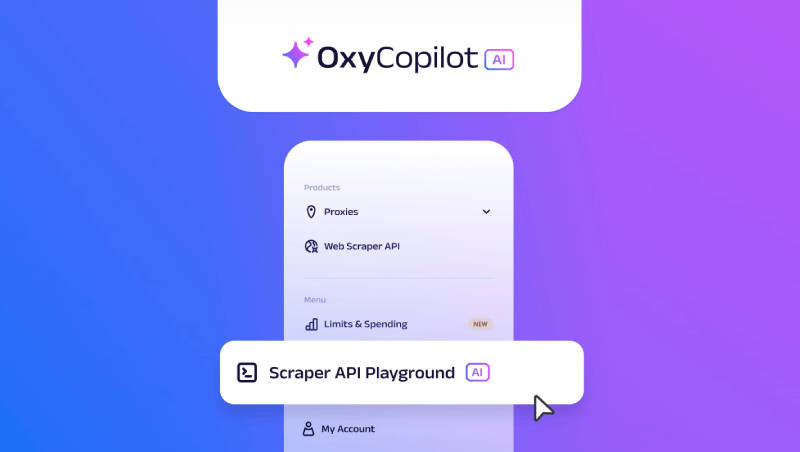
In short, all you need to do is just provide the target URLs and let OxyCopilot know your requirements in simple English! To get started with OxyCopilot, you need to simply visit the Oxylabs Dashboard and access OxyCopilot via the Scraper API Playground.
How Does OxyCopilot work?
Did you know that the world is generating around 150 zettabytes of digital data per year? However, the majority of the data is unstructured, and the high cost and complexity involved in building data scrapers and parsers have resulted in many businesses not being able to use all this digital data. Parsing has been identified to be one of the biggest challenges of web scraping with almost 75% of developers spending 10 to 40 hours every week just on parsing processes.
With OxyCopilot, users can now leverage AI to minimize the time spent on web scraping and parsing and they also don’t need to possess high levels of coding knowledge. This next-gen solution is based on natural language prompts and simple parsing templates, allowing users to generate codes within minutes.
So, how does OxyCopilot work? On the dashboard, you can generate custom parsing and request codes for Web Scraper API. OxyCopilot consists of two different functionalities:
- Request Builder – OxyCopilot helps users build the request code for Scraper API without having the need to understand their documentation and field logic.
- Custom Parser Builder – Leveraging the existing custom parsing instructions feature, OxyCopilot will help users build the required parsing instructions without writing any code or having to analyze the website structure.
Below are step-by-step instructions on how to use the functionalities –
Creating a Parser
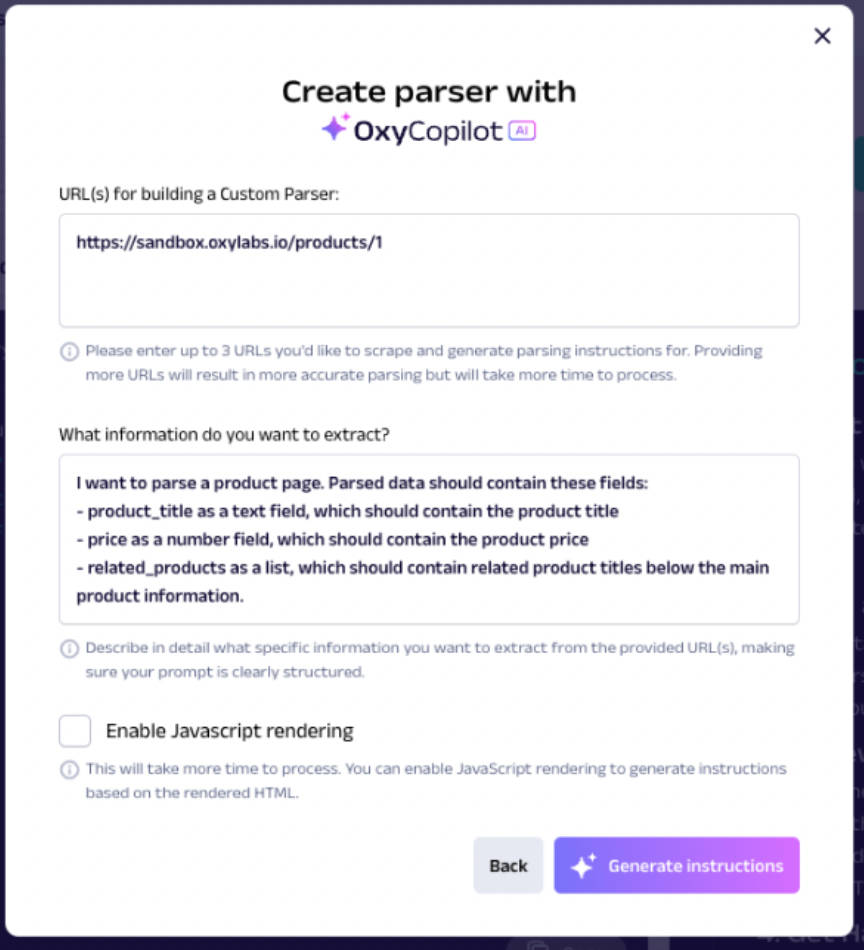
1. Step 1 – Provide the URL and prompt
You can provide up to three URLs for which you want to generate parsing instructions. OxyCopilot uses the HTML of the provided URLs to determine the best logic for extracting the required fields. The prompt is the key component, so it should clearly describe the fields that need to be parsed.
2. Step 2 – Adjust parsing schema
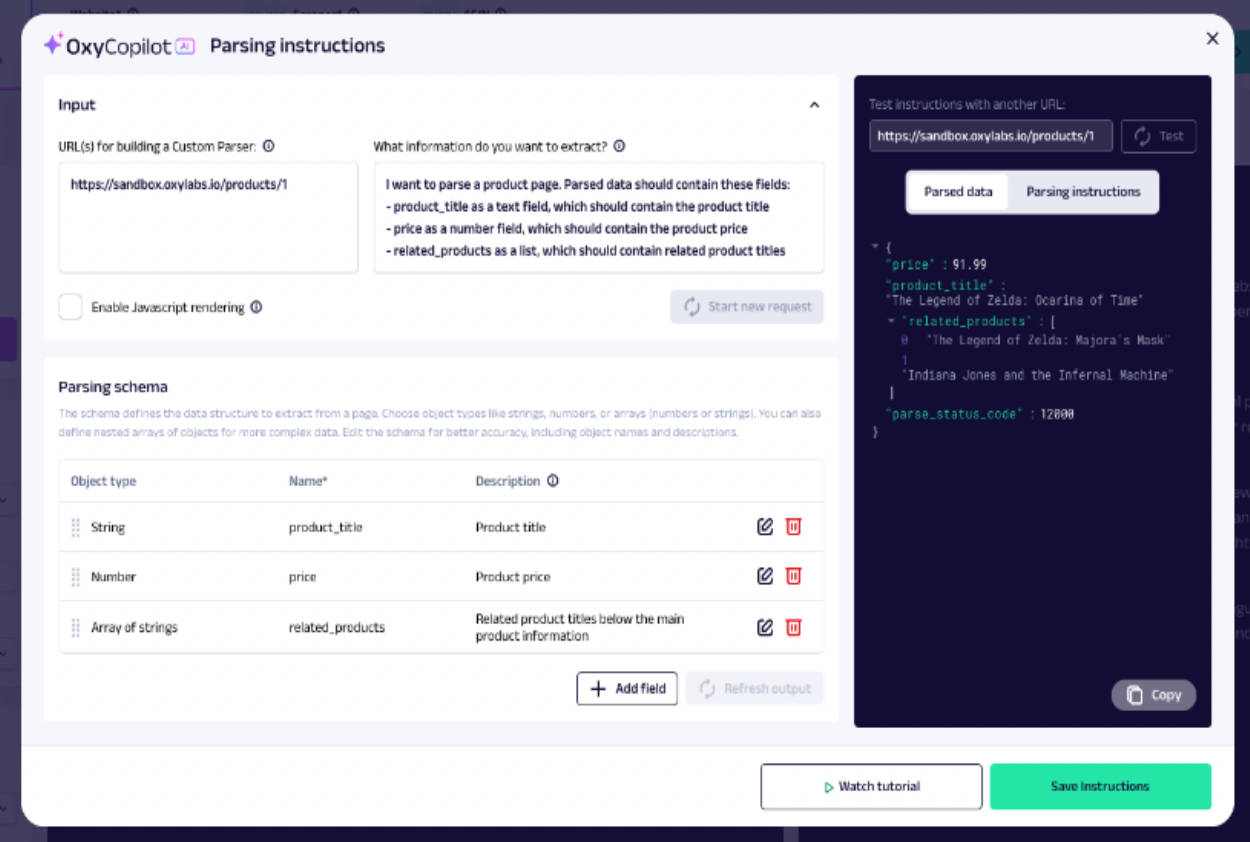
This is an optional step that allows the users to fine-tune the parsing schema to better meet their needs or troubleshoot any issues. The table as shown in the screenshot below displays the input used by the AI to generate parsing instructions. The schema defines which fields need to be parsed and consists of various object types. Each item in the scheme must have a name and description.
You can make adjustments to the scheme and once done, you need to click on “Refresh output” to regenerate the instructions and preview the parsed data.
3. Step 3 – Copy/Save the instructions and integrate them into scraping jobs
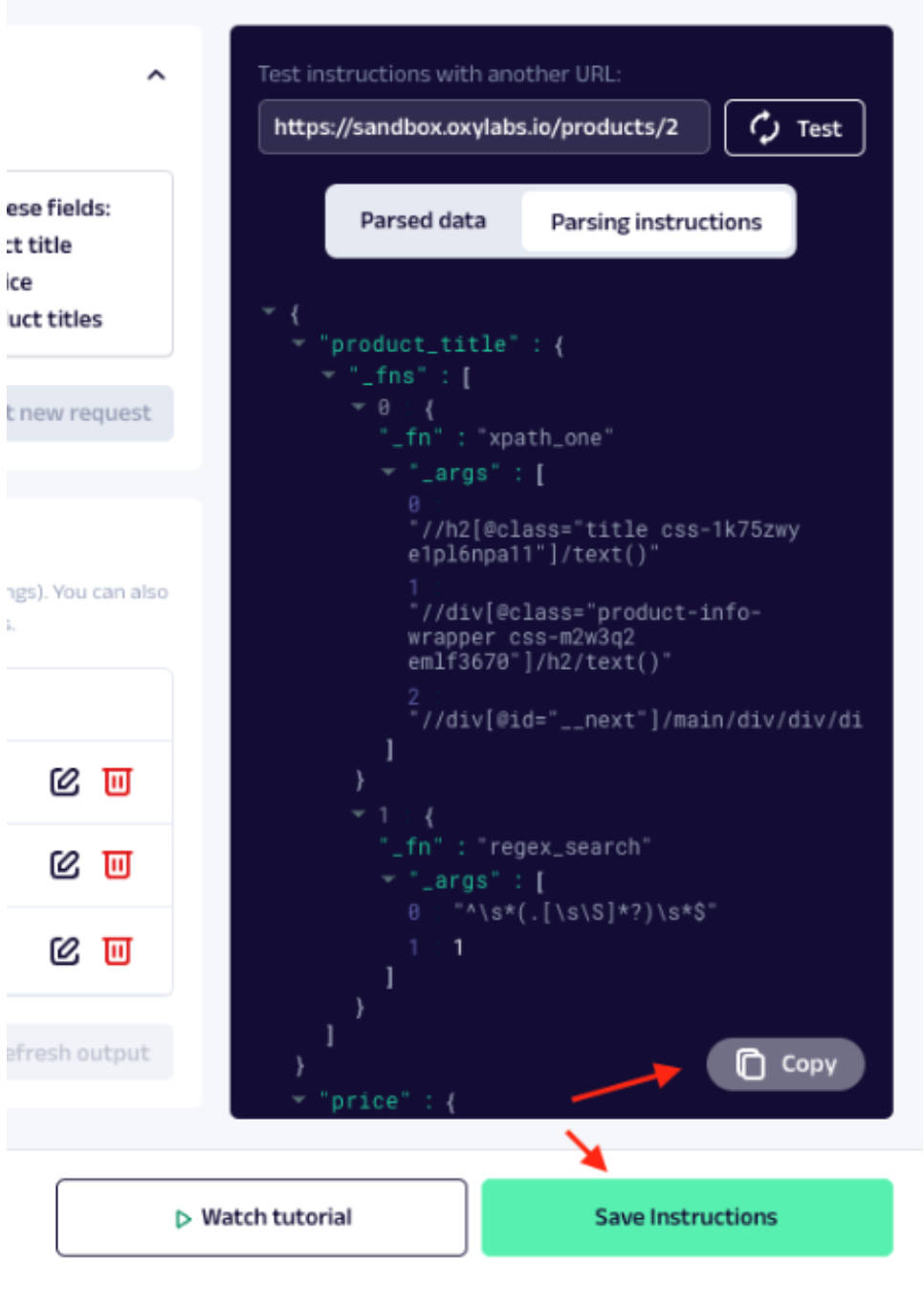
Once you are satisfied with the instructions, you can use the “Copy” button and paste the instructions into your scraper code. You can also “Save” the instructions to your API Playground session, adjust other request parameters, test, and then copy the complete request code in your preferred programming language.
Building a Scraper
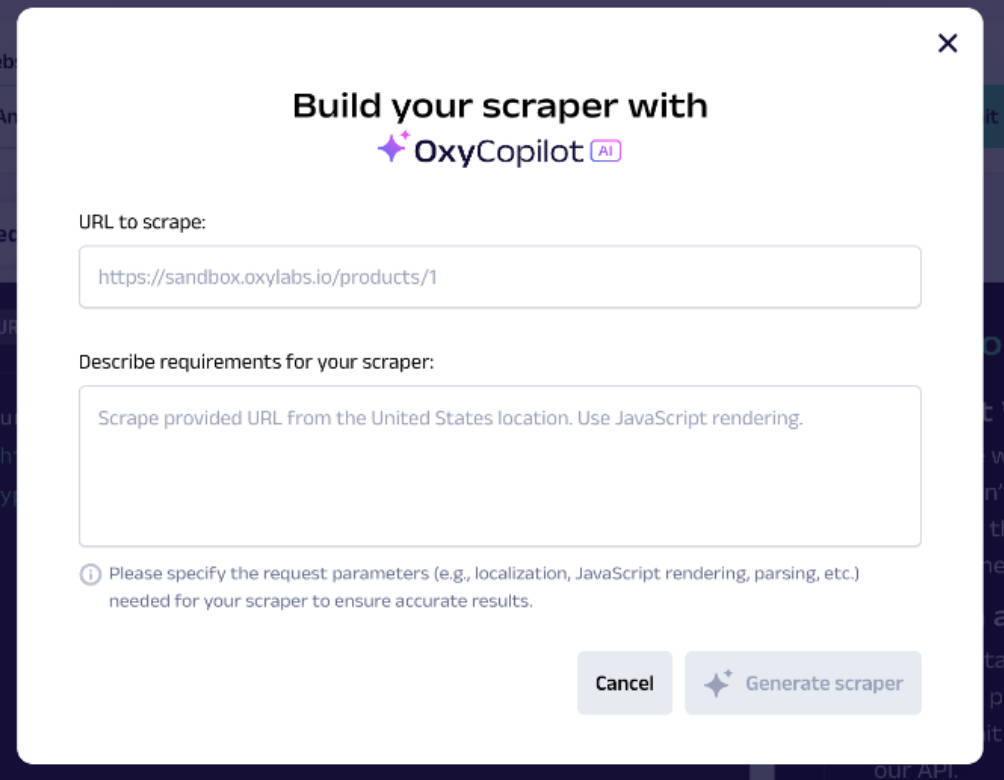
1. Step 1 – Provide a URL and prompt
Users will need to provide the required URL for scraping and the prompt should describe your requirements (localization, JS rendering, etc.).
2. Step 2 – Parsing
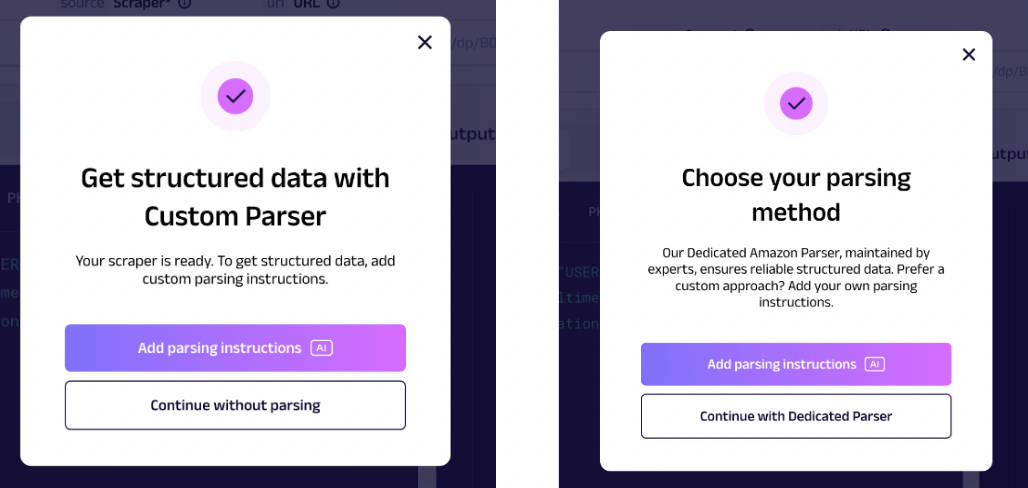
There are three ways to handle parsing:
- Custom Parser: You can create your parsing logic by selecting “Add parsing instructions” via the custom parser builder.
- Dedicated Parser: You can select “Continue with Dedicated Parser” if the URL is from a website for which Oxylabs provides a dedicated parser and you want to use it.
- No Parsing: If you don’t need structured data, then you can proceed without parsing.
3. Step 3 – Review the Request
OxyCopilot will fill in the required details in the Playground based on your prompt. Users will be able to view the specific request code and parameters and make adjustments if required.
4. Step 4 – Submit the request and copy
Once you are satisfied, you can submit your request to view the output and check if it is working as expected. You can then copy the request code to use for your further scraping tasks with the Web Scraper API.
Key Features of OxyCopilot
With the AI-driven OxyCopilot, users can build web scrapers professionally with the help of Oxylabs’ advanced scraping infrastructure. Here are some of the key features of OxyCopilot:
- Parse Complex HTML Layouts with AI – The combination of natural language with AI models helps in identifying complex parsing patterns from different examples.
- Extract Nested and Listed Data – By describing a parsing schema, users can ensure precise extraction of nested and listed data from a page.
- Cost-effective AI Parsing – Users can create and re-use AI-generated HTML Parsing instructions by hosting JSON-formatted templates.
- Fully Integrated into Web Scraper API – Scale with the API to tackle web unblocking, geo-restrictions, JavaScript rendering, and proxy management.
- Quick HTML Handling – Users can easily handle changes to HTML tags, classes, or entire element structures by leveraging AI to update a parsing template.
- Maintenance-free Infrastructure – With Oxylabs’ scraping and parsing infrastructure, you don’t have to worry about backend management.
- User-friendly – Oxylabs offers a user-friendly platform where users can just plain English to input and generate scraping codes.
- First AI Copilot for Web Scraping – OxyCopilot is the first AI-powered assistant designed for web scraping and data parsing tasks, making it possible to generate codes within minutes.
Key Benefits of OxyCopilot
Users ideally want to easily build requests, start scraping, find quick solutions for complex data parsing instructions, use a scalable and cost-effective solution, etc. All of this is easily possible with the help of OxyCopilot. Below are some of the key advantages that users can benefit from:
- Saves time for users as they will not have to spend time on writing codes.
- Complex use cases can be easily handled thanks to OxyCopilot.
- Users don’t have to analyze web structures or documentation.
- Users can quickly build parsers for websites that do not have parsers.
- If the website layout changes, OxyCopilot can help in quickly fixing the parser.
- Users can easily scale their web scraping projects.
OxyCopilot aims to deliver the above benefits by:
- Integrating OxyCopilot within the Scraper API Playground.
- Providing intuitive, user-friendly interfaces and guidance.
- Offering a reliable scraping and parsing infrastructure where automatically generated code works seamlessly.
- Video tutorials in-depth developer-friendly documentation and GitHub articles.
- 24/7 live chat support and account managers’ support.
How to Use API Playground?
After logging in to Oxylabs’ dashboard, you need to click on “Scraper APIs Playground” under the Menu option.
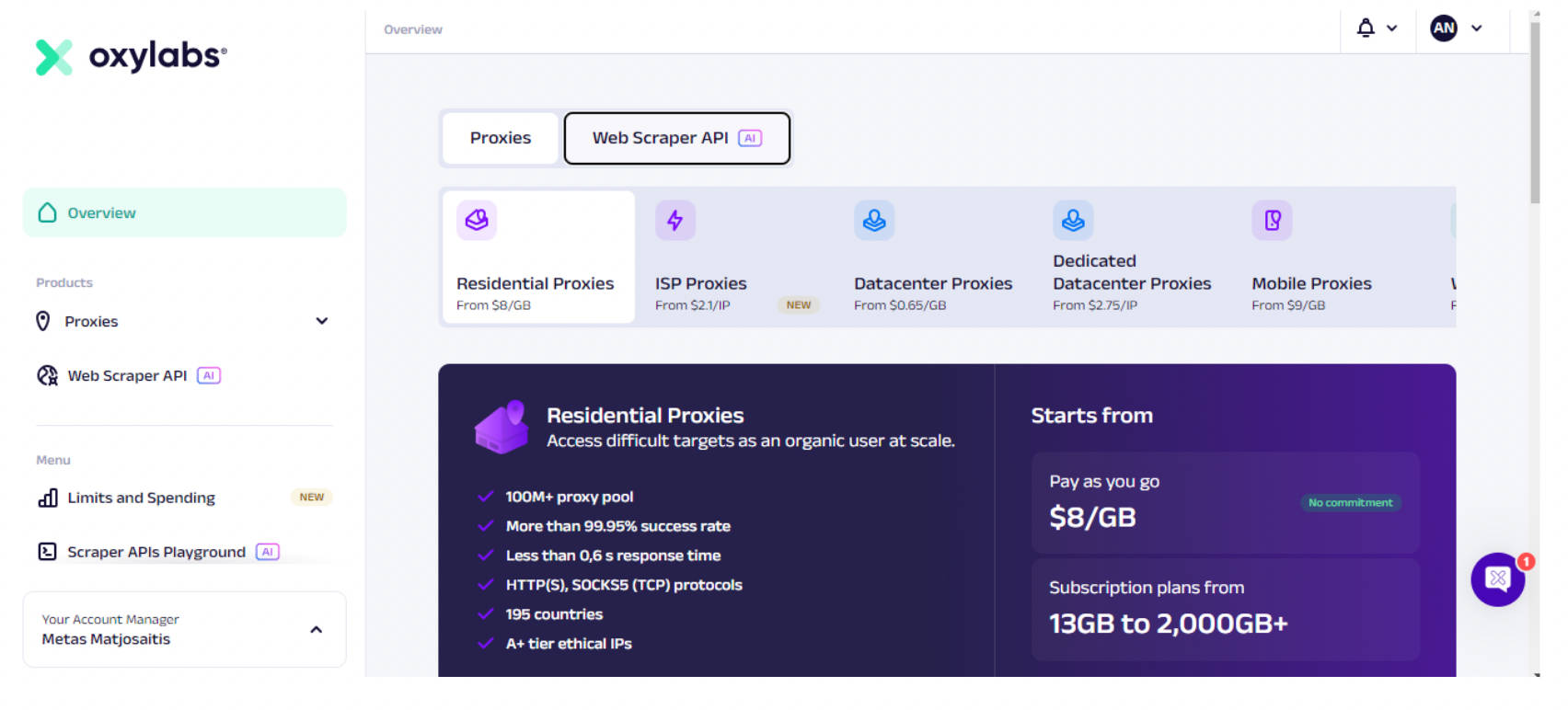
Once you click on it, you will be taken to the below page:
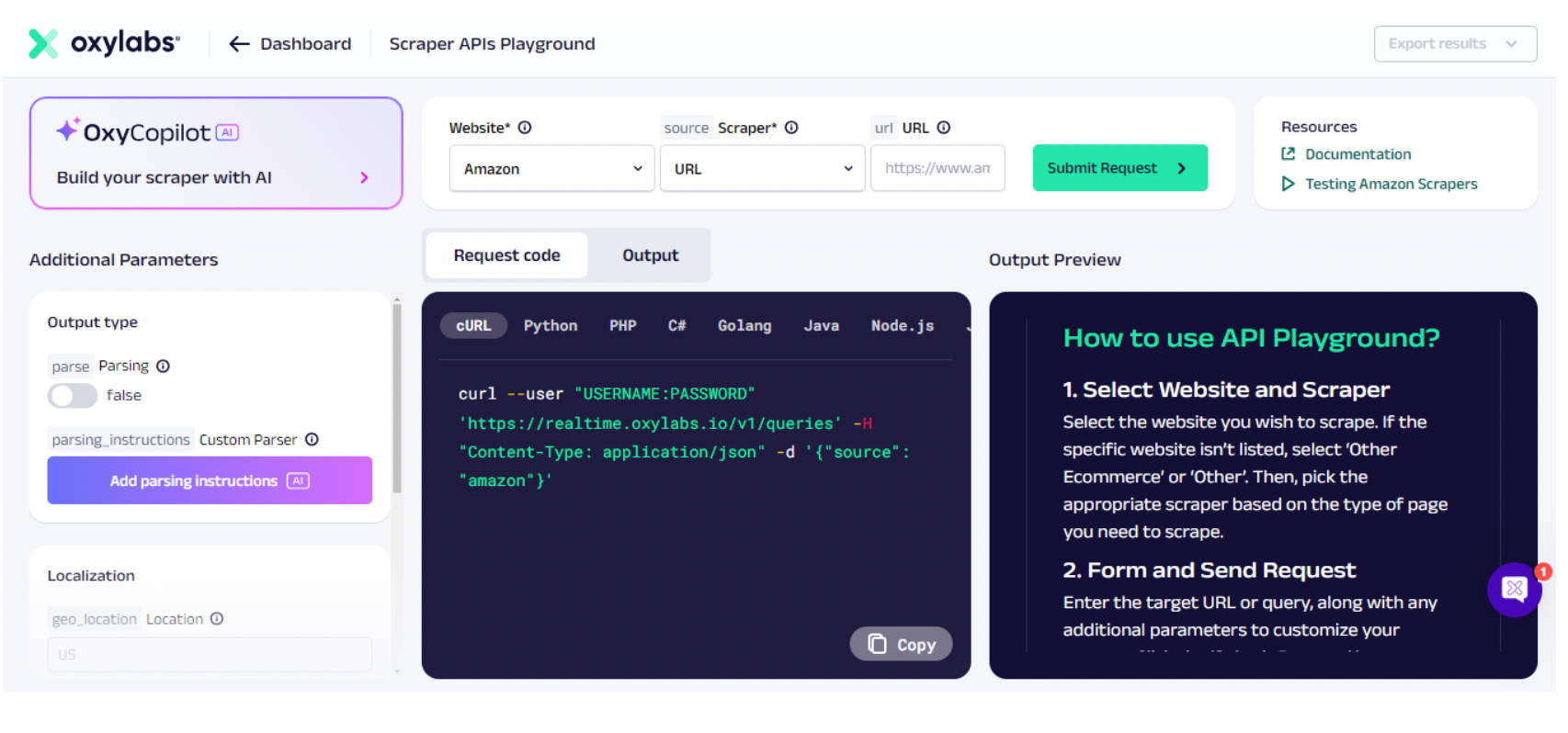
Below are the detailed steps on how to use API Playground:
- Step 1 – Select the website you wish to scrape from the dropdown menu. If the website is not listed, then you can choose “Other Ecommerce” or “Ecommerce”. Next, you need to choose the appropriate scraper based on the type of page you need to scrape.
- Step 2 – Enter the target URL or query along with any additional parameters to customize your request. Once done, click on the Submit Request button.
- Step 3 – The API will process and provide the results which can be viewed in the “Output Preview” tab. You can view both the output code and an HTML/PNG preview. You can then export the data as JSON or HTML by using the button in the upper right corner.
- Step 4 – Finally, you can copy the input code in your preferred programming language and test it via the terminal.
Resources
Here are some helpful links that you can refer to gain more knowledge and understanding about OxyCopilot.
Key Takeaway
Artificial Intelligence has opened up a wide range of opportunities for data analytics and harnessing its capabilities can truly transform the way we work. OxyCopilot is one such AI-driven assistant that can help users even with minimal or no coding knowledge to find effective solutions for complex use cases. This is possible because OxyCopilot uses advanced AI models to identify and generate complex parsing patterns accurately, enabling the extraction of nested and listed information.
In short, with OxyCopilot, you can experience seamless and efficient data extraction and gain actionable insights faster than ever.
