

Tracking mileage manually is a hassle, especially if you’re juggling business trips, client visits, or rideshare work. That’s where MileIQ comes in. With automatic mileage tracking, smart categorization, and IRS-compliant reports, MileIQ helps you save time and maximize your tax deductions.
In this complete 2025 guide, we’ll show you how to use MileIQ effectively, right from setting it up to getting the most out of its features, so every mile you drive counts.
Table of Contents
What is MileIQ?
95 % SW Score The SW Score ranks the products within a particular category on a variety of parameters, to provide a definite ranking system. Read more

What is Moodle and how does it work?
With 20+ years of expertise in education technology, Moodle is an open-source, secure, and scalable learning management system (LMS) that integrates seamlessly with other platforms and can be customized for any teaching or training purposes in over 160 languages. As a B-Corp-certified solution, it is suitable for K-12, higher education, vocational training, corporates, and all types of enterprise learning. From improving education and learning outcomes to streamlining training, onboarding, and compliance management, Moodle helps institutions and organizations build more active and engaging online learning spaces. Designed for flexibility, Moodle can be customized to suit the size, structure, and needs of any organization while integrating with the existing software ecosystem. Moodle's world-leading privacy and security features help protect learner privacy, achieve compliance, and control their infrastructure and data. When organizations choose Moodle, they become part of a global community of people who love Moodle's online learning platform and its values. Organizations can get support from Moodle's active community forums, access Moodle's certified integrations, and explore over 2000 open-source plugins. For expert advice and end-to-end support and service, they can contact one of the Moodle Certified Partners and Service Providers within Moodle's global network.
Read moreSW Score Breakdown
- Features 100%
- Reviews 60%
- Momentum 63%
- Popularity 65%
- Free Trial Available
- Starts at $130.0. Offers Custom plan.
MileIQ is a leading mileage-tracking app designed to automatically log your drives using GPS, saving time and ensuring IRS-compliant records. It’s especially helpful for freelancers, gig economy workers, consultants, and small businesses that depend on mileage deductions or reimbursements.
SaaSworthy Insight: MileIQ is consistently rated among the top mileage tracking apps thanks to its intuitive interface, smart automation, and minimal manual effort.
Why Use MileIQ?

Whether you’re a delivery driver, self-employed consultant, or managing a mobile sales team, accurate mileage tracking is essential. MileIQ takes the hassle out of this task by automatically logging, classifying, and reporting trips, transforming manual logs into a seamless digital process.
Key Features:
-
Automatic mileage tracking
-
IRS-compliant reporting
-
Maximizes tax deductions
-
Streamlined reimbursements
-
Built for individuals and teams
Getting Started with MileIQ
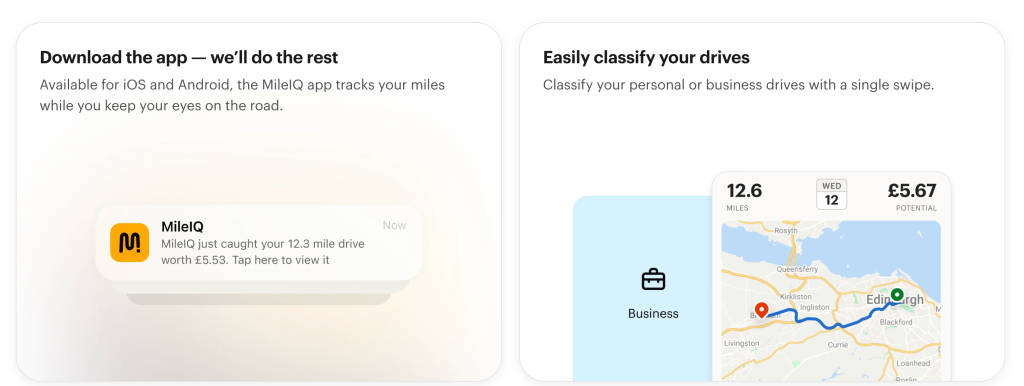
Getting up and running with MileIQ is quick and simple. Once installed and configured correctly, the app quietly tracks your drives in the background and builds detailed mileage logs for you to review. Here are the simple steps to follow:
Step 1 – Download the App
Available on both iOS and Android.
Step 2 – Create Your Account
Sign in with Microsoft (MileIQ is a Microsoft product) or email.
Step 3 – Enable Location Settings
Turn on:
-
Location Access (Always)
-
Motion & Fitness tracking
-
Background App Refresh
Important for Android users: Disable battery optimization for MileIQ or you may miss trips.
How MileIQ Works
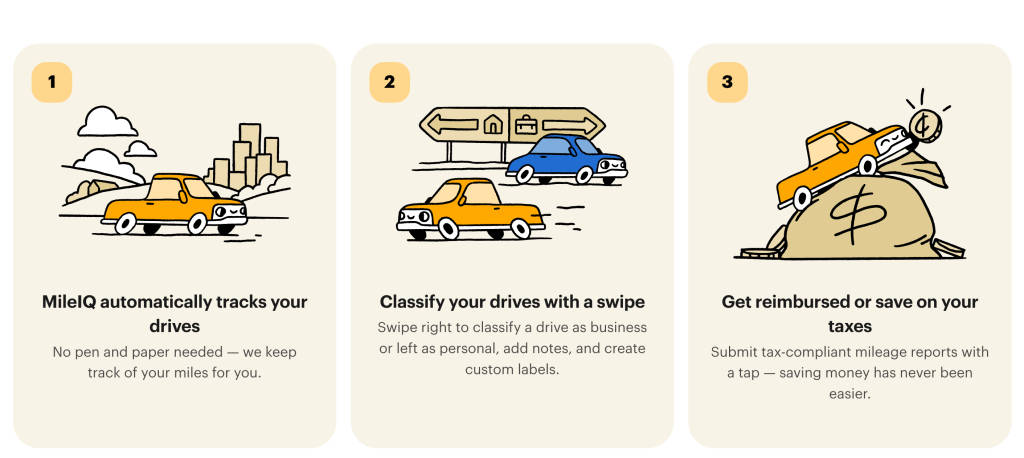
Once installed, MileIQ uses your phone’s GPS and motion sensors to detect driving activity. It logs trips automatically and prompts you to classify them by simply swiping right (Business) or left (Personal). This intuitive design removes the friction of manual entry. The MileIQ app lets you:
-
Detects when you’re driving via GPS.
-
Automatically logs start and stop points.
-
Swipe right to classify as Business.
-
Swipe left to classify as Personal.
SaaSworthy User Tip: Create custom purposes (e.g., “Client Visit,” “Delivery,” or “Sales Call”) to organize your deductions or billable hours more clearly.
How to Set Up MileIQ for Accuracy
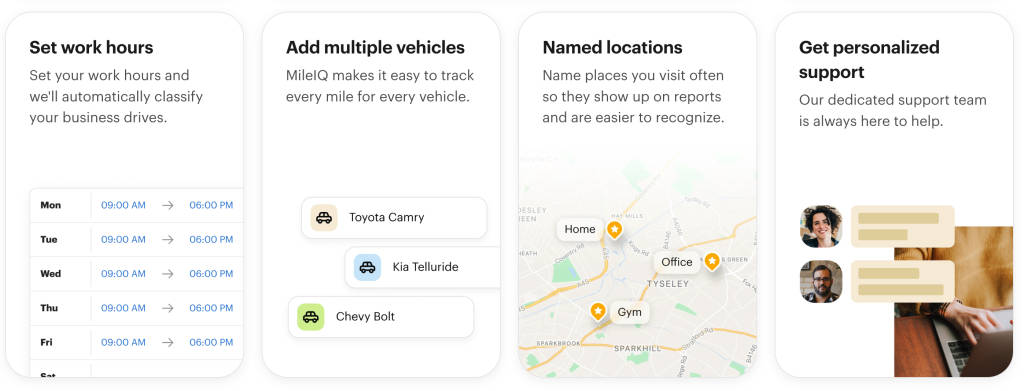
To get the most accurate and actionable reports, take a few minutes to customize your MileIQ settings. This helps the app filter out irrelevant trips and better understand your driving habits.
Key Customization Tips:
-
Set Work Hours: Restrict trip logging to your business hours to avoid capturing personal drives.
-
Label Frequent Locations: Tag places like “Home,” “Office,” or “Main Client” so the app can recognize and categorize trips more accurately.
-
Define Drive Detection Zones: Exclude specific areas (e.g., your home neighborhood) to prevent unnecessary personal trip logs.
Best Practices to Use MileIQ Effectively
Now that you’re set up, it’s time to streamline your workflow. The following practices will help you avoid missed trips, minimize classification errors, and maximize your tax savings.
Smart Mileage Habits:
-
Classify Drives Weekly: Prevent end-of-month overload by swiping through drives weekly—it makes tax time a breeze.
-
Add Trip Notes: Include client names or trip purposes. These notes are incredibly useful for audits and reimbursements.
-
Delete Irrelevant Trips: Accidentally logged a walk or bike ride? Remove it promptly to keep your records accurate.
-
Tag Vehicles: If you use multiple cars, tagging each trip ensures your reports are clear and vehicle-specific.
MileIQ Reports & Tax Optimization
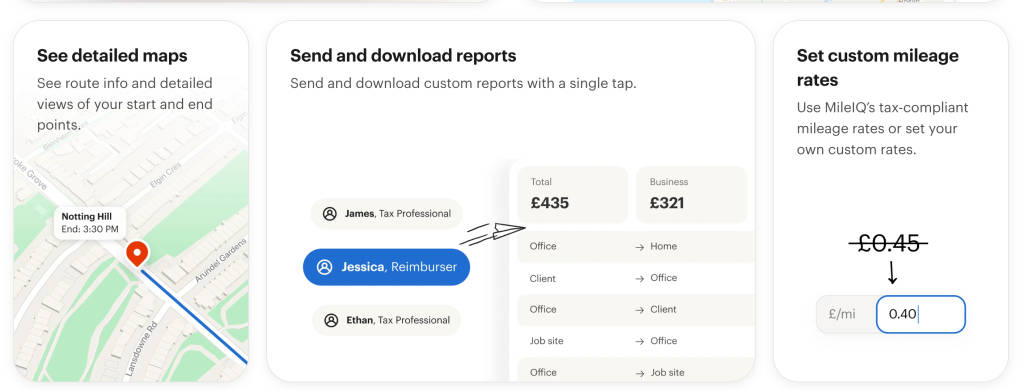
One of MileIQ’s most powerful features is its exportable reports, which are IRS-compliant and fully customizable. These reports make it easy to substantiate your deductions or submit reimbursements with confidence. With MileIQ, you can –
-
Create monthly or yearly IRS-compliant logs.
-
Filter by vehicle, purpose, or custom categories.
-
Export as CSV, PDF, or Excel files.
SaaSworthy Insight: MileIQ’s reporting tools score high for simplicity and detail, especially useful for tax deductions or employee reimbursement claims.
Using MileIQ for Teams
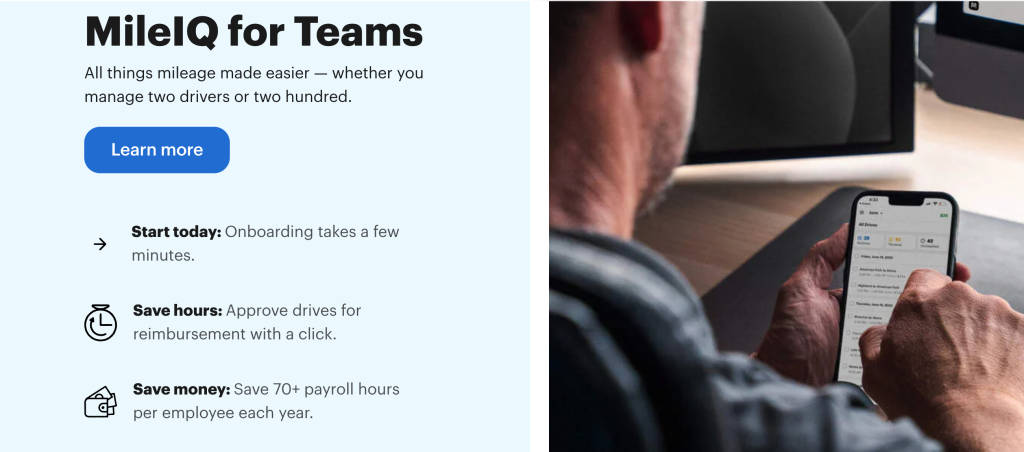
If you’re managing a mobile workforce or reimbursing employee mileage, MileIQ’s team features allow you to control access, gather reports, and ensure compliance, all from one admin dashboard.
➤ Team Admin Features
-
Add/remove users from a single dashboard.
-
Set reimbursement policies.
-
Access individual or group reports.
➤ Report Generation
Admins can download team-level summaries and filter by date, purpose, or user.
SaaSworthy Note: MileIQ is widely adopted by field teams and sales staff due to its hands-off functionality and clean audit trail.
Tax Deduction Tips
Accurately tracking and reporting business mileage can lead to substantial tax deductions. However, knowing which trips qualify is just as important as logging them.
In 2025, the IRS standard mileage rate is approximately 67 cents per mile (be sure to confirm the exact rate during tax season).
Common Deductible Drives Include:
-
Client meetings
-
Delivery or gig work
-
On-site visits
-
Business-related supply runs
Not Deductible: Home to office commutes (unless operating from a home office).
How MileIQ Compares with Alternatives
There are other apps out there, but MileIQ maintains a strong edge due to its simplicity, automation, and Microsoft backing. Here’s how it stacks up against top competitors:
| Feature | MileIQ | Everlance | TripLog | Hurdlr |
|---|---|---|---|---|
| Auto Drive Detection | Yes | Yes | Yes | Yes |
| IRS-Compliant Reports | Yes | Yes | Yes | Yes |
| Swipe-to-Classify | Intuitive | ❌ Manual Tags | ❌ Manual Edits | ❌ Form-based |
| Teams Functionality | Simple Admin | Advanced | GPS Locking | Live Reports |
| Offline Logging | Yes | Yes | ❌ No | ❌ No |
| Rated on SaaSworthy | ★ 4.6/5 | ★ 4.4/5 | ★ 4.1/5 | ★ 4.2/5 |
What Reddit Users Say About MileIQ
Reddit communities offer honest, uncensored feedback about how tools perform in the real world. Here’s a snapshot of what users across subreddits like r/Flipping, r/selfemployed, and r/doordash_drivers have said about MileIQ. Check them out below:
Loved for Convenience
“For $6.41/month, it saves me HOURS. 10/10 would recommend.” — r/Flipping
“$60 a year for an app that saves me hours? Totally worth it.” — r/selfemployed
Criticism Over Accuracy
“It regularly skips drives and undercounts mileage. Odometer says 41 mi, MileIQ says 22 mi.” — r/couriersofreddit
“Splits a single trip into two parts. Super annoying.” — r/MileIQ
Frustration with Price Hike
“$8.99/month now? That’s too much. Switching to yearly or another app.” — r/InstacartShoppers
“Full 50% increase after 10 years. Goodbye MileIQ.” — r/doordash_drivers
Alternatives Gaining Traction
“I switched to Everlance – more control, just need to manually start/stop.” — r/couriersofreddit
Summary from Reddit
| Pros | Cons |
|---|---|
| Saves time & effortless tracking | Missed or undercounted trips |
| Loved by gig workers & solopreneurs | Trip-splitting errors |
| Clean interface | Price increases driving people away |
| IRS-friendly reports | No manual start/stop feature |
Reddit-Inspired Tips
-
Cross-check with odometer readings monthly.
-
Use the manual log feature if you suspect trip loss.
-
Opt for yearly subscription if you’re committed long-term.
-
Explore alternatives like Everlance or Stride if you need better manual control.
Final Thoughts
MileIQ continues to dominate the mileage-tracking space due to its ease of use, clean design, and time-saving automation. Praised on SaaSworthy, it remains a top choice for professionals looking to simplify mileage logs and maximize deductions.
However, Reddit communities provide a valuable reality check: it’s not perfect. Accuracy can vary, and recent pricing changes are pushing users to consider alternatives. That said, for many, the time and tax savings far outweigh any flaws.
SaaSworthy Verdict: If you value automated compliance and don’t want to manually log every drive, MileIQ is a powerful, well-rated tool that pays for itself with every mile.
FAQs
Does MileIQ track when I’m walking?
No, it’s optimized to detect driving patterns only. But errors do happen—delete such entries.
Can I track multiple vehicles?
Yes. You can assign a vehicle tag to each drive.
Is it IRS-compliant?
Yes. Reports are formatted to meet IRS documentation standards.
What happens if I miss classifying a drive?
You can go back anytime and classify it—even months later.
What’s free vs paid?
Free plan: 40 drives/month
Paid plan: Unlimited drives + full reports and features (monthly or yearly options)
