

Project management software is readily available and accessible for use by businesses of all sizes to complete projects on budget and schedule. The software simplifies project management through tools like resource allocation and task tracking; at the same time, mobile apps, third-party integrations, and free plans covering essential features make these tools attractive options to consider when looking for project management tools on the market. With so many choices for free project management tools on offer, it may take time to find one to meet all your needs – which is why we conducted extensive research into which tools would best serve various needs when selecting project management software tools before providing recommendations of our selection to assist our readers in this critical decision-making process! Let’s get started.
Table of Contents
What is Project Planning Software?
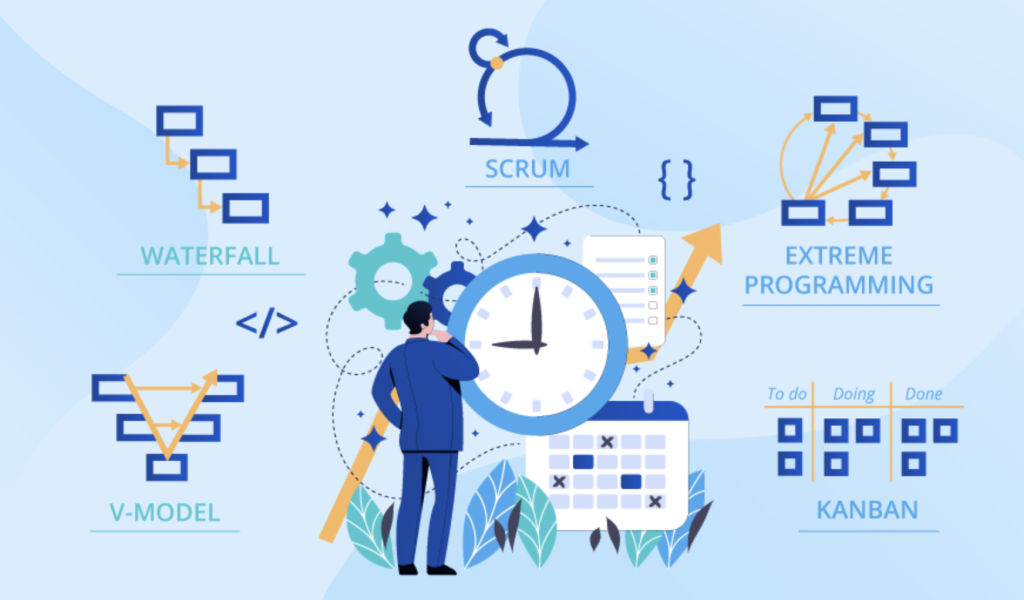
Software designed for project planning and management allows organizations to oversee projects from conception through completion, tracking tasks, optimizing people and resources, and sharing important documents as needed.
How to choose free project planning software?
When searching for free project-management software, several factors should be kept in mind. You must decide which features are essential to your business before considering ease of use – simple software should always win out over complex ones! Also, think about possible integrations and compatibilities across devices, as these elements must all come into play to find an appropriate product.
What are the different types of project management software?
Project management software serves primarily to increase communication, transparency, and team collaboration by offering complete visibility over processes, tasks, and workflow. Some project management platforms are tailored specifically for developers. In contrast, others cater to workers from various fields – here is more on different types of software for project management than you should expect!
- Task Management Software: Task management is vital for companies that wish to automate processes, such as spreadsheets used for project tracking. Project managers use task management software to assign employees tasks and monitor progress using visual dashboards; employees can prioritize functions using color coding or labels and set automatic notifications and reminders about due dates utilizing this platform.
- Project Collaboration Software: These solutions are ideal for teams seeking to enhance communication within their group and facilitate effective task management and cooperation quickly and seamlessly. Solutions available may include dashboards for team activities, document-sharing platforms, and real-time chat capabilities – remembering voice/video call features, too!
- Agile Project Management Software: Software designed specifically to assist technical teams like software developers in managing projects more effectively is known as agile project management software. However, this tool may also benefit non-technical groups (less than ten people) following agile frameworks like those found in marketing or other disciplines that employ Agile methodology. Features included task management, collaboration, and Kanban dashboards as a visual progress indicator. Advanced reporting, such as burndown charts or sprint velocity metrics, is offered within this software package.
- Project Portfolio Management (PPM) software: As small businesses expand, project portfolio management software becomes an indispensable element. PPM suites help prioritize projects while also assessing risks and allocating employees appropriately.
Top 5 Free Project Planning Software in 2024
HoneyBook
HoneyBook, a cloud CRM designed for small businesses and freelancers, assists users in overseeing all aspects of a company’s operations, from consulting to billing. Users can manage projects, schedule customers for appointments, create invoices, and collect payments online using this platform. HoneyBook provides task management features that enable users to monitor various phases of a project in real-time and centralize all documents, including invoices and contracts, in one convenient place.
Custom templates and notifications allow them to respond automatically to appointment requests, follow-up messages, notification messages, and task reminders sent from HoneyBook.
- Deployment – Cloud, SaaS, Web-Based.
- Platform – Mac, Windows, Linux, Android, iPhone, iPad.
- Top Features – ACH Payment Processing, API, Access Controls/Permissions, Accounting Integration, Accounts Payable, Accounts Receivable, Activity Dashboard, Alerts/Notifications, Appointment Scheduling, Authentication, Availability Management, Billing & Invoicing, Billing Portal, Business Process Automation, CRM, Calendar Management, Calendar Sync, Calendar/Reminder System, Canned Responses, Client Management, Client Portal, Collaboration Tools, Completion Tracking, Confirmation/Reminders, Contact Database.
- Free Trial & Version Available
- Price – $19/ Per month.
- Best for – Contact Management, Content Library, Contract Drafting, Contract/License Management, Credit Card Processing, Customer Accounts, Customer Database, Customizable Dashboard, Customizable Invoices, Customizable Templates, Dashboard, Data Import/Export, Data Security, Deadline Management, Debit/Credit Card Processing, Design Templates, Document Management.
- Support – Email/Help Desk, FAQs/Forum, Knowledge Base, Phone Support, 24/7 (Live Rep), Chat.
- SW Rating – 4.6/5 Stars
My Hours
For freelancers and small teams alike, My Hours’ cloud-based time tracking solution My Hours offers the ideal solution: it enables users to monitor an unlimited number of projects/tasks quickly while producing insightful reports/invoices instantly. They allow users to track time easily using its intuitive and user-friendly interface, offering real-time monitoring as well as manual log addition and continuation.
Native iOS and Android applications allow them to follow along their time journey on mobile devices and tablets. Users can assign time sheets to projects and tasks with My Hours and add descriptions or information as desired. Administrators are able to easily update team members’ time log data as required, while users themselves can utilize detailed time reports that provide invaluable insights into individual or collective performance.
- Deployment – Cloud, SaaS, Web-Based.
- Platform – Windows, Linux, iPhone, iPad.
- Top Features – API, Accounting Integration, Activity Dashboard, Activity Tracking, Alerts/Notifications, Approval Process Control, Attendance Tracking, Billable & Non-Billable Hours, Billing & Invoicing, Clock In/Out, Collaboration Tools, Customizable Reports, Employee Database, Employee Time Tracking, For Small Businesses, Leave Tracking, Mobile Time Tracking, Multiple Billing Rates, Online Time Tracking, Project Management.
- Free Trial & Paid Version Available
- Price – $8/ Per month.
- Best for – Project Time Tracking, Project Tracking, Projections, Real-Time Reporting, Real-Time Updates, Reminders, Reporting/Analytics, Reporting/Project Tracking, Sick Leave Tracking, Status Tracking, Task Management, Task Progress Tracking, Third Party Integrations, Time & Expense Tracking, Timesheet Management, Vacation/Leave Tracking, Workflow Management.
- Support – Email/Help Desk, FAQs/Forum, Knowledge Base, Phone Support, 24/7 (Live Rep), Chat.
- SW Rating – 4.7/5 Stars
MeisterTask
MeisterTask, an online tool designed for team and project collaboration, allows real-time interaction among your teammates while you create dashboards and manage projects. MeisterTask’s dashboard gives a quick snapshot of notifications and projects.
Users can invite others via email to collaborate on any number of projects; customized dashboards can meet individual user’s needs; instantaneous notifications of completed tasks enable accurate time team communications – while mobile access provides users access to their task lists – plus it works seamlessly with Google Drive as well as Slack, GitHub or Zendesk!
- Deployment – Cloud, SaaS, Web-Based.
- Platform – Windows, Mac, Linux, Android, iPhone, iPad.
- Top Features – @mentions, API, Access Controls/Permissions, Activity Dashboard, Activity Tracking, Activity/News Feed, Agile Methodologies, Alerts/Notifications, Assignment Management, Backlog Management, Bar Chart, Billable & Non-Billable Hours, Brainstorming, Business Process Automation, Calendar Management, Chat/Messaging, Collaboration Tools, Color Codes/Icons, Commenting/Notes, Communication Management, Configurable Workflow, Content Management, Create Subtasks, Customizable Fields, Customizable Reports, Customizable Templates.
- Free Trial & Version Available
- Price – $12.50 / Per month.
- Best for – Data Import/Export, Data Security, Deadline Management, Dependency Tracking, Discussions/Forums, Document Management, Document Storage, Drag & Drop, Email Management, Email-to-Task Conversion, Employee Activity Monitoring, Employee Management, Employee Time Tracking, File Management, File Sharing, File Transfer, For IT Project Management, Gantt/Timeline View.
- Support – Email/Help Desk, FAQs/Forum, Phone Support, Chat.
- SW Rating – 4.5/5 Stars
Celoxis
Celoxis, an enterprise project management solution designed for complex portfolio management, is specifically intended to manage and plan complex project portfolios. Our all-in-one solution makes managing various aspects of project and resource planning, resource utilization and management, budgeting, forecasting revenue forecasts, and tracking time and expenses seamless and collaborative. Additionally, there are different deployment options to suit specific business requirements.
No matter your deployment preference – Software as a Service (SaaS) or On-Premise deployment – they have you covered! Their premise solution has no additional setup costs, is compatible with Linux and PostgreSQL servers, and makes for a flexible yet affordable option. Project management software makes managing project portfolios simpler while optimizing resource allocation and helping manage budgets more effectively. Track time and costs quickly, as well as gain insight through detailed reporting.
- Deployment – Cloud, SaaS, Web-Based.
- Platform – Windows, Mac, Linux, Android, iPhone, iPad.
- Top Features – @mentions, API, Access Controls/Permissions, Activity Dashboard, Activity Tracking, Agile Methodologies, Alerts/Notifications, Assignment Management, Billable Items Tracking, Billing & Invoicing, Budget Management, Budgeting/Forecasting, Calendar Management, Capacity Management, Change Management, Charting, Client Portal, Collaboration Tools, Commenting/Notes, Cost-to-Completion Tracking, Customizable Fields, Customizable Reports, Customizable Templates.
- Free Trial & Version Available
- Price – Price not provided by the vendor.
- Best for – Dashboard, Data Import/Export, Data Visualization, Deadline Management, Document Management, Document Storage, Drag & Drop, Due Date Tracking, Email Management, File Management, File Sharing, For IT Project Management, Forecasting, Gantt/Timeline View, Idea Management.
- Support – Email/Help Desk FAQs/Forum Knowledge Base Phone Support, Chat.
- SW Rating – 4.3/5 Stars
Buildertrend
Remodelers and speciality contractors trust this industry-leading software for residential construction. Buildertrend empowers builders to be more organized and compelling while communicating more efficiently with clients. From one central platform, builders can manage jobs, finances, materials, customer relations, and much more without feeling stressed out by managing multiple projects simultaneously.
This frees them up for other initiatives without feeling burdened by admin tasks or dealing with customer inquiries directly. It is used by more than one million builders from more than 100 countries to complete more projects faster, reduce delays, eliminate costly errors, and boost customer satisfaction. This software also makes project scheduling much simpler while streamlining the project workflow.
- Deployment – Cloud, SaaS, Web-Based.
- Platform – Windows, Mac, Linux, Android, iPhone, iPad.
- Top Features – Accounting Integration, Accounts Payable, Accounts Receivable, Activity Tracking, Agile Methodologies, Alerts/Notifications, Appointment Scheduling, Audit Trail, Bid Management, Billable Items Tracking, Billing & Invoicing, Bills of Material, Budget Control, Budget Management, Budget Tracking, Budgeting/Forecasting, CRM, Calendar Management, Cash Management, Change Order Management, Client Portal, Client Tracking, Collaboration Tools, Commenting/Notes, Commercial, Communication Management, Construction Breakdowns, Contact Management, Contract/License Management.
- Free Trial & Version Available
- Price – $99/ Per month.
- Best for – Contractor Database, Contractor Management, Cost Database, Cost Estimating, Cost Tracking, Cost-to-Completion Tracking, Customer Database, Customer Management, Customer Portal, Customizable Branding, Customizable Fields, Customizable Templates, Data Import/Export, Dispatch Management, Document Management.
- Support – Email/Help Desk FAQs/Forum Knowledge Base Phone Support, Chat.
- SW Rating – 4.1/5 Stars
Conclusion
These free platforms for project management should all be seriously considered when searching for the ideal platform to meet the needs of your team. When making this choice, be mindful to factor in factors like team size and needs, along with user experience. There are multiple project management features out there, so doing some research may help determine your ideal choice before selecting it. These tips aid your decision-making process further.
