

In the case of the fundamental functions of the basic features of a CMS, the needs of the smallest business and the most significant enterprise are identical. But the list of features will grow when the company expands. It’s ideal for any small or medium-sized business to get started with an enterprise-grade CMS from the very beginning.
They can buy an essential and, consequently, less expensive version of the software, allowing companies to benefit from the same basic but enhanced features, expand the site to accommodate the company’s growth, and swiftly adopt the latest technology.
What your company may not utilize today could become an essential aspect of tomorrow—enterprise business needs to determine the following features. Let’s get going.
Table of Contents
What is Content Management Systems (CMS)?
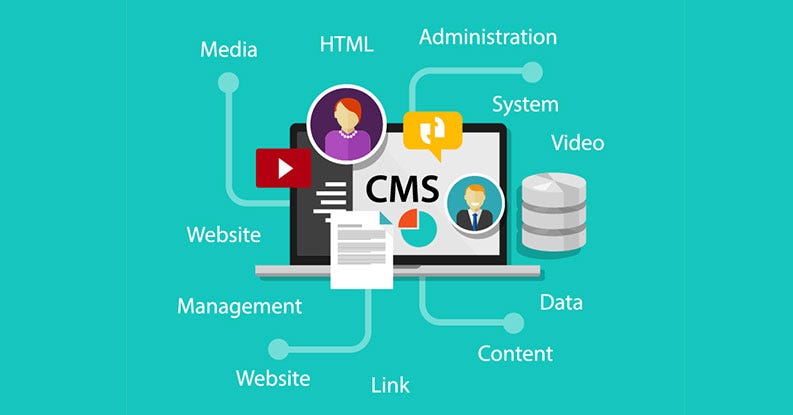
A content management system (CMS) helps companies manage digital content. Teams can utilize these platforms to edit, create, arrange, and publish content. It’s a place to store content. It also provides automated procedures for digital content management collaboratively and creation with built-in (or developed) workflows. Different rights and responsibilities are granted to users according to their roles.
For instance, authors can publish and save their work, while editors can edit and publish the content. Administrators can do all these things and grant other employees in the organization permission to edit or modify the content. CMS is CMS allows you to develop and manage websites as well as content with the least amount of technical expense and allows you to create better content, not being a project or traffic controller. A CMS lets companies manage and share content without investing in a full-time development team. It provides an affordable and cost-effective solution for managing content. Let’s have a look.
What Does a Content Management System Do?
A common CMS is designed to assist users in managing their data efficiently. The primary functions of CMS applications are:
- Reporting
- Format Management
- Control of Revisions
- Control of Access
- Publishing
- Storing
- Indexing
- Search and Retrieval
While specific CMS is available as standard “off-the-shelf” software, other CMS can be customized and improved by adding advanced plug-ins, add-ons, and other functions. Check out the different kinds of CMS.
Top 7 Crucial CMS Features You Need in 2023
Each business is unique and unique; however, at its heart, some elements can be helpful to all companies. Here are a few of the essential CMS attributes we recommend:
1. Simple Workflow and Publishing Controls
However small your business, a single individual can publish a portion of the content. Even if you’re the Marketing Manager or CMO accountable for your corporate’s strategic communication, You can delegate content producing and editing tasks to someone in a lower employee or freelancer. Now, publishing controls are crucial. Having different roles and levels of access in your CMS gives you peace of mind and the final decision-making authority on your company’s web presence – the company’s website. WordPress is a good example. It includes editors, administrators, writers, authors, and contributors, each with distinct capabilities.
However, even that isn’t working specifically well because of what each role can and cannot accomplish. An editor, for instance, is the lowest level able to create exclusive content, but they can also publish articles. It is possible to have a role that can write entire articles in the backend but not publish them. Before putting anything online, you can also give the senior staff a final look. Your publishing controls need to be in line with what your company requires. However, in the end, you’ll want to be able to control the content that is published on your website.
2. Social Media Integration
Social media platforms are the preferred method to connect and engage with your most important audience. This is the reason why any modern CMS must consider social tools. This means that it is easy to include social sharing buttons on top sites of any website or piece of content and make sure your content is optimized to share on every platform, encouraging users to share your posts with followers.
Take a look at the possibility that your CMS automates the formatting of your posts into Twitter cards or attaches your Twitter account to any shared content. It could also use Open Graph tags to optimize the display of content shared on Facebook. These are only some examples of crucial social capabilities essential to a CMS.
3. Multi-Platform Capabilities
While managing on a single platform might seem daunting, allowing your business room to expand is essential. For instance, suppose you decide to conduct the campaign during the season using the help of a microsite. You’ll need to monitor your website’s content, analytics, and general web management, from your current system. That’s obvious. If your CMS can only manage only one website, or if it costs more than other sites is too expensive, it will never happen.
Another instance is if you’re looking to use your CMS to make content available to a second-screen user, for example, a mobile app, kiosk, or an AR/VR viewer. Imagine that your CMS can only manage one platform (i.e., for example, a website). In this situation, managing multiple platforms is outside the capacity and too cumbersome to work with different administrative platforms. Multi-platform management gives your business the ability to grow and flexibility.
4. High Performance and Scalability
Caching is among the essential aspects that can improve the performance of your website. Your CMS should provide multiple levels of cache, each of which must be easily and completely adjustable.
Performance can be improved by using the power of web farms. If you require more versions on demand, look for a CMS running in a cloud. Contact your preferred provider of a content management system to send you reports on performance and examples of websites that perform well.
5. User Permissions and Role Settings
The capability to assign different user roles makes granting users access to the CMS simple. In most cases, one or two individuals are granted administrative privileges, which give full access to each element of the CMS. Other team members with specializations may be restricted from accessing specific areas of the system that are required to perform their duties. Limitations can decrease the chance of errors or data leaks and aid in tracking the root of the issue in the event of a problem.
If you’re not the sole owner and creator of the website’s content, there could occur a moment when you’ll require the assistance of an independent web designer or content writer. Role settings allow you to give access to users who are new to an undertaking and then deprive them in the future if necessary.
6. Detailed Analytics
Monitoring engagement across your channels is vital in executing your strategy for content. Your CMS should be integrated with the most well-known analytics tools, including Google Analytics so that you can monitor your KPIs directly on your Dashboard.
Administrators of specific departments should be aware of which areas the main viewers are located, what technologies they’re using, what they do with the content across different platforms, and what kinds of content are the most well-liked to help refine the strategy for content. Any reliable CMS will allow your team to collect and gain the business insight they require.
7. Advanced Security
Selecting a CMS with security features that protect your customers, content, and business is essential. Your site should have a secured socket layer (SSL) certificate. You can test for this by examining the URLs beginning using HTTP or HTTPS. A URL beginning with HTTPS includes SSL security built-in. Also known by the term transport layer security (TLS), This option provides a secure connection between your site and its visitors. Every website should have an SSL certificate; it’s vital for situations where data is exchanged, such as the transaction of an online store or login to an account.
If your site is not secured with SSL, your site’s information about your users could be exposed. A content delivery system (CDN) could provide additional security to your website. CDNs don’t replace your hosting provider but instead improve it by using cloud-based servers located in several areas.
Sometimes, criminals conduct DDoS attacks, also known as distributed (DDoS) threats, in which malicious bots can send large volumes of traffic to servers. The traffic could clog the server’s bandwidth and even force websites to shut down if your content is accessible through multiple locations because of the CDN legitimate traffic.
Conclusion
As CMS systems develop, we can see the constant improvement of the features that users need and the features you are likely to get from your CMS. From new requirements for microdata to robust, simple-to-use templates, your new CMS should benefit from the latest features that will improve your website’s performance and make administration quicker.
