


Note-taking, despite being minimal, is a very important job. No matter which field you look at, note-taking is a basic method of obtaining and retaining information that later can be recorded and kept for future use. For businesses or any industry, note-taking is a daily job that someone or the other keeps doing as they move on with their routine job.
Thanks to technology, every nook and cranny of the world are being impacted by it. The area of note-taking, too, is no different. After all, if you can improve it and make it free from any human error, why not? With that, there have been several software and solutions that were made and launched to make the experience of note-taking better.
Therefore, with that in mind, we have curated some of the top note-taking software for PC that you just might be interested in. Read on to find more!
Table of Contents
What is note-taking software?
Note-taking software is not rocket science and is for the job that their name suggests. This solution is for taking notes, only digitally. Therefore, be it jotting down thoughts, writing up plans, making lists, creating reminders, and so on, everything can be done efficiently with note-taking software.
The reason why they are more efficient than jotting down words with pen and paper is that you can easily share these written notes. Along with other efficient and helpful features like saving notes on the cloud, adding members for collaborations, easy sharing options, and syncing on multiple devices, this tool takes note-taking to new levels, along with making this activity infinitely more efficient and productive.
How to choose the best note-taking software?

Now that we have understood what note-taking software is and what it does, we will now be taking a look at a few parameters that will help you decide which software is the best for you and your needs.
Given how there are so many amazing note-taking software out there, it can be easy to get confused. However, with these features and tips, you can decide which software will be perfect for you. If you are ready, let us get started!
• Your budget
First and foremost, the one thing that you need to consider without fail is the budget. What are you willing to invest and how much the software is demanding, need to be considered. Some software are even free but do not offer a few features. Therefore, make sure you look at your options well before deciding.
• Key features
Another important point to consider while selecting a note-taking software is the features that the note-taking app offers. Within your budget, how many features you are getting is essential. Also, you do not want to purchase software with an excess of features that you will never use. Therefore, make sure you go through the features and their utility, before deciding.
• Available integrations
A note-taking software alone is just for taking notes. However, integrate it with other apps, and you get a business tool so powerful that it will help your business grow. Therefore, make sure that the software you choose has powerful integration features.
• Cloud-storage and sharing options
Lastly, look for whether or not the software is providing any cloud storage and backup options. If the software is cloud-based, you do not only ever have to worry about losing your data but you also get high-security protection. Also, with cloud-based operations, you can easily share your notes and sync your data with multiple data for ease of access.
Top note-taking software to consider in 2021
As mentioned above, there are various note-taking software out there in the market that are best of the best. However, out of all of them, you can only invest in one. Therefore, to make the decision easier for you, we have here SaaSworthy’s top picks for best note-taking apps. So, let us get into the matter right away!
1. Google Keep
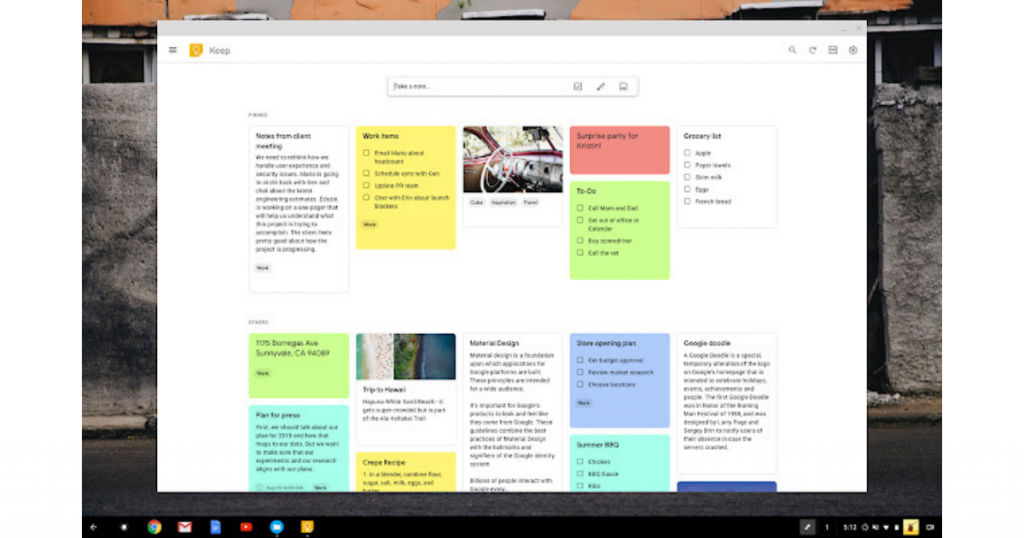
Everyone acquainted with Google will know about this super convenient application from Google. Google Keep is one of the best free note-taking software out there for your notes, to-do lists, reminders, and so on. Perfect for personal use, Google Keep is also a fantastic cloud-based corporate aid, with a multi-device syncing feature.
You can set location and time-based reminders. It also provides various labeling and color-coded arrangement options so that you have better control over your notes. It has an easy search option so that you can pull up the needed note without wasting time. All in all, Google Keep is an easy-to-use and convenient app that will help you keep in the loop with all your notes.
2. Evernote
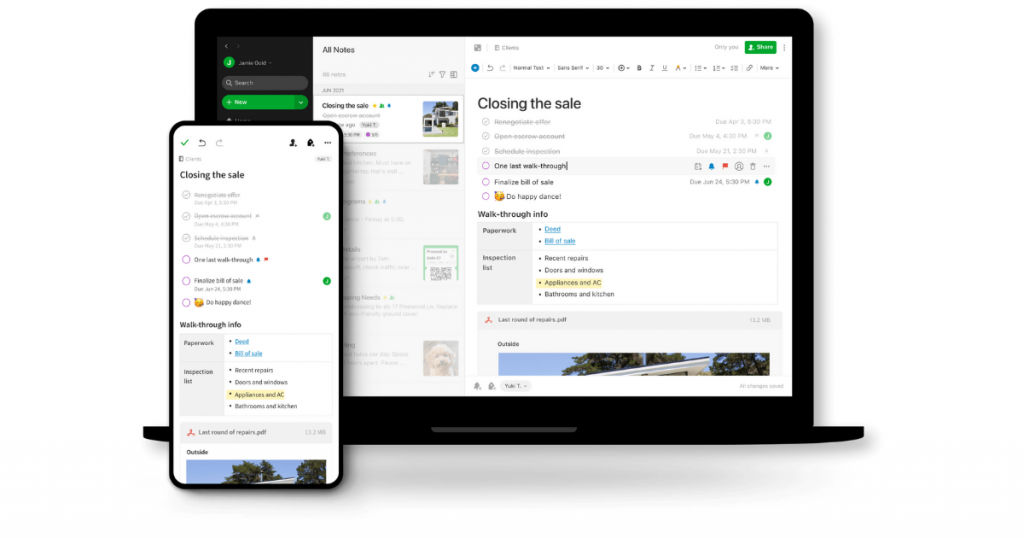
If there is one app that could be the king of note-taking software, it would be Evernote. It is made through and through for note-taking assistance and is made up of various other supporting features. Evernote is made with the ideology of putting what matters the most in focus.
Therefore, it is perfect for both personal and professional use. You can use it for grocery shopping as well as have it assist you on ground-breaking projects. With high-end collaboration features, you can use it to discuss ideas, take notes with pictures, text, and audio, and share them along with your teammates. It offers to be the central hub of all planning, ideas, and discussions for team projects.
Because it is cloud-based, you can access the same account from multiple devices, track task progress, and never miss a deadline again. It has an easy user interface and can be used by anyone and everyone for both personal and professional reasons.
3. Microsoft OneNote
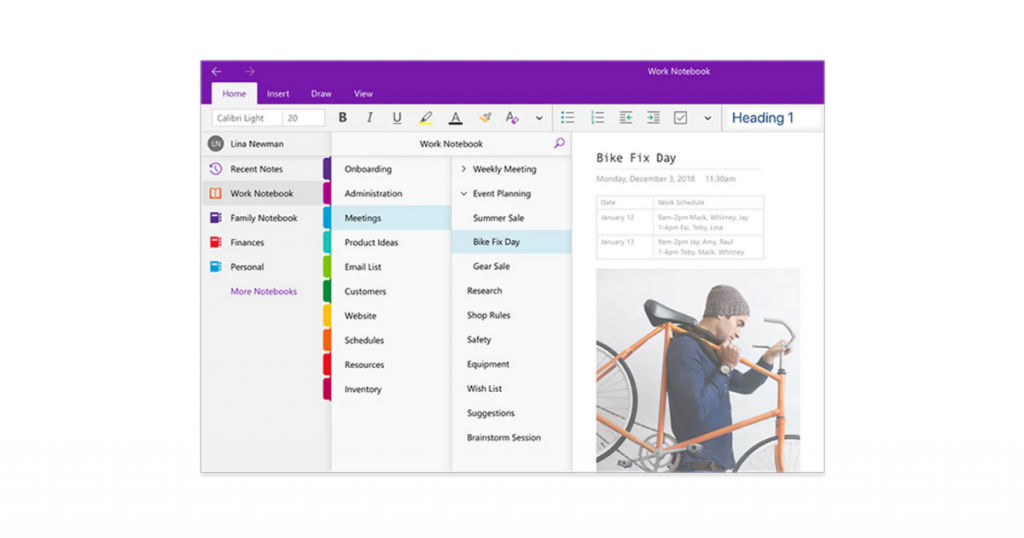
For all the Windows users, you must have come across this software at least at some point in your time of using Windows. Microsoft OneNote is the note-taking software for Windows and is an excellent tool to have by your side. Made for creating, organizing, managing, editing, revising, and customizing notes, Microsoft OneNote provides powerful tools to help your note-taking experience be smooth and hassle-free.
Just like its name suggests, Microsoft OneNote is like one big notebook, wherein you can jot down your thoughts and ideas. You can go through this notebook and easily search for the note that you are looking for. You can easily manage and organize your notes into sections and pages, highlighting and tagging them as per your needs.
Microsoft OneNote is a cloud-based software and thus allows easy sharing and collaboration among teammates and any external party. You can easily sync your account and data across multiple devices and access your data where and when you need it.
It offers various plans that you can choose from. Based on your needs, you can go for the plan that suits your requirements the most. Because of its versatile features and tools, Microsoft OneNote can be used by several professionals.
4. Zoho Notebook
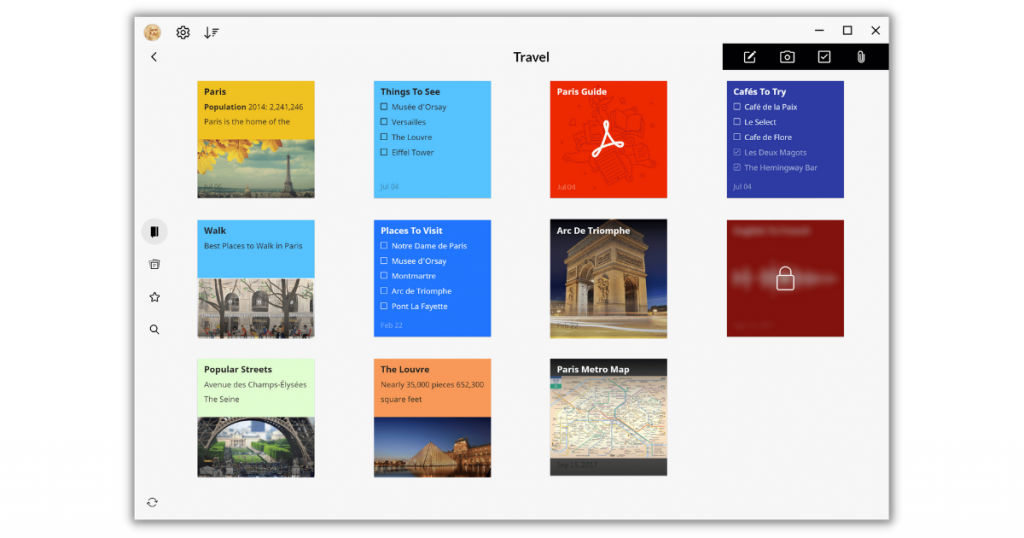
Zoho Notebook is another note-taking software that you can rely on with your eyes closed. Cloud-based and personalized for your use, Zoho Notebook has an amazing feature that allows it to customize the note you are making according to your needs. It offers a range of options to assist note-taking, bringing it to a new level.
Like all cloud-based software, your data will stay safe in cloud storage and you can access your data from multiple devices. Along with that, if you are comfortable with mobile, Zoho Notebook is very mobile-friendly and offers a bundle of special features including hand gestures, intricate personalized options, password protection, an easy tagging system, and so on. In short, Zoho Notebook is an amazing note-taking software that can help you optimize your work and increase productivity.
5. Nimbus Note
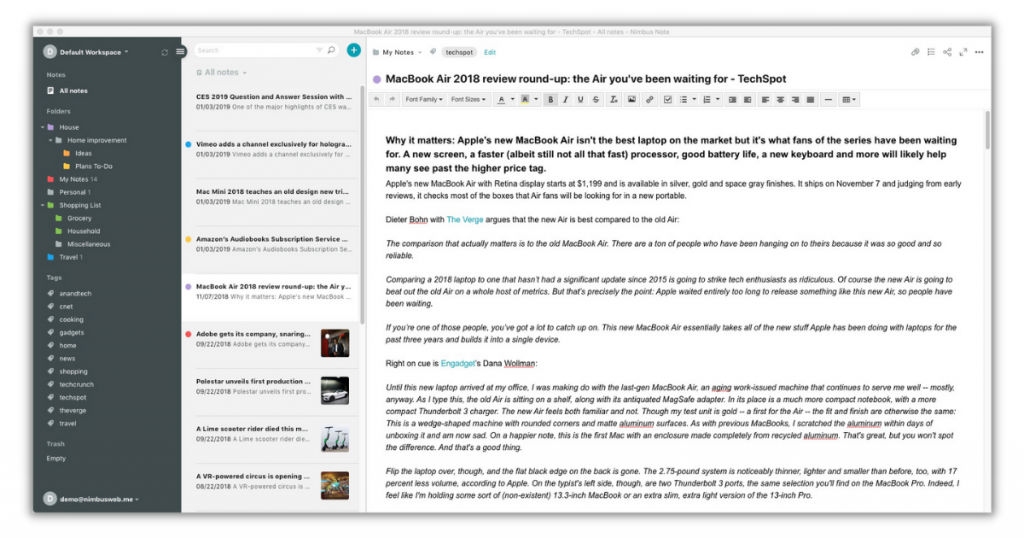
Nimbus Note is what you would call information management software. It is constructed to efficiently manage your data and notes so that you can get the best out of it. It allows its user the access and creation of multiple workspaces so that you can dedicate your time to various projects at the same time.
It also houses some powerful collaboration features that allow for seamless team works and projects. Nimbus Note offers a super-refined search feature, powered by the OCR (Document Search and Image Recognition) module that can help you locate any file you want, despite their type and format in real-time.
Nimbus Note has another noteworthy feature — a scanner. This way you can digitize your physical documents whenever and wherever you want. Other features include the creation of public notes, sharing with external parties, password protection, easy recovery of deleted files, 2-factor authentication, and dark mode.
6. Hugo
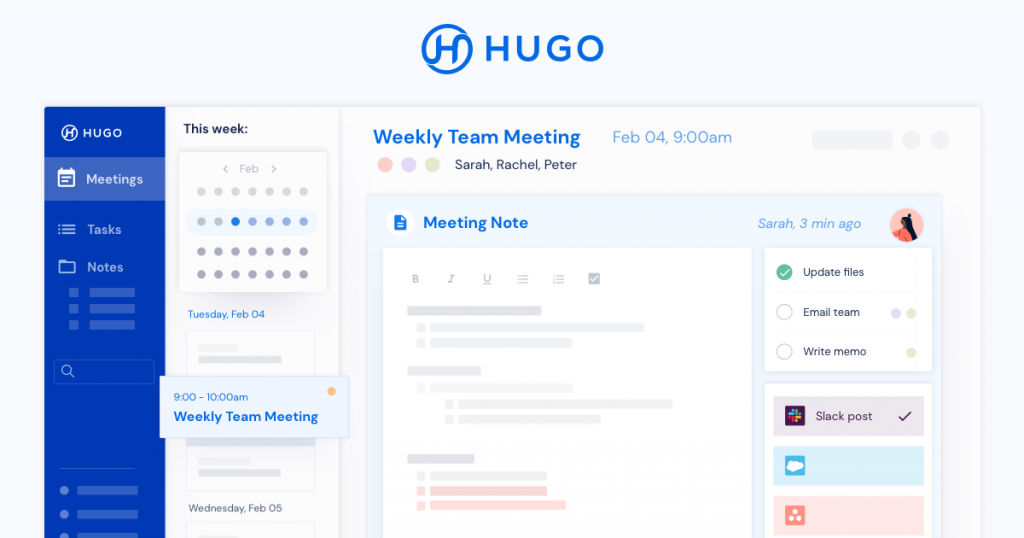
If you are looking for a tool that will help you optimize and increase efficiency for your corporate teams and projects — Hugo is your go-to app. Made exclusively for corporate use, it is a tool equipped with powerful features that helps your corporate projects as smooth and efficient as anything.
Hugo allows team supervisors to assign tasks, review them, keep track, and so on. It has powerful integration features that allow it to integrate with other tools such as Office 365 and Google calendar. With that, you can easily link notes to dates and meetings. As it is a team-support tool, it allows real-time editing of notes by multiple users for increased productivity.
Hugo is cloud-based and thus allows easy sharing of notes, data, and documents to popular applications. For optimization, Hugo has powerful search options and sharing features so that your note-taking experience is seamless and hassle-free. Lastly, Hugo offers intricate in-built privacy options that allow you to manage who is allowed to see your notes.
Conclusion
So that is all there is to note-taking software. It is a very useful software that allows you to jot down your ideas and never lets you forget them. Instead of fumbling for a pen and paper, you can use this tool to efficiently record your thoughts, actions, and refer back to them whenever you need them.
If you are wondering which tool you should opt for, you can always refer to the top picks mentioned here and choose the one that suits you the best.
Also read:
