

Relying on Google and other search engines have become a part of our daily lives. From looking up recipes to gaining knowledge about various topics to searching and buying various products and services, the reliability on search engines is only increasing day by day. Now, in order to ensure that your customers are reaching your websites, you need to focus on making your website easily accessible. When it comes to Google, several ranking factors are considered while determining the position of a URL on the Search Engine Results Page (SERP). Although website accessibility is not considered a direct ranking factor by Google, it still has an indirect connection.
In this post, we will take a look at the core question, which is ‘can your rankings be affected due to poor website accessibility? You will also learn about some of the struggling areas and what kind of strategy should be implemented to improve your website accessibility.
Table of Contents
Why do we have Website Accessibility Standard
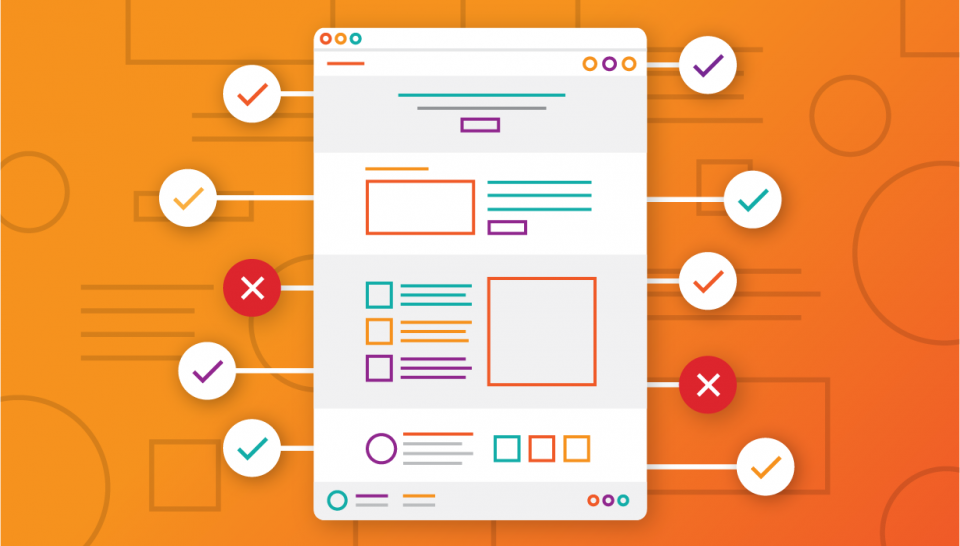
Ideally, websites should be intuitive and easy to use by everyone in order to be termed as accessible; however, many website owners fail to meet this requirement. This is majorly due to a lack of sufficient knowledge, which is why there is a need for website accessibility standards. These standards ensure that everybody is on the same page and enables designers and developers to implement these standards and create accessible websites. By having these website accessibility standards clearly defined, website owners can make sure that they are following the best practices for website accessibility.
Relationship between Web Accessibility and SEO
SEO plays a major role in improving the ranking of a website and its positioning on the search pages. So, where does web accessibility come into the picture? Well, when your website becomes easy to use by large number of people, including people with disabilities, it increases the chances of improving your search engine ranking.
This means that if a web page is well-optimized with the right content and can be accessed by everyone, including people with disabilities, then it will have a higher ranking on the search pages.
Website Accessibility Struggle Areas
One of the key areas of struggle for websites is finding the right balance between accessibility and design. This is because web designers and developers often end up prioritizing either accessibility over design or vice versa. For example:
- Confusing the website visitors or screen readers with unnecessary popups or flyouts.
- Images with texts having very small font sizes.
- Difficulties in navigating through the website.
- Lack of properly structured tables.
- Images with text on them without the right contrast for visually challenged website visitors.
- No ‘skip to content link.
There are several ways in which web designers and developers can find the right balance between design and accessibility. This is apt for websites that are built either from scratch or through pre-built layouts.
Accessibility Improvement Strategy
In order for websites to be compliant, they need to follow the below Web Content Accessibility Guidelines (WCAG) provided by the World Wide Web Consortium (W3C):
- Perceivable
- Operable
- Understandable
- Robust
There are various methods that can be implemented to ensure that you are following these guidelines. Some of these methods are listed below.
- Content Management System – While choosing your content management system, make sure to choose the one that supports accessibility the best. Having an accessible system will further make it easy for designers and developers to add the required accessibility elements and features, such as anchor text, high-contrast text, alt text, etc. Some of these platforms also provide you complete access to the HTML files so that you can build the accessibility features on your own.
- Descriptive Alt Text – About 50\% of your digital content is in the form of images. So, they should be considered one of the most important elements when you are in the process of making your websites accessible. One of the best ways to ensure that your images are well-optimized is to use descriptive alt text. An alt text is basically an alternative text which provides an accurate description of the image placed on the website. It clearly describes the contextual purpose of the image on the website. There are two benefits of writing good alt texts:
- It enables visually impaired website visitors to understand how the images are related to the website content.
- It helps in making your content more understandable for search crawlers and ranking it higher on the search pages.
- Content Organization Structure – HTML plays a crucial role in determining how content should be read and in what order by the screen readers and web accessibility software. This means that you need to follow a logical content organization structure. An ideal content structure includes the page structure, which consists of a header, main content, headings, and footer. Headings are crucial in helping readers scan through the web page. Typically, content has about 6 headings (H1 to H6) and you need to use these headings depending upon your content. First and foremost, you must have a catchy heading which also lets the reader know what to expect in the main content body. Again, having the right heading will help in making your webpage rank higher on search pages and also encourage visually impaired people to decide whether or not they should continue through the website.
- Descriptive Anchor Text – Links are quite common on websites, and you need to make sure that apart from focusing on where you are linking, you also need to focus on how you are linking. It is important to use descriptive anchor text as it gives the readers a clear idea about where they will be directed when they click on the hyperlink. For example, a non-descriptive anchor text would be something like asking the readers to click on the word ‘here’ in sentences like – Click here to know more about this offer. Instead of using non-descriptive anchor text, it is recommended to use the links as naturally as possible in your content. For example, if you add a link to the word SaaSworthy in the sentence – Visit SaaSworthy today to know more about this software, the readers will know that they will be directed to the SaaSworthy website. Using such descriptive anchor text will provide clear information on where the hyperlink will lead them. This in turn helps them to decide whether or not they want to click on the hyperlink.
Conclusion
Having an accessible website essentially means that a website should be accessible and easy to use by every visitor. This includes people with physical disabilities, cognitive limitations, and other factors as well, such as internet speed, bandwidth restrictions, etc. As you In order to ensure that your website is accessible, you can use several free and paid tools, such as accessiBe, WAVE, JAWS, Dynomapper, etc.
You can check out more useful software, such as website builder software, graphic design software, etc., on SaaSworthy.
