

The Pomodoro Technique is a time management method developed by Francesco Cirillo in the late 1980s. The technique uses a timer to break down work into intervals, traditionally 25 minutes in length, separated by short breaks. Each interval is known as a Pomodoro, taken from the Italian word for tomato, after the tomato-shaped kitchen timer that Cirillo used as a university student.
Six steps in the Pomodoro technique:
- Decide on the task to be done
- Set the Pomodoro timer (traditionally to 25 minutes)
- Work on the task
- End work when the timer rings and put a checkmark on a piece of paper
- If you have fewer than four checkmarks, take a short break (3–5 minutes), then go to step 2
- After four Pomodoros, take a longer break (between 15 and 30 minutes), reset your checkmark count to zero, then repeat the entire process
The stages of planning, tracking, recording, processing and visualizing are fundamental to this technique. In the planning phase, tasks are prioritized by recording them in a “To do today” list. This enables users to estimate the effort tasks require. As Pomodoros are completed, they are recorded, adding to a sense of accomplishment and providing raw data for subsequent self-observation and improvement.
For the purposes of the technique, a Pomodoro is the interval of time spent working. After task completion, any time remaining in the Pomodoro is devoted to overlearning. Regular breaks are taken, aiding assimilation. A short (3 to 5 minutes) rest separates consecutive Pomodoros. Four Pomodoros form a set, and a longer (15 to 30 minutes) rest is taken between sets. The goal is to reduce the impact of internal and external interruptions on focus and flow. A Pomodoro is indivisible; when interrupted during the same, either the other activity must be recorded and postponed (inform – negotiate – schedule – call back) or abandoned.
The Pomodoro technique has been widely popularized by dozens of apps and websites providing timers and instructions. Closely related to concepts such as timeboxing and iterative and incremental development used in software design, the method has been adopted in pair programming contexts to make Pomodoro Apps.
To compile the top list of Pomodoro timer apps, we narrowed down using the following criteria: special features (beyond just timing your Pomodoros), professional features (at work, ability to share Pomodoros with your team), cost (free, free plan, free trial or premium version), ease of use (to be able to use it easily). So without any more delay, here are the top Pomodoro method apps to consider.
Table of Contents
1. PomoDoneApp

PomoDoneApp supports native integrations with popular task management tools: Trello, Wunderlist, Asana, Basecamp, Todoist, and more. It can also import existing tasks from any connected apps, and it lets you transfer tasks created directly in PomoDoneApp back to your task management tool. This saves time and lets you create new tasks for 25-minute sessions.
The app comes with a lot of advanced features because of its ability to connect with so many third-party apps and these are only available in the Pro version. PomoDone is better suited for enterprise users who are working in a team-based environment and need to collaborate.
Availability: Android, iOS, Windows, Mac, Linux, Web app
Price: Starts at €2 per month for the Lite plan if annual billing is opted for
2. Focus Booster
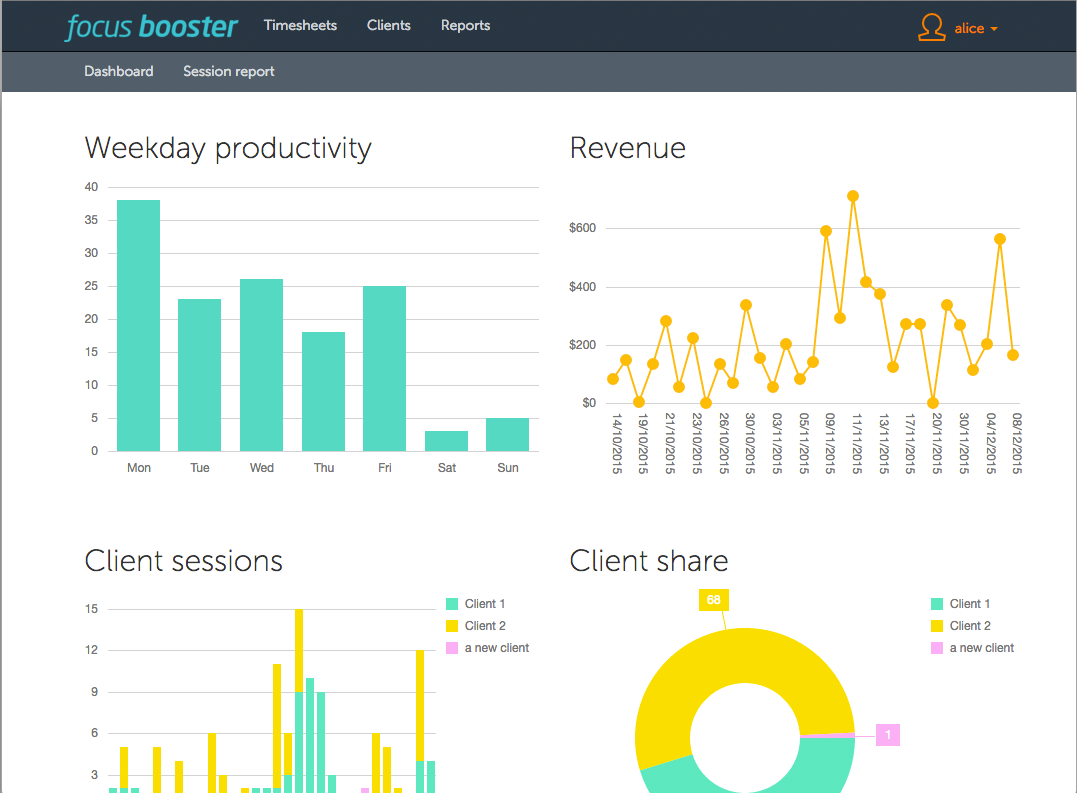
The time tracker offers everything you’d expect from a simple Pomodoro clock app and then some. It provides sliders for you to fine-tune the length of your own focus periods and break times, as well as the ability to track your time and run reports to view your progress. The timer switches automatically from focus to break time. Your data can also sync across Focus Booster’s web, mobile, and desktop apps.
But what really makes Focus Booster unique are the features in its Professional plan that offers you the ability to set up clients, so you can automatically track time spent on a client’s projects and tasks.
Availability: Windows, Mac
Price: Free | Individual plan starts at $2.99 per month
3. Marinara Timer
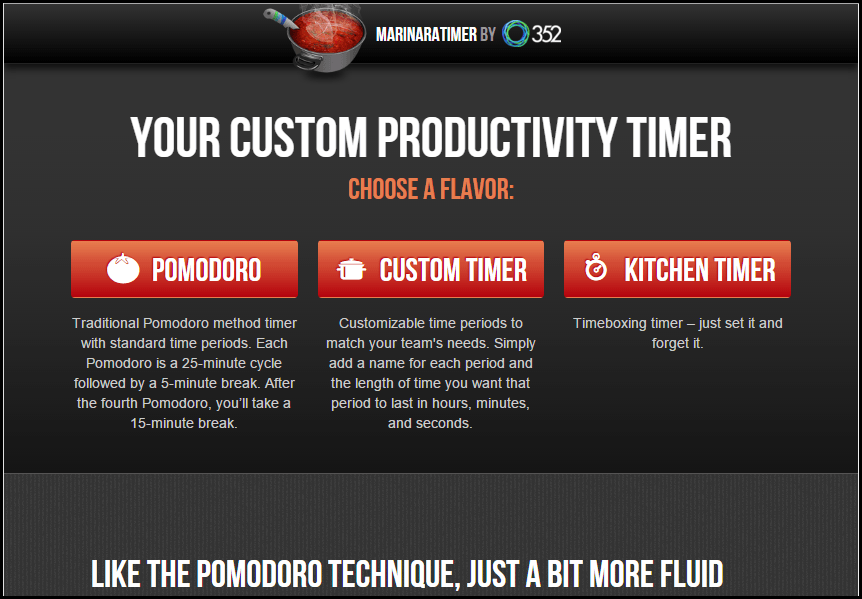
This web-based timer is really powerful and doesn’t even require signup. The timer was built by the team at 352 Inc. and comes in three flavors: Pomodoro, Custom, and Kitchen. The Pomodoro timer mode lets you get started right away with the default 25/5-minute timers. If you want to customize timer lengths, Custom mode lets you tweak that to your liking. Lastly, Kitchen mode is your plain old one-time timer, i.e. set a time limit and it counts down to zero.
The distinct feature in Marinara is that it gives you a unique URL for each timer, so you can share it with other people too. Only the administrator can start or stop the timer, so there’s no risk of one person interrupting the timer for everyone else either.
Availability: Website
Price: Free
4. Pomotodo
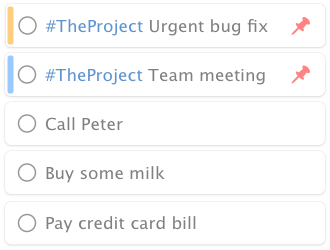
As mentioned in the previous descriptions, for effective use of the Pomodoro tracker app, you’ll need to use a good to-do manager too. Well, Pomotodo, as the name indicates, combines both of the functionality in one app. That means, you’ll need to add your list of tasks, and also finish them one by one by following the Pomodoro technique. Along with customized timer settings, it provides a detailed analysis of your tasks by way of weekly emails as well as integrating with Google Calendar. Sadly however, these features are only available in the pro plan.
Availability: Android, iOS, Windows, Mac, Chrome extension
Price: Free | Pro version starts at $3.9 per month
5. Clockwork Tomato
Clockwork Tomato provides a fully configurable timer with the ability to customize colors, sounds, and many other options. Clockwork Tomato not only offers a built-in timer, but also an activity log that helps you see the number of Pomodoros you have completed and the breaks you have taken and the overall time took each working day. The great-looking timer widget also comes with Wear OS integration. Its only con is that it’s only available for Android devices.
Even though the file picker and multi-counter preferences manager can be confusing at times, they are nice additions. With Tasker integration and todo.txt integration plugin, one can include task lists and activity logs to track the time spent on their projects easily.
Availability: Android
Price: Free
Bottomline
| Pomodoro software | Free plan | Customizable timer | Cross-platform support | Sharing functionality | Third-party integrations |
| PomoDoneApp | Yes (Web app) | No | Yes | No | Yes |
| Focus Booster | Yes | Yes | Yes | No | No |
| Marinara Timer | Yes | Yes | Yes | No | No |
| Pomotodo | Yes | Yes | Yes | No | No |
| Clockwork Tomato | Yes | Yes | No (Android only) | No | No |
Pomodoro technique is considered to be one of the most effective ways of getting things done, while ensuring that your mind is able to relax as well. As you could see from the comparison table, it’s clear PomoDoneApp comes across as the simplest Pomodoro app, while Pomotodo combines the to-do app with the timer functionality. In case you want an app for your smartphone only, then Clockwork Tomato could prove to be a good choice. All in all, you can go for any of the apps mentioned above and it’ll surely make you feel more productive.
