

Jira is one of the most popular project management software and bug-tracking tools available on the market. Agile teams would love to have Jira as an ally. Developed by Atlassian, Jira is active in more than 122 countries with a customer base exceeding 75,000. It is a preferred plug-in because it integrates with Subversion, ClearCase, and Git and Team Foundation Server.
Table of Contents
Jira Features
Jira tool has tremendous features such as create filters, customizable scrum board, real-time reports, integrate with other tools, flexible Kanban board, and a robust set of APIs. With such rich features, who would not like to use the Jira tool? However, there is a significant constraint, and that is the Jira pricing.
Jira Pricing
The Jira pricing is dependent on the number of users you have in the Agile Team. If you have ten members in the team, you end up paying a flat rate of $10 per month. The Jira ticketing system changes with the inclusion of more members. The moment your team expands to more than 10, you have to pay $7 for each user per month. Thus, an 11-member team incurs a Jira cost of $77, whereas a 20-member team has to shell out $140. It is one of the most significant disadvantages of Jira project management tool.
Hence, there is a need to search for Jira alternatives. Here are some of the ideal Jira alternatives available today. We shall make a swift comparison before discussing the features of four of the top Jira alternatives.
| Tool | OS Support | Company size | Support available | Cost |
Integration |
| Jira | Windows, Mac, Android, iOS, Linux, and web-based platform | Small, medium, Enterprise business | Online, Video tutorials, Phone, | Starting at $10 per month | Salesforce, GitHub, Gliffy, Sales Cloud, Zendesk, and Zephyr |
Jira is one of the most popular project management software solutions. Most of the international giant corporate entities like NASA, eBay, LinkedIn, Adobe, Cisco, and Salesforce use Jira software for obvious reasons. Here are some advantages of Jira.
- Better visibility – Jira connects software teams together, whereby all members can update each other in real-time. Thus, members get an idea as to where exactly their project stands at a particular point in time. It results in greater efficiency from the team.
- Allows prioritization – The most significant benefit of Jira is that it allows prioritizing tasks better. Thus, members become aware which of the functions needs immediate attention. It proves useful when it comes to sticking to deadlines.
- Increased Productivity – With Jira, the team members are always on their toes because they know what to do next. Therefore, there is less time lost between tasks, thereby going on to increase the overall productivity of the company.
- Connected on the Go – Jira is widely available with mobile apps. Therefore, team members can be on the job at any time. It becomes easy to communicate with members who might be on leave.
- More than 1000 add-ons – Jira comes with more than a thousand add-ons, thereby making it more useful for Agile teams.
However, we have seen that cost is a significant constraint with Jira. As the organization expands, it can become an expensive proposition to use Jira. Therefore, let us review some Jira alternatives open-source that can work as effectively, and be accessible on the budget, as well.
Competitors or Alternatives to Jira
| Tool | OS Support | Company size | Support available | Cost |
Integration |
| Bugzilla | Mobile-iOS Native and Android Native, SaaS Web-based | All types of businesses | Online, Video tutorials, virtual calls, | Free | Almost all systems, as it is a Mozilla product |
| SpiraTeam | Browser-based, and Cross-platform | All types of businesses | Phone, video tutorials, online | A licensing approach that supports unlimited named users for unlimited projects | Jira Help Desk tools, Functional and performance test tools, Requirements systems, |
| Backlog | Windows, Mac, iOS, Android, Linux, and web-based and self-hosting options | All types of business | online, email, online community, chat, and video tutorials | Free Plan, $35 per month for 30 users | Google Sheets, Cacoo, Jira, Redmine, Jenkins, Typetalk, and Slack |
| VersionOne | Windows web-based | Medium and enterprise businesses | Online, video tutorials | First project is free, from 2nd project, cost is $29 per user per month for the enterprise edition | JetBrains, MVS, TeamCity, TFS, HudsonJenkins, UrbanCode, Bugzilla, CI, IBM Rational, Atlassian Jira, and ClearQuest |
| Redmine | Android, Windows, iOS | All types of businesses | Video tutorials | Free open-source | Use in tandem with Redmine software |
| Pivotal Tracker | Windows, iOS, Linux, Mac | All types of businesses | No support | Basic features free | Twitter, Campfire, Zendesk, Bugzilla, and others |
Let us now examine the features of some Jira alternatives
1. SpiraTeam
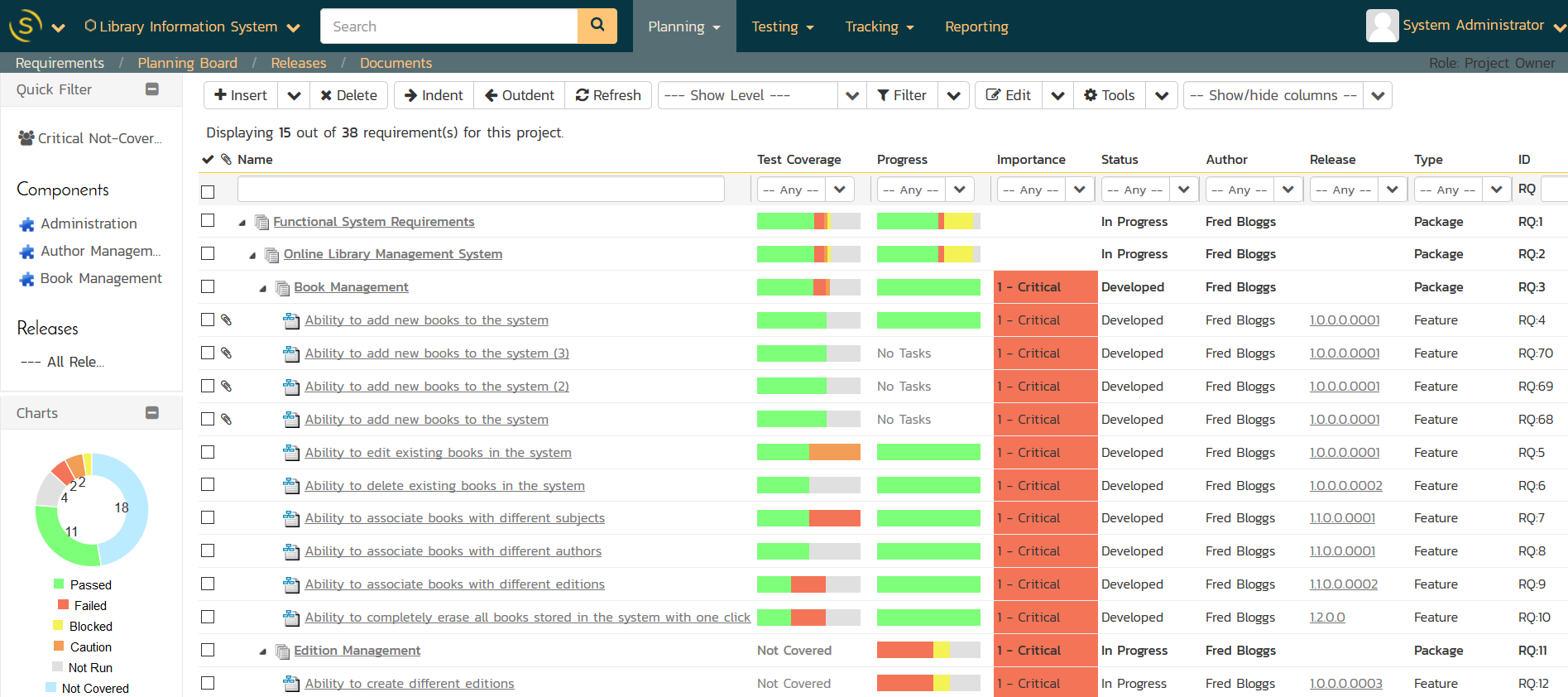
SpiraTeam is an Integrated Application-Lifecycle Management system. It helps to manage all the requirements of a project in a unified environment. It supports Agile, Scrum, Waterfall, XP, Kanban, and hybrid methodologies.
Features of SpiraTeam
SpiraTeam helps to track and record bugs, enhancements, risks, and issues. It also allows users to capture, prioritize, and schedule requirements depending on the release. Users can create, edit, and execute test-cases while assigning test sets for execution. SpiraTeam maintains a full audit history of changes made to the system. Personalized dashboards are available in SpiraTeam to customize reporting along with web-based graphs and reports in MS-Office and HTML formats.
| Advantages over Jira |
Disadvantages in comparison to Jira |
| SpiraTeam is not a generic blob tracker, as every part is built to function in a specific manner. | Does not support the creation of visual workflows |
| Integrates testing activity into the development lifecycle | Does not allow end-users to customize |
| Get standard reports, charts, and graphs with zero customization | No support to Gantt Charts |
| The document management repository supports various activities like tagging, versioning of documents, and linking them to multiple work items | Jira is a better alternative when it comes to dealing with simple solutions |
2. Backlog
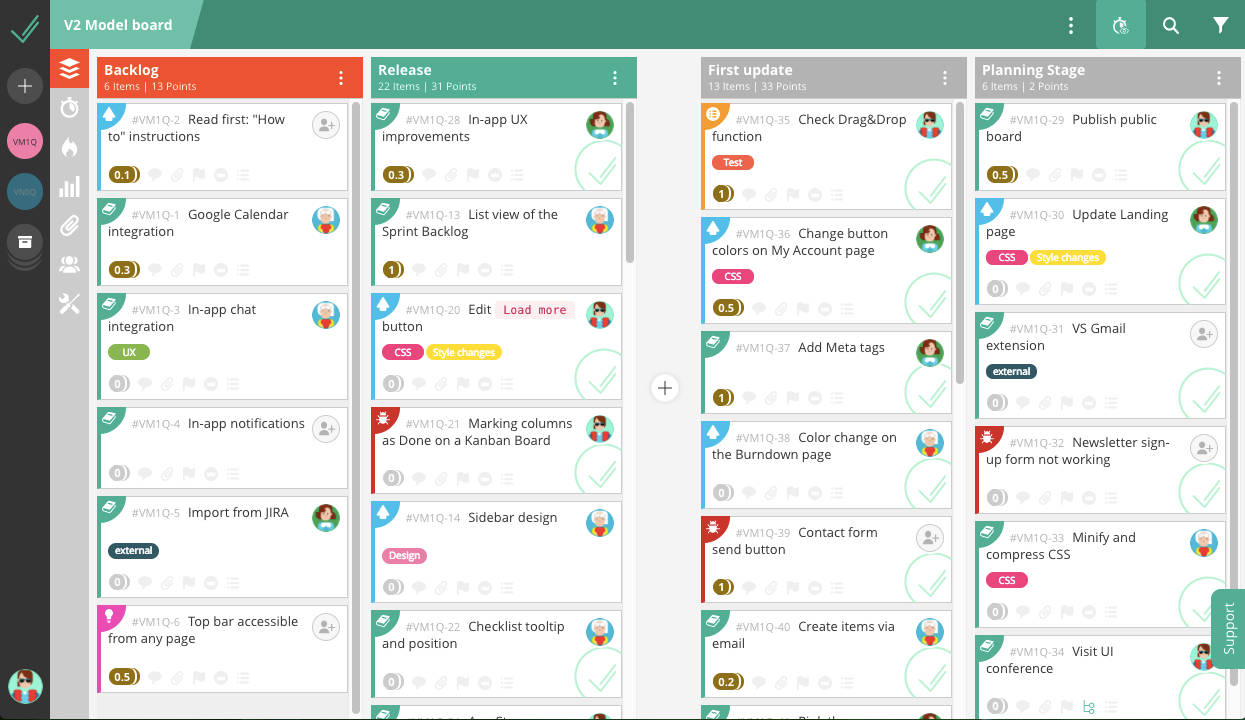
Backlog is a popular all-in-one project management tool designed for development and cross-functional teams.
Features of Backlog
It is easy to manage projects, tasks, and subtasks with Backlog. Some of the useful task attributes include milestones, assignees, progress, priorities, and milestones. Burndown and Gantt charts are available. Backlog has a built-in Wiki to allow users to document processes, make edits, and track changes. Web-based and self-hosted versions are available. It supports both iOS and Android apps.
| Advantages as compared to Jira |
Disadvantages in comparison |
| Easy to set up and start | Does not support Kanban |
| Has a simple user interface | When compared to Jira, it has fewer integrations |
| Backlog has Wiki, and Git/SVN built in, whereby users do not have to purchase them separately | |
| Backlog has an unlimited user plan, making it a cost-effective alternative to Jira |
3. Bugzilla
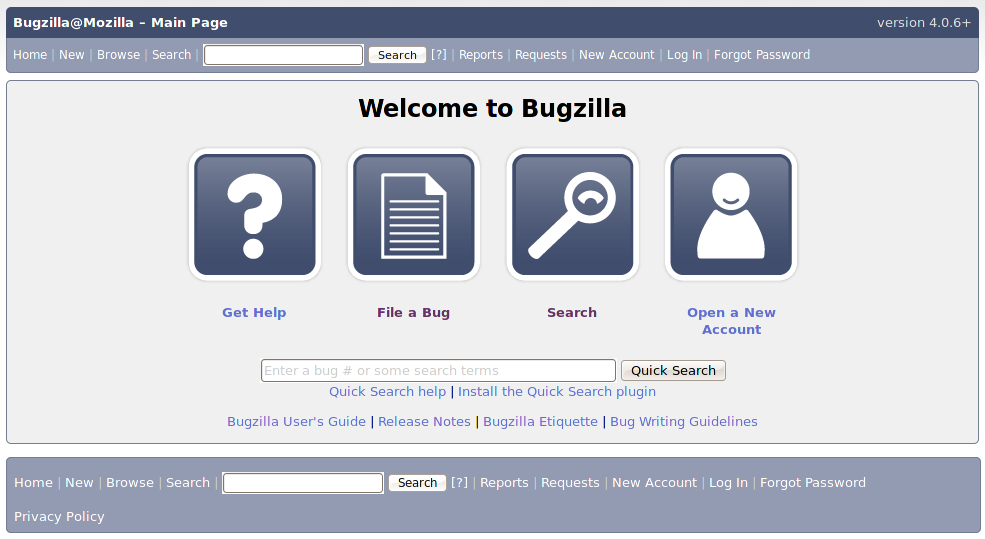
Developed by Mozilla, Bugzilla is a web-based bug-tracking tool. Apart from tracking bugs, it provides a wide range of project management features.
Features of Bugzilla
It is one of the most convenient Jira alternatives open-source software solutions. Bugzilla works with various OS such as UNIX, Windows, and so on. It features an optimized database for enhanced levels of performance. Bugzilla is available in multiple languages. Bugzilla is one of the best free Jira alternatives. It has integrated email capabilities.
| Advantages over Jira |
Disadvantages in comparison |
| It is available free of cost | Drag and drop feature is not available |
| It has a powerful and effective search facility. Hence, it is one of the ideal issue tracking software solutions available today. | Low server-side load |
| Access to security patches at frequent intervals | Comparatively tedious access process |
| Reduces cost by providing IT and telephone support | Higher security risk in comparison to Jira because of client-side JavaScript Coding |
4. Redmine
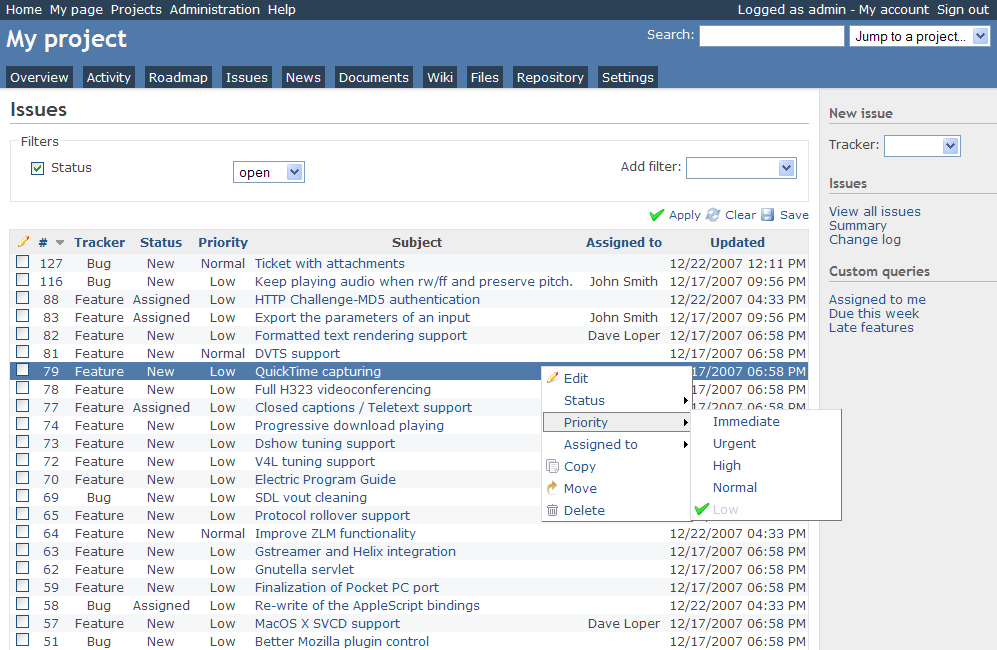
Redmine is one of the best issue tracking tools available on Ruby on Rails. It dates back to 2006. Hence, one can say that Redmine is a sophisticated tool that has weathered many a storm.
The best quality of Redmine is that it can manage multiple projects at the same time. It is also capable of integrating with various version control systems. Besides functioning as an essential issue tracking software, Redmine offers forums, wikis, and can generate Gantt charts and calendars, as well.
Redmine is a flexible tool in many ways. It supports numerous database back-ends and is available in a multilingual format. Thus, it is a customizable software solution. Apart from adding custom fields to users, issues, and projects, one can customize Redmine with community-created plug-ins and themes.
| Advantages over Jira |
Disadvantage in comparison to Jira |
| Redmine is available free of cost | Does not support all related tools as Jira does |
| It is an open-source software | Does not have a client base as compared to what Jira has |
| It is platform and database independent software | Jira has a better score of 9.3 out of 10 whereas Redmine ranks 8 out of 10 |
| Can support multiple projects efficiently |
We have seen the features of five Jira alternatives. Each of them has its advantages and disadvantages. Jira Project Management software is an excellent software solution. A comparison of the Confluence Vs Jira confirms this fact. However, Jira is expensive, whereby it becomes essential to search for better alternatives on the pricing front. These alternatives discussed here could fit the bill perfectly.
