

Accounting is an essential part of any size of business – be it small or big, and is a strong foundation for your company. It, therefore, needs to be treated with care and a bit of concentration! Right from planning to its implementation, no business could ever grow and achieve prosperity without an effective accounting plan. Keeping track of each and every financial transaction is not a very easy task, if not very difficult. So what should you do to keep this foundation upright?
While you have been worrying about how to manage the finances of your organisation, companies and dealers have come up with various accounting software which are not only user-friendly but can also relieve you from being at risk of making errors, especially while balancing the sheet. Although the pressure of juggling over a massive pile of documents and accounting records is relatively lower in a small business than that in a large one, yet the planning procedure and its practical implementation remains the same. And practising right accounting methods is always recommended, whatever be the size of your organisation.
Yes, I can almost hear you say, ‘Which is the best accounting software for Mac?’, or ‘Which software to choose that would be really helpful?’ Stop and breathe for a moment! We are here with a shortlist of five best accounting software for managing your small business, especially if you are a start-up.
Table of Contents
Things to Look for in an Accounting Software
Before we head on to our list, let’s make it clear in our minds about what exactly are we going to look for in an accounting app. For starters, the factors that matter are ease-of-use, flexibility, scalability and above all, security. However, one major factor that matters here is the cost-efficiency, as start-up businesses are generally on a very tight budget and let’s face the truth, until and unless you are backed up by powerful financial resources, you would not be able to let out a lump sum amount for an accounting app itself! So you need to look for a platform that offers you the basic and useful accounting tools that would help you handle your day-to-day workflow of managing accounting records with ease, within as minimal a budget as you can afford. And at the same time, of course, your software must be able to eliminate all human errors.
Comparative Study of the Top Accounting Software for Mac
Check out for the best applications that would help you manage your finances efficiently.
|
1. FreshBooks
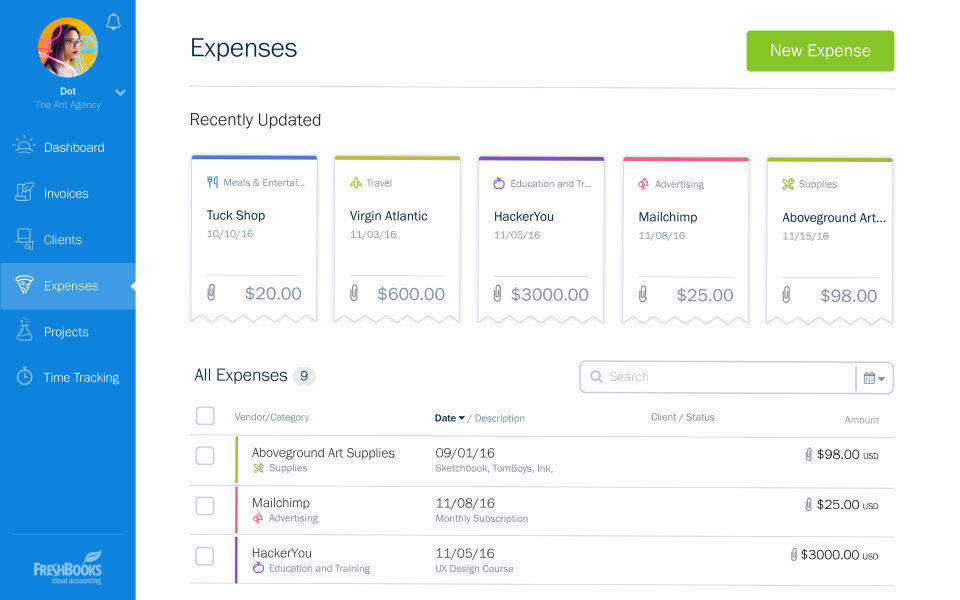
This is till now the most widely used software known for its ease-of-use that helps its users to tackle issues like recurring invoices and subscriptions on-the-go. It also integrates with the common and most popular business applications seamlessly with effective outcomes. In short, FreshBooks is a complete package having integrations with all the major platforms, without having the need to rely on any other secondary app. With such powerful yet simpler solutions, you would find the ROI graph of your start-up boost up within a few months.
Features
- User-friendly mobile optimisation
- Easy online payment and billing history management options
- Supports all the popular payment methods like via Credit Cards, PayPal and even Google Checkout
- The dashboard makes customisation easier for you
- Offers secured backups for keeping all your valuable data safely
Pros
- Packed up with many premium and smart features
- Very easy to use
- Lets you pay via credit cards
- Calculates expenses and generates invoices automatically
- Automates time tracking
- Syncs with popular business applications with ease
Cons
- If your company is fast-growing, then this app might not be beneficial
- No online banking integration available
- Doesn’t come with a tax filing integration
2. Xero
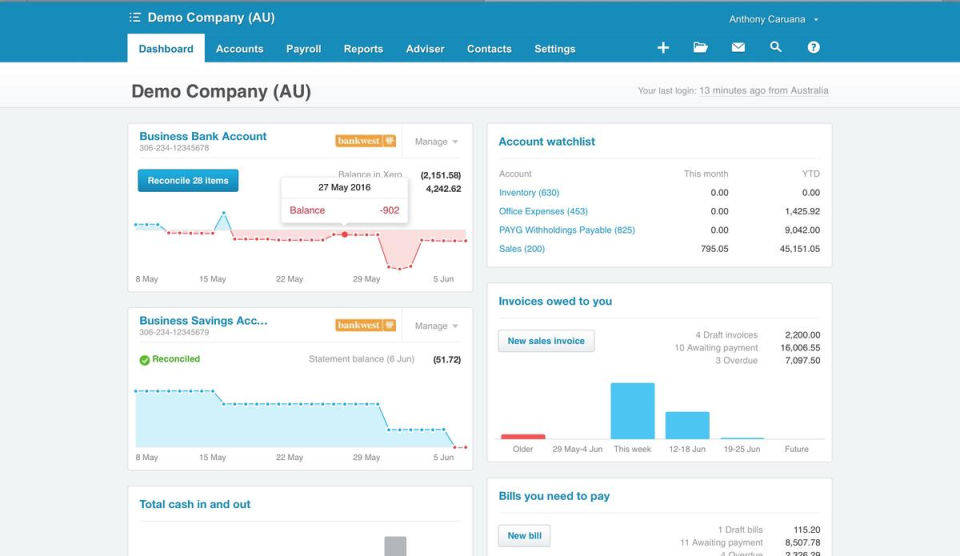
Being one among the best accounting software for Mac, Xero is not only easy to use, but is also known for providing its users with more satisfying user experience. It is a revolutionary software that has the capability to make complex accounting procedures simpler. It has a good deal of significant advantages and features to offer as compared to its competitors.
Features
- Offers a straightforward invoicing experience with customisable templates
- Get automated payment reminders at your convenience
- The ‘PayNow’ integration with PayPal lets you get paid on receipt
- The main dashboard summarises all the important accounting records, histories or transactions at one place
- Lets you receive payments faster
- You can track your payments
- Lets you check the status of your invoices, which are usually generated automatically
- Offers third-party integration with professional payroll software Deputy
- Integrates with over 100 third-party invoicing tools
Pros
- Easy to use and intuitive
- Has payroll accounting which is lacking in many other business software for accounting
- No prior user training required; new users can start using it right away.
- Syncs seamlessly with popular third-party apps
- Xero’s help centre can guide you whenever an issue crops up
- The Starting plan covers all the basic accounting requirements
- You can quickly switch between tabs like Accounts, Reports, Payroll, Contacts, etc.
- Each tab lets you customise your widgets
- Well-designed and clean user interface
- Can be used on any platform or device
- One can add an unlimited number of users for free
Cons
- If you don’t upgrade to the Premium version, you won’t be able to generate invoices, bills, or have access to multi-currencies
- Large businesses handling bigger numbers may not find Xero’s payroll accounting feature very impressive
- No native Mac client available
3. QuickBooks Mac
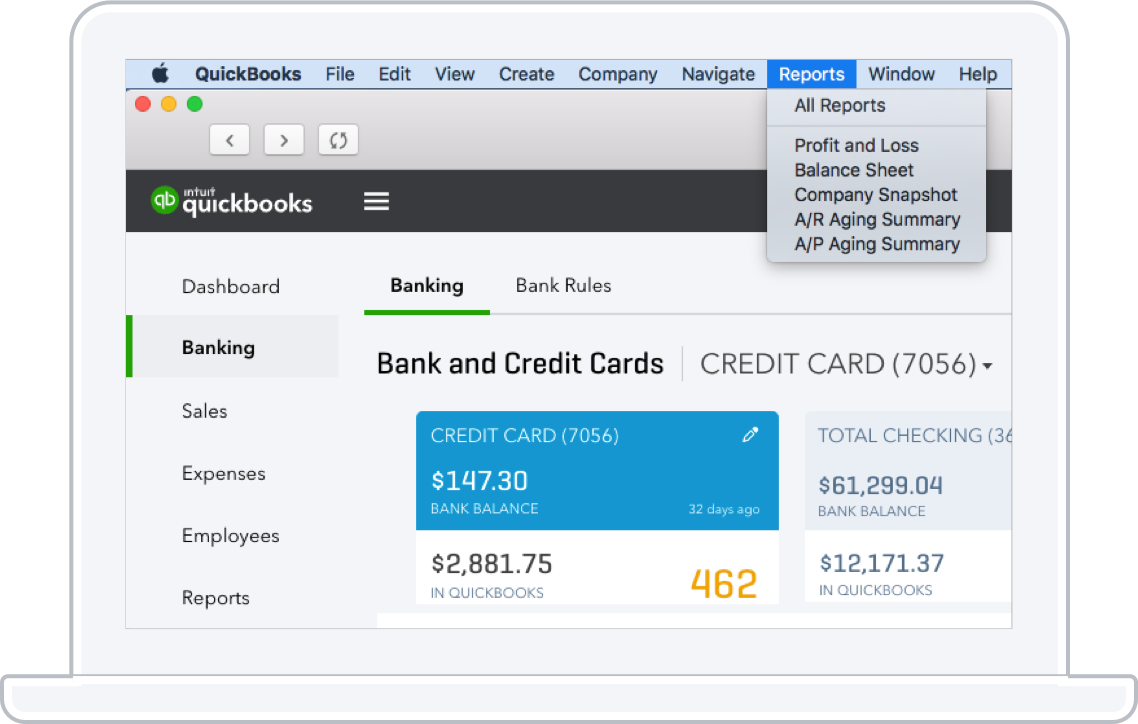
QuickBooks is the widely used accounting software for Mac, which is regarded as the all-in-one end-to-end accounting solution tailored to fit all your business goals. This platform lets you manage a number of operational processes without having to look for any other supporting software. With a host of smart features available in QuickBooks, all your accounting needs are taken care of. If you are looking for an online accounting software, try QuickBooks Online version, which comes with numerous features and is better than the Mac version.
Features
- You can create professional invoices
- Lets you manage accounts payable
- You can track sales and expenses
- Customisable data ranges, widgets and layouts available
- A centralised dashboard enables you to get more visibility
- Lets you send electronic invoices to your customers with online payment options like a credit card, ACH and e-check
- Lets you handle bounced checks accurately
- Time tracking and project management facilities available
Pros
- You would get a more modernised reporting
- Improved usability, customisation, navigation and presentation available
- Dark mode feature provided
- Budgeting, expense tracking and tax support features given
- Seamless budgeting
- One can make to-do lists
- One time charge of $299.95 which lasts for 3 years
- It is a locally-installed programme
Cons
- Doesn’t integrate with third-party apps or platforms
- Poor support system
- Very limited number of users
4. ZohoBooks
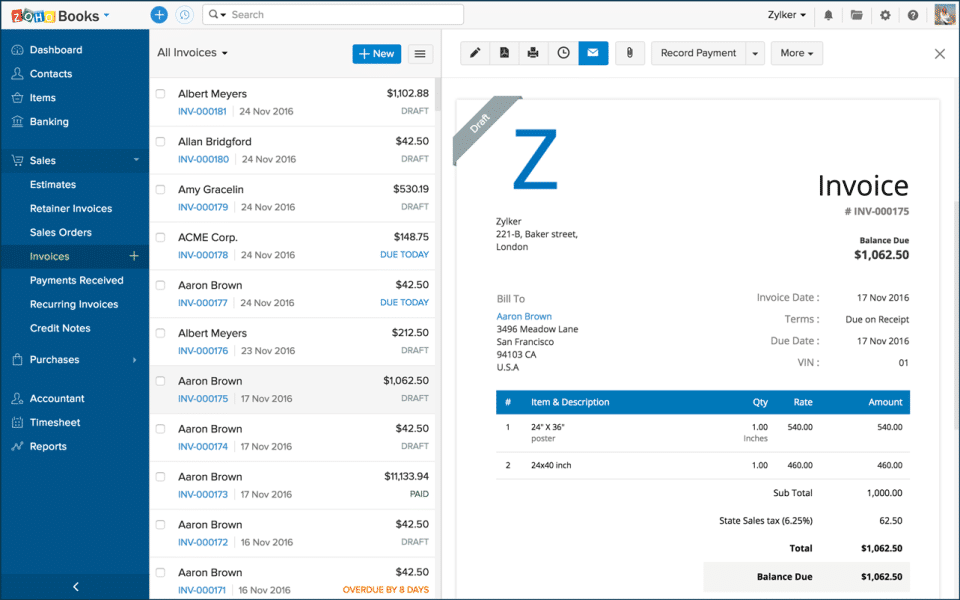
Among the list of accounting software, ZohoBooks comes with an impressive number of features, that too at a very low price point. It is very suitable, especially for small businesses and start-ups who want to have a clean accounting experience without letting out huge sums of money. Considered as the most easy-to-use app, ZohoBooks offer exceptional customer support.
Features
- Seamless invoicing
- Allows expense tracking
- Enables you to carry out a smooth contact management
- Time tracking and project or task management
- Allows bank reconciliation and customise your accounts charts
- Has tax support
- Comes with inventory facility
- Has mileage deducting feature
Pros
- Excellent customer support
- Comes with a number of features
- Very affordable and reasonable monthly costs
- Provides a powerful accounting experience
- Allows international invoicing
- Each of the plans offers unlimited invoices and estimates
- Clean and simple dashboard view
Cons
- No payroll system provided in countries other than California and Texas
- Very limited integrations available
- Optimised only for Zoho CRM. Doesn’t work with other CRM platforms efficiently.
5. AccountEdge
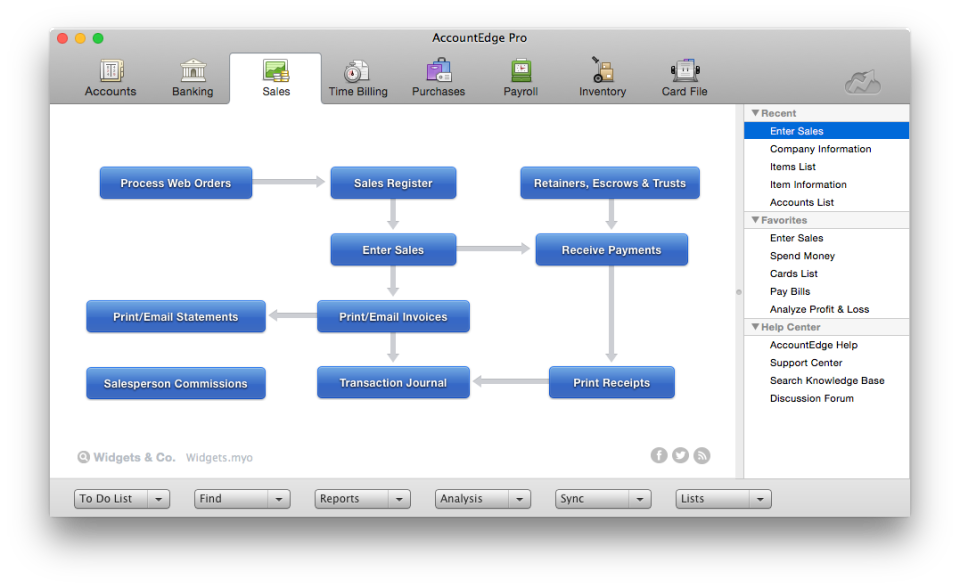
If you are looking for the best accounting software for Mac that’s locally installed and comes in a Mac-specific version while still having to use a mobile app, then AccountEdge would be a great choice. It is packed with a host of advanced features designed to get most of your accounting work done in an economical way. Although much similar to QuickBooks Mac, the AccountEdge can take the lead where the former would have paused.
Features
- Smooth invoicing and budgeting
- Supports online banking
- Has contact and lead management facilities
- Lets you manage your projects and track time
- Expense tracking feature available
- Supports check writing and printing
Pros
- Comes with online banking support
- Has a lot of advanced features
- Mac and PC specific versions available
- Lets one to switch files quickly between Mac and PC
- Very well established and feels good on Mac
- Suitable for small to large businesses
- Offers good customer support and learning resources
Cons
- Not ideal for businesses
- Has very limited integrations
- With a multiple number of users, it can get expensive
- Its dated interface can be difficult to work with
- Very limited features available in reports
- Doesn’t offer a flexible invoice customisation
- Comes with a steep learning curve
- Often takes time for real people in the customer support system to respond to queries or to provide a solution
Final Words
Now that you have got a brief insight on the top five accounting applications, that would be helpful for small businesses, we leave the rest up to you to judge and decide which would suit your purpose the best, and which would be helpful in pushing your venture towards prosperity. We would recommend you to try out a software during its free trial period to check whether it fits your accounting and business needs.
To start with, you can try going for applications having basic tools that would be easy-to-use and at the same time, take care of your budget. But in due course of time or as your business continues to prosper, you can upgrade to a software having more advanced tools and facilities.
