


When you find a meme or a dress design online that you like, the easiest way to capture it is by taking a screenshot. It comes as an in-built feature in most smartphones these days. But what to do when we want to record a screen activity or create footage of our phone’s operation? Well, screen recording tools are the answer.
Screen recording software can be used to record ongoing operations on a device’s screen and share it across in a compatible video file format. These tools can be deployed not just on smartphones but also on desktop systems. Screen recording software is gaining popularity among tech creators as it can be used to create tech tutorials, software demos, product reviews, YouTube gaming videos, and more.
There are screen recording tools available in the market that are compatible with the operating system of Windows and Mac. However, Windows-compatible software is comparatively easier to find than Mac. In this article, we will discuss the 5 best screen recording software for Mac, both free and paid options. So, if you are a Mac user and looking for the best screen recorder for Mac, here are your options.
Table of Contents
5 best screen recording software for Mac
Following are the best screen recorders for Mac in 2021 along with their key features and pricing details.
1. Apowersoft
Apowersoft screen recording software is a free screen recorder for Mac. With Apowersoft, users can pause and resume screen recording as per their requirements. This offers flexibility in the content and allows users to control the contents of the recording.
Apowersoft has an easy-to-use user interface where one can perform screen recording with just a few simple clicks. Users can also schedule recording tasks on this software where the software automatically starts the recording for the set time and duration.
Apowersoft is a comprehensive platform used for creating high-quality video content. It does not add any watermark on the generated content of its registered users. An additional advantage of using Apowersoft is that it captures the screen activity along with its audio background. It also allows users to do a voiceover through the microphone while recording.
Key features
- Easy-to-use UI
- Flexible screen recording
- Pause and resume functionality
- Screenshot support
- Intuitive design
- Webcam recording
- Audio recording
- Video editing
- Retina display support
- Multiple video format compatibility
- Voiceover support
- Unlimited recording
Pricing
A free version of Apowersoft screen recording software is available online for public use.
2. OBS
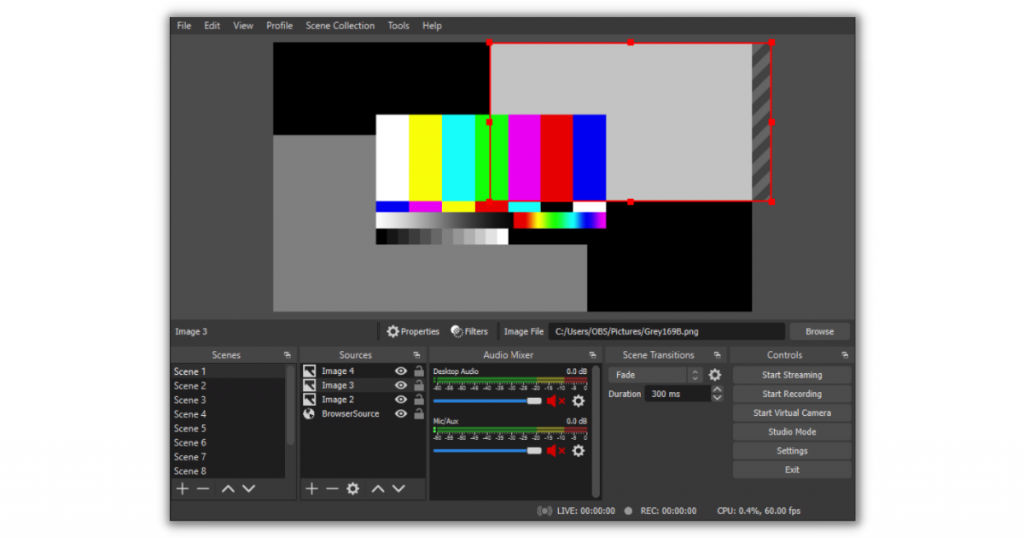
OBS Studio is a free and open-source screen recorder for Mac. Using this software, users can capture real-time audio and video content by screen recording. It delivers high-quality video resolution and allows users to export and share them in Mac-compatible video file formats.
OBS software offers video editing features as well. Users can duplicate clips in the recording and adjust video lighting based on the requirement. OBS has in-built tools that automatically suppress background noise. Other intuitive audio mixing features include noise gate and audio enhancing functionality.
OBS supports Mac compatible MP4 and MLV format for output video files that can be easily shared and viewed. A variety of add-ons and plug-ins are also available in OBS studio for enhanced functionality. In addition, OBS studio also supports live streaming and broadcasting.
Key features
- Open-source
- MP4 and MLV file format support
- Webcam recording
- Audio recording
- Retina display support
- Live streaming feature
- Free updates
Pricing
OBS Studio is free and open-source software available for public use.
3. Monosnap
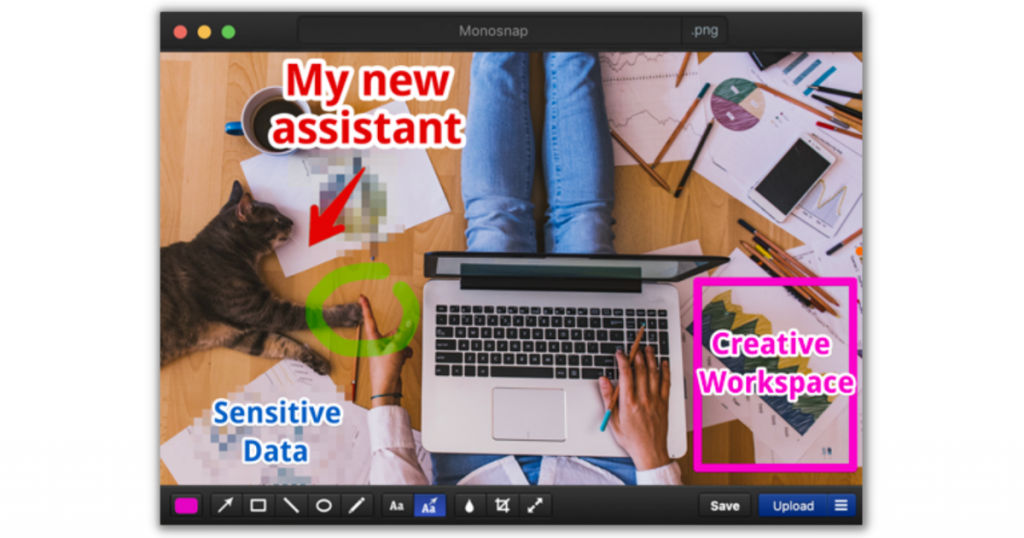
Monosnap is another free screen recorder for Mac. This software was specifically developed for Mac OS. It is one of the best screen recorders for Mac M1 as well. It allows users to record screen activity as well as take screenshots. One can capture webcam, microphone, and system recording with this software.
Monosnap can be used to create high-quality video content. Users can capture screen recording even at 60fps while playing high framerate games. Monosnap offers cloud storage as well which means that users can save their recordings in Monosnap cloud storage as well.
Monosnap offers additional features where users can highlight screen sections in videos by inserting texts, arrows, or other shapes. Furthermore, users can also define the screen frame to be recorded. One can record either the full screen, a part of the screen, or a selected window.
Key features
- Customizable hotkeys
- Screenshot compatibility
- Intuitive UI
- Easy-to-use features
- Webcam recording
- Audio recording
- Video editing
- Retina display support
- Free update
- Cloud storage
Pricing
Monosnap is available for free download on the App store. However, advanced versions of the software are also available that can be bought at a monthly subscription fee of $4.49.
4. Snagit
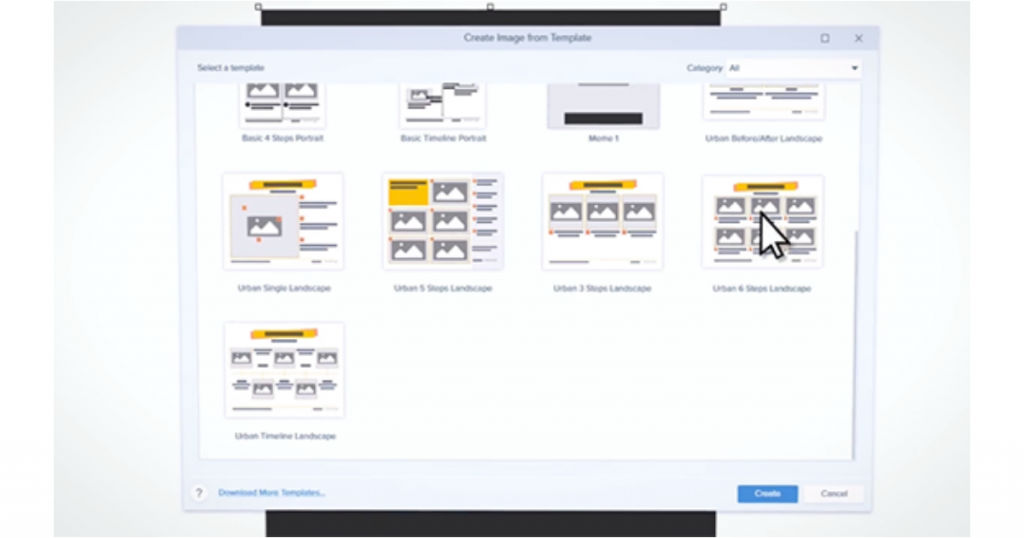
Snagit is a smart screen recording software. It can capture the screen activity and create visual instructions for the same. It helps create illustrations, product demos, and software tutorials. Using this software, one can also create videos with screenshots and images. Users can utilize markup tools to overlay texts and shapes in the videos to make them self-explanatory.
Snagit offers a unique in-built tool that allows users to extract text from images and screenshots. Users can therefore edit the required text from relevant images and highlight it in the video. Snagit supports both webcam and screen recording. Users can also switch between the two while recording. Thereby, enabling flexible video content creation.
Key features
- Webcam recording
- Audio recording
- Image text extraction
- File sharing
- Video editing
- Video annotations
- Retina display support
- Intuitive UI
- Scalable
Pricing
Snagit offers a free trial on all its subscription plans. Users can also buy a one-time license for different versions of the software. The cost of the same starts at $49.95.
5. Quicktime
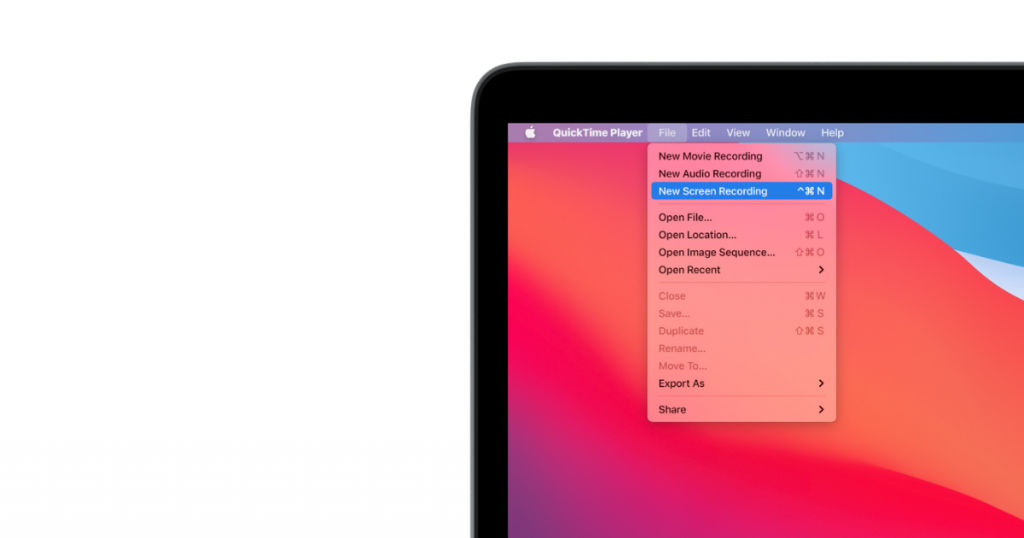
Quicktime is one of the best screen recording software for Mac. It offers extensible multimedia functionality. It can be used for content like digital videos, panoramic photographs, and interactive content. It has an appealing and user-friendly interface with video recording and editing functionality. Users can easily share the screen recording on Mac. It is compatible with mobile devices including iPhone.
Key features
- Intuitive design
- Screenshot feature
- Webcam recording
- Audio recording
- Video editing features
- Retina display support
- Video streaming feature
- Free update
- Easy-to-use UI
Pricing
Quicktime software can be downloaded and installed for free. The Pro version of the software is also free but with limited features. For complete accessibility, users need to buy the license key. The cost of the same starts at $29.99.
Conclusion
Screen recording software can come in handy for professional as well as personal use. Tech creators can make use of this software to create high-quality video content like software tutorials, product demo, etc. Many screen recording software offers free plans with basic features that users can try. There are multiple screen recording tools available in the market today. However, the ones with Mac compatibility are fewer.
In this article, we discussed the 5 best screen recording software for Mac, both free and paid options, that you can try. And if you wish to explore more options, connect to us at SaaSworthy.
Also read:
• 5 Top Video Editing Software You Can Use in 2021
• 6 Best Retail Software to Keep Your Business Smooth and Running
