

Using the right photo-editing tool can make all the difference to your photographs, whether it is for professional use or personal. It’s a one-time investment in terms of both time and money, but once you have chosen a photo-editing software that suits you the best, it will help you take your images to the next level. And when we talk about photo-editing tools, an inevitable comparison is made between InPixio and Photoshop. While the latter is quite popular among professionals and novices alike, the former also has a cult following. We are going to make comparisons between plans and pricing, features, language support, customer support and user ratings to help you choose the perfect one for your needs. So, if you have been finding it difficult to narrow down the perfect photo-editing tool, then read on.
Table of Contents
What is InPixio and Photoshop used for?
Photo-editing tools are used for manipulating photographs to enhance their impact on the purpose they are to be used. These tools are one of the greatest artistic innovations of all time. Thanks to their features, these software have become a necessity for professional photographers. At times, images need a color correction or editing which doesn’t necessarily change the photograph, but enhances it in numerous ways. It’s like being able to make changes to an oil painting before it completely dries up.
Key features of Inpixio and Photoshop
The basic features which are expected of any photo editing tools are present in both InPixio and Photoshop. These features are:
- Image editing functionality
- Ability to add layers
- Image color adjustment
- Color correction
- Photo stitching
- Project management
- Red eye correction
- Remove objects option
- Restore photos
- Sharing tools
- Transparent backgrounds
Let’s do a detailed comparison of features of InPixio and Photoshop.
| Features | Photoshop | InPixio |
| Image editing | Yes | Yes |
| Layers | Yes | Yes |
| Image color adjustment | Yes | Yes |
| Color correction | Yes | Yes |
| Photo stitching | Yes | Yes |
| Project management | Yes | Yes |
| Red eye correction | Yes | Yes |
| Remove objects | Yes | Yes |
| Restore photos | Yes | Yes |
| Sharing tools | Yes | Yes |
| Transparent backgrounds | Yes | Yes |
| Alignment and straightening | Yes | No |
| Fit images perfectly | Yes | No |
| Hardware support | No | Yes |
| High resolution images | No | Yes |
| Import / export functions | Yes | No |
| Organizing capabilities | Yes | No |
| Output formats | No | Yes |
| Photo enhancement | No | Yes |
| Publish photo templates | No | Yes |
It’s worth noting that the information related to customer support is available only with Adobe Photoshop. This information is disseminated through phone, live support, training, and tickets. This puts Adobe Photoshop at an added advantage as compared to InPixio.
Features and capabilities of Adobe Photoshop
Photoshop is one of the oldest photo-editing tools. Truth be told, it has become a verb ala whenever someone talks about image editing, and hence needs no introduction whatsoever. It is like the grandmother of photo-editing software as it was introduced way back in the year 1990. With a zillion features, Photoshop can do anything and everything in the photo-editing sphere. This software is undefeated in the photo-editing world.
The question which arrives is why to compare Photoshop to any other photo editing tool. It seems like it is a winner at all levels. But even the perfect tools have room for improvement which could be in terms of multiple things. For Photoshop, it’s in terms of the purpose of usage.
If someone needs an app to create an image for a fashion magazine fold, then the answer is Photoshop and there is no need to read further. But what if an elaborate process is not what’s needed? What if an amateur photographer or a photography enthusiast is hunting for software to improve the photograph a bit? It could be just to give it a little touch up by doing minor editing or mere color correction? In that case, some other software could be better suited for one’s needs.
Features and capabilities of Inpixio
InPixio is an Avanquest product. It’s a suite of several programs, and each of them has its own set of features, covering every single aspect of photo-editing workflow. Right from Photo Cutter to Photo Editor, and Photo Maximizer to Photo Focus, and Photo Eraser, it has it all. These products are being sold separately. The most useful program among the aforesaid things is, unsurprisingly, Photo Editor as well as Photo Studio 10.
The Photo Editor provides an interface that involves a slight learning curve. It’s a simple and fast way to improve a photo’s look using predefined filters, frames, and textures. This is a convenient feature for beginners and lets the user get results quickly. The Level correction tools provide excellent color correction and let the user gain control of color rendering and to create effects that are sophisticated.
How to choose between Inpixio and Photoshop?
Before deciding between InPixio and Photoshop, consider the following points to make a sound decision. While purchasing a photo editing software, deployment is a crucial factor. Adobe Photoshop is available on Windows, Macintosh desktop platforms and iOS, Android mobile platforms along with on cloud. InPixio is available on Windows, Macintosh desktop platforms and iOS mobile platforms. While Adobe is available as a monthly subscription, InPixio’s software suite is available as one-time purchase and you can decide which offerings you’d be going for.
Languages in which these two photo editing tools are available could also be a deciding factor. Both InPixio and Adobe Photoshop are available in English. Apart from that, Inpixio is available in German, French, Italian, Portuguese, and Spanish; while Photoshop is available in Swedish, Turkish, and Dutch.

Taking trials is extremely helpful in familiarizing yourself with the user interface and the features of both these tools. It helps you in testing out whether the features you are looking for in a photo editing tool are available in your chosen tool or not. While the InPixio offerings can be tried out for five days, Photoshop is available for a week in the trial period.
Of course, the pricing plays a crucial role while deciding on software, and the case is no different between InPixio and Photoshop. As mentioned above, the biggest difference between the two is the fact that InPixio needs to be purchased up front, while Photoshop is available as a SaaS offering, which means that you can pay monthly subscription to use it. In terms of the pricing, InPixio’s Photo Editor is priced at $39.99 for the Home edition, whereas the Premium Edition will set you back by $59.99. Photoshop on the other hand, will cost you $9.99 per month that also offers 20GB cloud storage.
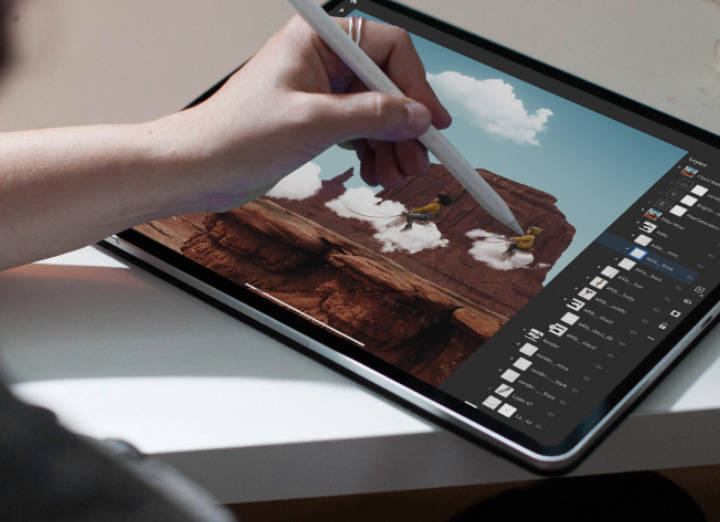
It’s evident both InPixio and Photoshop are great photo editing software, and it boils down to your personal preferences as to which one you’d go for. Rest assured; you can’t go wrong with either of them.
