

There are several factors that contribute to the success of a business process. One among them is task management. As an integral part of project management, task management has a crucial role in ensuring that a project is completed successfully and on time. Today, the best way to manage and stay on top of your daily, weekly, and monthly tasks is through effective task management software.
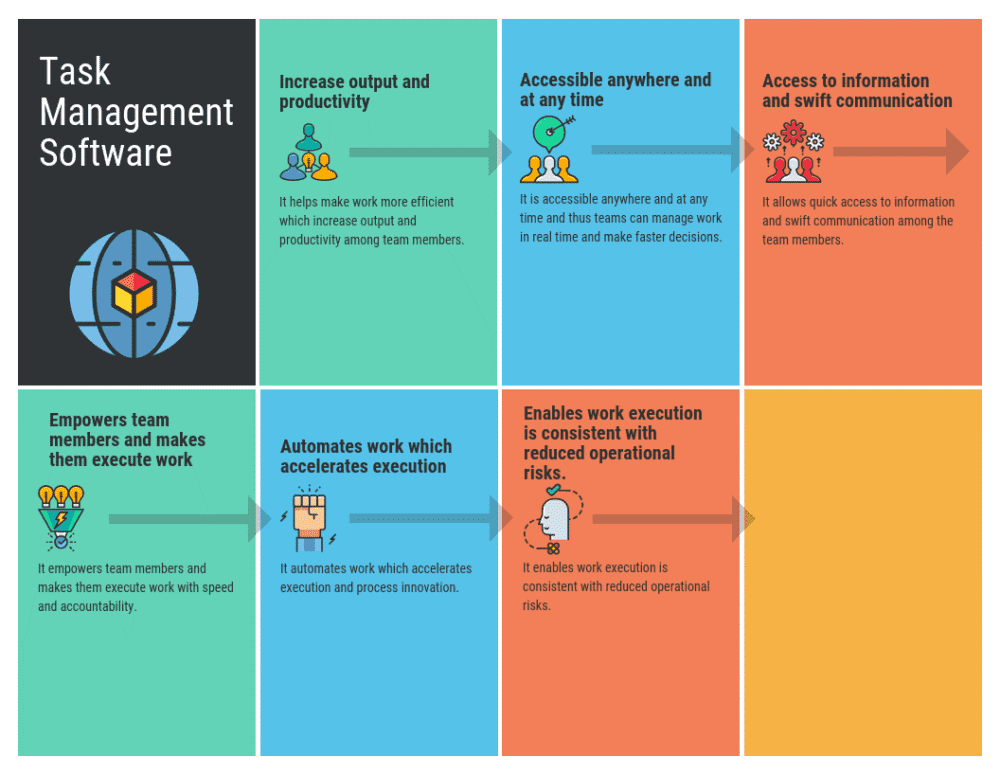
A task management software basically helps you to segregate and categorize your overall projects into smaller sections or tasks, some of which are further divided into subtasks. Using task management software, you can easily complete all your tasks as well as focus on them based on their priority. The automation and monitoring of tasks through the task management software results in the successful completion of projects.
Below are some of the benefits of task management software –
a. Helps you to stay organized and assign tasks based on priority using color codes.
b. Ensures that the project stays on track by monitoring the progress and highlighting milestones.
c. You can stay on top of all your tasks without having to remember each and every one of them.
d. Ensures uninterrupted workflows by providing an all-encompassing customizable schedule.
With the popularity of task management software on the rise, it is not surprising to see a wide range of such software available in the market. In this post, we will focus on two such software – Todoist and MesiterTask.
Table of Contents
What is Todoist?
Todoist one of the most efficient task management software available in the market. Using this software, you can monitor your projects, tasks, and goals – all from a single platform. For the ease-of-use, the software provides an overview of all your tasks, allowing you to stay on track. You can use the tool to manage and complete your daily tasks, set reminders for recurring tasks, collaborate with your peers, and many more features.
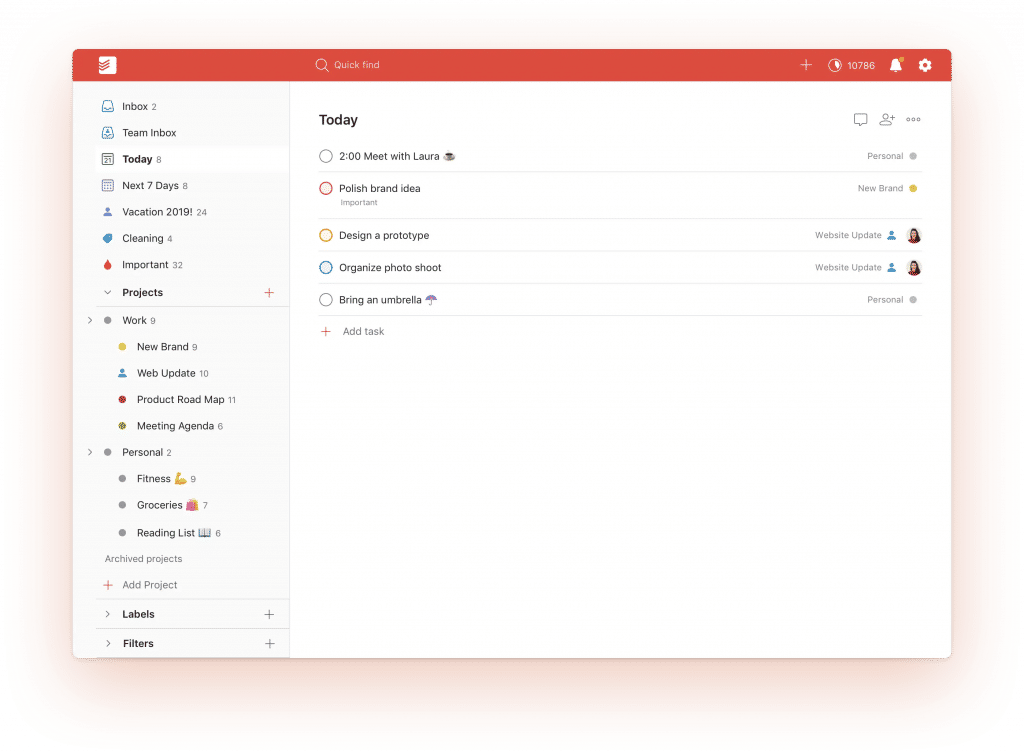
Todoist can also be synced across various platforms, thus, keeping you efficient and responsible in managing and completing your tasks.
What is MeisterTask?
MeisterTask is an effective task management software that is quite popular for its simplicity and easy-to-use. Using this software, teams can effectively collaborate with each other and ensure the timely completion of the projects. MeisterTask offers several useful features, such as customizable task boards, filters to view specific information about the project, add comments and attach files, a built-in timer for time calculations, and more.
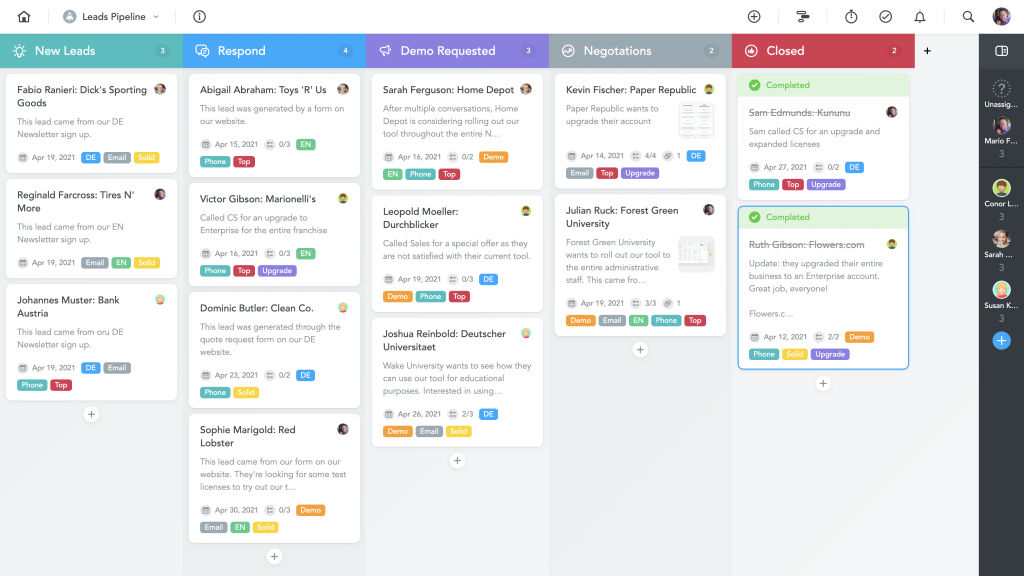
MeisterTask is one of the best task management software to improve your efficiency and ensure on-time project completion.
Comparison between Todoist vs. MeisterTask
So, should you opt for Todoist or MeisterTask? Well, this decision depends upon several factors, such as features offered, pricing plans, device compatibility, customer support, and more. Most importantly, it depends upon what are your business requirements and how well can Todoist or MeisterTask help you in achieving your goals and requirements.
Read on as we take you through a comprehensive comparison between Todoist vs. MeisterTask. By the end of this comparison, you will have a better understanding of what each of the software offers to its customers.
| Category | Todoist | MesiterTask |
| Basic Information | Founded in 2007 | Founded in 2007 |
| SaaSworthy Score | 98% | 96% |
| Features | API Assignment Management Collaboration Tools Create Subtasks Customizable Templates Data Import and Export Deadline Management External Integrations File Sharing Milestone Tracking Multi-users Notification Notes Management Project Management Project Templates Real-Time Data Recurring Tasks Remote Access SSL Security Search/Filter Task Management To-Do List Time & Expense Tracking Workflow Management | API Agile Methodologies Activity Dashboard Assignment Management Bug Tracking Content Management Collaboration Tools Create Subtasks Customizable Fields Data Import and Export Deadline Management Drag & Drop External Integrations File Sharing Gantt/Timeline View Kanban Board Milestone Tracking Multi-users Notification Notes Management Project Management Project Tracking Real-Time Data Recurring Tasks Reporting & Statistics SSL Security Search/Filter Surveys & Feedbacks Task Management To-Do List Time & Expense Tracking Workflow Management iCalendar Support |
| Desktop Platform | Cloud Web-based Mac Windows | Cloud Web-based Mac Windows Linux |
| Mobile Platform | Android iPhone iPad | Android iPhone iPad |
| Languages Supported | English French Spanish Portuguese Polish German Chinese Czech Danish Dutch Finnish Italian Japanese Korean Norwegian Russian Swedish Turkish | English Russian French German Japanese Italian Spanish Portuguese Danish Korean Dutch Chinese (simplified) |
| Ideal For | Startups SMEs Agencies Enterprises Freelance Personal | Personal Startups SMEs Agencies Enterprises Freelance |
| Support | Email Help Desk FAQs Forums Chat | Email Help Desk FAQs Forums Knowledge Base Phone Chat 24/7 (Live Rep) |
| Training | Documentations Videos | Videos Webinars Documentation |
| Integrations | Gmail Google Calendar Google Drive Dropbox Business Microsoft Outlook Slack Zapier | Gmail Google Calendar Google Drive Google Workspace Dropbox Business Microsoft Outlook Slack Zapier Jira Trello Zendesk GitHub |
| Company Size | Small Medium Large | Medium Large |
| Free Plan | Yes | Yes |
| Paid Plans | Free Plan – Features include: 5 people per project Up to 80 projects Premium Plan – $3/user/month/billed annually Features include: Up to 300 projects 25 people per project Reminders Labels & Filters Comments File Upload Productivity Trends Business Plan – $5/user/month/billed annually Features include: Up to 500 projects 50 people per project Team Inbox Team Billing Priority Support Admin & Member Roles | Free Plan – Features include: Unlimited project members Up to 3 projects Customizable project boards Mobile apps Email support Limited Integrations File attachments – 20 MB per file Pro Plan – $8.25/month Features include: Core features of free plan Unlimited projects Recurring tasks Agenda Multiple checklists Automation Admin account Unlimited Integrations Custom backgrounds Business Plan – $20.75/month Features include: Core Features of Pro Plan Roles and Permissions Custom Fields Timeline Priority Email Support Team-wide Project Sharing Security Restrictions Group Sharing Enterprise Plan – Custom Pricing Features include: Core Features of Business Plan Dedicated Account Manager SAML Single Sign-On Tailored Pricing Personalized Onboarding Assistance |
| Top Alternatives | Asana Trello Wrike Microsoft To Do MeisterTask | Asana Jira Trello Todoist Any.do |
Frequently asked questions
1. Do these software offer API?
| Todoist | MeisterTask |
| Yes | Yes |
2. Who can benefit from the software?
| Todoist | MeisterTask |
| Todoist is suitable for freelancers and businesses of all sizes – small, medium, and large. | MeisterTask is suitable for freelancers, medium, and large businesses. |
3. Is multi-user option available in the software?
| Todoist | MeisterTask |
| Yes | Yes |
4. What is the software mainly used for?
| Todoist | MeisterTask |
| Todoist is an effective task management software that allows users to effectively manage and track their tasks, collaborate with team members, etc., to ensure timely project completion. | MeisterTask is one of the best task management software which offers several features and benefits to its users, allowing them to collaborate in real-time and complete projects on time. |
5. Is third-party integration possible?
| Todoist | MeisterTask |
| Yes, you can integrate various third-party apps like Google Drive, Dropbox, Slack, Zapier, etc., with Todoist. | Yes, Wrike offers third-party integration with apps like Gmail, Google Drive, Slack, Zapier, Slack, etc. |
6. What type of customer support does the software offer?
| Todoist | MeisterTask |
| The Todoist customer support team can be contacted via Email, Chat, Helpdesk, etc. | The MeisterTask customer support team can be contacted via Phone, Email, Chat, Helpdesk etc. |
7. What are the different platforms with which the software is compatible?
| Todoist | MeisterTask |
| Todoist is compatible with both desktop apps and mobile platforms. | MesiterTask is compatible with both desktop apps and mobile platforms. |
Pros and cons
Though both Todoist and MeisterTask offer several benefits and features, they also have certain cons. It is important to be aware of both the pros and cons before you decide to opt for one of these task management software.
Todoist pros
a. Easy sharing of tasks.
b. Compatible with various devices which makes it a very flexible software to use.
c. Easy user interface.
d. Notification features enables users to be aware of pending tasks and prioritize them accordingly.
Todoist cons
a. More integrations are required.
b. The software needs to be improved while using on the mobile app.
c. The subtasks features needs improvements.
MeisterTask pros
a. The free plan with its wide range of features has resulted in MeisterTask becoming one of the best task management software.
b. Shorter and better learning curve compared to other task management software.
c. Easy to manage and monitor several projects at the same time.
d. One of the best UIs among all the task management software.
MeisterTask cons
a. Limited reports and analytics.
b. No offline access.
c. Calendar features needs improvements.
Conclusion
If you are looking for a task management software for your company, you need to first list down your requirements and be clear about what are the features you are looking for in a task management software. With a clarity on your business needs, you will easily be able to select the right task management software for your company.
At the end of this comparison between Todoist vs. MeistarTask, we can conclude that both these task management software are superior in their own right. While one may offer more features, the other may offer better pricing plans. If you do decide to go ahead and purchase either one of these software, we highly recommend that you explore both the software in detail with regards to their features, third-party integrations, device and platform compatibility, pricing, etc., and only then make an informed decision.
To check out detailed reviews of other similar software, check out SaaSworthy.
