

Who doesn’t love animation? Animations draw a lot more attention from the audience than live-action videos and are hence a powerful marketing tool. The fact that animated videos do not need actors or costly locations is a big selling point for most of the people out there.
If you are investigating the best animation software in the market, you have come to the right place! SaaSworthy has put together a list of the top 10 free animation software for you. Go through the entire article to know which animation software is best suitable for your needs.
Table of Contents
What is an Animation Software?

Video is a powerful marketing tool, and you can make it even more fun by animating it. This is where animation software comes into play. Animation software allows users to create moving illustrations from visual archives. You do have to be a professional to create animated videos with the help of animation software.
Animation software can animate a wide range of 2D, 3D, hand-drawn, or computer-generated illustrations, often with the option to add music and special effects. There are all kinds of animation software ranging from beginners to professionals. Let us look at the top 10 free animation software.
1. Vyond

Vyond is an online animation software for making specialized animated videos for various purposes such as advertising, teaching, awareness, and other purposes. Vyond is SaaSworthy’s first choice when it comes to animation software. Vyond makes it simple for you to produce videos by providing a library of templates, audio, props, and other resources.
The various features of Vyond include:
- Wide selection of animations,
- Allows you to upload your content,
- Can add graphs and charts to your animations,
- Easy to use video editor,
- A wide variety of customizations,
- Professional aesthetics that are suitable for professional business use.
The areas in which Vyond can improve:
- A bit pricey for those who do not use it often,
- Reduce lag while adding audio files.
2. Animaker
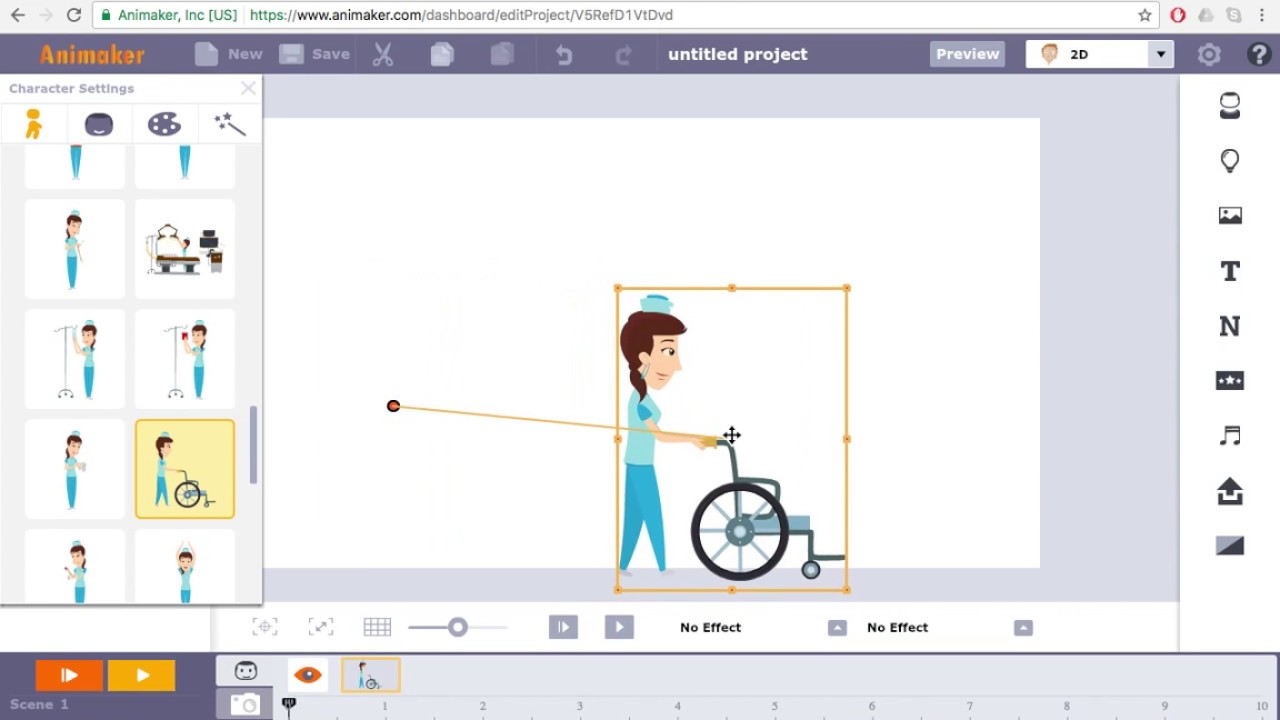
Animaker is a simple, user-friendly, and less technical animation software. SaaSworthy recommends Animaker for all the beginners out there. It supports six core types of videos, namely 2D, 2.5D, whiteboard, infographics, handcraft, and typography. With over 7 million users in 220 countries, Animaker is one of the fastest-growing SaaS Product companies in the content & video-making field.
The various features of Animaker include:
- More than 1000 stock photos and videos to use,
- Allows 4K editing and rendering,
- Supports all layouts and formats of photos and videos for various platforms,
- Supports whiteboard video creation,
- Text to speech audio recording,
The areas in which Animaker can improve:
- Slow downloading speeds,
- Cannot upload multiple photos at once.
3. Create Studio

Create Studio is a simple drag and drop animation software that gives full flexibility to animation creators. One great advantage is that it is much cheaper than its competitors and offers more or less the same features. It has numerous prebuilt 3D characters and actions to produce any video in hours instead of weeks.
The various features of Create Studio include:
- Multiple learning/”How to use” videos for every feature in the “Learn” section,
- Simple easy to use interface,
- Super responsive customer support,
- There are numerous free materials available, such as SVG, PNG, clip arts, and 2D and 3D animation characters.
The areas in which Create Studio can improve:
- Buggy color changing tool which doesn’t offer much control,
- Does not provide API
4. KeyShot
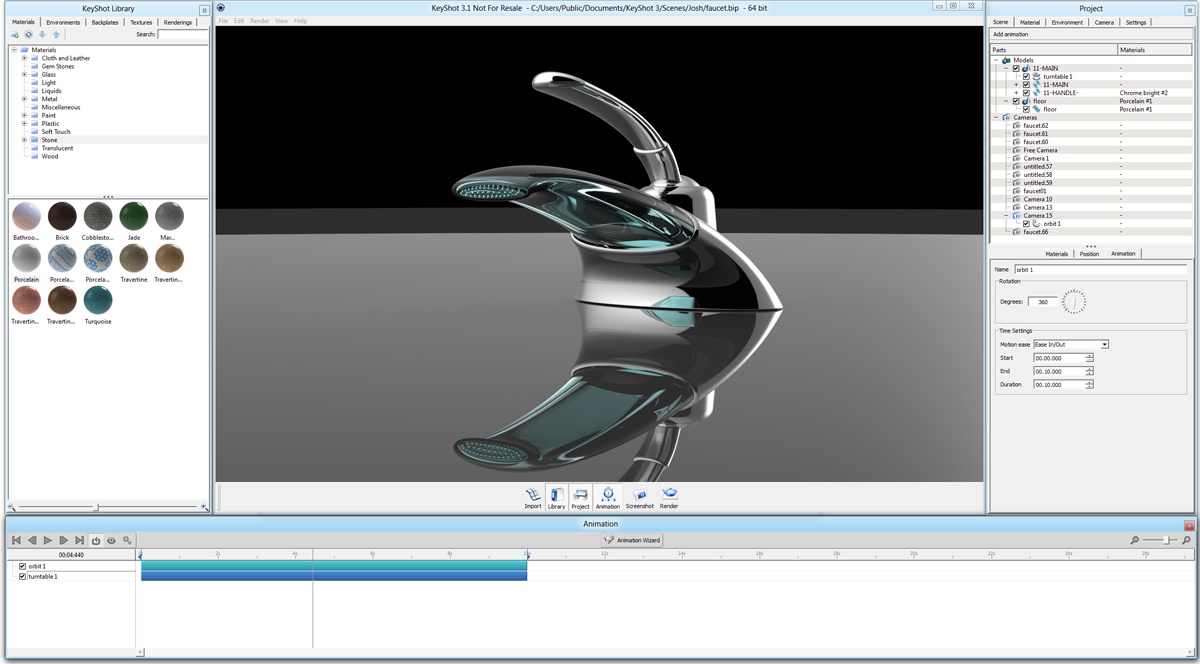
KeyShot is a real-time 3D rendering animation software that produces realistic product visuals promptly. KeyShot is preferred by most because of its speed, scientifically accurate materials, ease of use, and sophisticated material editing capability. KeyShot can transform a fairly basic model into a photorealistic model in a matter of a few seconds.
The various features of KeyShot include:
- Supports ray tracing and global illumination,
- Uses dynamic texture mapping for producing realistic landscapes,
- Supports import of over 20 different 3D file formats,
- New HDRI lighting feature to adjust the amount of light in your model,
- Simple and easy to use user interface,
- Camera control for realistic camera behavior,
- Renders both 2D and 3D animations
The areas in which KeyShot can improve:
- Can provide multiple HDRI options,
- Improved layout interface and animation configuration,
- More tutorials for beginners.
5. Animation Desk

Animation Desk is a multi-platform animation software that runs on Android, iOS devices as well as Windows devices. This is a decent place to start learning because you have all of the simple tools you need to learn. If you want to pursue it more seriously, there’s space for progression with this app.
The various features of the Animation Desk include:
- Plenty of features in the free version,
- Helpful brushes and different font colors,
- Can edit videos and storyboards,
- Large selection of tools with various functionalities,
- Simple and clean user interface.
The areas in which the Animation Desk can improve:
- Minor lags and crashes from time to time,
- No tutorial videos on some features,
- No autosave.
6. Harmony

Harmony is a powerful animation software for serious artists. It comes with a lot of features, and hence one can find it challenging to learn at first. It is beneficial for all kinds of users ranging from teachers, students, professional artists, and businessmen. Harmony is SaaSworthy’s recommendation for an all-in-one animation software.
The various features of Harmony include:
- Color controls,
- Various brush tools, ink and paint styles,
- 4K video options,
- Supports all kinds of animation styles,
- Flexible 2D animations,
- Fast response times for database filtering,
- Upgraded performance and increased efficiency,
- Latest lighting, shading, and special effects.
The areas in which Harmony can improve:
- Steep learning curve with fewer instructions,
- Minor software glitches arising from heavy features.
7. Blender
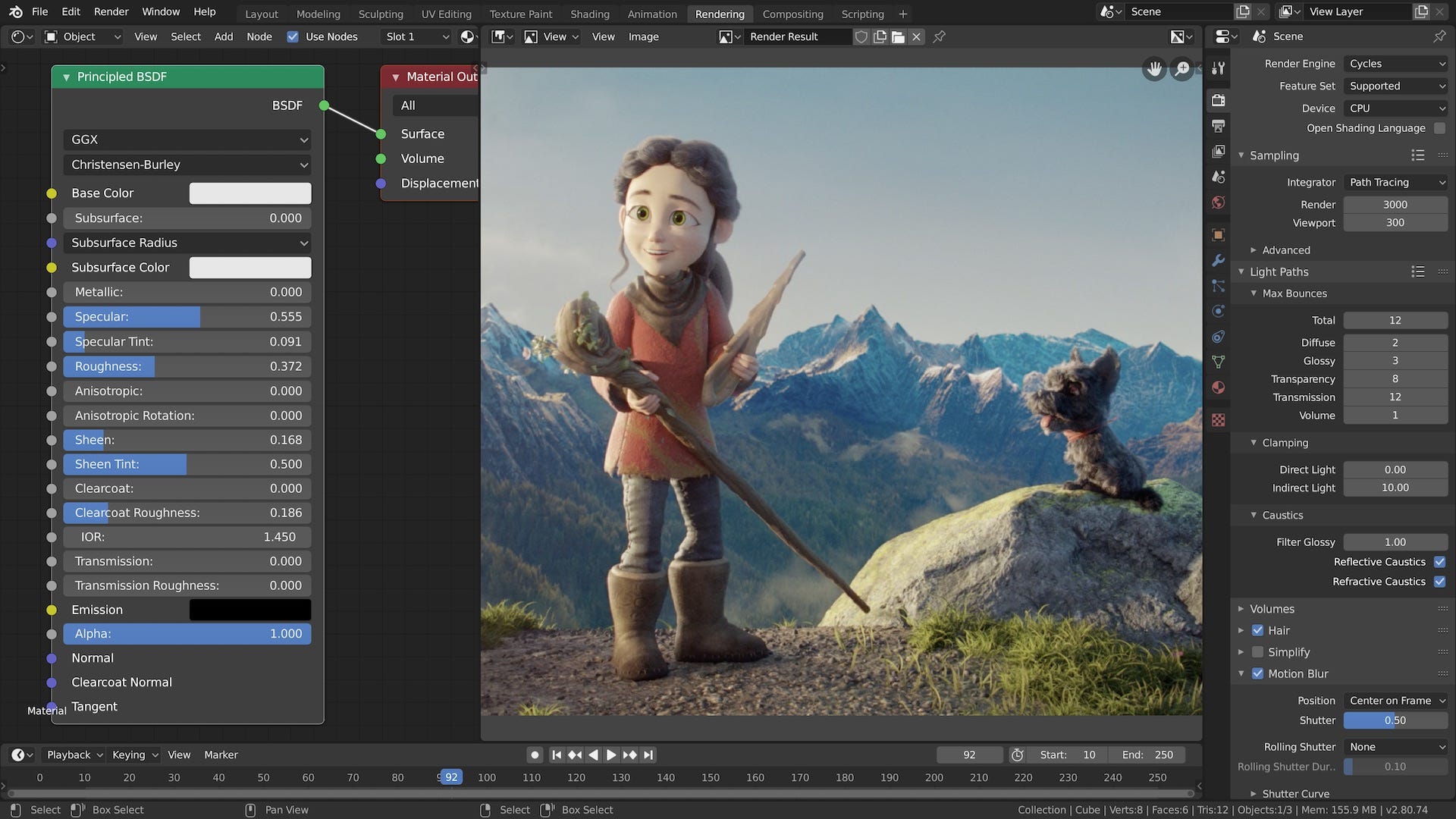
Blender is an open-source, free animation software that has developed into a complex application over time. You can use Blender for 3D pipeline, modeling, game development, motion tracking, rendering, video editing, simulation, and composting. Blender is best for professional creators and animators.
The various features of Blender include:
- Convert stills into 3D animations,
- Mirror functionality,
- Has fast rigging for turning 3D models into animated characters,
- Easily import textures and animations,
- Advanced lighting and shadow effects,
- Offers a camera-based perspective to give you an idea of how the animation would look,
- A friendly and helpful community.
The areas in which Blender can improve:
- Too difficult with a steep learning curve for beginners,
- Challenging to create image-based animations.
8. Doodly
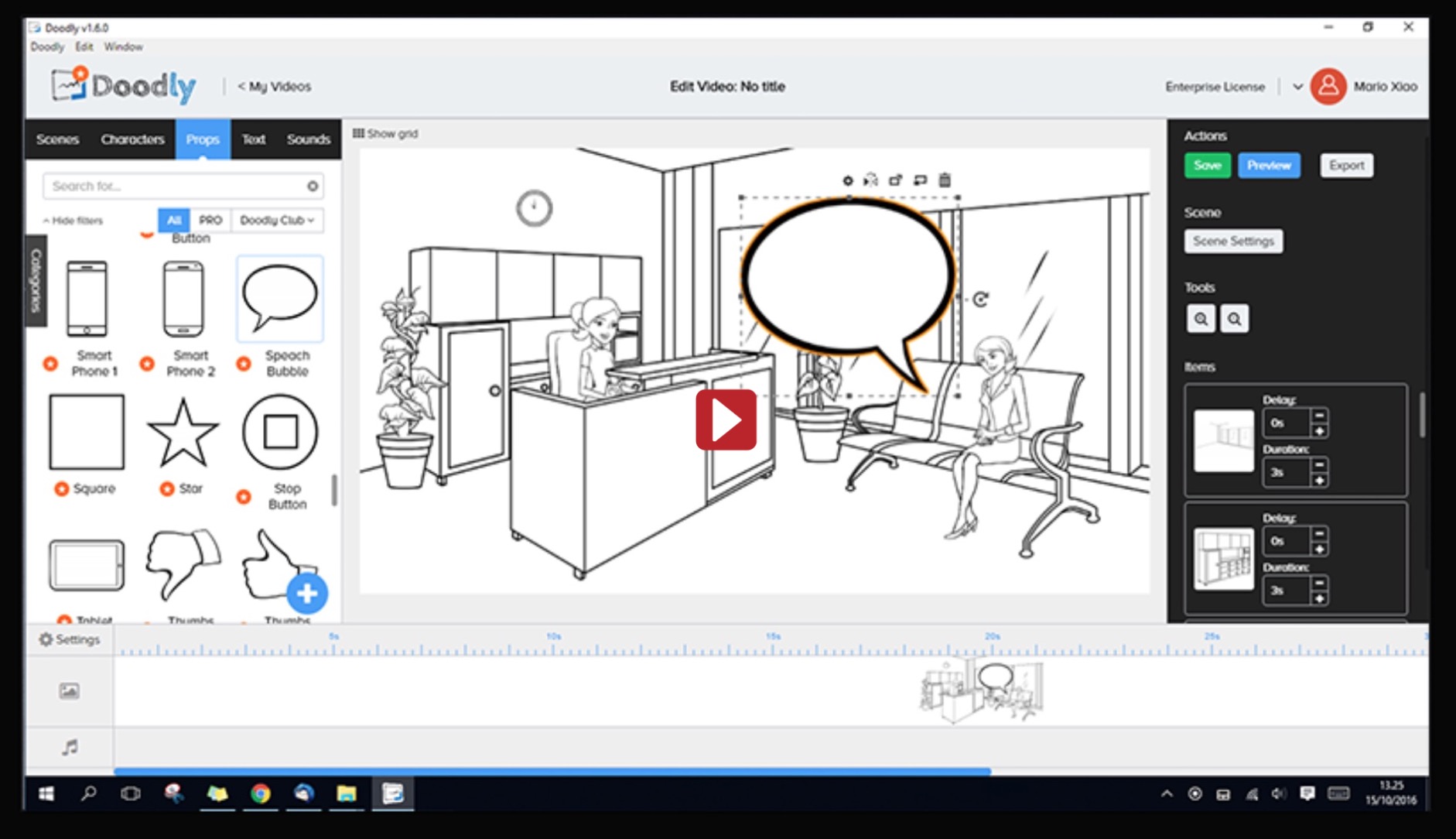
Doodly is a cloud-based animation software with which anyone can create realistic animation videos in a short time. SaaSworthy suggests using Doodly for making doodle videos with just a doodle image. It provides the user with multiple canvases such as whiteboard, blackboard, green board, and glass board. Doodly is available only on Windows and macOS.
The various features of Doodly include:
- The simplicity of drag and drop,
- Ability to personalize and brand videos as needed,
- Helpful and intuitive interface,
- Huge resource library,
- Import custom images with ease,
- Creates a very engaging final product
The areas in which Doodly can improve:
- No robust set of editing features,
- Not easy to find images in the assets library,
- No support for special characters.
9. Pencil 2D

Pencil 2D is an open-source, free animation software for creating 2D animations. Pencil 2D employs bitmap and vector graphics for animation. It supports cross-platform functionality and runs on Windows, macOS, and Linux. It is the perfect 2D animation software for beginners with a gentle learning curve.
The various features of Pencil 2D include:
- Seamless switch between raster and vector workflows in order to sketch, ink, and paint,
- Supports multiple export formats,
- Allows adjusting the video frame rate,
- Lightweight, intuitive, and clutter-free user interface,
- Distortion, lighting, and shadow effects,
- Layers, onion-skinning, pressure sensitivity,
- A simple keyframe manipulation system-based timeline
The areas in which Pencil 2D can improve:
- It does not have advanced features,
- No option to save settings preferences,
- Minor bugs force the user to restart the application.
10. Animatron Studio
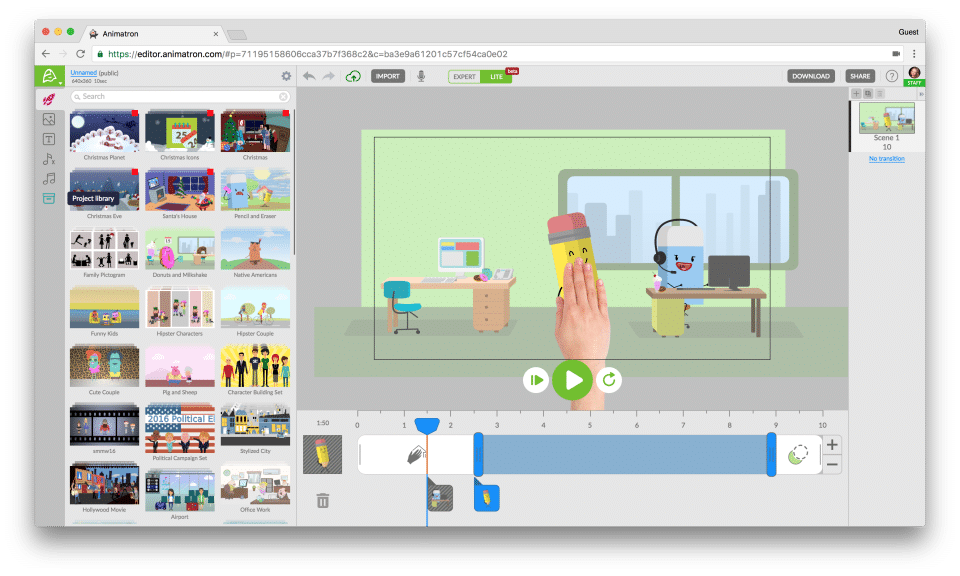
Animatron Studio is an online animation software that is built on the latest and secure HTML5 technology and is web-based. It thereby supports universal playback on both smartphones and computers. SaaSworthy suggests using Animatron Studio if your main objective is to create educational videos. Animatron Studio is cloud-based and hence does not require any unnecessary plugins and installations.
The various features of Animatron Studio include:
- Free marketplace with a wide variety of pre-animated characters, props, and backgrounds,
- Create impressive animations on your browser,
- Over 5,00,000 royalty-free video clips,
- Straightforward to use,
- Allows creation of HTML5 animated graphics,
- Whiteboard animation and presentation, explainer videos,
The areas in which Animatron Studio can improve:
- A limited number of audio files,
- Price tends to be on the higher side.
Conclusion
It is to be noted that all of the animation software mentioned above have both free and paid versions. Only some features are available in the free version, which is more than enough for beginners. If you are a professional, you can pay and unlock the full features. They also offer free trials, so you can check them out before buying. We hope that we were able to throw some light on the top 10 animation software available in the market. You can select whichever animation software is best tailored to your needs. We also hope that you have found your perfect animation software.
