

Document management software refers to an automated way of capturing, securing, organizing and completing tasks with business documents. In simple terms, it is the use of software to store and keep track of all electronic documents and electronic images of documents captured through the use of a document scanner. Document management simply refers to effective handling and managing of electronic documents by a company or organization. So it has been developed to systematically organize and control documents in an organization.
Documents, whether paper-based or electronic are an important part of any organization. All businesses, big or small have to manage and maintain a wide list of contacts which is a challenging task. In such a situation, an effective document management solution which systematically stores and manages all the contacts can prove very beneficial for your organization.
Here are the top 7 benefits of using document management systems:
Table of Contents
1. Reduced storage space
Storing multiple numbers of documents in large boxes and storage bins occupies a lot of office space which can be reduced drastically using document management software. Day by day, commercial property costs are increasing and so is the cost to store these documents. A document management system helps in document storage thus clearing the office space and documents that need to be kept as hard copies can be stored in less expensive locations such as offsite vaults or warehouses.
2. Enhanced security
Document security is cardinal for all companies. A document management software ensures complete protection of sensitive documents. Individuals or different groups can also access control over the documents at the folder level. In addition to that, when someone accesses a particular document, these systems leave an audit trail of who has viewed or modified the document. It also allows managed documents to be traceable and tagged for automated alerts.
3. Improved regulatory compliance
Certain documents contain several compliance requirements which can be quite complex. Non-fulfilment of these requirements can have severe consequences such as fines, revoked license and criminal liability too in some cases. Document management systems reduce the risk of non-compliance as records can be constantly checked and traced, without losing their order.
4. Easy retrieval
Searching for individual documents and trying to retrieve them is a very time-consuming process and in the business world, time is money. A document management software specifically designed for your company can prove useful for saving time. Based on the problem, document management solutions can easily retrieve files by a single word or phrase present in the document. All you need to have is an internet connection and your documents can be accessed virtually from anywhere in the world.
5. Better collaboration
Collaboration and sharing of information have become a lot easier with document management software. It features electronic imaging which allows documents captured from different sources to be accessed via email or the internet. Document management systems also offer version control which allows older versions of the same document to be retrieved. This is a very significant feature when several groups work on the same document or when changes are made to an existing document which was not authorized or supposed to happen.
6. Better backup and disaster recovery
Every document management software must include a backup and disaster recovery plan. In case of disasters like floods or fire, all the documents are secured with digital archiving as a backup. Also, all documents are stored centrally as a result of which no documents will get lost or misplaced. Even if a document does get misplaced, it can be traced with cross-indexing.
7. The Intangibles
Here are a few intangible benefits that a document management system provides:
- Flexibility
- Competitiveness
- Improved client relations
- Peace of mind
What are free and open-source software?
Every software contains a source code that can be shared or modified to alter or fix a software. In case of software like Adobe Photoshop and Microsoft Office, the source code can be modified or shared only by the developers of the software and the groups or teams working with that particular software company. These are called closed source or proprietary software. in open source software, the source code is available to all users. They can copy it, share it and also fix any existing errors. In order to use both software, users must sign a licensed document at the beginning. However, the legal terms of open-source software are less rigid as compared to the terms of closed source software. Not every open-source software is free. Some offer free trials while some charge monthly or annually.
However, open source is mostly desired by developers. For companies, particularly startups and SMBs document management software free gets on top of their priority list.
Here is a list of the best free and open source document management software available today:
| Document Management Software | Platforms |
Pricing |
| Doccept | Windows
Saas, Web Mobile- IOS Native Mobile- Android Native
|
Free |
| Bitrix24 | Windows
Mac Saas, Web |
Free |
| Zoho WorkDrive | Mobile- IOS Native
Mobile- Android Native |
Free trial for 15 days/Paid |
| Qualityze | Saas, Web | Free |
| Worldox | Windows
Saas, Web Mobile- IOS Native Mobile- Android Native |
Free/Paid |
| OpenKm | Saas, Web | Free Trial |
| Samepage | Mobile- IOS Native
Mobile- Android Native |
Free |
1. Doccept
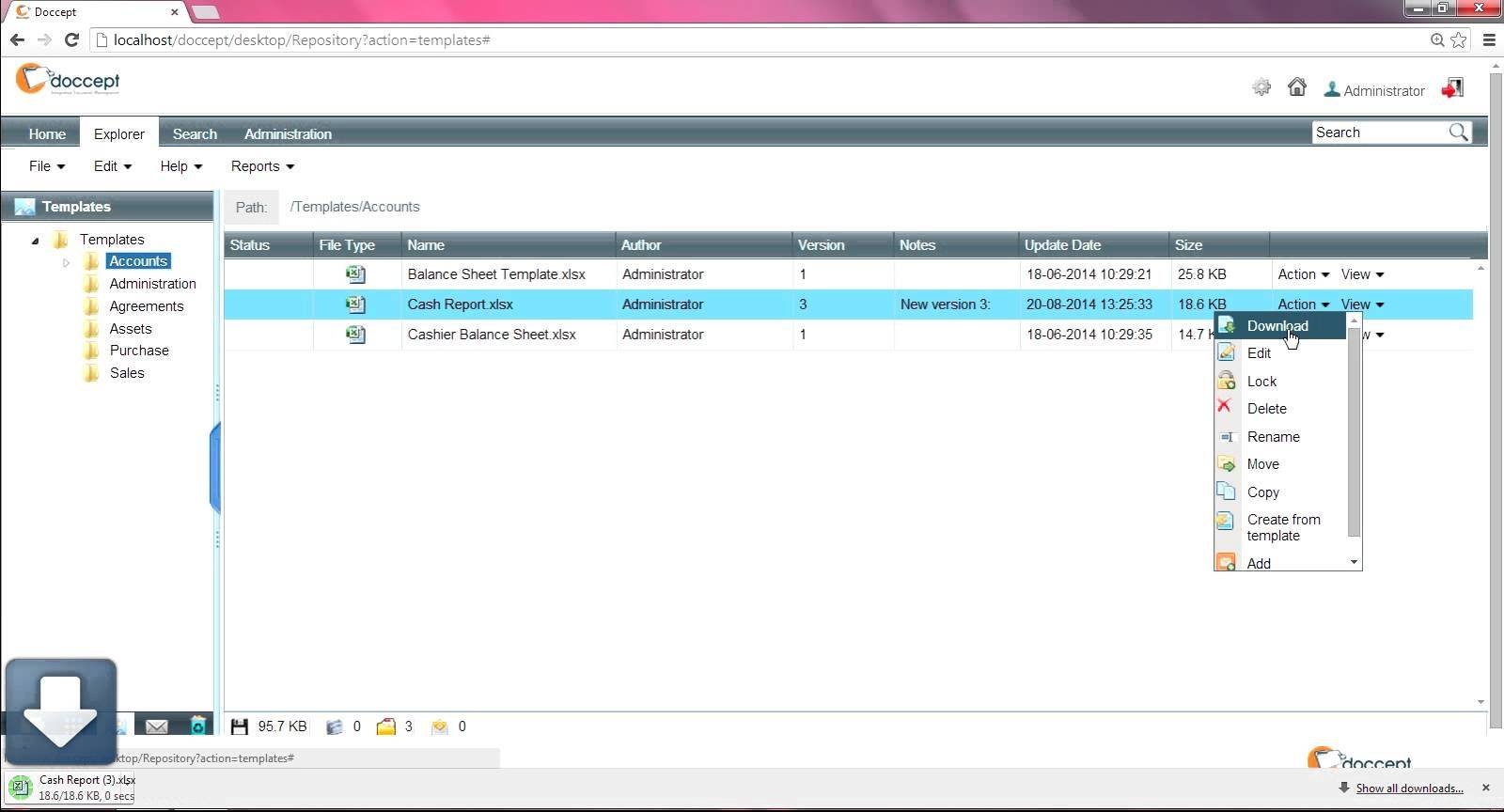
Doccept is an industry oriented document management system with features like email integration, version control, offline access, compliance tracking, document indexing, document archiving, document retention, electronic signature and others. It was founded in 2006 and is headquartered in the United States. This software is ideal for use during webinars, live streams, documentation and individual use. Doccept also provides a wide range of search capabilities, comprehensive dashboards, audit trail options and fully configurable access control. Being an industry-oriented software, it is used by various industries such as government, healthcare, manufacturing, human resources and accounting firms.
2. Bitrix24
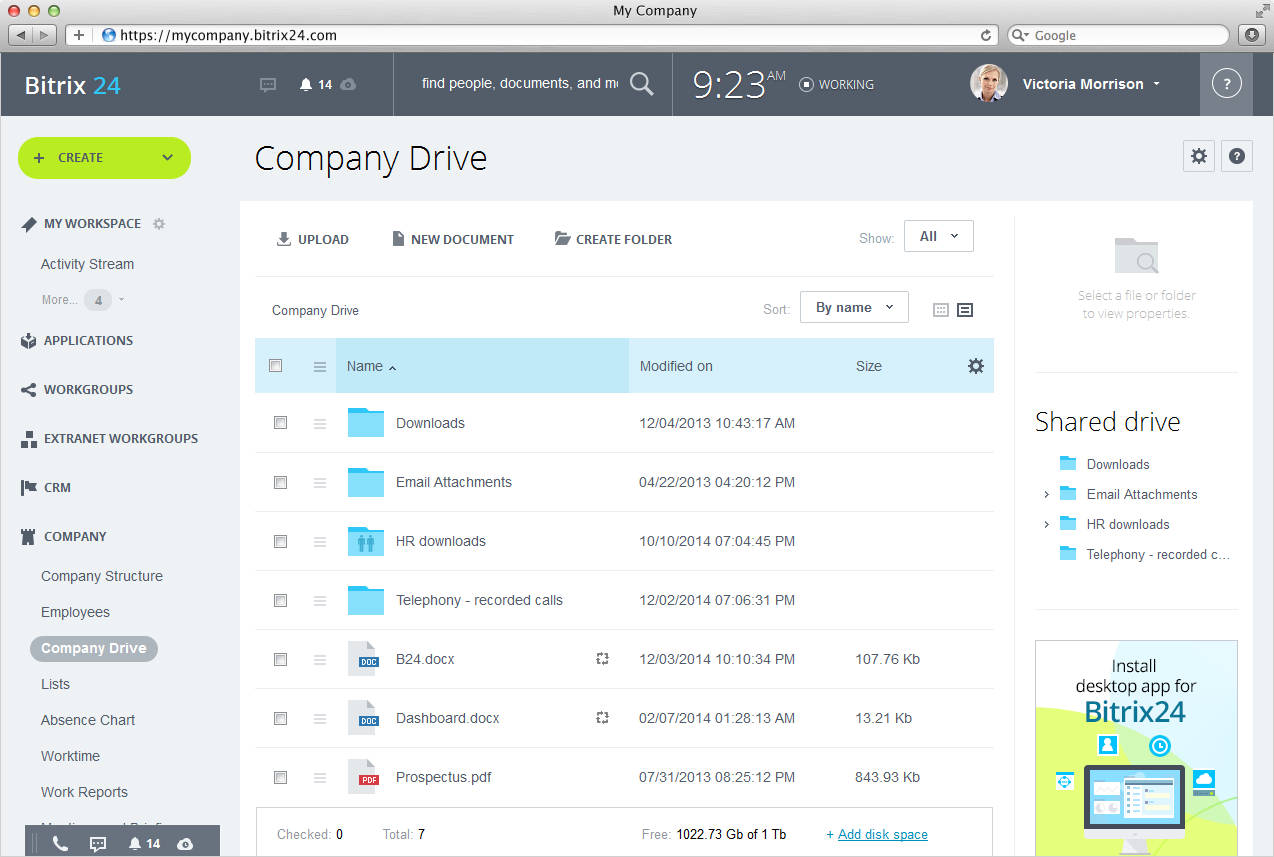
Bitrix24 is a well known document management software that allows easy document collaboration. It comes with three types of drives. My drive is a personal drive which cannot be accessed by colleagues. Employees can place their private files safely in this drive. Second is the group drive that contains all the documents of a particular workgroup. And lastly is the company drive that contains all the files which the company wants all the employees to see and access. Through this software, you can find any document quickly through internal search. Presentations, videos and other files can be placed for download, private use or collaboration.
3. Zoho WorkDrive
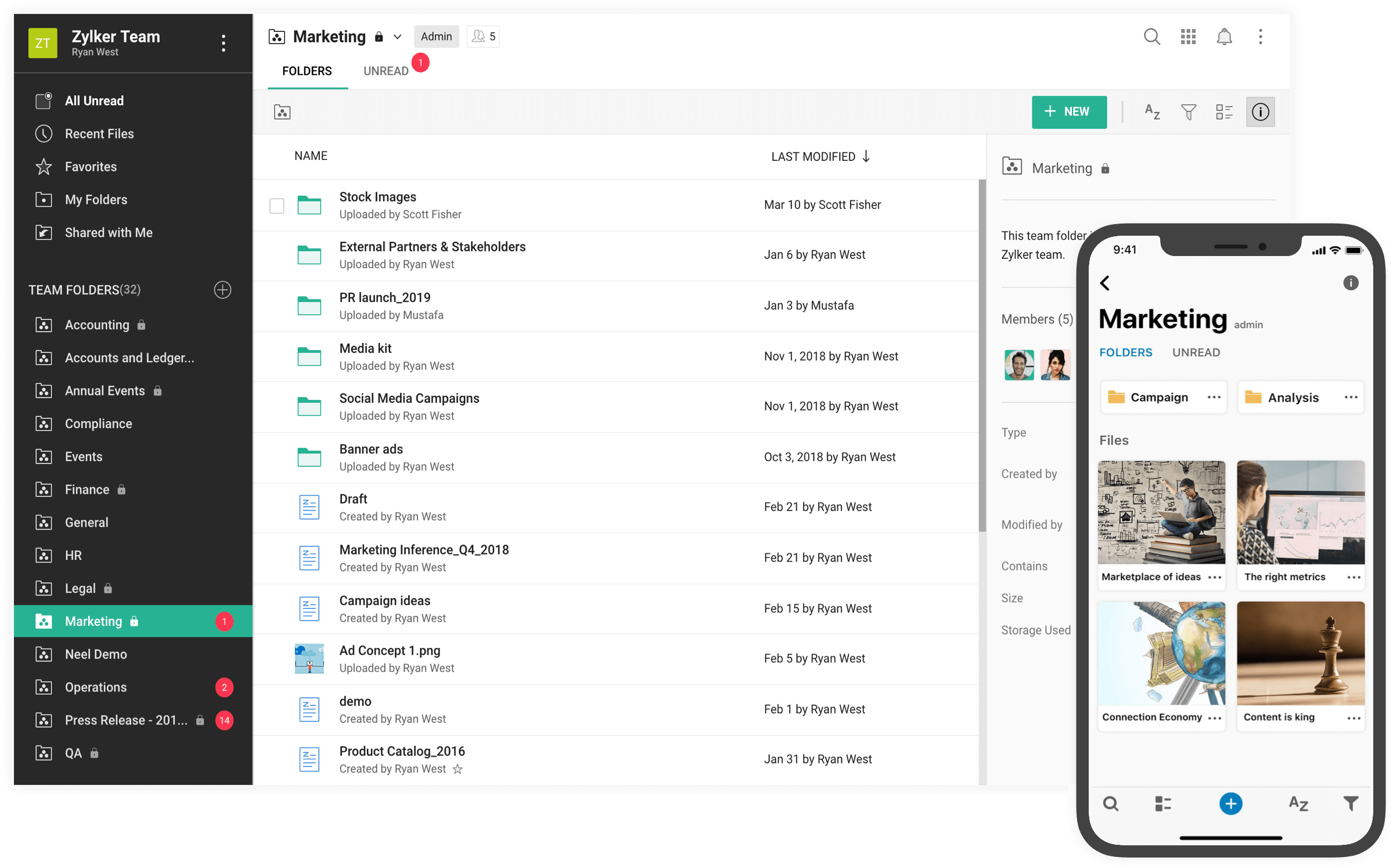
Zoho WorkDrive is an online file manager and collaboration platform useful for small enterprises and large businesses. This software provides Team Folders which allows team members of any size to work together efficiently. Hence, there is no need for files to be sent back and forth as attachments, with each member having to juggle multiple documents at the same time. The shared storage starts with 1TB and continues to upgrade as the team grows. Like Bitrix this is also a multiple industry software and can be used by various enterprises such as finance, marketing, human resources, and research and development.
4. Qualityze
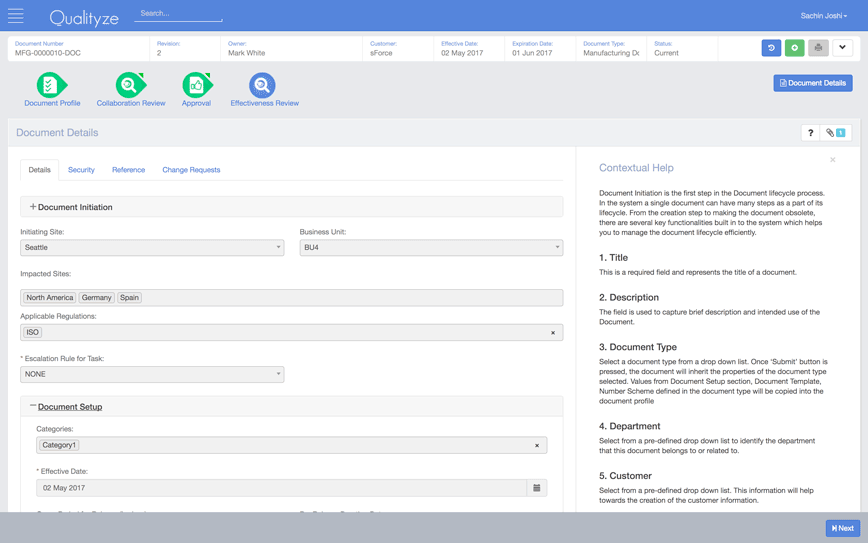
This document management software allows easy and transparent document management for businesses of all sizes to release, create, review or approve controlled documents such as instruction manuals, SOPs, quality/regulatory records and process narratives. It features document version control, dynamic collaboration review, standardized document sharing and archive options. A cost effective software, this helps in the creation, approval, versioning, training, change and review processes to meet regulatory and industry requirements. Qualityze has a user friendly interface which allows members to create and collaborate document data with simplicity and ease.
4. Worldox
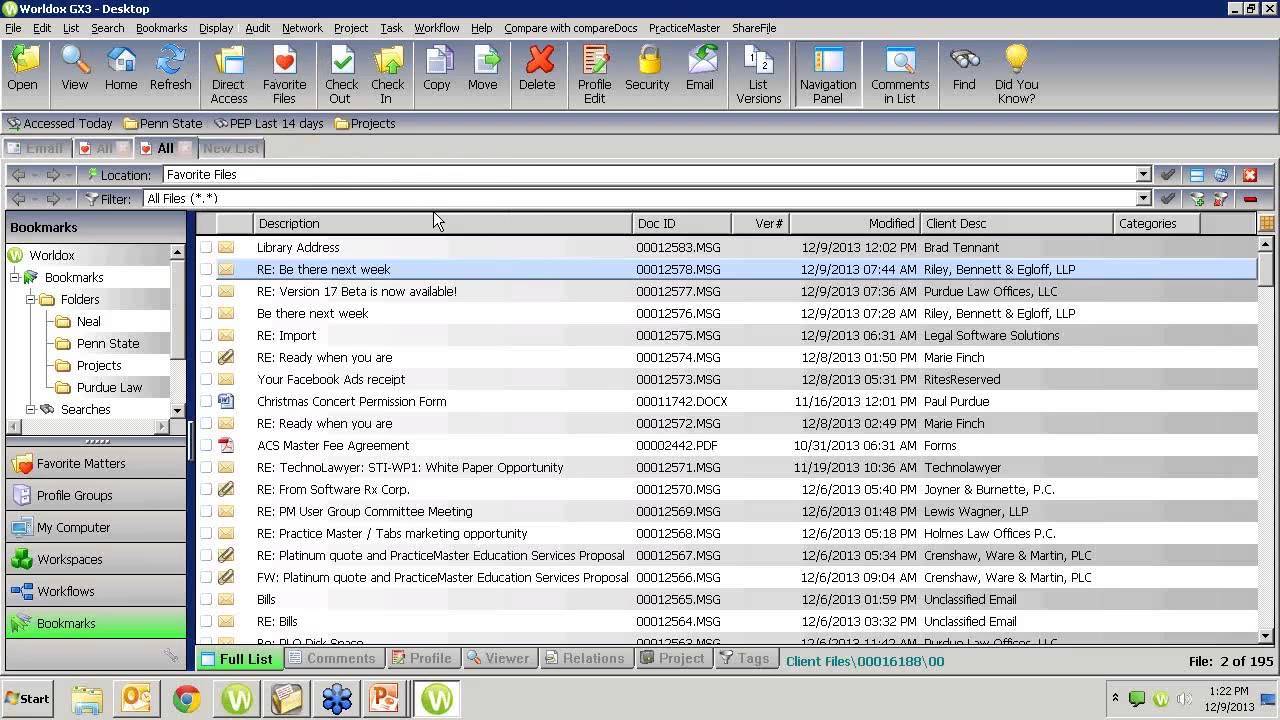
Founded in 1988, this is an award winning document management software for financial service companies and law firms. It is also used by corporate legal departments and many other organizations. Its primary features include compliance tracking, file recovery, offline access, document retention, file type conversion, document archiving and collaboration tools. Being one of the most popular document management software, it is used by more than 6000 companies across 52 countries.
5. OpenKm
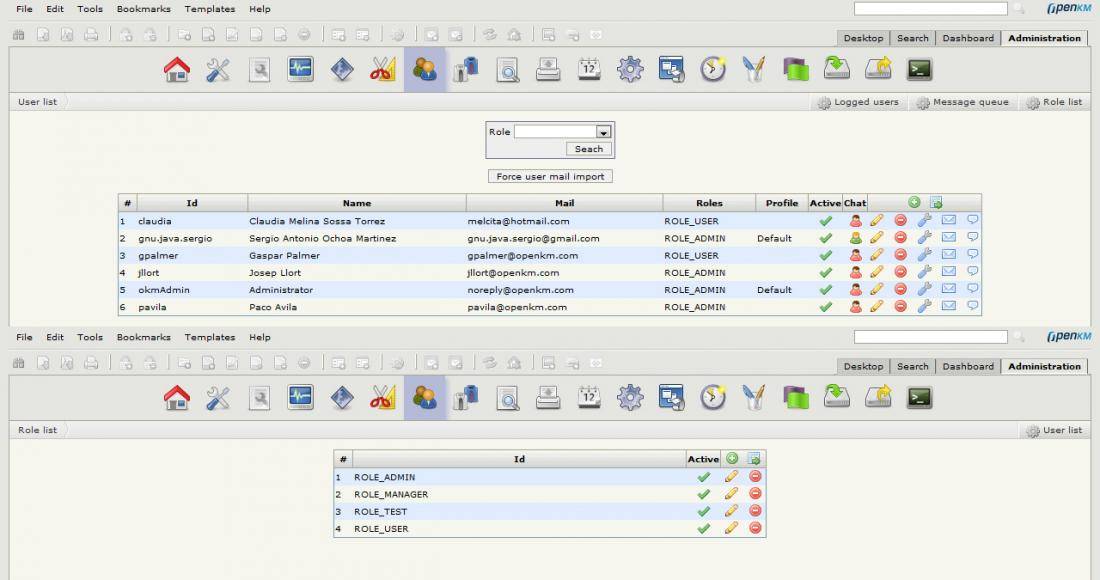
This is an open source and cloud based document management system designed to manage and collaborate documents at the enterprise level. This management solution allows businesses to manage the production, storage and distribution of electronic documents, yielding greater benefits and the ability to control document flow and reuse information. It also provides email integration which aids in time management. Being an open-source software it can be modified by developers and shared among other enterprises.
6. Samepage
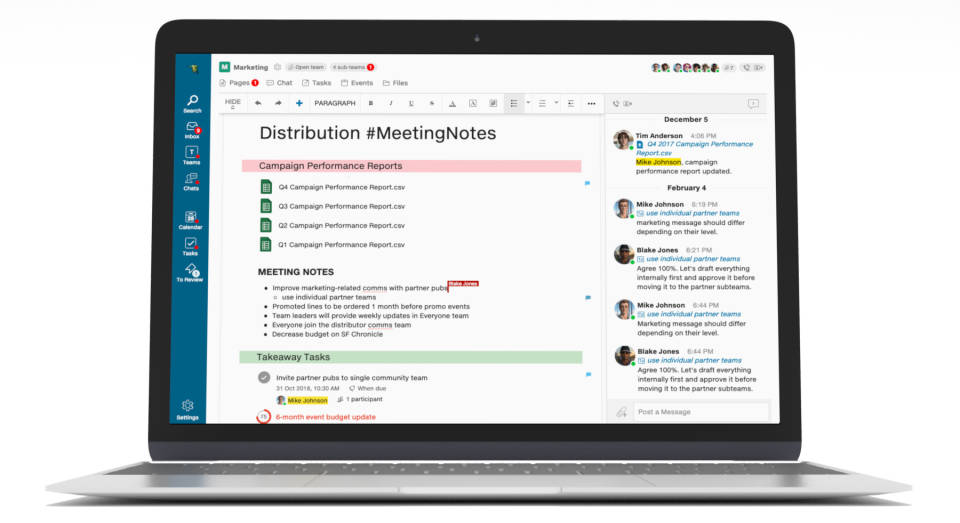
An award winning document management software, it helps team members to co author documents, manage tasks, edit spreadsheets, draw diagrams and share files in real time. This facilitates better collaboration with coworkers and clients. Samepage also features video calling and group chats which lets you see your team members and its conversations alongside the team you’re working with. It also integrates with hundreds of apps which helps you to avoid email overload and consolidate your workflows.
Documents are the backbone of every business. To conclude, a good document management system is a prerequisite tool in every industry of the modern world. It not only helps you to maintain and organize all your data and documents in a systematic manner but also helps time management by speeding up your workflow.
