


People are concerned about the looks of their photos. Whether you are beginner clicking photos with your smartphone or are a professional photographer in a studio, you will require software to organize, manage, and edit your digital photographs. This is where photo editing software steps in as a one-stop solution for all your photo-related needs.
But with a plethora of photo editing software available in the market, choosing the photo editing software best suited to your needs can be challenging. To save your time, we at SaaSworthy have come up with a list of the 7 top photo editing software for PC available in 2021 for both beginners and professionals.
Table of Contents
What is a photo editing software?
A photo editing software provides you quick and simple access to important tools for improving, retouching, and altering photos to get the desired result. You can use photo editing software to bring out the potential in your photos. The top photo editing software for PC integrates efficiency and power to deliver users the shortest path to editing excellence.
Some software are highly complicated, with a steep learning curve, and contain all the features a user might require, whilst others are more basic and easy to grasp.
7 top photo editing software for PC
Given below are the 7 top photo editing software for PC that you can use in 2021 for editing your photos at both the professional and beginner level. All these software are detailed with their respective features and limitations for making your selection process easier.
1. Adobe Photoshop
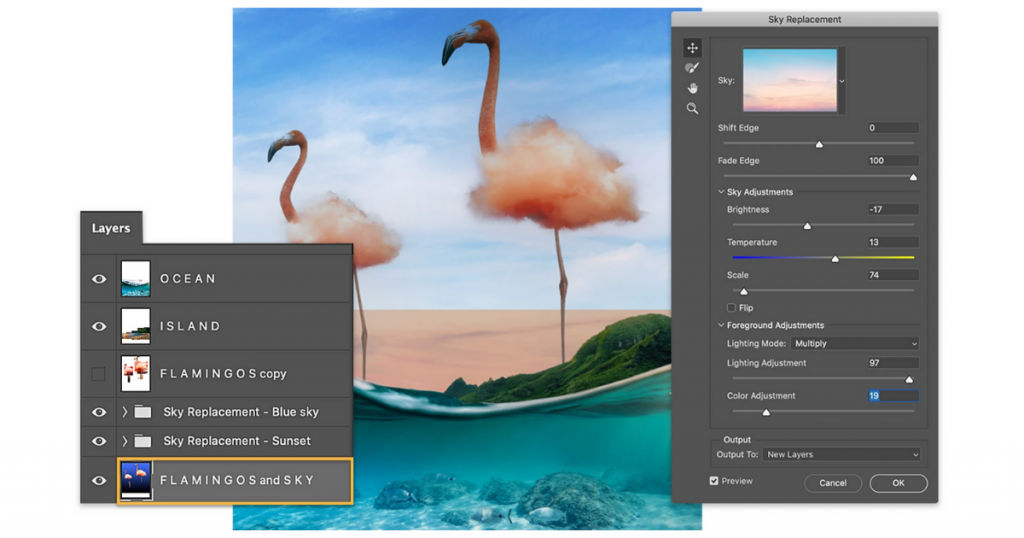
Adobe Photoshop has been a pioneer in the photo editing software industry since its inception in 1989. Photoshop comes with a large number of features, tools, and photo editing options. It is a quick and robust photo editing software with fully loaded features that only a professional would value. Adobe Photoshop is, therefore, SaaSworthy’s first choice if you are looking for professional photo editing software.
The various features of Adobe Photoshop include –
- It provides non-destructive editing by making use of adjustment layers to improve the quality of your image.
- It has the best masking and selection tools, as well as exceptional cloning and retouching features in the industry.
- Photoshop supports all major file types, including JPG, PNG, GIF, and raw files. It includes support for depth maps in HEIF files as well as 360-degree editing capabilities.
- With all of the free Photoshop actions accessible, you can spice up the software with a variety of free Photoshop brushes. You can also streamline time-consuming procedures while editing larger images.
The limitations of Adobe Photoshop are –
- It has a steep learning curve and can be overwhelming for beginners.
- It requires a powerful CPU and GPU for editing larger images.
2. Adobe Photoshop Lightroom
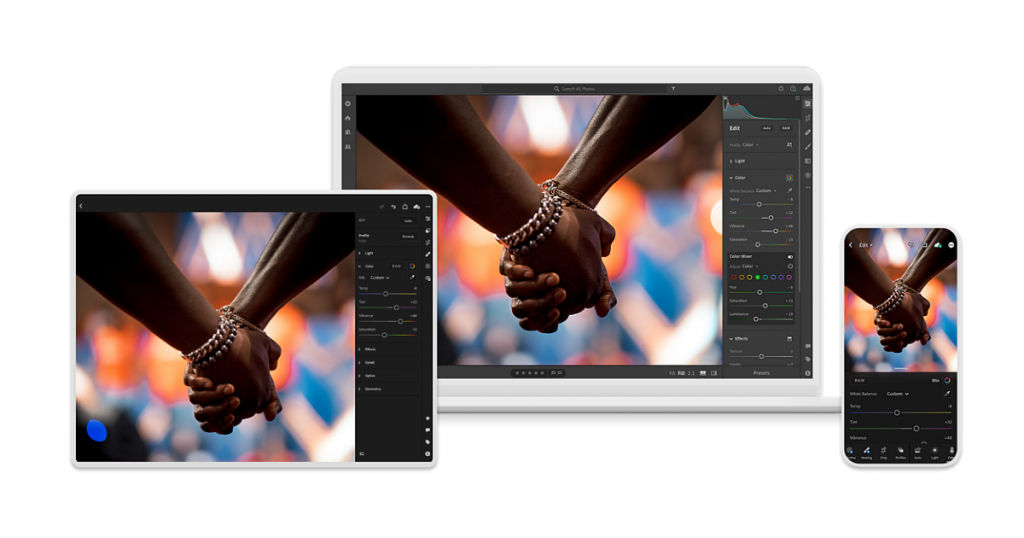
Adobe Photoshop Lightroom, launched in 2007, is a top photo editing software for PC that is essentially a scaled-down version of Adobe Photoshop. It is a web-based photo editing software that allows users to effortlessly edit, organize, save, and share full-resolution images from any device. It is targeted at beginners. It syncs all photo edits across all your devices.
The various features of Adobe Photoshop Lightroom include –
- It includes professional filters and various presets, as well as automatic uploading of source files. Its facial identification feature aids in more effective photo organization.
- It includes configurable sliders, cam, and lens-based professional color correction, blurring and fixing tools, and gradient and brush adjustment tools.
- Lightroom provides guided tutorials for each module to help users move faster up the learning curve, helping them to quickly understand its clean and simple user interface.
- It supports RAW file formats of all kinds, and you can also create your own personalized presets.
The limitations of Adobe Photoshop Lightroom are –
- It offers limited options for editing your photos.
- The pricing plans are expensive considering that it is not designed for professional users.
3. Corel PaintShop Pro
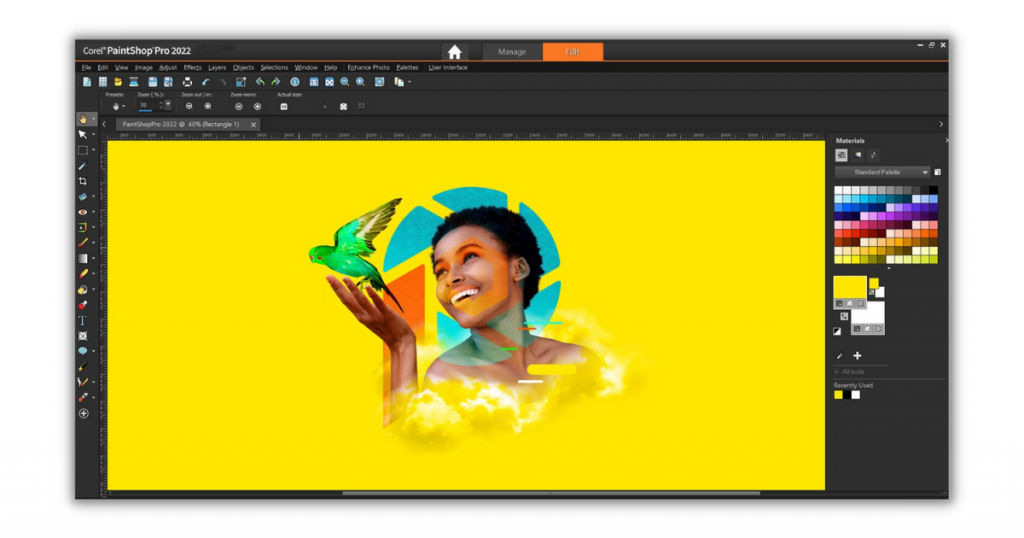
PaintShop Pro, from Corel, was introduced to the photo editing software market in 1989 as a budget-friendly competitor to Adobe Photoshop. PaintShop Pro 2022 adds to the improvements made in the previous versions of the software. It is undoubtedly the best photo editing software for Windows 10 as the company spends its time entirely on improving the software for Windows.
The various features of Corel PaintShop Pro include –
- Its latest Photography Workspace feature allows users to access and apply editing tools with a single click. It supports a wide range of file formats for importing and exporting photos.
- It has a large collection of gradients, picture tubes, colors and palettes, automatic noise remover, and the capability for 360-degree picture editing.
- The photo management workspace in PaintShop Pro lets users categorize photos and construct libraries based on keyword tags.
- It features powerful creative tools for graphic design, vector drawing tools, robust effects, and editing tools. It also provides comprehensive assistance and tutorials for using these tools.
The limitations of Corel PaintShop Pro are –
- It does not have a macOS version for Mac users.
- The user interface keeps on changing with every software update.
4. GIMP
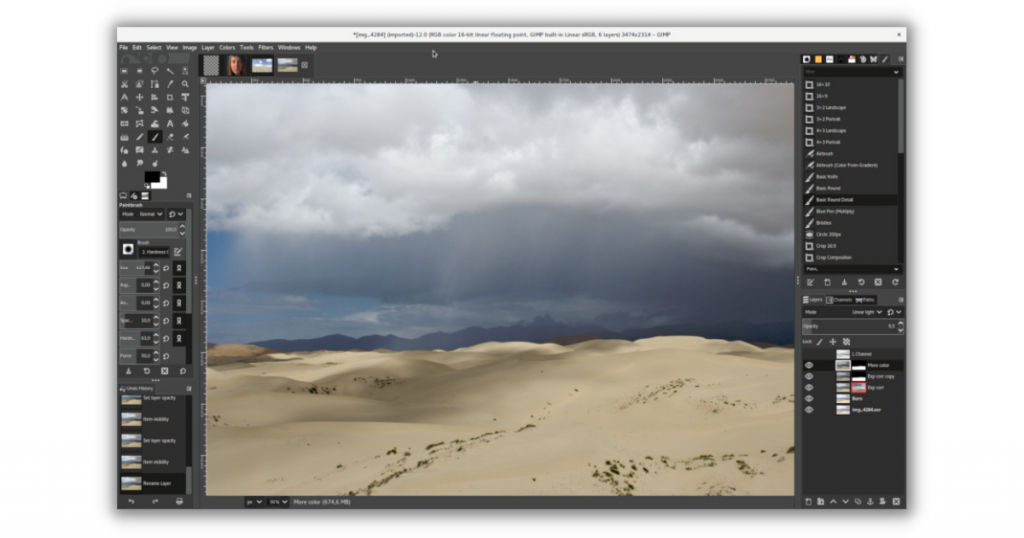
GNU Image Manipulation Program (GIMP), introduced in 1990, is an open-source and free photo editing software for PC. Developers with access to the source code continually upgrade the software based on user feedback, thereby allowing GIMP to remain at the forefront of entry-level applications. Its professional-level capabilities are adequate for the editing needs of photographers, designers, and illustrators.
The various features of GIMP include –
- It allows users to edit photos using tools such as cloning, pencil, and airbrush, and it provides tutorials for each function to assist users.
- It integrates with numerous plugins and programming languages, including Perl, Scheme, and Python, to provide a higher degree of customization.
- GIMP offers a wide range of photo enhancing and manipulating features to help you retouch or restore photos swiftly. Its configurable interface enables users to set up the editing environment to fit their needs.
- It features layers, configurable brushes, filters, and automated actions to help you improve the quality of your images quickly.
The limitations of GIMP are –
- GIMP can occasionally be slow to respond and process edits.
- Since it is open-source and is constantly edited, it can have bugs and glitches.
5. Affinity Photo
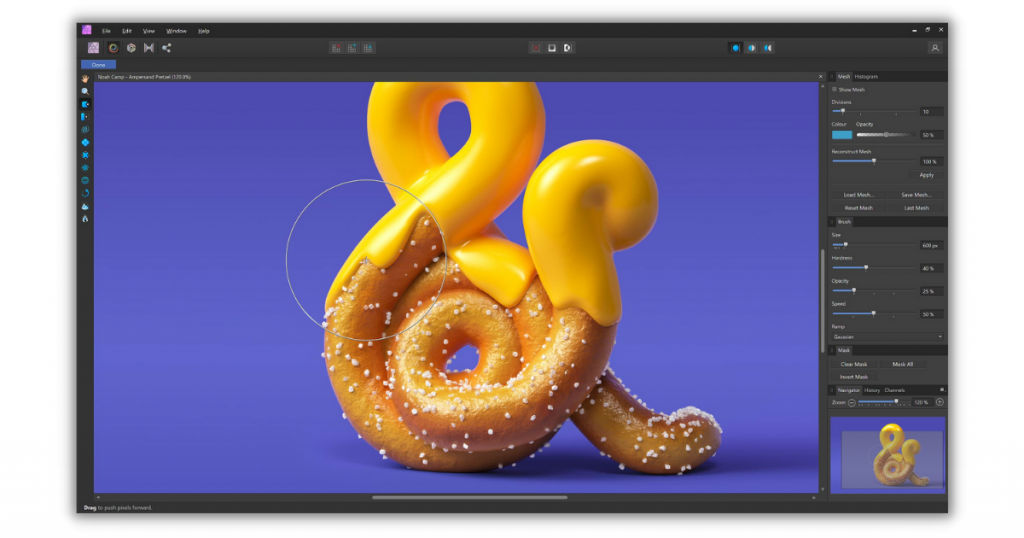
Affinity Photo has made it to our list of top photo editing software for PC despite being a relatively newer player. Affinity Photo, released in 2015, is a raster graphics editor with a feature-packed and professional-level photo editor. Affinity Photo is marketed at a low price with a one-time payment, yet it offers the tools, capabilities, and performance to compete with Photoshop.
The various features of Affinity Photo include –
- The photo editor includes sophisticated features for editing photos, color correction, and image retouching. The photography software has 60 effects and filters that you can customize.
- It has a real-time display capability that allows users to observe the output before using a certain tool. You can merge multiple photos, including layer correction, masks, effects, and functions for a set of layers.
- Affinity Photo comes with an extensive selection of picture editing tools, including Liquefy, more than 120 brushes, and macros.
- Its other features include 360-degree photo editing, digital painting, RAW editing, and batch processing.
The limitations of Affinity Photo are –
- Some of the features are not optimized properly.
- It does not provide any tools for cataloging your photos.
6. Fotor
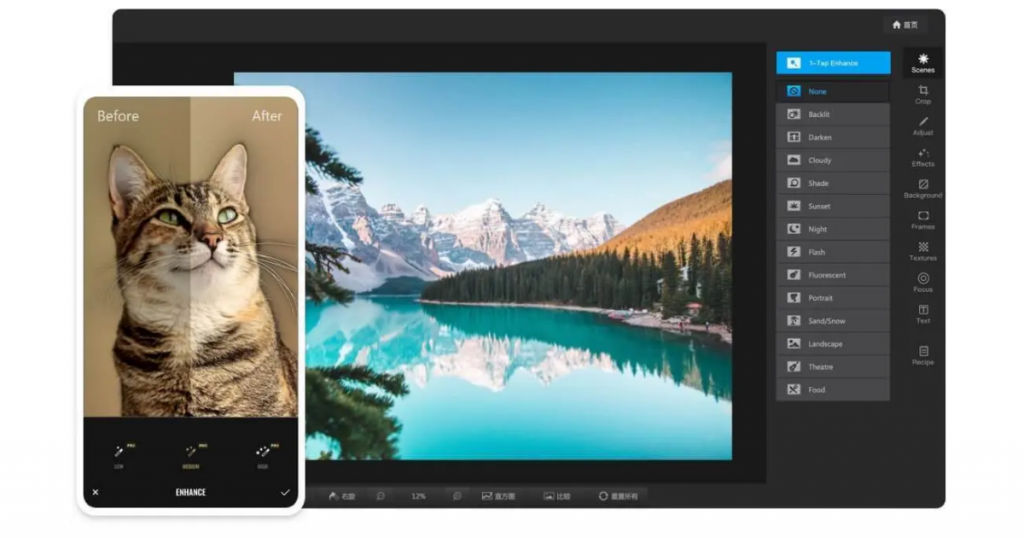
Fotor is a free photo editing app for PC that is best suited for beginners and users who want to edit photos for their personal use. Its user interface is extremely simple to use, and it provides great one-click filters that can quickly improve your photos. Fotor Desktop Photo Editor is a free photo editing app that works offline and supports RAW files.
The various features of Fotor include –
- It provides you access to over a hundred collage layout choices, allowing you to simply mix your pictures and experiment with various options.
- It has a great collection of filters and effects, such as portraits, theatre, landscapes, sunset, etc. These can help you in improving the quality of your photos and make them more lively and colorful.
- It supports major RAW files and, in an upgraded version, it includes a tilt-shift algorithm.
- It has a wide variety of themes that allow you to quickly make Facebook or YouTube covers Instagram posts, or website banners.
The limitations of Fotor are –
- It is not suitable for professionals as it does not have professional photo editing features.
- It does not provide support for third-party plugins.
7. Pixlr
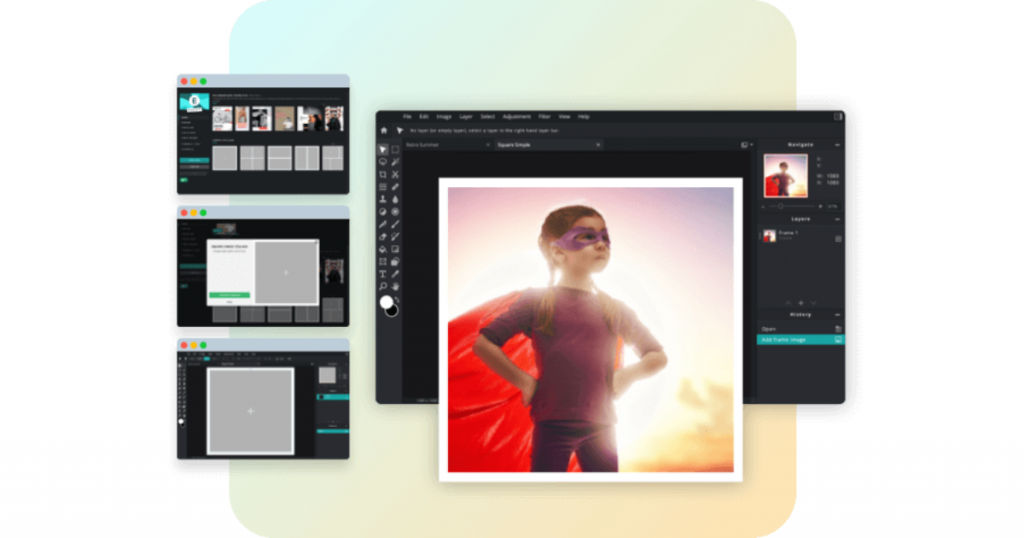
Pixlr is a web-based photo editing software that is accessible from any computer and from any location. Pixlr is a dedicated photo editing software with a simple user interface that provides remarkable customizing options. It has multiple versions: Free, Pro, Editor, and Express. Pixlr is best suited for novice photo editors who are looking for free photo editing software to hone their skills.
The various features of Pixlr include –
- Its picture editing features let you resize photographs, remove backgrounds, and fine-tune color values.
- It enables you to perform non-destructive modifications to your photos, allowing you to tweak and fine-tune each one at any moment. You can use this software to fine-tune hues and saturation, sharpen and blur photos, add vignette effects and frames, and merge numerous pictures.
- It has over 2 million effects to select from, and it comes with a variety of painting and drawing tools.
- You can personalize the user interface to your liking, and it enables you to open images from your desktop, URLs, or straight from social media networks.
The limitations of Pixlr are –
- The free version has a lot of advertisements and pop-ups that can be annoying for some users.
- It lacks some important photo editing tools that other software has.
Conclusion
We hope that through this article, we were able to simplify the process of selecting the top photo editing software for PC. The decision between free and paid photo editing software is entirely dependent on your requirements. Weigh the pros and cons before making an informed decision while selecting the photo editing software best suited to your needs.
For more such interesting articles on the various top software, visit SaaSworthy’s blog on top software.
Also read:
