

The face value is very important also there is a saying “First impression is last impression”. With the same notion, a website is judged by users initially before even using it at its face value. Website designs must be created keeping in mind that they should be beautiful to look at and easy to use. Otherwise, customers will lose their interest which will affect the company’s / business’s sales, revenue, and profit. An impressive and outstanding website can help to increase sales, revenue, customer outreach, popularity, etc. for the company or business. If you have a goal to build an online presence impeccably and increase customer outreach on your website, you need an immaculate website design. In this article, we will help you to choose the web design to meet your goals.
Table of Contents
What is Website Design?
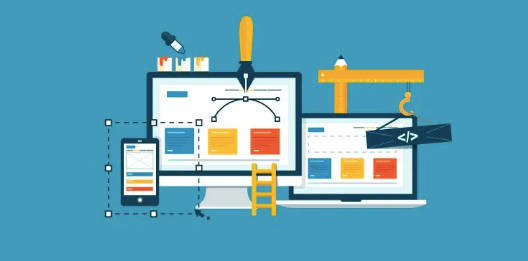
The process of designing and developing by arranging various elements for instance layout, typography, interactive features, visual treats, etc. on a website for the internet is called web designing. Various technologies are needed to build a site like HTML, CSS, and JavaScript, and the most important goal is to have a user interface and provide users a great experience that is easy as well. Each and every website is unique in itself.
Types of Website Design
- Static website design
- Dynamic website design
- Liquid website design
- Responsive website design
- Adaptive website design
- Single-page website design
Static Website Design
It is one of the basic types of website design. It is a steady and unchanging kind of website. It is lucid and has basic code (fixed content). The layout of this website is the same on all the platforms. Usually, the code used in the static website is HTML and CSS. Because of fixed content, this kind of website is good for a platform that provides information. It’s not optimum for business which demands interaction with users and dynamic features. In layman terms think of this website as a pamphlet. It’s the cheapest to create among all the websites and it is very lightweight & cost-effective. It is a very simple and minimal web design. It is very easy to set up.
Use
- Static web designs are great for read-only websites or where only information is to be provided. Such as online brochures, journals, etc.
Dynamic website design
Dynamic websites are completely opposite to static websites. Here the creation of websites is done which is on the basis of user interactions (such as; submitting forms, commenting, creating user accounts, or adding items to a shopping cart), inputs, and data. Dynamic websites use server-based scripting language. For example; PHP, Python, Ruby. These websites can generate content dynamically which is completely based on user input and database information. That means every customer would have a personalized and customized experience according to their needs. Dynamic websites often rely on databases to store and retrieve information. Interactions like submitting forms, commenting, creating user accounts, or adding items to a shopping cart trigger server-side scripts to process the user input and update the website content accordingly. The website has a user-friendly interface for managing website content. This allows non-technical users to update and publish content without the need to modify underlying of the code. It can handle a large volume of content and easily incorporate new features and functionalities. It can accommodate future growth with ease. A known example is YouTube.
Use
- A dynamic web design would fit into websites that involve more user action. For example eCommerce websites, search engines, and social media platforms.
Liquid website design
“Liquid website design” refers to a specific approach in web design that focuses on creating websites with flexible layouts that can adapt and adjust to different screen sizes and devices. It is also commonly referred to as “fluid” or “responsive” web design. It is used on platforms like Shopify, Jekyll, etc.
Use
E-commerce, blogging platforms, or any other content-driven platform
Responsive Website Design
Responsive website design is the most common and popular one. It follows an approach h of designing a website that can adapt and display properly on various devices properly for e.g. laptops, smartphones, tablets, and desktops, etc. that means the website automatically adjusts its layout, content, and functionality to provide optimum user comfort, better convenience and ease across different devices. It can shrink if the website is being used on a smartphone and expand at the time of using it on a desktop or laptop. Its columns are built-in percentages, allowing the website to increase or decrease in size accordingly. The content does not cut off no matter the device you are using.
Use
As we all need access to use a website on big screens and on our phones for easy access thus all types of websites can use the design.
Adaptive Website Design
It is a fast-loading website design. It is the web design where the website’s layout, content, and features are adapted and customized on the basis of the characteristics of the user’s device e.g. screen size, resolution, etc. Here different versions of websites are created to accommodate and specifically tailored for various devices. The difference between responsive website design and adaptive website design is that the former has pre-set parameters for how the site will adapt to different devices. The designers design the website by adapting the specific width of the website such as 30 inches or 480 cm,960 cm,1200 cm, etc. Example: Nykaa. When open on a tablet it doesn’t cover the full screen. It is pre-measured.
Use
E-commerce, blogging platforms, or any other content-driven platform
Single-Page Website Design
Single-page website design is also known as a one-page site. So as the name is suggesting all the information and content of the website is presented on a single page. Instead of navigating through multiple pages users can scroll vertically/ linearly. It is very easy to create. With this kind of design, the website will be presented as lucid, simple, minimal, and clean. It cannot be used for businesses e.g. for Nykaa or amazon this layout would not be the best idea. Although it is best for the artist to share their story and portfolio, or for professionals for resumes etc.
Use
artist to share their story and portfolio, or for professional resumes etc.
Website Layouts
There are various types of websites, each serving different purposes and catering to specific needs. Here are some common types of websites:
- E-commerce Websites: E-commerce websites facilitate online transactions, allowing businesses to sell products or services to customers. They typically include features like product listings, shopping carts, secure payment processing, and order management systems.
- Portfolio Websites: Portfolio websites showcase the work, skills, or accomplishments of individuals, such as artists, designers, photographers, or writers. They serve as a digital portfolio or resume, displaying examples of past projects, client testimonials, and contact information.
- Blogging Websites: Blogging websites are platforms for individuals or organizations to publish and share articles or written content. They often include features like commenting systems, archives, categories, and RSS feeds. Examples include personal blogs, news blogs, or niche-specific blogs.
- Corporate Websites: Corporate websites represent businesses or organizations, providing information about their products, services, history, mission, and contact details. They may also include investor relations, career opportunities, and other resources for stakeholders.
- News and Media Websites: News and media websites deliver current events, news articles, feature stories, or multimedia content to users. They often include sections for different topics, search functionality, and social sharing options.
- Social Networking Websites: Social networking websites facilitate the creation and sharing of user-generated content, as well as connecting individuals with similar interests. Examples include Facebook, LinkedIn, Twitter, and Instagram.
- Educational Websites: Educational websites offer online learning resources, courses, tutorials, or academic information. They may be used by educational institutions, individual educators, or e-learning platforms.
- Government Websites: Government websites provide information and services related to government agencies, programs, policies, and public services. They often include forms, document repositories, and resources for citizens.
- Nonprofit Websites: Nonprofit websites represent charitable organizations, promoting their missions, projects, volunteer opportunities, and donation options. They may also provide educational content and resources related to their cause.
- Personal Websites: Personal websites are used by individuals to create an online presence and share personal information, portfolios, blogs, or hobbies. They serve as a digital identity or platform for personal expression.
Conclusion
Each web design works for different people and types of work/business. It depends on the purpose of the website, the targeted audience, etc. E-commerce websites facilitate online transactions, portfolio websites showcase work or accomplishments, blogging websites provide platforms for content publishing, and corporate websites represent businesses. News and media websites deliver current events, social networking websites connect individuals, educational websites offer online learning resources, government websites provide public information, nonprofit websites promote charitable causes, and personal websites serve as online identities. Choosing the right type of website design depends on the goals, content, and functionality required for a particular project or organization’s specific needs.
