

Building a paperless office is no more a thing of the distant future. Smart tools that enable a fair degree of automation and softwares with AI capabilities have already reduced a chunk of paper requirements in the office. You can now receive applications, orders, receipts and almost everything on your email id, which can also be stored safely either on a hard disk or on a cloud. Besides keeping the digital documents on electronic storage, you can also store the paper ones on your computer. This possibility and technique are brought to us by none other than document scanning software.
Document scanning softwares are now more accessible than ever. The internet is furnished with a pool of it. Some of them though carry a price tag for additional features, but an array of this kind is free of cost. The ability to scan a document file and store them electronically serves a great purpose. Document scanning is also an imperative element for offices dealing with tons of paperworks. The best document scanning software can even work as document management software as it is likely to equip those relevant features. Curious about how this technology works? Let us dwell a bit into that.
Table of Contents
How document scanners work?
A document scanner actually uses Optical Character Recognition or OCR technology to identify characters from a document and export them in a separate file. It works well with all types of written pieces. Be it a hand-written piece, printed page, receipt, invoice, etc., an OCR furnished document scanner can extract the text out of it. Older document scanners were needed to be trained with different characters for text recognition. However, the newer ones use advanced OCR mechanism to deliver the most accurate result. They use AI technology to identifies characters, spaces, line brakes, etc and offer you closest result to the original. Some of them also come with machine learning abilities, using which, they train themselves to deliver better results in consecutive usage.
How to scan a document?
Document scanning softwares are easy-to-use tools and requires almost zero setup for initiation. The usage steps are basic and to a large extent, common across all the platforms. Get your documents scanned within a few clicks by following the steps given below.
- Capture the image using the document scanner software or import an existing image from your drive.
- Tap ‘Scan’ and adjust the borders of the portion of the document needed to be scanned. In most of the cases, the document scanner automatically separates the document from the background.
- Apply a filter (if available) to give a better contrast to your document. You document scanner can even extract the contents of the document to save it into a new file.
- Select the format in which you want to save the scanned document. Most of the document scanners have the ability to save a document in a motley of formats such as jpeg, png, pdf, etc.
- Export the saved file to your local hard disk or share it on the preferred platforms.
Notable features of a Document scanning software
If it is an image file that you are looking to convert or scan, the editing is extremely simple and versatile. Starting from setting the hue to converting it to mono-tone, black and white or sepia modes, everything is so customisable.
Besides just these, some of the software have the inbuilt feature of capturing files from all sources, emails, Outlook, etc., and make them available directly in the workflow of the businesses. This makes it easy to access the documents as and when required by the people who are into the project management.
Now since we are well aware of the workings and methods to use a document scanner, let us proceed to know the best document scanners available in the market.
Feature comparison
| Name | OCR-enabled | Editing of files and PDFs |
Free/Trial version |
Mobile app |
| Abbyy FineReader | Yes | Yes | No | No |
| PaperScan | Yes | Yes | Yes | No |
| Adobe Acrobat DC | Yes | Yes | Yes | Yes |
| Omnipage Standard | Yes | Yes | No | No |
| DocuFree | Yes | Yes | No | No |
| ReadIris | Yes | Yes | No | No |
| ScanSpeeder | No | Yes | Yes | No |
| VueScan | Yes | Yes | No | No |
| CamScanner | Yes | Yes | Yes | Yes |
1. Abbyy FineReader
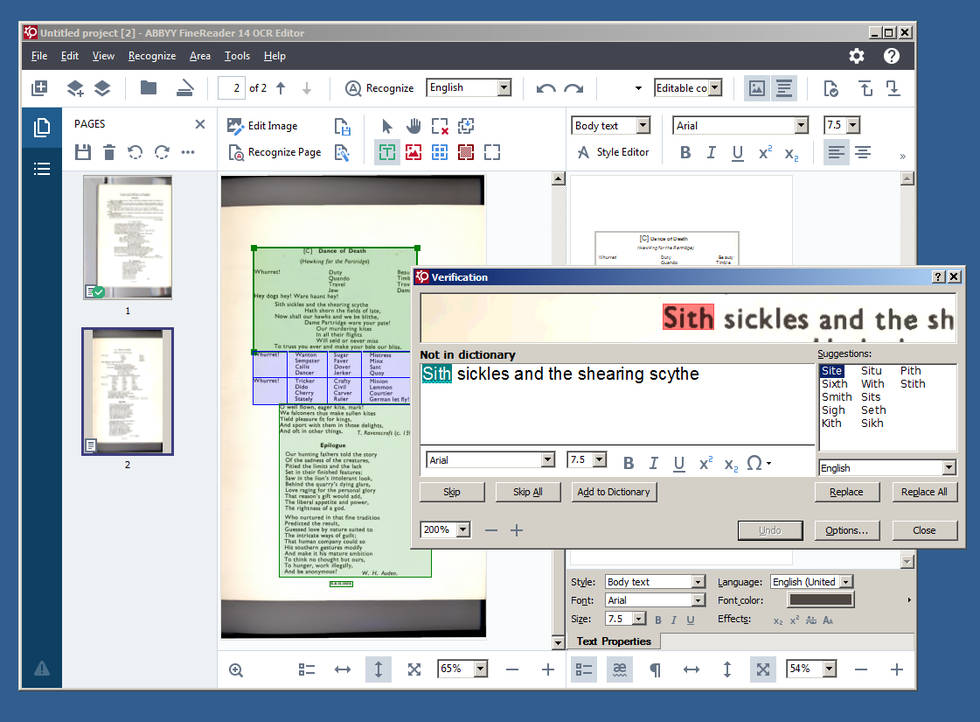
Abbyy FineReader works on the OCR technology and is a very simple solution that helps to review, edit and convert PDFs and scans. In fact, the OCR works so fine that you can create PDFs from multiple files and also search in the doucment, annotate and fill in forms.
It helps in digitising of hard copies of documents and paper documents and then transforming those scanned files into searchable PDFs. Moreover, the conversion and processing of the documents can even be automated with a schedule. For scheduling, the documents need to placed in a specific folder. If you are using Abbyy FineReader on Windows 7 or above and at least 1GB of RAM, while 4GB is recommended.
2. PaperScan
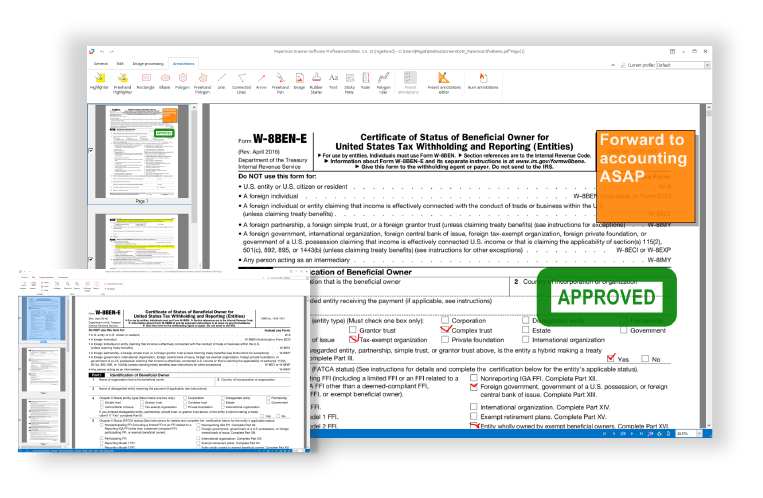
PaperScan can be considered to be one of the best and most powerful tools for Windows. To make it versatile among others, it supports more than 30 languages. It allows the scanning in batch with a separator sheet for distinction. It has the drag-and-drop feature from Windows Explorer for easy accessibility. It can read PDFs that are encrypted and can create such encrypted PDFs too.
When it comes to the editing of the documents or image that you scan, PaperScan allows a plethora of editing options, like removing punch-hole marks, adjustments in the colour tone, etc. You can also remove borders and can conver colour documents and images into black and white. There is a free edition that has a single license while the paid versions have site and volume license too.
3. Adobe Acrobat DC
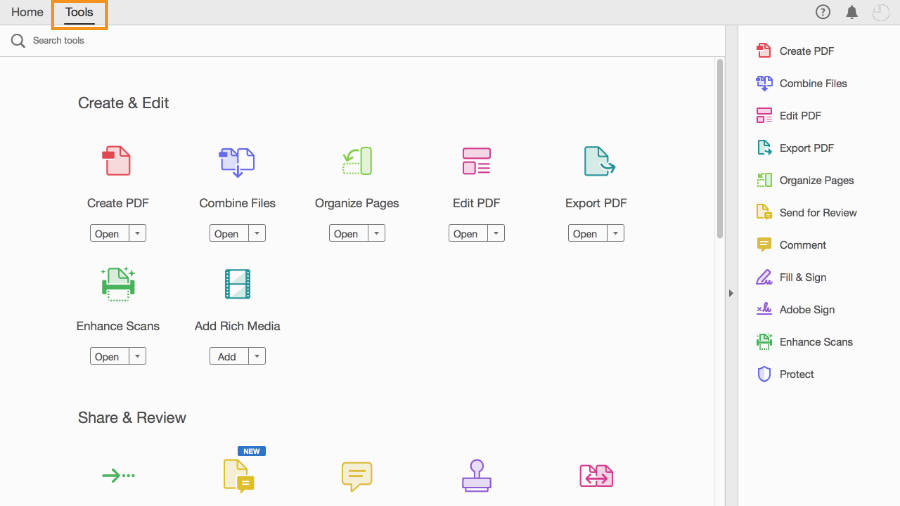
Being from the popular developer, Acrobat DC is truly an amazing option when it comes to scanning and working and PDFs. It offers very easy reviewing, that makes it absolutely effortless gather comments on shared PDFs. Just a single click lets you view, review and comment.
The Adobe Acrobat DC has a very serious and amazing mobile app that enhances the accessibility of PDF files very versatile. It makes it really simple and easy to sign anything. This makes it very simple for you to send legally binding documents over email in PDF format. It is available as a free trial for Windows and Mac OS and the paid version is not very pocket-pinching either.
4. Omnipage Standard
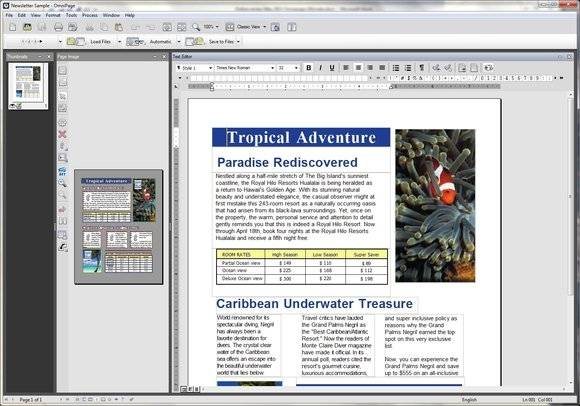
Powered with the OCR technology, the Omnipage Standard digital scanning software is a life-saver for all type of businesses. Since not all digital PDF scanners are complete fool-proof when it comes to errors, this time-saving tool tends to accurate convert PDFs and make them editable and searchable as an when required.
Omnipage Standard promises on many features, like Amazon Kindle integration that lets you convert to readable format and send over the platform as eBooks. It recognises over 120 languages, which makes it one of the most versatile options for you. It also provides a very intuitive user experience with a lot of flexible options and easy-to-use tools.
5. DocuFree
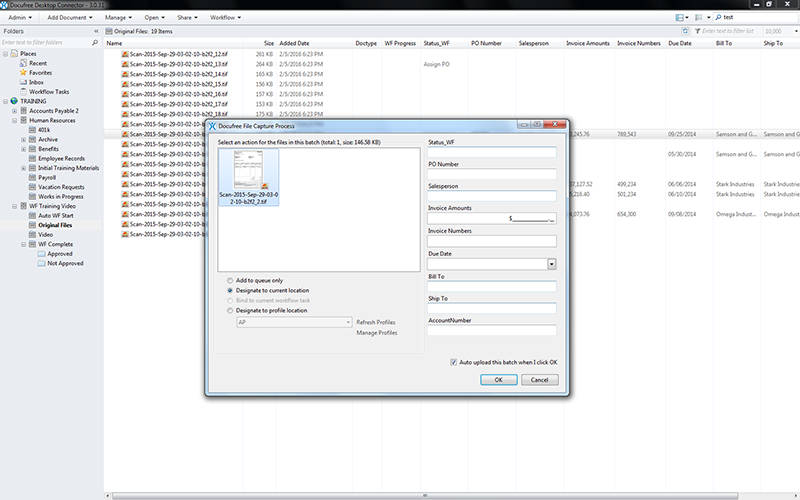
When it comes to bringing an enterprise-level PDF scanner, barely many can come to be as good as the DocuFree. It has intelligent workflow management that takes up all the digital documents that come over from every source and delivers it to the system processes. This makes all the incoming documents instantly available to all the members of the team in the best possible format.
Be it anything physical document or invoice, the DocuFree ScanCloud makes it accessible, searchable and usable to be exported to whichever platform required. Plus, the subscription and pricing is not very steep and can be afforded by startup firms too.
Conclusion
Document scanner tools have become a necessity in most business these days. The way they simplify the entire process of is just commendable.
Out of these five document scanner software, each of them is best in its respective field. Since all of of them have the OCR (Optical Character Recognition) enabled, editing the incoming and converted PDFs are no more a worry.
Having said that, since Adobe Acrobat DC and PaperScan have a free/trial version, the users can test the usability before making it the permanently used tool. Moreover, Adobe Acrobat DC takes scanning software a notch ahead with a mobile app to make the PDFs widely available to the people in the team.
