

The world has moved to a full-fledged digital era. You can no longer see TV reporters taking down interviews on a physical notepad, business agendas are no longer recorded in physical record books and to-do lists are no longer put down in diaries.
Indeed, note-taking has evolved greatly, thanks to the technology incorporated in smartphones and the development of multiple software and apps. In fact, it is these apps that have taken note-taking from being restricted to desktops only to small devices.
Having said that, despite being available for the smallest screen too, versatility has not been compromised on. Starting from note-taking, making to-do lists and checklists to setting reminders, all of the features are meant to impress to the fullest.
Table of Contents
What is Evernote?
The Evernote app is one such note-taking tool that simplifies the lives of individuals from various professional backgrounds. It is a cloud-based tool and comes as a downloadable smartphone app too. Together with a whole lot of features, it is one of the best options in its category. It is apt for taking notes anywhere around the globe, finding information and sharing them with friends and acquaintances.
It is more than perfect to manage everything, from personal moments to multi-dimensional projects. It has tonnes of features inbuilt, which span from clipping contents from websites, organising thoughts and ideas and making them available whenever required to jotting down virtual digital notes all throughout the day.
Evernote Features
1. Web-clipper
The moment you find any information on the internet that you would want to store and make use of later, Evernote web-clipper is the right tool. It works much better than bookmarks, especially considering that broken links may cost you the entire information. Luckily, the clipped pieces are within your app whenever you need.
2. Note Sync
The created notes on Evernote can be synchronised across multiple devices and accessed from wherever needed. This feature makes it ever-so-versatile as you can start jotting down thoughts from your smartphone and complete it on your laptop.
3. PDF search
If you opt for the premium plans for Evernote, you will have the option of making searches within PDFs, MS Office docs, presentations, images and scanned files. This can help you save a lot of time that could be otherwise wasted in taking a deeper look at the document in search of any particular word or figure.
4. Language Support
Evernote is built to work with up to 28 type-written and 11 hand-written languages. Post the recognition of languages, the OCR technology helps to find words in the document as well.
5. Scanning
If you use Evernote, you won’t need to use a separate scanning software. It has a default scanning feature, with the help of which you can scan your documents, invoices and keep them handy whenever you need.
6. Integrations
Evernote comes with a good number of integrations that fit in your workflow well. You can use it with Outlook emails, Gmail, Google Drive, Salesforce and Slack. With the help of these tools, you can easily brainstorm your team for productivity.
Why should you look for alternatives of Evernote?
Despite being extremely feature-rich, there are still a lot of reasons why the alternatives for Evernote have been equally popular. And if you are pondering upon the question of whether Evernote is the numero uno note-taking app for or not, here are some reasons why it isn’t.
Premium plans: Evernote is great, but the price factor also plays a huge role. Despite being a really amazing note-taking app, it is best when you opt for the paid packages and not the basic free one. However, most of the alternatives come free of cost without compromising on the features.
Linux availability: Evernote does not expand its service over to the Linux operating system. Hence, this is where the note-taking apps that provide support for Linux are handy to choose.
There are a few more things that you will be getting in other alternatives and not in Evernote. Without scribbling much, let us have a brief knowledge about them.
Top Evernote alternatives in 2020
Feature comparison
| Name | Collaboration | Document Scanning | OCR | Smartphone app |
| Google Keep | Yes | No | Yes | Yes |
| Microsoft OneNote | Yes | No | No | Yes |
| Apple Notes | Yes | Yes | No | Yes |
| Dropbox Paper | Yes | No | No | Yes |
| SimpleNote | Yes | No | No | Yes |
| NoteJoy | Yes | No | Yes | Yes |
| Quip | Yes | No | No | Yes |
| Box Notes | Yes | No | No | Yes |
1. Google Keep
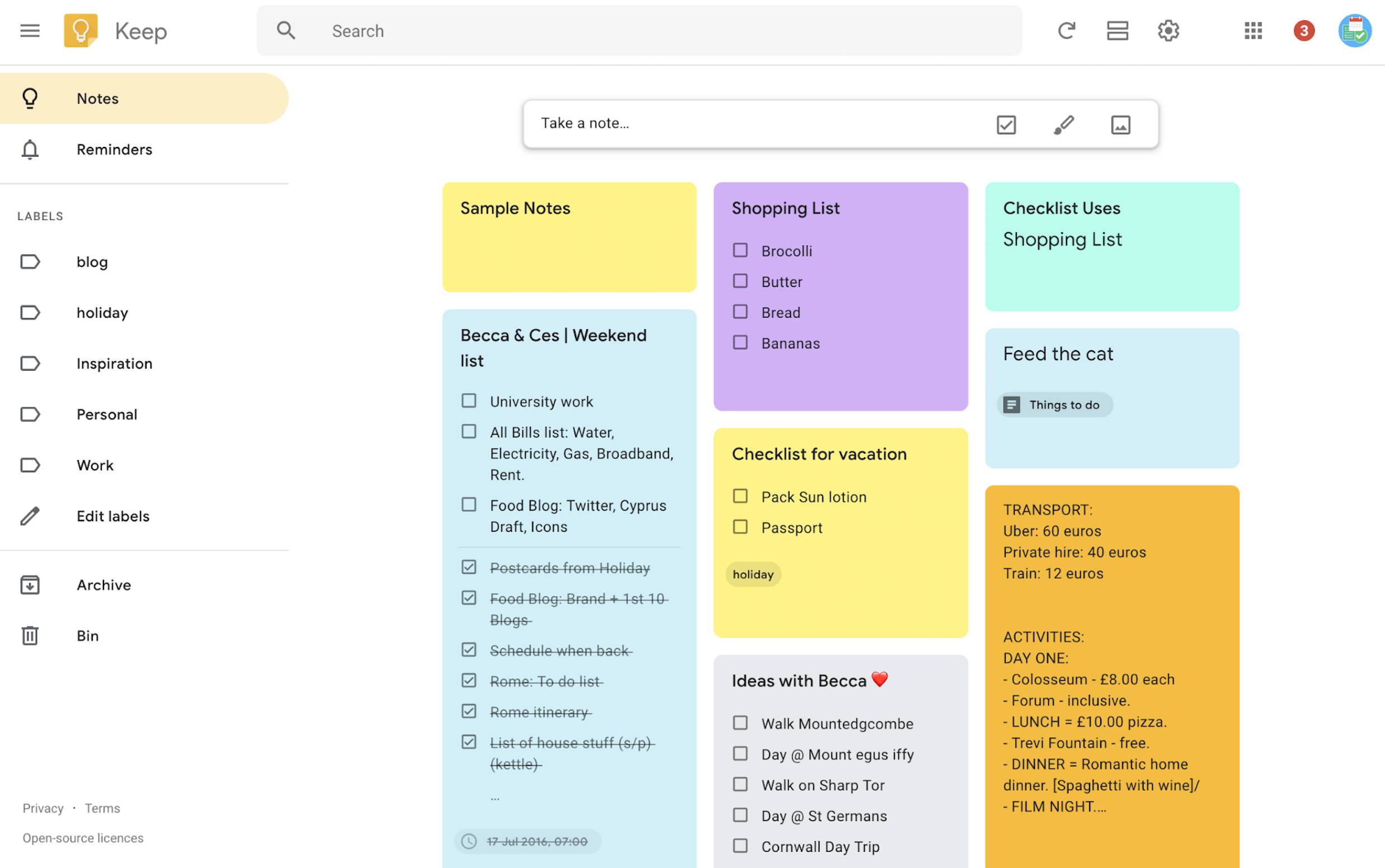
Google Keep is one of the foremost alternatives for Evernote when it comes to note-taking apps. It comes as an inbuilt tool with a Google account. It is one of the most robust tools in the category and is available in multiple platforms, be it web, Android or iOS.
Google Keep has been a long-standing Evernote alternative, free from any premium subscriptions. It is the easiest way to capture, what is on your mind, on the go. Be is making long notes regarding your farewell speech or something as personal as making a grocery list, Keep never lets you miss anything. And since it has the synchronisation feature, you can get access to your notes wherever you want to. All you would need is your Google account.
Highlights
- Free with Google account
- OCR-enabled
- Available for all devices
- Easy synchronisation
2. Microsoft OneNote
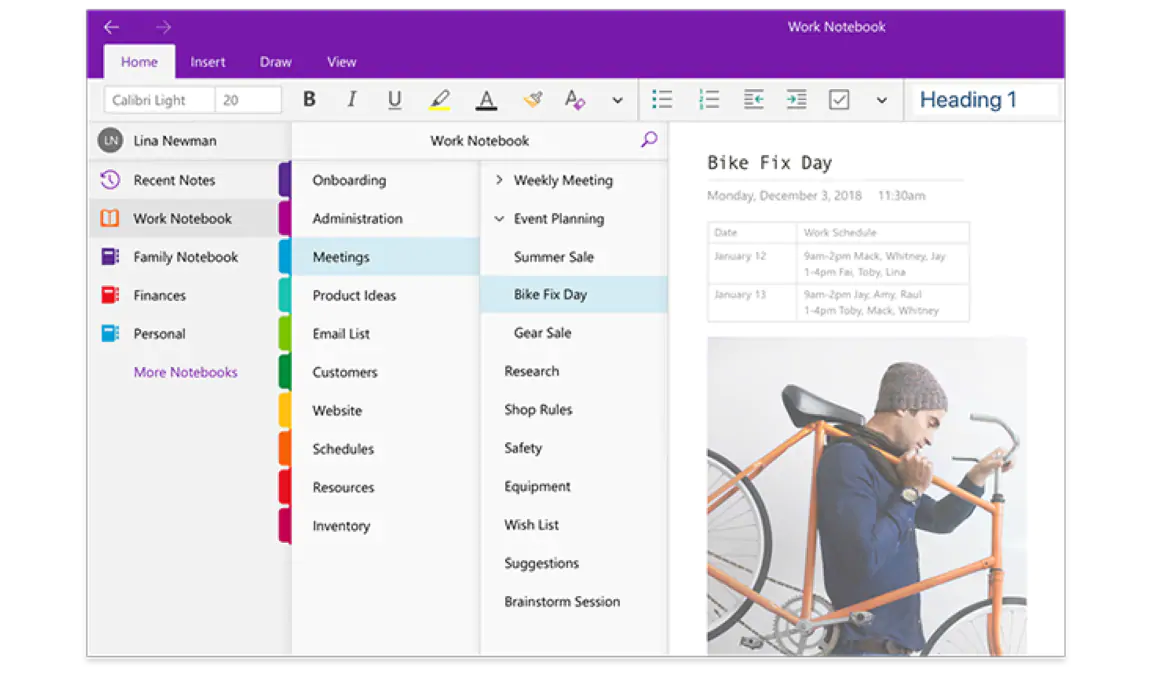
Microsoft OneNote is a worthy Evernote alternative for Android, iOS and PC. It helps you to keep your world organised with a notebook tool that has several features. The organisation is such that all your notes and checklists are right in front of your eyes. Plus, with the synchronisation feature, you can have access to them on multiple devices.
Microsoft OneNote even has the web-clipper feature with the help of which you can clip any contents from the web and save it for later use. This saves you from the problem of broken links and future unavailability of the content. You can insert multimedia files, online videos and can even record audio notes if you have difficulty in typing down anything.
Highlights
- Collaboration
- Mobile app available
- Available with Microsoft account
3. Apple Notes
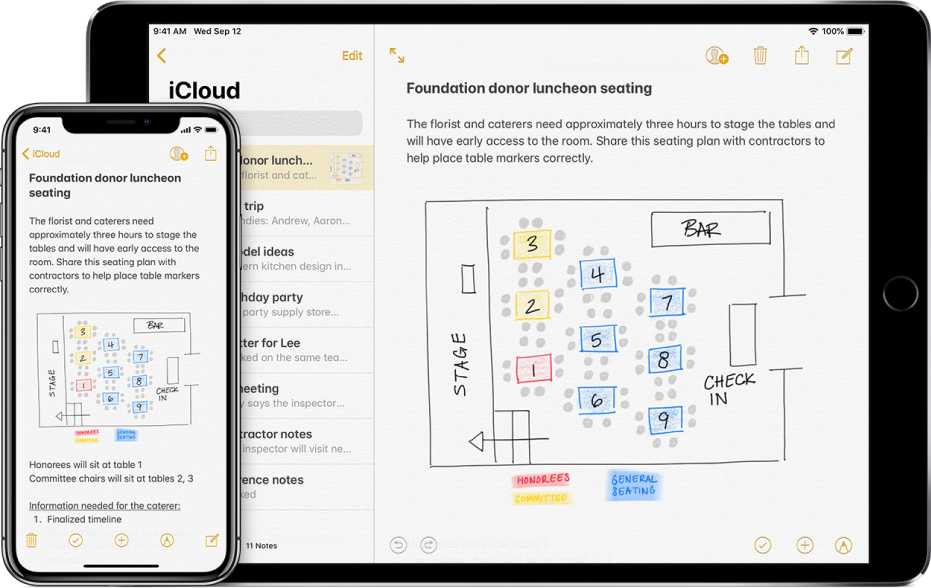
Apple Notes is a pre-installed app in Apple devices – Macs, iPhones and iPads. It is not a very widely featured app but has a very simple, yet strong layout. The notes and to-do checklists that you create can be shared with others who are using the same platform. The collaboration request is sent in the form of a link and you have the option of sending it via email, SMS or WhatsApp.
However, what is best in this regards is that it has the scanning feature that lets you store important documents, invoices, receipts, etc., and share it with others, if needed. You can even add sketches, scribbles and hand-written notes on it. And the best thing is, it comes for free with no such subscriptions or memberships.
Highlights
- Default app for Apple devices
- Simple layout
- Document scanning available
4. Dropbox Paper

Paper is a product of Dropbox and can be used as a collaborative workstation for a paperless office. The primary aspect of the app is to take notes and create agendas of a meeting, which can be shared with the team on the go. You can even track events and important dates and set reminders according to it. The reminders and notifications work in tandem with the to-do lists.
You can even create stunning pages within the app with the help tables, code snippets and other designs. Dropbox Paper is a quality Evernote alternative for open source platforms since it is available for Linux as well to go along with Mac, Windows, Android and iOS.
Highlights
- Free to use
- Collaborative feature
- Smartphone app available
- Supports Linux OS
5. SimpleNote
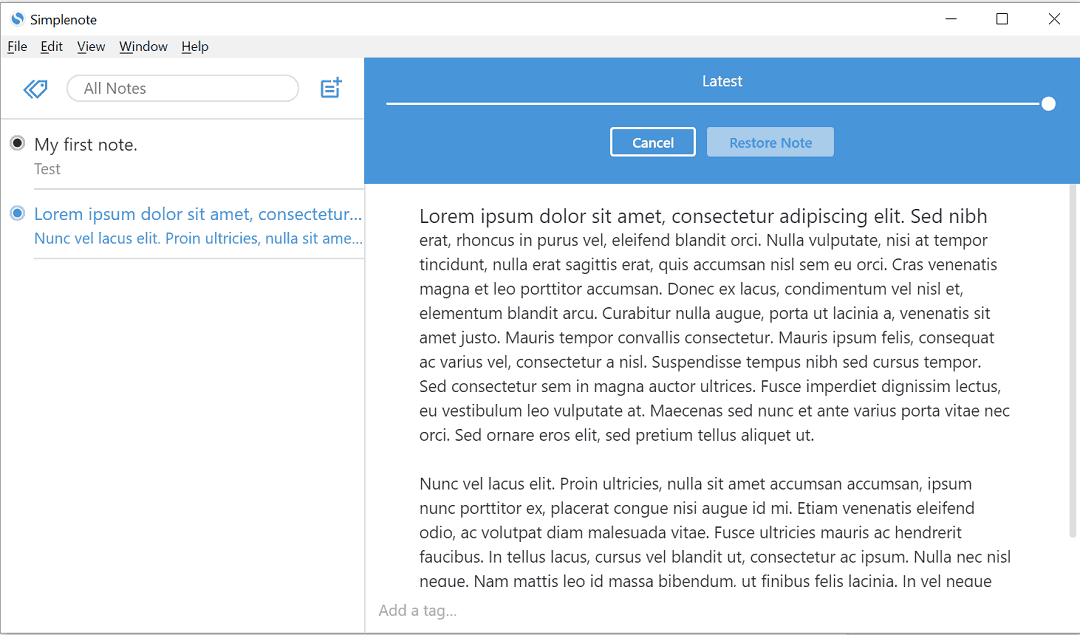
Just like the name suggests, SimpleNote is a very simple and minimalistic note-taking app. It focuses on clarity of usage with a simple layout but does not miss out on the synchronizing feature. Every note that you create will be available across all devices. It works on the tag method that makes searching for any particular item easier.
You can even publish the notes online for your entire team to see. The good thing is, it is completely free to use. Moreover, it is even available for Linux platform in addition to Mac, Windows, iOS, and Android.
Highlights
- Simple to use
- Free
- Supports Linux OS
How do the Evernote alternatives fair?
If you consider Evernote as your note-taking app, you are opting for one of the best apps. Having said that, all of the features aren’t available in the basic version and there are other paid subscription plans you need to purchase.
And this is where the alternatives come into the picture. Apps like Apple Notes and SimpleNote are available for free, though the features are slightly compromised, especially OCR. Moreover, the former is available for Apple devices and on the web only with no support for Windows, Android or Linux.
Google Keep is probably the best alternative for Evernote. It has almost every single feature that Evernote offers, that too in a very simple layout. However, all of this is offered without charging any subscriptions or premium plans.
And when you are looking for a note-taking app for Linux OS at your workplace, SimpleNote and Dropbox Paper seems to be the best option for you.
