


With a proper data management system, businesses can prosper and witness a rise in revenue. Data entry teams work very hard to improve their business operations. You can collect data through two methods: manual and digital.
When we talk about manual data, it is very tough to maintain since it has many drawbacks and takes up a lot of time too. However, when it comes to automated data entry software, they can have a good impact on business operations since they make the process of data management and are not time-consuming. Let us discuss some of the top data entry software.
Table of Contents
1. Infinity
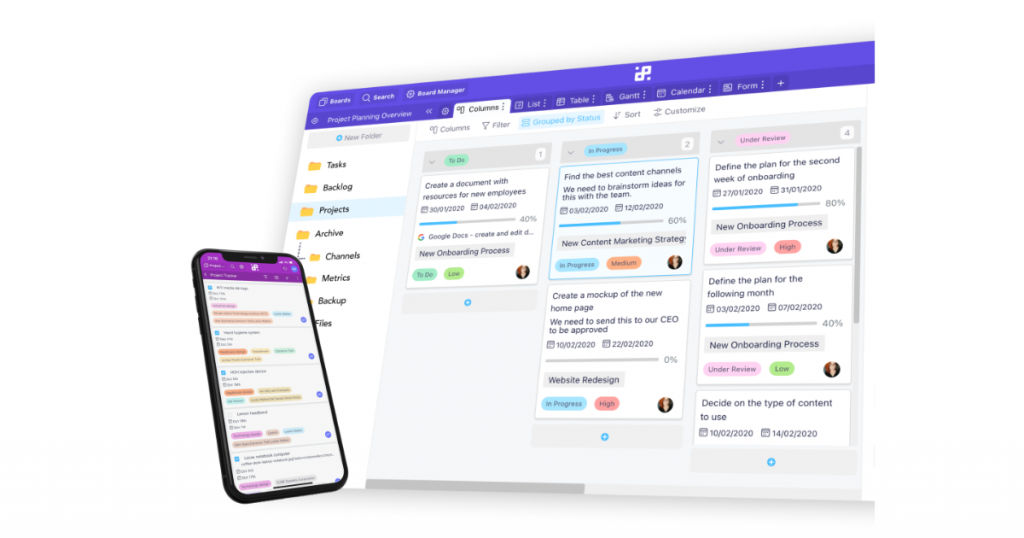
Infinity can store your entire data at one centralized location. The unique feature of Infinity is that it has a lot of flexibility. Flexibility is valued since you are free to use the system for your business needs and modify it if required.
You can develop customized workflows and frameworks with the help of multiple boards. You have the freedom to customize any board to gain control over your data flow. Apart from this, you can make all processes more organized by shifting all your elements into tabs, subfolders, and folders.
There are options through which you can insert over 20 attributes like checkboxes, formulas, dates, attachments, tests, and labels. There are other attributes as well that can make data management super easy.
There are also numerous options to view your data such as List, Form, Calendar, Gantt, Columns, Table. You have the added luxury to view data in a format that suits you the most. You can also integrate Infinity with various other apps such as Zapier, Clockify, or Trello.
2. FormTools
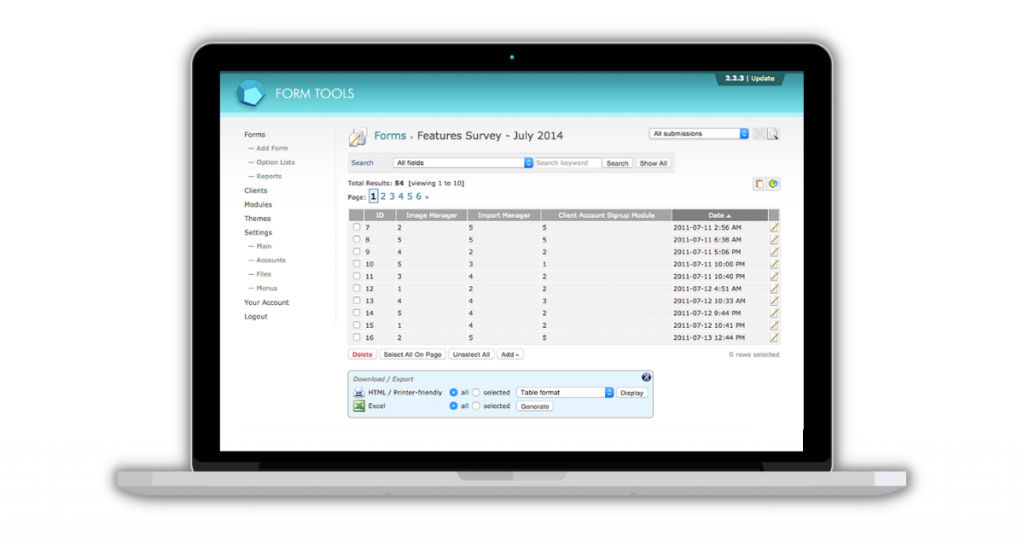
FormTools is one of the best open-source data entry software. It offers flexible and powerful solutions to its customers. This data entry tool can administer all kinds of forms and data competently. As a user, you do not need to be a specialist in programming to develop new forms.
This software comes with a data visualization module that makes the process of exporting the data coherent and easy. Whenever you require it, you can export the data and use it on other applications.
Key features
- Has a unique form builder.
- Excellent data visualization.
- Well maintained report builder.
- Provides custom fields.
- Relevant data management.
- Provides plug and play module.
- Visualize the data and then export it.
- Build new forms easily.
- One-of-a-kind API (Application Programming Interface)
- Consists of customizable user accounts.
3. Zoho Forms
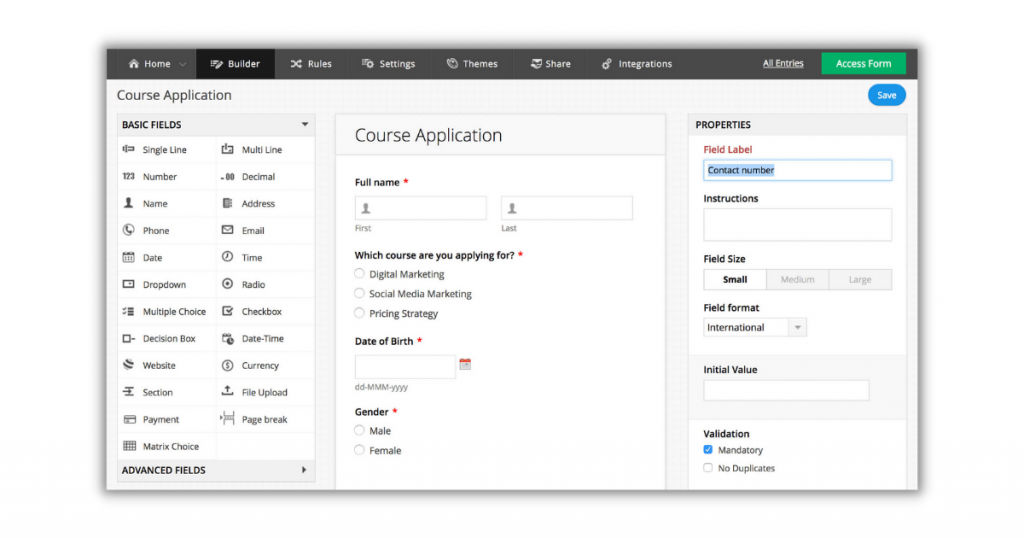
You can manage your data without worrying about a lot of things with Zoho Forms. It makes the entire procedure much simpler by letting you enable email notifications, develop forms on the web, and take the help of built-in apps to manage your data efficiently.
There are some amazing features, such as customizable forms that have many themes, logos, and colors. You can also share these forms with anyone you like the rest of your team on email or other social media platforms and can also add the forms on web pages. It also allows you to link your forms with promotions, CRM, and Desk programs.
The best part about using this software is that you can always be updated about your data. For example, you can create reports, check all the sales closed during the day, and export data. Zoho has a lot of customer-friendly features, which enabled it to earn a spot on this list.
You do not need to code to create forms here since it has an online form builder that lets you develop all kinds of forms as per your requirement. You also have the option to integrate it with multiple apps such as Zoho products, Salesforce and Google Apps.
Key features
- Has an above-par form builder.
- Ability to download in the form of PDFs.
- Assign tasks seamlessly.
- Receive email notifications.
- Robust offline data collection.
- Excellent user management.
- Wide range of customizable templates.
- User-friendly activity dashboard.
- Helpful collaboration tools.
- Option to import and export data.
- Exceptional content management.
- Stay updated with constant alerts and notifications.
4. Docparser
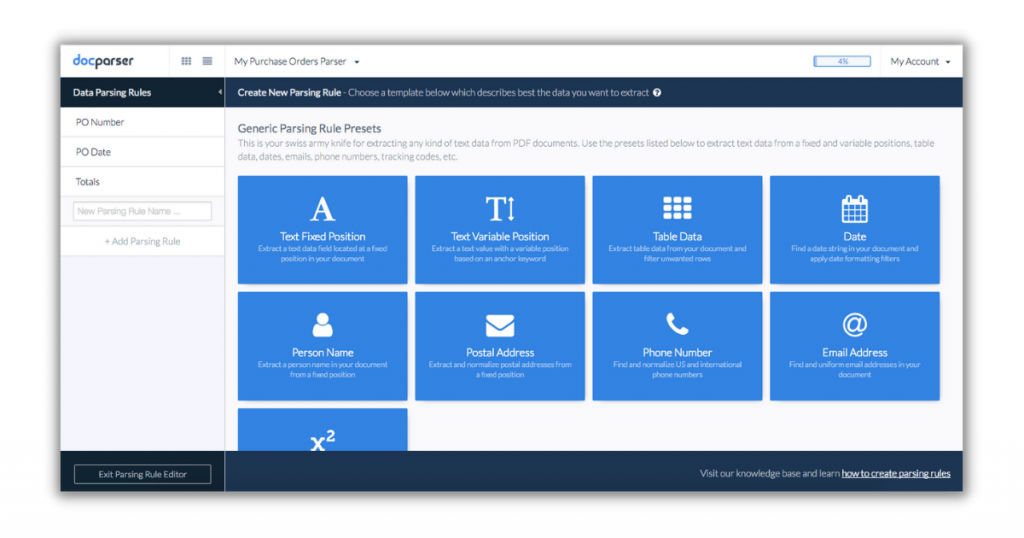
If you are looking for a good quality data entry software but are on a tight budget, you can choose Docparser without having any second thoughts. It is one of the best free data entry software. Docparser users can easily automate all of their business operations.
This data entry software can collect data and process it from work orders, payroll, delivery notes, scanned invoices, PDF forms, and bank statements. Docparser can make the entire document-based workflow automatic by providing safe, fast, and precise document extraction technologies.
Key features
- Has powerful integrations.
- Has an automated workflow free from all disruptions.
- Good data cleansing ability.
- Processes invoices and accounts payable properly.
- Converts sales and purchase orders.
- Seamless document extraction.
- Ensures contracts and agreements have a standardized format.
- Provides delivery notes and orders.
- Offers price lists and products.
- Has an option to show applications and HR forms.
- Ability to extract data without any structure.
- Process PDF forms that have been filled.
5. Entrypoint i4
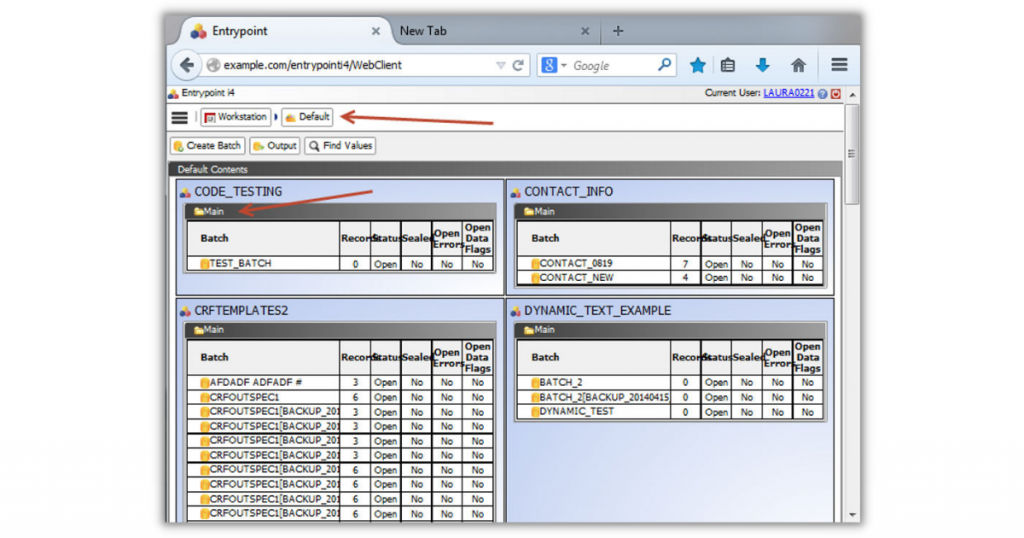
Another excellent data entry application is Entrypoint i4. Phoenix software was responsible for developing this software. It has many amazing and useful features such as abbreviation detection, data transfer, image entry, library conversion, and data verification.
It provides some web apps and also has a desktop app. The unique part about Entrypoint i4 is that it is trusted by many medical staff for keeping the records of treatment trials, clinical trials, and drug trials. The software also provides you a complete and reliable file checking system integrated with a comprehensive field and a form suite.
You do not have to do a lot of manual work and will have to spend less time since the software has remote data entry. There is no paperwork required and no hassle. You can also export your data easily and perform all kinds of statistical analysis on it.
The software works with XML, SAS, PDF, and CSV. When looking for data entry software for PC, you can definitely give Entrypoint i4 a try.
Key features
- Has flexible search options.
- Provides data entry verification.
- Library conversion feature.
- Can capture and transfer data.
- Ability to detect abbreviations.
- Can detect mis-keyed variations.
- Image entry feature.
- A lot of flexibility
- Has a rich desktop system manager
6. GADS
The full form of GADS is Generating Availability Data System. It is a free data entry software that allows you to collect and report the performance data of GADS and also the event data in a standardized format. All of this data shall be validated.
Many companies from different sectors use GADS for their business operations. This data entry software can perform equipment availability analysis and several decision-making procedures required in companies.
The software has made its user interface available in both English and Spanish. The software provides GADS/OS Wind tools, GADS/OS data entry, and GADS/OS analysis and reporting.
Key features
- Can collect and report data that is completely validated.
- Can duplicate data.
- Retrieve data easily.
- Transfer data seamlessly.
- Proper separation and classification functionality.
- Can detect variations.
- Verifies all data entries.
Conclusion
Regardless of the size and sector of your company, you should always keep your data organized and store it at one location at all times. This is important in ensuring that your business remains successful.
In case you need help in your search for any business software, check out SaaSworthy.
Also read:
• 5 Top Video Editing Software You Can Use in 2021
• Top 7 Free and Open-Source Database Management Software in 2021
