


Static code analysis is also known as source code analysis. It is a procedure done on the static or non-running source of software by using static code analysis tools. This process aims to bring out any imminent vulnerabilities in the code.
The role of static code analyzers is to verify the source code to look for some particular vulnerabilities and check if the code complies with the laid-out coding standards.
Table of Contents
Benefits of using static analysis
- Receive the relevant code insights before executing them.
- Takes less time to execute when compared with dynamic analysis.
- The maintenance of code quality can be made automatic.
- In the early stages, the search for bugs can be made automatic.
- You can also automate the process of finding security problems at an early stage.
- Static analyzers are already available if you are using any IDE. They already have static analyzers such as pep8 and Pycharm.
Top static code analysis tools
Having said enough about static code analysis, it is time to discuss the tools that let you accomplish this. Let us have a look at the top static code analysis tools.
1. Coverity
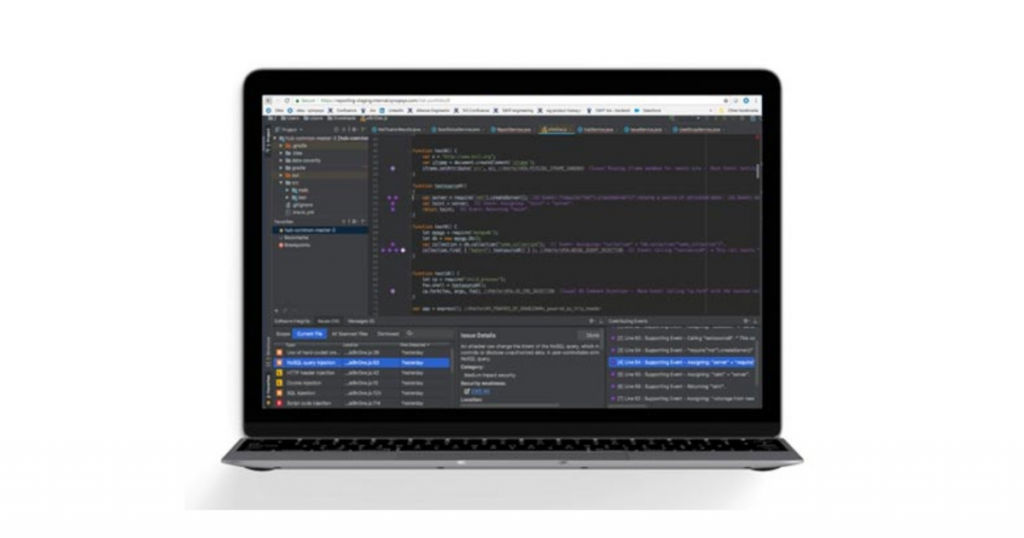
Coverity has an accurate and fast interface. It also provides you with a highly scalable static analysis (SAST) solution which assists you in development. With SAST, security teams are better equipped to handle quality and security issues at an earlier stage in the software development life cycle (SDLC).
The static analysis solution also has the ability to spot and administer risks present in the application portfolio. They help you to comply with the prevailing coding and security standards.
2. DeepSource
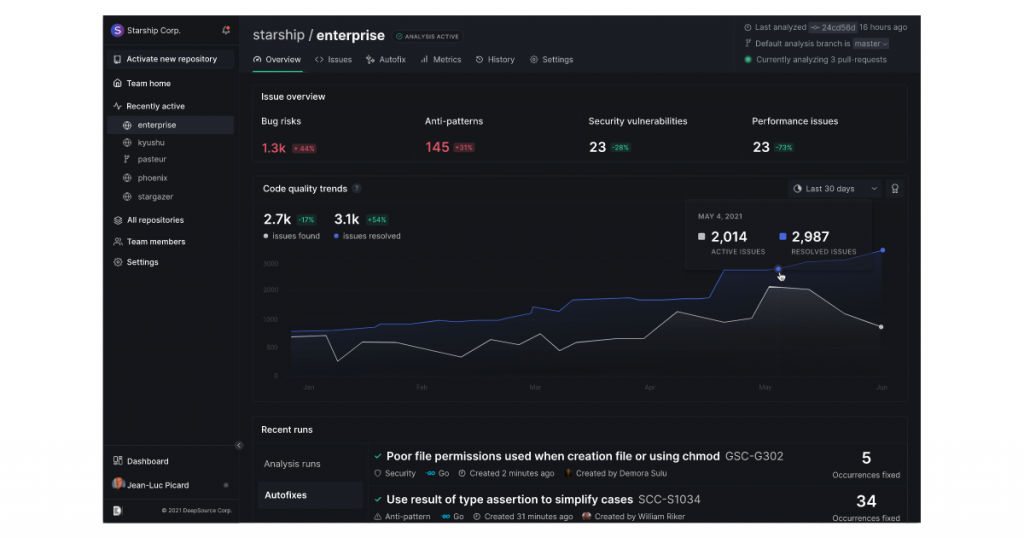
DeepSource lets you spot and solves problems in your code automatically at the time of code reviews. You can integrate this tool with your GitHub, GitLab, or Bitbucket account. It is one of the top static code analysis tools.
The tool is responsible for searching for bug risks, performance issues, anti-patterns and raises issues if there are any of these. DeepSource also tries to source and keeps a check on metrics such as documentation coverage, dependency count, and many more parameters like these.
Analyzers have the flexibility to work at file-level (such as anti-pattern discovered at a specific location), repository-level issues (for example, you found four dependencies that are not installed). Deepsource has a feature called Autofix which recommends fixes or the detected problems. They then make a pull request with the suggested changes.
Key features
- Can configure single files.
- Performs quality checks on any pull request.
- Wide spectrum for covering issues.
- Has well-maintained analyzers.
- Have detailed knowledge about all issues.
- Have a tracking mechanism for code metrics.
- Can customize the analysis to reject issues that were inserted intentionally.
3. Parasoft
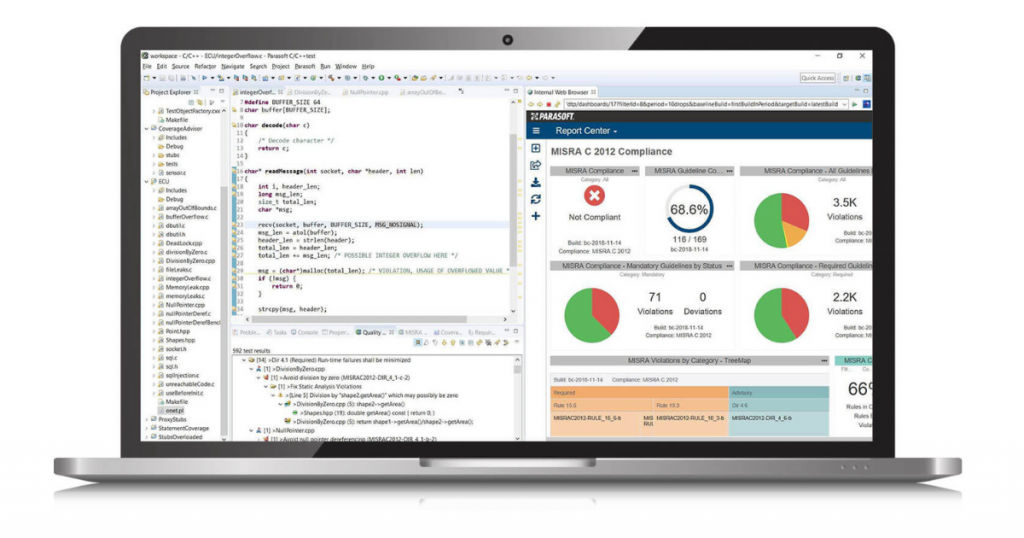
Parasoft is mainly designed for enterprise and embedded applications. It is one of the best static code analysis tools for C++. Companies need to have static code analysis tools for security purposes.
Parasoft also has code coverage, unit test, dynamic code analysis, and other functions such as runtime analysis. This tool is better than other static code analysis tools since it provides an excellent collection of rules and techniques. Parasoft has more than 2500 techniques and rules.
Apart from the above-mentioned features, the tool also has Qualification Kits and other necessary functional safety certifications. The best part about Parasoft is that it is a complete suite of tools that lets you close the loop and analyze the entire code. You have the flexibility to prioritize the findings accordingly.
After arranging the findings, you can manage them properly with the help of Parasoft. You can assign the relevant findings to team members as well. Developers also have the option to configure easily scalable CI or CD pipelines on various Linux servers quickly.
4. SonarQube
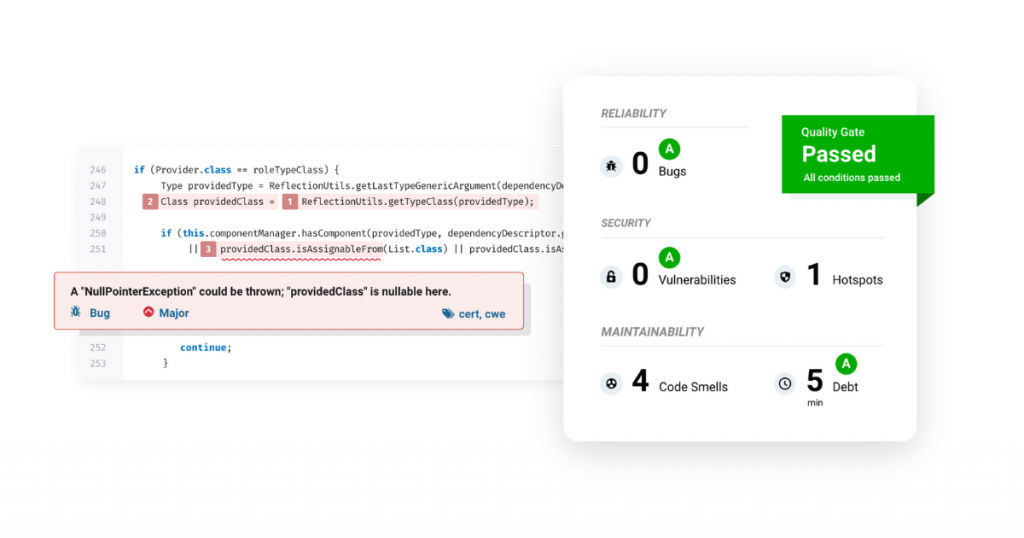
SonarQube is considered one of the best tools for the continuous inspection of code security and code quality. Whenever there are code reviews, it acts as a helpful guide for development teams.
SonarQube gives you good-quality remediation guidance in 27 languages to make things easy for developers and help them understand the issues and solve them. When developers have a complete picture of the solution, they can build reliable and well-developed software.
SonarQube fits perfectly in your workflow and sends you the appropriate feedback at the correct time. Currently, SonarQube has more than 225,000 deployments that are crucial in assisting international companies and small-scale development teams.
SonarQube provides teams and companies with all the necessary functionalities required to effectively enhance the quality of their code quality and code security.
Key features
- Available in many languages.
- Has proper security analysis.
- Provides release quality code.
- Has effective maintainability.
- Can spot tricky problems easily.
Disadvantages
- Some IDE’s do not support SonarQube.
- Does not provide the feature of ignoring errors done intentionally or if the team chooses to overlook them.
5. Embold
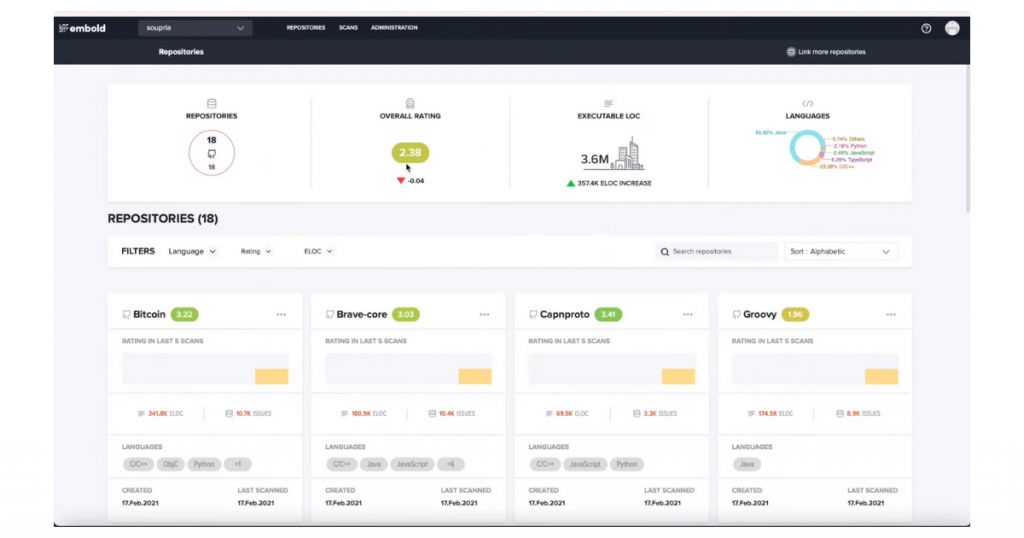
Embold is one of the leading static analyzers used for general purposes. It assists developers in identifying critical code errors before the issues become barriers in the future. It is the perfect tool for diagnosing, transforming, investigating, and sustaining your application software correctly. It is one of the best free static code analysis tools.
Embold integrates machine learning technology and Artificial Intelligence with itself. Doing this will allow it to determine and rank issues, suggest effective methods to resolve them, and do the refactoring of the application whenever required. You can easily execute it on your current Dev-ops stack, within a public or private cloud, or do it on-premise.
Key features
- Has an intuitive and visual user interface.
- Provides Quicker and deeper checks.
- Uses intelligent technologies to enhance performance.
- Has seamless integration capabilities.
Disadvantages
- Is costly as compared to other static code analysis tools.
Languages supported
Embold currently supports Python, PHP, Go, Solidity, SQL, Java, C++, C, Kotlin, Typescript, Javascript, Objective-C.
6. CodeScan
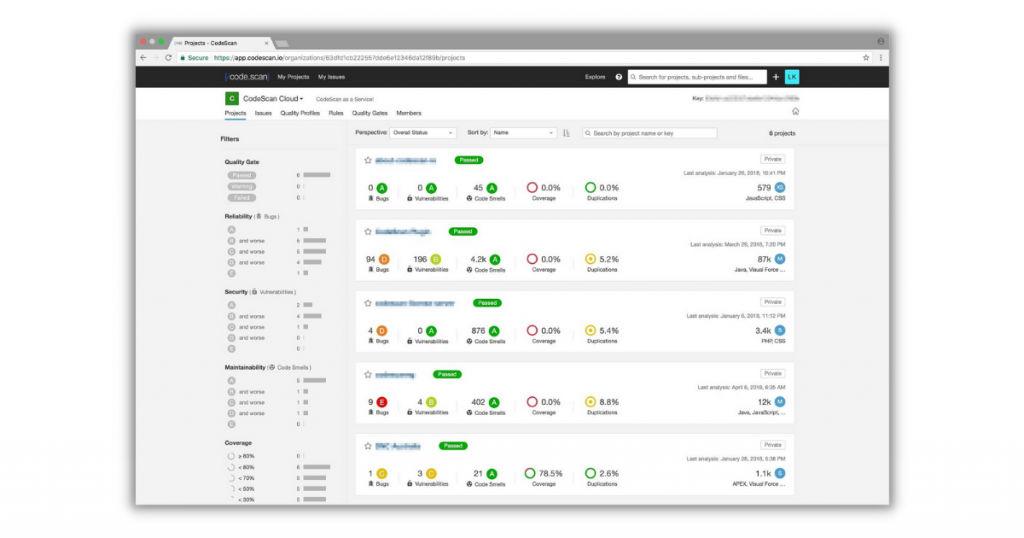
CodeScan does its job pretty well as an end-to-end static code analysis tool. They provide super-fast solutions that are implemented exclusively for Salesforce, DevOps teams, and Salesforce teams. They claim to have the largest Salesforce ruleset and over 21B line checks.
Their analysis tools allow all kinds of Salesforce DevOps teams to build faster, better, safer, cleaner, and much more efficient code. You get all this and a lot more. You also get a constant inspection of code quality and security.
Functions of CodeScan
- Controls quality that allows greater customization in code gates.
- Enhances security and makes sure that your code is secured according to the best standards, i.e., OWASP and CWE.
- Keep a check on technical debt by offering you the option to scan your projects in very little time.
- Enhance productivity by making the code review process automatic.
- Lets you spend less time and opens up new avenues for the DevOps team to devote their attention to more important matters.
- Places more emphasis on standards by letting you make your own rules for your company.
Conclusion
Static code analysis tools are truly a blessing in disguise. You do not have to manually read each line of code to point out the flaws. These tools can analyze the code when it is being developed and identify lethal issues early during the SDLC phase.
You can completely remove these errors before you send the code for functional QA. Finding an issue later can be more costly to fix.
You should check out SaaSworthy blog if you’re on a quest for cutting-edge SaaS tools to outshine the competitors.
Also read:
• 10 Best Low Code Platforms That Can Help Your Business in 2021
