

As recent as a decade ago, working from home was considered to be impossible. But with the internet becoming widely available, working from the same office building is no longer the bare necessity for a company. Think about it, why is it that an office is needed in the first place?
Maybe it’s because you want to keep track of each other’s progress, or you want to keep a tab on how soon a new project would be completed. Perhaps you want to conduct meetings to arrive at decisions regarding critical issues at hand. Or you want to streamline your workflow so that when multiple people are contributing to the same project, the intended result is achieved on time and doesn’t get affected by the whims of a member.
Well, that’s where products like Trello and Asana enter. Falling in the Project Management category, these software are among the most popular methods to keep track of the team’s work and ensure things don’t go beyond a deadline. So if you are wondering, how Trello vs Asana fare and which one is the better option for your company, you’ve arrived at the right place. But before that, let’s take a closer look at both.
Related read: Best SaaS software for remote work
Table of Contents
Trello
Put simply, Trello acts like a bulletin board, or a Kanban board. On such a board, you can pin together pictures, notes, documents, notices, etc., and Trello is no different. However, unlike the conventional board which is physically immobile and located at a single spot in the office, Trello can open in any laptop, smartphone, and tablet. All that it needs is a simple internet connection to do its magic and as the official Trello website states, it can amplify your work experience by allowing you to work in collaboration and getting the job done.
Trello is a freemium service and allows you to start using it without shelling out anything. Later, you can upgrade to the Business Class or Enterprise profile to get more out of the service. At each level, the services and features offered (we’ll be discussing them in subsequent sections) are increased to ensure that the customers get what they pay for.
Asana
Asana is a business productivity-focused application where you can do all the important routine work involved in the day-to-day office life. It’s a work management platform that reduces other distractions and allows you to focus on precisely what is necessary. It allows you to keep track of the goals and projects that help your business grow.
It’s also available as a freemium service. A user can upgrade to the Premium, Business, or Enterprise level to accordingly customize their workflow with enhanced features and better customer support.
Now that we’ve talked about Trello and Asana, it’s time for the showdown.
Trello vs Asana: user interface
Trello focuses on fluid interactivity with the components such as the notes, labels, and other artefacts. This mimics a physical board-flavored workflow, which is widely appreciated by the users. It also provides an easy-to-use interface, from the ability to add new tasks, put them in various buckets and so on. It provides a feature that tracks the state of completion of a task from the proposition of the idea right until it’s finished.

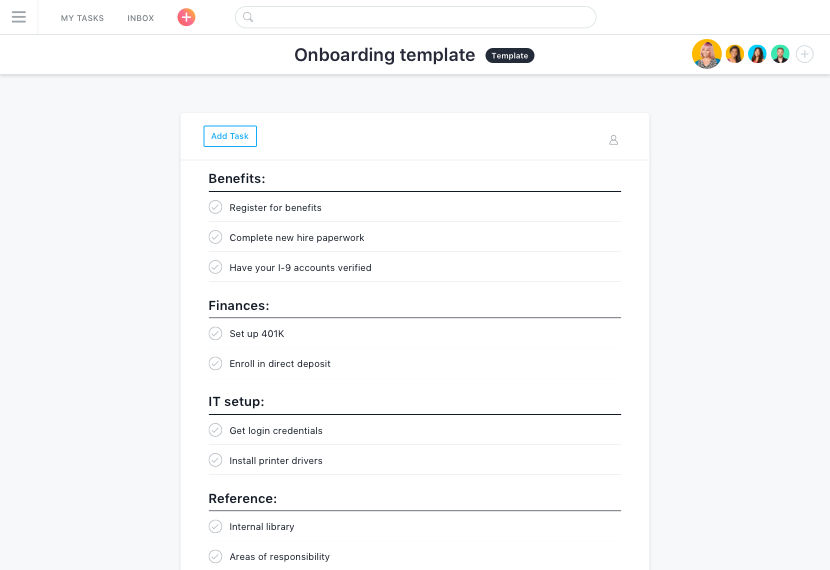
Asana has a more task-oriented design and improves upon the effectiveness of task management at the cost of making the user interface marginally more abstract and difficult to grasp, at least initially. Here, users can add individual objectives. Each of these have tasks underneath each, and they can be ticked off upon completion.
Trello vs Asana: automation support
Trello offers integration with Zapier, which can set off processes based upon certain triggers. For example, an automation service can be set up which looks out for a new YouTube video published by a popular creator. When that happens, an email gets sent to the project members containing the video link, title and description, and a new sticky note gets added to the Trello dashboard.
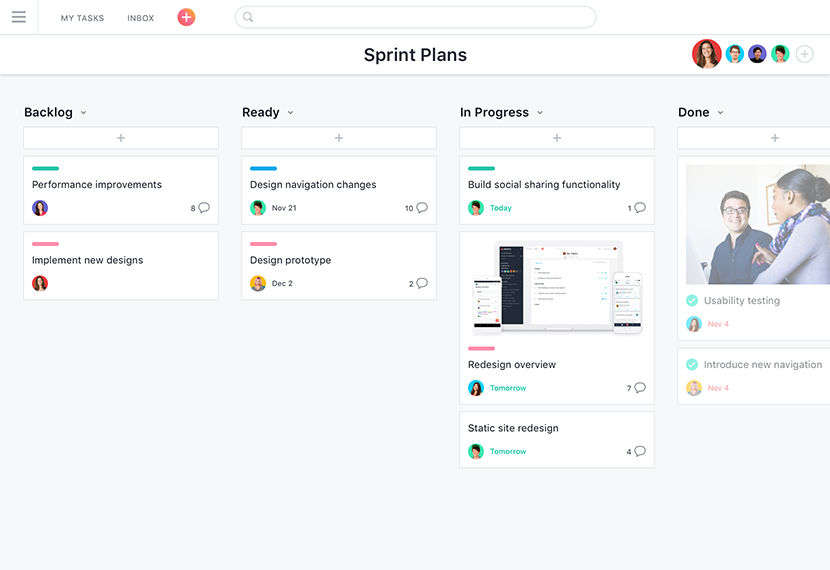
If the progress of a task doesn’t get updated, it unnecessarily halts the completion status of a project. The Asana software offers a notification service which repeatedly asks the user for input at set intervals, thus keeping the status of a project up to date. The same feature can also remind the users of tasks and avoid the pressure of approaching deadlines.
Trello vs Asana: collaborative features
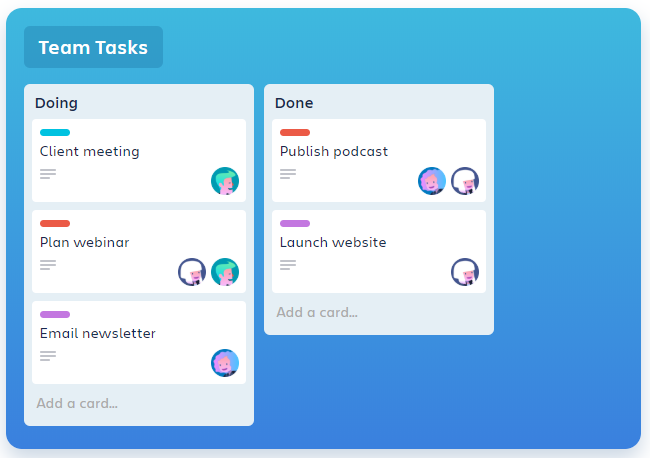
A team on Trello can have infinite members. These team members can be added to a project as well. The members have direct access to the Trello dashboard, and they receive the permission to add, modify or delete the existing notes. Each member can view the progress of other members and add them to specific subtasks. You can also set deadlines against tasks and see them in an aggregated manner in the calendar view.
An Asana Team is limited to 15 users for the free tier. More members can be added upon the purchase of the premium plans. Asana team members can have greater control over their projects due to the feature called dependency management. It allows users to set one task as dependent upon another. Therefore, a member cannot complete that task unless the former task gets completed. Moreover, Asana has a calendar view that maps out the contribution required by the team members upon the calendar.
Trello vs Asana: integrations
Integrations are required for sharing files between members, automating tasks with third-party apps, and chatting with team members, among others. Trello offers over 100 integrations with apps popular apps like Google Drive, Zapier, and Slack.
Asana has an integrated files tab on its interface which uses the Dropbox services in the background for synchronizing the project files. Other than that, Dossier and Zapier integrations are also allowed. These can automate task management and notify the users at regular intervals.
Trello vs Asana: pricing
Trello offers business class starting at $9.99 a month, while Enterprise for a little over $20 a month per user in the team.
Asana has a premium plan that starts at $10.99 a month while the business plan sells at $24.99 a month and the price of the enterprise plan is negotiable.
Trello vs Asana: platform compatibility
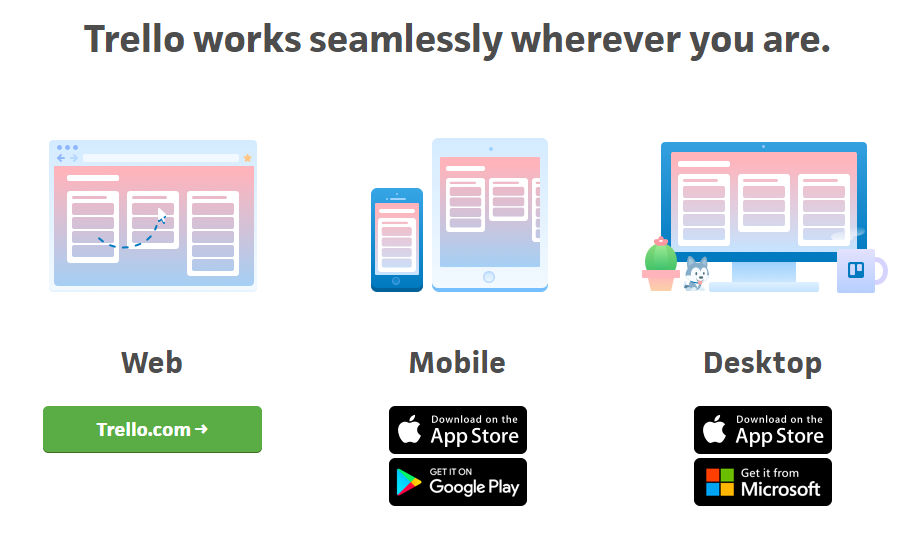
Trello is available on the browser as a web app, and works well with popular options like Chrome, Firefox, Microsoft Edge, and Safari. It’s also available for both Android and iOS platforms. Trello also has a desktop application for Mac and Windows.
Asana comes with a fully functioning web app supported in all modern browsers. It’s also available on both Google Play Store and Apple’s App Store. However, unlike Trello, it doesn’t have a native desktop application. The Mac app is under development and might be available soon.
Trello vs Asana: user reviews
Trello has ~88k reviews on the Play Store averaging at 4.5 stars. It has 10million+ downloads on this platform. On iOS, the app has an average of 4.6 stars. The positive reviews primarily focus on the impact it has had on the lives of its users by reminding them of every task well before the deadline. The negative reviews normally raise a concern about the UI that glitches sometimes when dealing with a heavy workflow.

Asana has 29k reviews with 4.6 stars on the Play Store and on App Store, it has garnered 4.7 stars. Users acknowledge the task management and versatile capabilities and on multiple instances, have thanked the developer for providing exactly what they promised for.
Bottomline
Both Trello and Asana appeal to the users belonging to a similar niche. Therefore, it isn’t surprising that they are similar in their feature set. They are excellent applications that help you focus only on the necessary parts of task management while automating the rest. They provide well-written documentation and versatile Application programming interfaces, which allow the companies to integrate the core of these services into the company-specific application, if needed.
Trello offers slightly cheaper service when compared to Asana. This fact coupled with the minimal UI, appreciable functionality, and a clutter-free workflow; Trello becomes the numero uno choice for individuals who are hopping onto an online platform for task management for the first time. On the other hand, inferring from the fact that Asana has a more customizable enterprise-level subscription option, any company looking for integrating a task management app into their workflow might be tempted to purchase Asana and rightfully so, as it offers some nifty functionality.
