


Whenever you fail to find a document that you require urgently, a lot of things happen. Tasks remain incomplete and workflows get interrupted. Collaboration becomes a shoddy affair and projects are stopped indefinitely.
All of this leads to immense loss of money, time, and effort. If you want to avoid such disastrous scenarios, you need to get document management software for your Mac device. With its help, all your information gets organized and stored at a central location.
You can go through your digital and physical files, audit, and history trail securely without any hassle. The software supports all kinds of formats, so it saves you a lot of trouble and time. You get scalability, tools for searching and filtering, and the option to backup and recover documents seamlessly.
However, there are many software in the market for Mac, yet all of them do not have the same set of amazing features. This is why we have provided this compiled list of the best document management software for Mac.
Table of Contents
1. Confluence

You have the power to administer all your files and create some new ones with the shared workspace provided by Confluence. Other document management software just acts as file-sharing and document-sharing tools. But Confluence has more collaborative features and has an open interface.
Owing to its collaborative features, your organization will have better coordination overall among the teams and at a personal level. Different departments such as project management, technical teams, HR, marketing, and sales teams can get a lot of value from their daily tasks when they use Confluence.
These are some of the advantages of using Confluence –
- There is a unified platform for creating content, editing in real-time, and managing all your documents.
- It has a certain reputation in the industry, with more than 30,000 companies using it.
- It provides you with first-class integration of Jira.
- You can create multiple customizations by using more than 3000 apps that exist on the Atlassian Marketplace.
- You can adapt it regularly so that it is on the same page as your company. It changes its provisions as per the growth of your company.
- You can use it both on your computer as well as your mobile phone.
2. PandaDoc
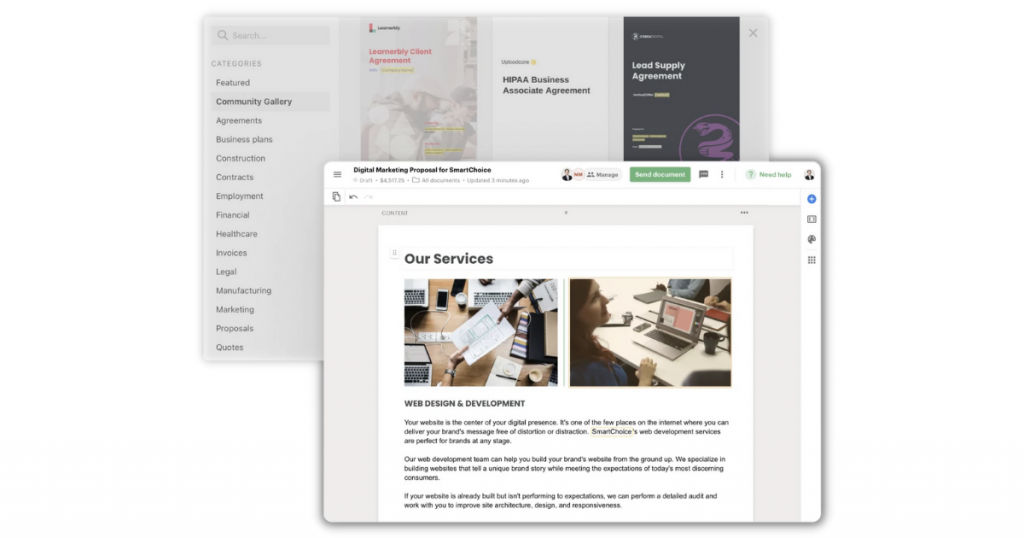
PandaDoc is a famous document management software that can be used to make, send, and share documents on the internet. It enables quick paperless tasks since it supports various formats such as PDF and Docs. It provides the facility to imbibe legally binding e-signatures.
PandaDoc lets you manage various types of digital documents like quotes, invoices, and contracts. Companies that regularly create, share, and deliver documents should go for PandaDoc without any doubt. It is an ideal option for them.
All the departments of the organization like HR, sales, marketing, finance, operations, legal can effectively use this software for both creating and organizing documents and ensuring that only the appropriate people and teams have access to the files. This ensures that all necessary security mechanisms are in place.
You can make and manage almost every type of document with the help of the features provided by PandaDoc. There is an extensive library that has numerous free templates that let you generate invoices, proposals, receipts, agreements, and many other kinds of business-related documents.
If there are any specific corporate branding logos or elements, you can add them too using this tool. You can make necessary edits to the template you are using and add a specific currency or language as per your requirement.
3. Zoho WorkDrive
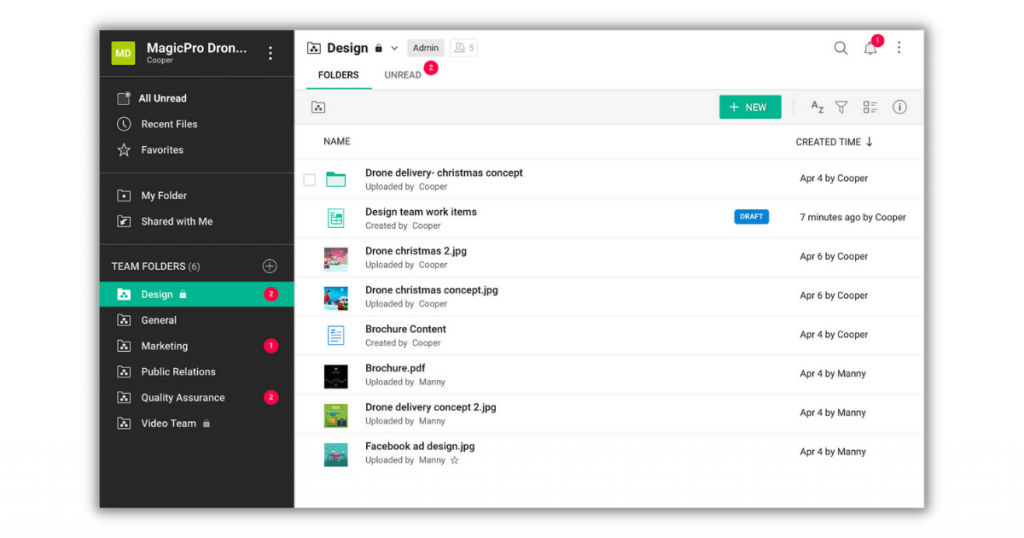
Zoho WorkDrive works well for teams of any size. It is completely cloud-based and can be used for collaboration, storage, and sync. WorkDrive has a Team Folders that offers a secure and safe shared workspace that allows teams to organize and administer all their files at an individual location.
WorkDrive also provides the user with real-time notifications that keeps you always updated with what’s happening. You have the necessary tools to create documents, share files and configure the controls. Besides this, you also get smart desktop sync, analytics, file versioning, and a lot more.
If you are an iOS or Android user, you can manage your documents seamlessly while traveling using your smartphone. All of your important files and documents are stored in specific Team Folders. This makes the work of your departments, teams, and bosses easier.
You can make the team folders private or public depending on whether the information enclosed by them is confidential or needs to be made available to all. You can assign the workers the necessary functions and permissions in the team folders depending upon their role and the organizational targets.
If any changes or edits are made in the team folders, all members are immediately sent a notification alerting them about the modifications. Zoho WorkDrive also has a free trial version that makes it one of the best free document management software for Mac.
Mac users can also give their feedback by writing comments on the work of a co-worker. There is a draft feature that lets users create a file or draft on the Zoho Office Suite before the process of publishing begins. The bulk uploading feature allows users to keep everything organized and detect any files that are missing.
4. Juro
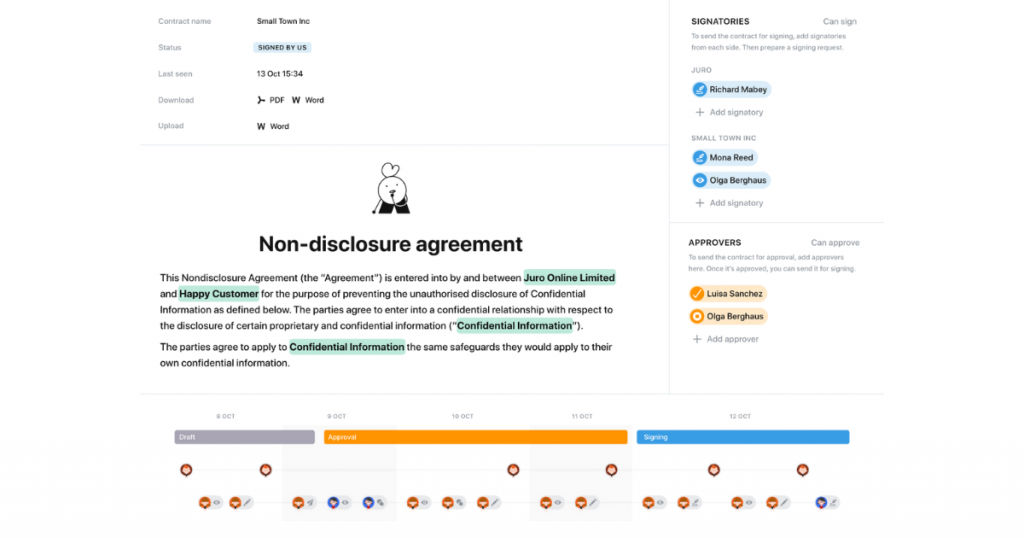
If you need an integrated workspace that also acts as a contract management system, Juro is the answer. Juro provides you with collaborative editing that lets your team members work on documents at the same time with the help of version control and comments.
If you need to make some revisions, you can do them in the browser itself, and it is not necessary to download or upload any documents. Juro also has OCR functions that enable documents to change the format of scanned images and convert them into text that is editable. This adds a much-needed boost to the workflow since you save time by not having to type all the text manually.
Juro also provides its users with a solid text search feature that allows them to retrieve information quickly and easily. Besides the features that we discussed above, the software also has a contract lifecycle management tool that works end-to-end.
This management tool allows you to automate all the dynamic approval procedures and lets you review your contracts seamlessly and get them signed by the appropriate stakeholders. You can integrate Juro with a number of third-party software to add to the already huge number of features present.
5. EisenVault
EisenVault is an on-premise document management software that acts as a storage solution also. You can also use it within the Microsoft Azure Cloud. EisenVault provides you with secure storage, encryption, and editing of documents along with their proper organization into appropriate folders so that collaboration happens without any trouble.
Apart from using it on Mac, you can also use it on Android or your desktop browser. The software provides its users with enterprise-grade SSL encryption that ensures that all your documents are safe, and periodically, a backup of your files is created automatically. This is important since it ensures that you do not face any data loss.
Some of the main features of EisenVault include –
- Proper digital document storage
- Top-notch online editing
- Management of metadata
- Indexing and audit trails
- Optical character recognition
Conclusion
Depending on your requirements and necessary functionalities, you can go for any of the above-mentioned document management software and install them on your Mac. Ask yourself some basic questions like whether you would be working on PDFs or word documents.
However, if you do not need Mac-specific solutions, you can go for a generalized document management software. You can check out this list of best document management software for more details.
Also read:
• Best Document Scanning Software
• Top Free and Open Source Document Management Software in 2020
