MEET CLARA - THE AI BEHIND SMARTER SOFTWARE CHOICES

Dr in Cloud |
77% SW Score The SW Score ranks the products within a particular category on a variety of parameters, to provide a definite ranking system. Read more 
Visit Website
|
90% SW Score The SW Score ranks the products within a particular category on a variety of parameters, to provide a definite ranking system. Read more 
Visit Website
|
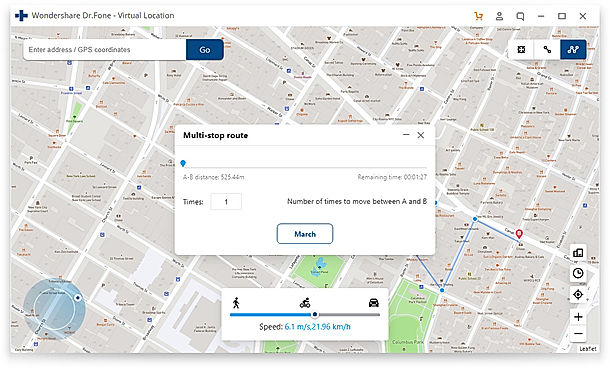
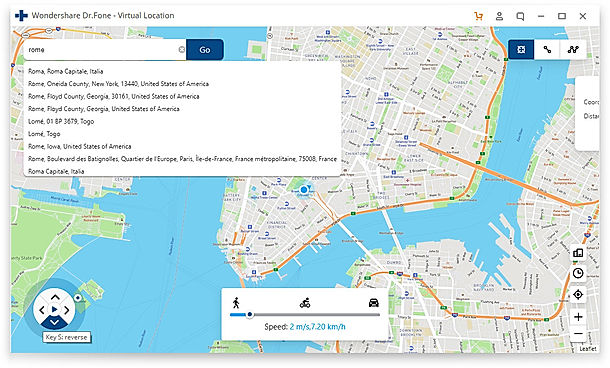
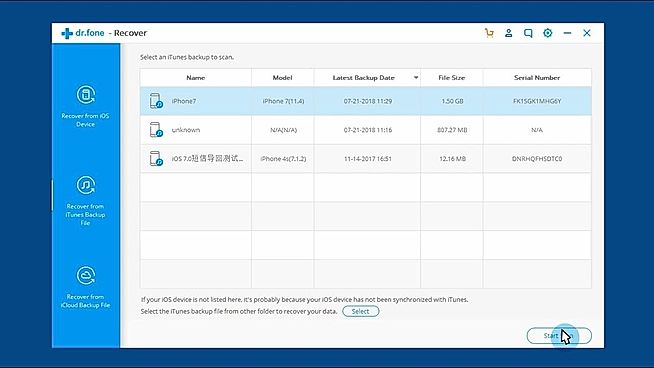
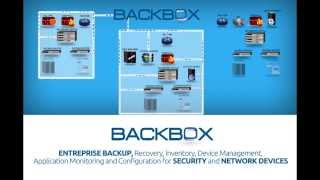
| Description | BackBox is a purpose-built network automation platform that automates daily administrative tasks and large projects on thousands of networks worldwide. BackBox allows you to automate the operations of network and security devices at scale across networks of any size without having to write any scripting code. Multitenancy support for service providers or federated management teams ensures data privacy and network isolation across customers. The BackBox Automation Library gets you started quickly with support for devices from 180 vendors and thousands of automation that can be used as-is or customized for your use. Can’t find a pre-built automation that fits your criteria? Build your own using only the CLI or API commands you already use for administration. No Python, YAML, or any other scripting language is required. The BackBox support team can create new automations to your specifications. Read more | Dr.Fone is a complete mobile solution for iOS and Android users, providing them with a variety of useful tools and functionalities enabling 100% operations. The solution includes various tools that can be used for phone data recovery, screen unlock, data transfer, system repair and many other functions. Its MirrorGo feature lets users mirror Android screens to large screens, control their phone from a computer and transfer files facilitating better work and intelligent life. MirrorGo available for iOS even allows users to record their phone screen through their computer. Users can also transfer and manage their multiple cloud files in one place with Dr.Fone. It also includes offline transfer and sync, scheduled sync and file filter functionality to manage the cloud storage easily. Users can even change their mobile’s GPS location with a single click using this software in a seamless way. Read more |
| Pricing Options |
|
|
| SW Score & Breakdown |
77% SW Score The SW Score ranks the products within a particular category on a variety of parameters, to provide a definite ranking system. Read more
|
90% SW Score The SW Score ranks the products within a particular category on a variety of parameters, to provide a definite ranking system. Read more
|
| Total Features |
3 Features
|
6 Features
|
| Common Features for All |
Automated Storage
Backup Scheduling
Compression Option
Encryption
Mobile Compatibility
Remote Access
Secure Data Storage
|
Automated Storage
Backup Scheduling
Compression Option
Encryption
Mobile Compatibility
Remote Access
Secure Data Storage
|
| Organization Types Supported |
|
|
| Platforms Supported |
|
|
| Modes of Support |
|
|
| User Rating |
|
|
| Rating Distribution |
|
|
| User Sentiments |
Reliable Backups, Ease of Use, Excellent Customer Support, Wide Range of Device Support Limited Device Support for Specific Vendors, Lack of Detailed Documentation, Occasional Software Bugs, Complex Script Customization |
Data Recovery, WhatsApp Transfer, User Friendly Interface, Efficient Customer Support Inaccurate Device Compatibility, Subscription Issues, Inadequate Data Restoration, Software Bugs |
| Review Summary |
BackBox is a highly-rated, user-friendly backup solution for networking equipment. Users praise its ability to automate back-ups and restores for a wide range of brands, including Cisco, Checkpoint, and Fortinet. The software simplifies configuration management and boosts efficiency. Customers also appreciate the responsive support team, who help with script customization and troubleshooting. Although some users note that BackBox can be expensive, its automation capabilities and comprehensive nature make it a valuable tool for many businesses. |
Overall, users seem to find Dr.Fone easy to use and helpful in recovering lost data. Many praise its user-friendly interface, wide range of supported file types, and the ability to recover data from various devices. However, some users have experienced issues with the software, such as occasional crashes, difficulty recovering certain types of data, and the need for a computer connection in some cases. While the pricing is generally considered reasonable, some users have expressed concerns about the lack of a free trial and the potential for additional costs for specific features. |
| Read All User Reviews | Read All User Reviews |
AI-Generated from the text of User Reviews
| Pricing Options |
|
|
|
Pricing Plans
Monthly Plans
Annual Plans
|
Standard BackBox Custom |
Dr.Fone - Android Toolkit (Windows and Mac) $79.95 $79.95 per year Dr.Fone - iOS Toolkit (Windows and Mac) $99.95 $99.95 per year Dr.Fone - Full Toolkit (Windows and Mac) $139.95 $139.95 per year Dr.Fone - Data Recovery (Windows and Mac) $39.95 $39.95 Dr.Fone - Phone Manager (Windows and Mac) $29.95 $29.95 Dr.Fone - System Repair (Windows and Mac) $39.95 $39.95 Dr.Fone - Phone Backup (Windows and Mac) $19.95 $19.95 Dr.Fone - Data Eraser (Windows and Mac) $14.95 $14.95 Dr.Fone - Screen Unlock (Windows and Mac) $49.95 $49.95 Dr.Fone - Phone Transfer (Windows and Mac) $29.95 $29.95 Dr.Fone - WhatsApp Transfer (Windows and Mac) $21.95 $21.95 Dr.Fone - Virtual Location (Windows and Mac) $9.95 $9.95 Dr.Fone - iTunes Repair (Windows and Mac) $19.95 $19.95 InClowdz (Windows and Mac) $9.95 $9.95 |
|
View Detailed Pricing
|
View Detailed Pricing
|
Get personalized recommendations from our experts on call
Trusted by more than 5 Million users across the globe.
Thank you for the enquiry. One of our software analysts will contact you soon.
| Screenshots |

+ 2 More
|
+ 2 More
|
| Videos |
|
+ 2 More
|
| Company Details | Located in: Kansas, USA | Located in: Mountain View, California |
| Contact Details |
+1-833-222-5269 |
Not available |
| Social Media Handles |
|
|

Looking for the right SaaS
We can help you choose the best SaaS for your specific requirements. Our in-house experts will assist you with their hand-picked recommendations.

Want more customers?
Our experts will research about your product and list it on SaaSworthy for FREE.