 MEET CLARA - THE AI BEHIND SMARTER SOFTWARE CHOICES

Zoho Assist |
92% SW Score The SW Score ranks the products within a particular category on a variety of parameters, to provide a definite ranking system. Read more 
Visit Website
|
89% SW Score The SW Score ranks the products within a particular category on a variety of parameters, to provide a definite ranking system. Read more 
Visit Website
|
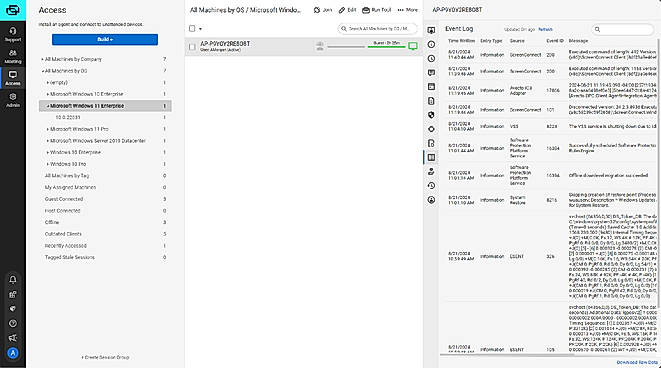
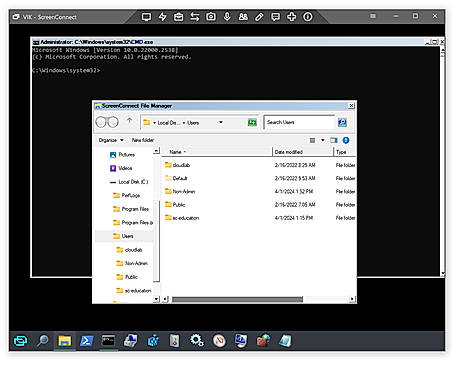
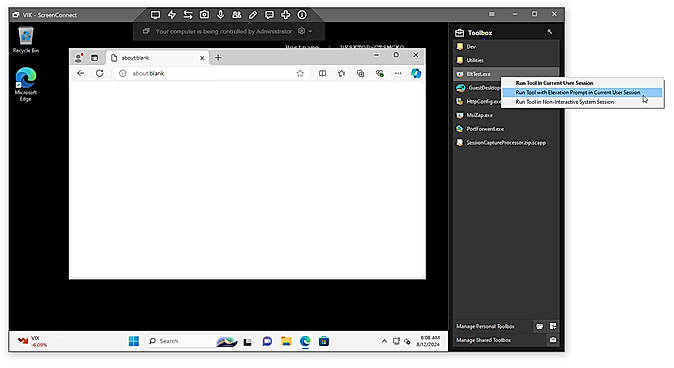
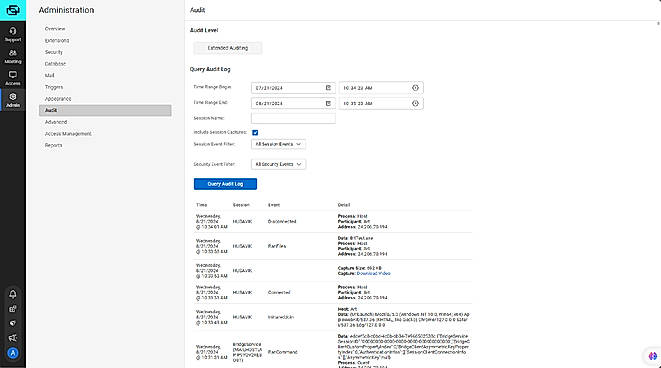
| Description | ScreenConnect Remote Support and Access Software empowers IT teams to resolve issues swiftly and securely, no matter where their users are. Its robust features turn technical challenges into opportunities for productivity. With instant access to any device and tools to run remotely without installation, IT professionals can tackle problems in record time. The shared toolbox allows team members to upload and execute tools as administrators, enhancing efficiency and collaboration during sessions. Technicians can work behind the scenes, saving users time while seamlessly transferring files and managing systems. Customizable extensions streamline workflows, save costs, and even enable businesses to publish innovations on the ConnectWise Marketplace™. Advanced privileged access management (PAM) ensures data security, granting one-time administrator access without sharing passwords. Detailed logs of access requests ensure compliance with regulatory standards and cyber insurance policies, keeping the business protected. Whether it’s fixing IT issues or ensuring secure file transfers, ScreenConnect simplifies complex tasks into efficient solutions. Read more | Splashtop Business Access is a remote desktop solution for business professionals and small teams. The cloud infrastructure is hosted on AWS to provide a secure network and computing environment with firewalls, data encryption, and DDoS mitigation. Easily transfer files between computers. You can drag-and-drop files between computers and you can also transfer files without starting a remote session. Select the file you need from your remote computer and print it on your local printer instantly. No need to transfer files or fax printed documents. Read more |
| Pricing Options |
|
|
| SW Score & Breakdown |
92% SW Score The SW Score ranks the products within a particular category on a variety of parameters, to provide a definite ranking system. Read more
|
89% SW Score The SW Score ranks the products within a particular category on a variety of parameters, to provide a definite ranking system. Read more
|
| SaaSworthy Awards | # 2 Fastest Growing # 2 Most Popular |
Not Available
|
| Total Features |
8 Features
|
7 Features
|
| Common Features for All |
Diagnostic Tools
Feedback Collection
File Transfer
Live Chat
Remote Control
Screen Sharing
Session Recording
Session Transfer
|
Diagnostic Tools
Feedback Collection
File Transfer
Live Chat
Remote Control
Screen Sharing
Session Recording
Session Transfer
|
| Organization Types Supported |
|
|
| Platforms Supported |
|
|
| Modes of Support |
|
|
| API Support |
|
|
| User Rating |
|
|
| Rating Distribution |
|
|
| User Sentiments |
Fast and Reliable Connections, Ease of Use, Affordable Pricing, Cross-Platform Compatibility Technical Support Issues, Inconsistent Mobile Experience, Limited Linux Support, Frequent Software Updates |
Ease of Use, Affordable Pricing, Fast Connection Speed, Reliable Remote Access Multiple Monitor Limitations, Occasional Connection Drops, Complex Initial Setup, Slow File Transfer Speeds |
| Review Summary |
Overall, users praise ConnectWise Control's remote access capabilities, ease of use, and reliable performance. However, some users have expressed concerns about occasional connection issues, limited customization options, and the pricing structure. Despite these drawbacks, ConnectWise Control is generally well-received for its ability to facilitate seamless remote desktop control, file transfer, and screen sharing, making it a solid choice for businesses seeking a remote access solution. |
Users praise Splashtop Business Access for its ease of use, fast performance, and reliable remote access capabilities. It is particularly valued for its ability to provide secure and seamless remote desktop control, file transfer, and remote printing. Reviewers highlight its intuitive user interface, quick setup process, and compatibility with various devices and operating systems. Additionally, its customer support is commended for its responsiveness and helpfulness. However, some users mention occasional connectivity issues and the need for more granular control over user permissions. |
| Read All User Reviews | Read All User Reviews |
AI-Generated from the text of User Reviews
| Pricing Options |
|
|
|
Pricing Plans
Monthly Plans
Annual Plans
|
One $28.00 $36.00 per month Standard $43.00 $56.00 per month Premium $53.00 $66.00 per month ScreenConnect™ Remote Access $31.00 $39.00 per month |
BUSINESS ACCESS SOLO $5.00 $5.00 per month BUSINESS ACCESS PRO $8.25 $8.25 per user / month BUSINESS ACCESS PRO VOLUME LICENSES $4.54 $4.54 per user / month |
|
View Detailed Pricing
|
View Detailed Pricing
|
Get personalized recommendations from our experts on call
Trusted by more than 5 Million users across the globe.
Thank you for the enquiry. One of our software analysts will contact you soon.
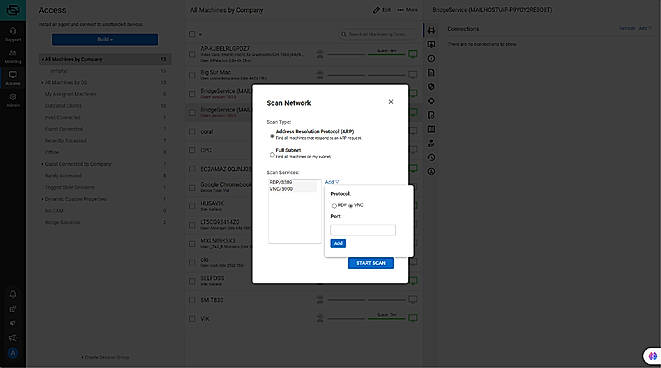
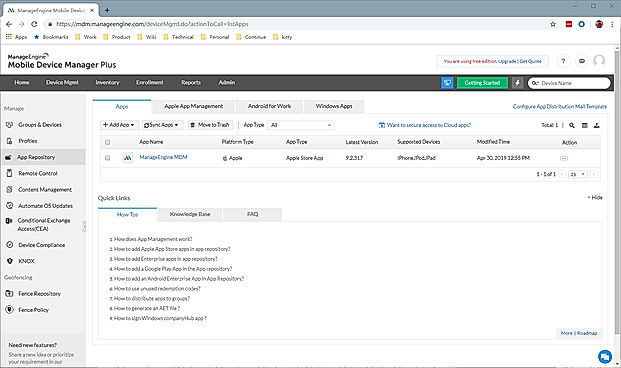
| Screenshots |
+ 4 More
|
+ 4 More
|
| Videos |
+ 2 More
|
+ 2 More
|
| Company Details | Located in: Tampa, Florida | Located in: San Jose, California |
| Contact Details |
+1 800-671-6898 |
+1.408.861.1088 |
| Social Media Handles |
|
|

Looking for the right SaaS
We can help you choose the best SaaS for your specific requirements. Our in-house experts will assist you with their hand-picked recommendations.

Want more customers?
Our experts will research about your product and list it on SaaSworthy for FREE.