MEET CLARA - THE AI BEHIND SMARTER SOFTWARE CHOICES

Atera |
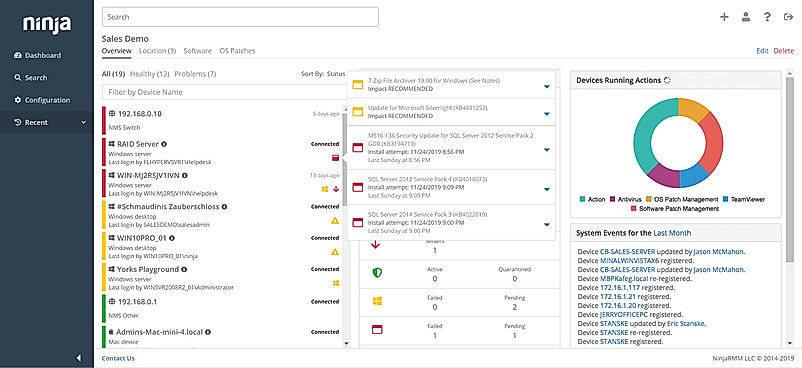
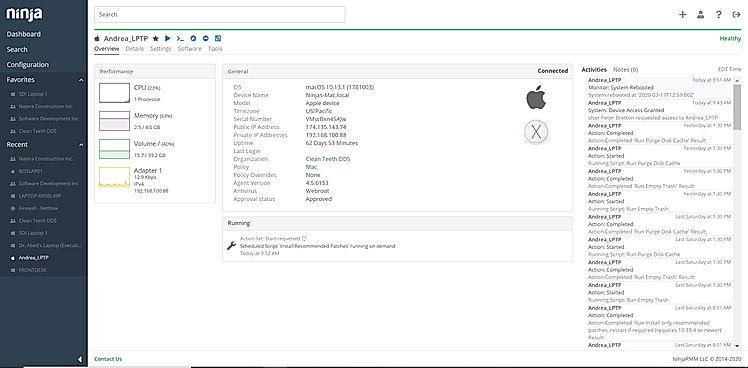
| Description | Microsoft Intune, a cloud-based software, aims to offer Mobile Application Management and Mobile Device Management facilities. The software allows enterprises to configure specific policies and monitor all the devices within their campus, including mobiles, tablets, and PCs. It offers integration with Azure AD for access control and with Azure Information Protection for data security. Mobile Application Management (MAM) within the software is configured to secure organization data at the application level, consisting of both store and custom apps. Further, with Microsoft Intune, admins get to safeguard valuable business-related data by monitoring the way staff can get access to the particulars or share them. Security teams can set stringent network policies and configure data protocols, on personal or organization-owned devices. Admins can also delete data from stolen or lost devices using the particular platform. They can push certificates within specific devices, enabling employees to get access to company VPN or wifi in real-time. Read more | Workspace ONE is an Intelligence-driven digital workspace management software that helps organizations keep their employees more engaged. It provides users with an industry-leading Unified Endpoint Management solution, helping them monitor multiple devices like desktop, mobile, IoT, and rugged within a single interface. They can drive regular processes and policies across Android, iOS, macOS, Windows 10, Chrome OS and more. Further, Workspace ONE Intelligent Hub, lets organizations empower their employees to get access to different corporate resources and apps in a safe and secure way, resulting in more productivity. The platform is capable of reducing management expenses besides enhancing security, with constant access and endpoint management policies. Additionally, Workspace ONE Boxer offers an exceptional email experience with government-certified security. Enterprises can easily onboard new users and devices with zero-touch options for multiple OS. Also, they can empower in-house IT and help desk teams to troubleshoot and fix device-specific problems in real-time. Furthermore, Device-Aware Access Management, Comprehensive Digital Workspace Security, and Intelligent Insights & Automation are additional benefits featured by the software. Read more | NinjaOne automates the hardest parts of IT, delivering visibility, security, and control over all endpoints for more than 20,000 customers. The NinjaOne platform increases productivity while reducing risk and IT costs. Organizations use NinjaOne, including its wide range of IT and security integrations, for use cases such as endpoint management, patch management, mobile device management, software deployment, remote access, endpoint backup, and more. Read more |
| Pricing Options |
|
|
|
| Organization Types Supported |
|
|
|
| Platforms Supported |
|
|
|
| Modes of Support |
|
|
|
| API Support |
|
|
|
| User Rating |
|
|
|
| Rating Distribution |
|
|
|
| User Sentiments |
Comprehensive Device Management, Robust Security Features, Extensive Integrations with Microsoft Products, User-Friendly Interface Complex Initial Setup and Configuration, Occasional Policy Sync Issues, Limited Third-Party App Support , Inadequate Reporting Capabilities |
Not Available
|
Ease of Use, Fast and Reliable Remote Access, Comprehensive Patch Management, Excellent Customer Support Limited Third-Party Software Patching Support, Limited MacOS Support, Inadequate Reporting Functionality, Occasional Software Bugs |
| Review Summary |
Microsoft Intune earns high praise from users for its seamless integration with other Microsoft products, particularly Office 365. Its user-friendly interface makes it easy to navigate and manage devices. Furthermore, its comprehensive security features and robust mobile device management capabilities ensure data protection and compliance. However, some users have expressed concerns regarding its occasional performance issues and limited customization options. Overall, Microsoft Intune stands out for its strong integration, user-friendly design, and robust security, making it a reliable choice for device management. |
Not Available
|
The general consensus among reviewers is that NinjaRMM is a comprehensive and powerful RMM tool that offers a wide range of features to help MSPs streamline their operations. It is praised for its user-friendly interface, customizable dashboards, and robust reporting capabilities. However, some users have expressed concerns about the occasional occurrence of bugs and glitches, as well as the need for improved documentation and customer support. Overall, NinjaRMM is a solid choice for MSPs seeking a feature-rich and reliable RMM solution, though there is room for improvement in terms of stability and support. |
| Pros & Cons |
|
Not Available
|
Not Available
|
| Read All User Reviews | Read All User Reviews | Read All User Reviews |
AI-Generated from the text of User Reviews
| Pricing Options |
|
|
|
|
Pricing Plans
Monthly Plans
Annual Plans
|
Microsoft Intune Plan 1 Others Microsoft Intune Plan 2 Others Microsoft Intune Suite Others |
Mobile Essentials $5.40 $5.40 per user / month Desktop Essentials $7.20 $7.20 per user / month UEM Essentials $9.45 $9.45 per user / month Enterprise Edition $15.00 $15.00 per user / month |
NinjaRMM Custom |
|
View Detailed Pricing
|
View Detailed Pricing
|
View Detailed Pricing
|
Get personalized recommendations from our experts on call
Trusted by more than 5 Million users across the globe.
Thank you for the enquiry. One of our software analysts will contact you soon.
| Screenshots |

+ 3 More
|
Not Available |
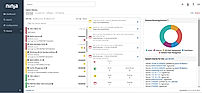
+ 3 More
|
| Videos |
+ 2 More
|
Not Available |
+ 4 More
|
| Company Details | Located in: Redmond, Washington Founded in: 2011 | Located in: Palo Alto, California | Located in: Austin, TX |
| Contact Details |
Not available https://www.microsoft.com/en-us/microsoft-365/enterprise-mobility-security/microsoft-intune |
1-877-486-9273 https://www.omnissa.com/products/workspace-one-unified-endpoint-management/ |
Not available |
| Social Media Handles |
|
|
|
What are the key differences between Microsoft Intune and Workspace ONE?
What are the alternatives to Microsoft Intune?
Which SaaS products does Microsoft Intune integrate with?
What are the key features of Workspace ONE?
How does Workspace ONE enhance employee engagement?

Looking for the right SaaS
We can help you choose the best SaaS for your specific requirements. Our in-house experts will assist you with their hand-picked recommendations.

Want more customers?
Our experts will research about your product and list it on SaaSworthy for FREE.