
 MEET CLARA - THE AI BEHIND SMARTER SOFTWARE CHOICES

Ubuntu Server |
91% SW Score The SW Score ranks the products within a particular category on a variety of parameters, to provide a definite ranking system. Read more 
Visit Website
|
77% SW Score The SW Score ranks the products within a particular category on a variety of parameters, to provide a definite ranking system. Read more 
Visit Website
|
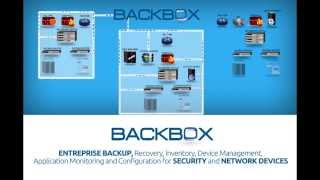
| Description | Microsoft System Center is a cloud-based application that provides continuous data protection. This application is developed with Data Protection Manager, due to which data backups can be maintained and lost files can be restored. It is a client to cloud management tool where public and private servers can be integrated into the cloud platform. This software provides some additional features such as System Center Configuration Manager (SCCM) and System Center Operation Manager (SCOM). In addition to this, it provides endpoint protection feature and is compatible with all platforms such as Windows and Linux. Microsoft System Center is also compatible with mobile devices. Read more | BackBox is a purpose-built network automation platform that automates daily administrative tasks and large projects on thousands of networks worldwide. BackBox allows you to automate the operations of network and security devices at scale across networks of any size without having to write any scripting code. Multitenancy support for service providers or federated management teams ensures data privacy and network isolation across customers. The BackBox Automation Library gets you started quickly with support for devices from 180 vendors and thousands of automation that can be used as-is or customized for your use. Can’t find a pre-built automation that fits your criteria? Build your own using only the CLI or API commands you already use for administration. No Python, YAML, or any other scripting language is required. The BackBox support team can create new automations to your specifications. Read more |
| Pricing Options |
|
|
| SW Score & Breakdown |
91% SW Score The SW Score ranks the products within a particular category on a variety of parameters, to provide a definite ranking system. Read more
|
77% SW Score The SW Score ranks the products within a particular category on a variety of parameters, to provide a definite ranking system. Read more
|
| Total Features |
10 Features
|
3 Features
|
| Common Features for All |
Automated Storage
Backup Scheduling
Cloud Storage
Compression Option
Encryption
Incremental Backup
Mobile Compatibility
Remote Access
Secure Data Storage
Web Access
|
Automated Storage
Backup Scheduling
Cloud Storage
Compression Option
Encryption
Incremental Backup
Mobile Compatibility
Remote Access
Secure Data Storage
Web Access
|
| Organization Types Supported |
|
|
| Platforms Supported |
|
|
| Modes of Support |
|
|
| User Rating |
|
|
| Rating Distribution |
|
|
| User Sentiments |
Robust Remote Management Capabilities, Efficient Patch Management System, Centralized Application Deployment, Comprehensive Reporting Tools Complex Initial Setup and Configuration, Occasional Performance Issues and Slowness, Steep Learning Curve, Limited Third-Party Software Patching |
Reliable Backups, Ease of Use, Excellent Customer Support, Wide Range of Device Support Limited Device Support for Specific Vendors, Lack of Detailed Documentation, Occasional Software Bugs, Complex Script Customization |
| Review Summary |
Overall, Microsoft System Center garners positive feedback for its comprehensive IT service management capabilities. Users praise its ability to streamline processes, automate tasks, and improve visibility across IT environments. The platform's integration with other Microsoft products is also seen as a major advantage. However, some reviewers express concerns regarding the complexity of the tool and the occasional need for additional training and support. |
BackBox is a highly-rated, user-friendly backup solution for networking equipment. Users praise its ability to automate back-ups and restores for a wide range of brands, including Cisco, Checkpoint, and Fortinet. The software simplifies configuration management and boosts efficiency. Customers also appreciate the responsive support team, who help with script customization and troubleshooting. Although some users note that BackBox can be expensive, its automation capabilities and comprehensive nature make it a valuable tool for many businesses. |
| Read All User Reviews | Read All User Reviews |
AI-Generated from the text of User Reviews
| Pricing Options |
|
|
|
Pricing Plans
Monthly Plans
Annual Plans
|
Datacenter Edition for Managing Highly Virtualized Servers Others Standard Edition for non-virtualized or lightly virtualized servers Others |
Standard BackBox Custom |
|
View Detailed Pricing
|
View Detailed Pricing
|
Get personalized recommendations from our experts on call
Trusted by more than 5 Million users across the globe.
Thank you for the enquiry. One of our software analysts will contact you soon.
| Screenshots | Not Available |

+ 2 More
|
| Videos |

|
|
| Company Details | Located in: Redmond, Washington | Located in: Kansas, USA |
| Contact Details |
+1 877-276-2464 https://www.microsoft.com/en-us/cloud-platform/system-center |
+1-833-222-5269 |
| Social Media Handles |
|
|

Looking for the right SaaS
We can help you choose the best SaaS for your specific requirements. Our in-house experts will assist you with their hand-picked recommendations.

Want more customers?
Our experts will research about your product and list it on SaaSworthy for FREE.




