get-free-advice
Clara Icon MEET CLARA - THE AI BEHIND SMARTER SOFTWARE CHOICES
Get Started
Browse Software
/*
Loading...
*/

82% SW Score The SW Score ranks the products within a particular category on a variety of parameters, to provide a definite ranking system. Read more

Panzoid logo
Video Editing Software

3.5 25 user ratings

View Details

93% SW Score The SW Score ranks the products within a particular category on a variety of parameters, to provide a definite ranking system. Read more
Adobe Premiere Pro logo
View Details
Featured

94% SW Score The SW Score ranks the products within a particular category on a variety of parameters, to provide a definite ranking system. Read more

Animaker logo

Animaker

Animation Software

4.5 1,092 user ratings

Visit Website
Featured

90% SW Score The SW Score ranks the products within a particular category on a variety of parameters, to provide a definite ranking system. Read more

Switcher Studio logo

Switcher Studio

Video Editing Software

5 3 user ratings

Visit Website

Overview

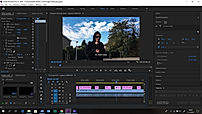
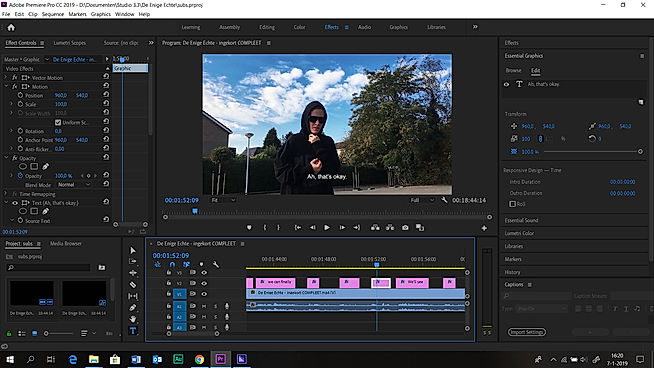
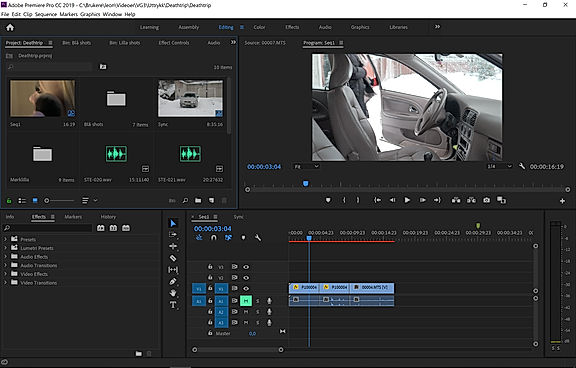
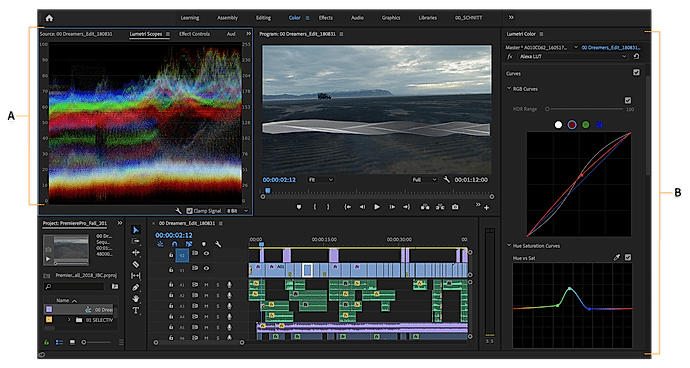
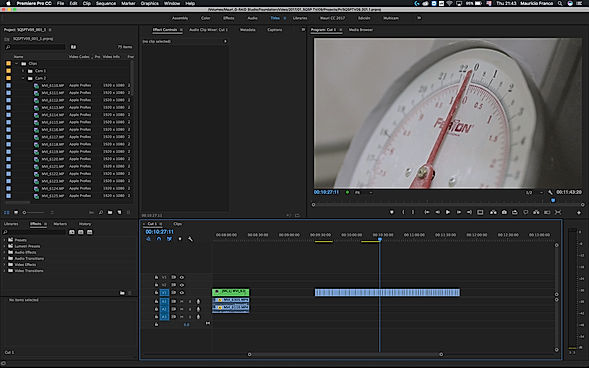
Description Panzoid is a platform that comes with robust tools to create and edit any type of video and audio clips and leave a lasting impression. It’s an online custom intro and animation creator that users can take advantage of to design a free intro or create a video clip for YouTube and other platforms. Users can easily add amazing effects that make the videos stand out. The tool has some powerful online 2D and 3D animation tools that are easy-to-use, making their videos interesting and fun. With the backgrounder feature, users can create custom graphics, thumbnails, YouTube channel art, and a lot more with just a few clicks. Panzoid intros are free to use and come with several amazing templates. These intros can be used for personal as well as commercial use. The tool helps you to make videos look very professional and users can customize and change backgrounds according to their brand tonality and voice. Read more Adobe Premium is an advanced video editing software that works on both mobiles as well as on desktop to create and share videos modified for YouTube, Tiktok, Facebook, and other social media networks used for personal and professional use. With Adobe Premium, users can enjoy the advantages of photography, video, graphic design, illustration, and much more in one single place. With Premiere Pro, designers can edit images in any format, captured from either a professional camera or a normal phone. The brand also has features such as native file support, light, and faster HDR proxy workflows. With Premiere Pro, users can discover audio tools and music tracks, build games with graphics such as titles and animations, and use Drag and Drop to adjust the color with integrated pre-set settings. Users also have complete extras access to features such as sources, adobe actions, music, and models of motion graphics, and can also connect with other Adobe applications like Photoshop to continue to create. The software offers a free trial and a wide variety of premium plan options to choose from. Read more Animaker is a platform for beginners, professionals, and non-designers to create animated and live-action videos, best suited for entrepreneurs, classroom storytellers, content marketers or HR teams. It helps users create different types of content like 2D animation, whiteboard videos, infographic videos, vertical videos, GIFs, YouTube thumbnail maker, and much more. Users can create eye-popping animated videos effortlessly with just a few clicks. Users can access billions of unique characters that they can use in the videos, or they can use over 1000 stock videos and photos as a template to edit videos as per need in less than 5 minutes. Animaker allows users to upload and edit videos at 4K video quality and do instant resizing for all social platforms. This means users don't have to create different videos for different platforms. The platform is simple, convenient, and user-friendly with which the videos can be made in a few minutes. Read more Switcher Studio is a comprehensive live streaming software for iOS that enables companies to live stream videos using multiple cameras of their choice. The software offers a wide range of live video sharing facilities on platforms like Facebook, YouTube, LinkedIn, Microsoft Stream, Twitch and more. In addition, companies can also use the RTMP streaming facility to broadcast their videos on any platform. Users can invite up to 5 remote guests, co-hosts or customers, to join the streaming videos from anywhere. At Switcher Studio, companies can link up to 9 cameras or they can also use a single camera for recording purposes. Users can even merge pre-recorded videos, audios, logos, graphics or any other media asset into live videos to stream together. Further, the software lets users manage and edit their entire live video in real-time. Switcher Studio also offers guided tutorials and a help centre to find solutions to any query. Moreover, users can also join an online community to learn how to use the software in the most efficient way. Read more
Pricing Options
  • Free Trial Not Available
  • Starts at $1.99.
  • Free Trial Available
  • Starts at $20.99.
  • Free Trial Not Available
  • Starts at $15.0. Offers Free-forever and Custom plan.
  • Free Trial Available
  • Starts at $71.0.
SW Score & Breakdown

82% SW Score The SW Score ranks the products within a particular category on a variety of parameters, to provide a definite ranking system. Read more

  • Features The Feature Score % is calculated using the weighted average method, where core features hold more weight in the final calculation. Read more
    79%
  • Reviews
    70%
  • Momentum
    65%
  • Popularity
    69%

93% SW Score The SW Score ranks the products within a particular category on a variety of parameters, to provide a definite ranking system. Read more

  • Features The Feature Score % is calculated using the weighted average method, where core features hold more weight in the final calculation. Read more
    100%
  • Reviews
    83%
  • Momentum
    68%
  • Popularity
    68%

94% SW Score The SW Score ranks the products within a particular category on a variety of parameters, to provide a definite ranking system. Read more

  • Features The Feature Score % is calculated using the weighted average method, where core features hold more weight in the final calculation. Read more
    89%
  • Reviews
    94%
  • Momentum
    72%
  • Popularity
    95%

90% SW Score The SW Score ranks the products within a particular category on a variety of parameters, to provide a definite ranking system. Read more

  • Features The Feature Score % is calculated using the weighted average method, where core features hold more weight in the final calculation. Read more
    93%
  • Reviews
    67%
  • Momentum
    66%
  • Popularity
    89%
SaaSworthy Awards
Not Available
Not Available
# 2 Most Worthy # 1 Fastest Growing
Not Available

Technical Details

Organization Types Supported
  • Individuals
  • Freelancers
  • Large Enterprises
  • Medium Business
  • Small Business
  • Individuals
  • Freelancers
  • Large Enterprises
  • Medium Business
  • Small Business
  • Individuals
  • Freelancers
  • Large Enterprises
  • Medium Business
  • Small Business
  • Individuals
  • Freelancers
  • Large Enterprises
  • Medium Business
  • Small Business
Platforms Supported
  • SaaS/Web/Cloud
  • Mobile - iOS
  • Installed - Windows
  • Installed - Mac
  • SaaS/Web/Cloud
  • Mobile - iOS
  • Installed - Windows
  • Installed - Mac
  • SaaS/Web/Cloud
  • Mobile - iOS
  • Installed - Windows
  • Installed - Mac
  • SaaS/Web/Cloud
  • Mobile - iOS
  • Installed - Windows
  • Installed - Mac
Modes of Support
  • 24/7 (Live rep)
  • Online
  • 24/7 (Live rep)
  • Online
  • 24/7 (Live rep)
  • Online
  • 24/7 (Live rep)
  • Online
API Support
  • Available
  • Available
  • NA
  • NA

Reviews & Ratings

User Rating
3.5/5 25 user ratings
4.7/5 1,613 user ratings
4.5/5 1,092 user ratings
5/5 3 user ratings
Rating Distribution
  • Excellent

    44%
  • Very Good

    20%
  • Average

    0%
  • Poor

    12%
  • Terrible

    24%
  • Excellent

    73.2%
  • Very Good

    22.4%
  • Average

    3.3%
  • Poor

    0.7%
  • Terrible

    0.4%
  • Excellent

    75.9%
  • Very Good

    13.6%
  • Average

    1.9%
  • Poor

    0.7%
  • Terrible

    7.8%
  • Excellent

    100%
  • Very Good

    0%
  • Average

    0%
  • Poor

    0%
  • Terrible

    0%
User Sentiments
    Not Available
    Not Available

    Ease of Use, Vast Selection of Animated Characters and Props, Helpful Customer Support, Accurate Text-to-Speech Feature

    Long Video Rendering Times, Software Glitches and Crashes, Limited Features in Free Version, Expensive Subscription Plans

    Not Available
Review Summary
Not Available

Adobe Premiere Pro is a robust video editing software widely praised for its user-friendly interface, powerful features, and seamless integration with other Adobe Creative Suite applications. Users appreciate its drag-and-drop functionality, extensive toolkit, and ability to create professional-level videos on a budget. However, some drawbacks include limited rendering options, a steep learning curve for certain functions, and occasional stability issues. While there are simpler alternatives, Premiere Pro's versatility and integration make it a standout choice for professionals and enthusiasts alike.

Users praise Animaker for its user-friendly interface, extensive template library, and vast collection of assets. They appreciate the drag-and-drop functionality, which makes creating animations effortless, even for beginners. However, some users complain about limited customization options, occasional glitches, and the need for a steeper learning curve to fully harness the software's potential. Overall, Animaker is a popular choice for creating engaging animations, with users highlighting its ease of use and rich features, while suggesting improvements in customization and stability.

Not Available
  Read All User Reviews Read All User Reviews Read All User Reviews Read All User Reviews

AI-Generated from the text of User Reviews

Pricing

Pricing Options
  • Free Trial Not Available
  • Starts at $1.99.
  • Free Trial Available
  • Starts at $20.99.
  • Free Trial Not Available
  • Starts at $15.0. Offers Free-forever and Custom plan.
  • Free Trial Available
  • Starts at $71.0.
Pricing Plans
Monthly Plans Annual Plans

Starter $1.99 $3.99 per month

Creator $7.99 $11.99 per month

Pro $11.99 $17.99 per month

Premiere Pro $20.99 $31.49 per month

Free Free

Basic $15.00 $27.00 per month

Starter $25.00 $45.00 per month

Pro $43.00 $79.00 per month

Enterprise Custom

Business Plan $71.00 $79.00 per month

 
View Detailed Pricing

Have Questions? We can help!

Get personalized recommendations from our experts on call

Call Me

✔ Trusted by more than 5 Million users across the globe.

Thank you for the enquiry. One of our software analysts will contact you soon.

Screenshots & Videos

Screenshots Not Available Text Boxes
+ 3 More
Curve Animation
+ 3 More
Not Available
Videos Not Available Video Thumbnail Video Thumbnail Video Thumbnail
+ 2 More

Vendor information

Company Details Founded in: 2012 Located in: San Jose, California Located in: Palo Alto, California Founded in: 2015 Located in: Louisville, Kentucky Founded in: 2014
Contact Details

Not available

https://panzoid.com/

Not available

https://www.adobe.com/products/premiere.html

Not available

https://www.animaker.com/

Not available

https://www.switcherstudio.com/

Social Media Handles

Not available

We understand SaaS better

SaaSworthy helps stakeholders choose the right SaaS platform based on detailed product information, unbiased reviews, SW score and recommendations from the active community.

icon

Buyers

Looking for the right SaaS

We can help you choose the best SaaS for your specific requirements. Our in-house experts will assist you with their hand-picked recommendations.

icon

Makers

Want more customers?

Our experts will research about your product and list it on SaaSworthy for FREE.

Get Listed