MEET CLARA - THE AI BEHIND SMARTER SOFTWARE CHOICES
|
90% SW Score The SW Score ranks the products within a particular category on a variety of parameters, to provide a definite ranking system. Read more 
Visit Website
|
89% SW Score The SW Score ranks the products within a particular category on a variety of parameters, to provide a definite ranking system. Read more 
Visit Website
|
Featured
94% SW Score The SW Score ranks the products within a particular category on a variety of parameters, to provide a definite ranking system. Read more 
GoTo Resolve |
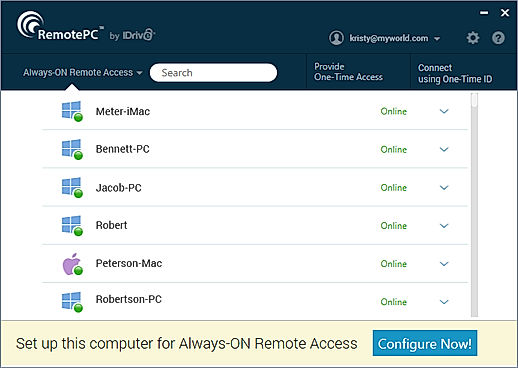
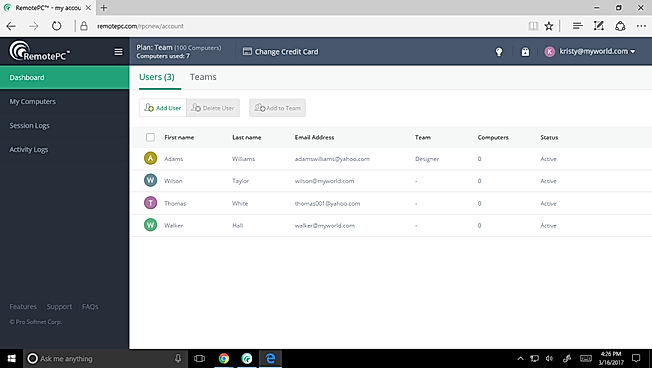
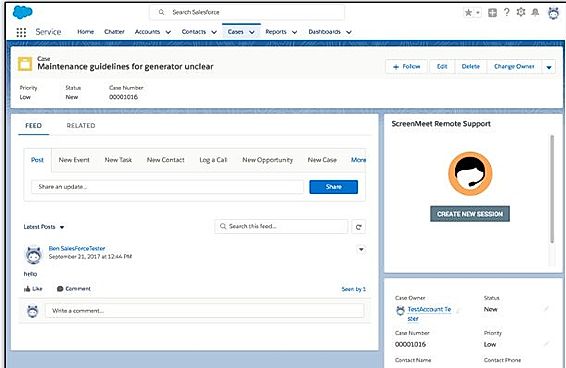
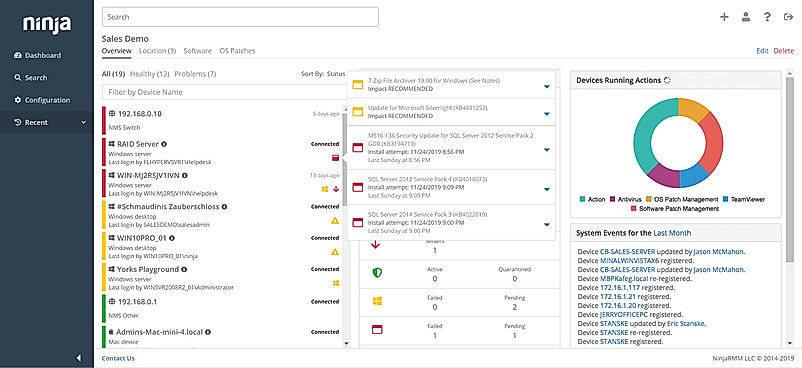
| Description | RemotePC web-based remote access software is an affordable solution for remotely managing the PCs and Mac. It comes with a good set of features as well to support its expected functionalities. Unattended access, remote printing, file transfer, session recording, session transfer, and wake on LAN are some of its main features. The software is multi-platform friendly. Remote control feature helps to manage systems and accessing data even when you are on a tour. RemotePC offers remote access 24*7. It uses TLS v 1.2/AES-256 encryption for sending user authentication data between remote & local systems. Collaboration is supported via chat messages & whiteboard tools.Access is password-protected. Read more | ScreenMeet cloud-based remote access software offers all possible remote support and remote control advantages. This software gives the best screen sharing experience using a personal computer, Mac system or mobile phones to multiple devices. Customer support provided by the technical team is excellent. It is compatible with multiple platforms. No extra software installation is necessary for remotely monitoring the other person’s screen as it can be done directly from the web browser. It features full video support, session recording, multi-monitor navigation, white label offering, password protection, remote control, session transfer, authorization control etc. Read more | GoTo Resolve (a.k.a GoToAssist) is a remote support management software that helps businesses to deliver remote support to their customers at any time, wherever they are. It allows technicians and IT managers to access and control their end users’ computers in order to resolve issues quickly. Technical agents can instantly convert their chat or call support into an online support session. The software offers much-needed freedom to support staff, enabling them to take care of remote servers and computers even when the end user is not present. Agents can connect to any unattended machines whenever they want to resolve issues. GoTo Resolve allows users to quickly start a support session from a browser or desktop app of their choice. They can easily access customers’ system information, including software and hardware configurations. GoTo Resolve also allows you to receive and send files in live or unattended sessions, install updates, apply patches, and more. Supporting staff can easily switch between their customers’ monitors. Each technician can host up to 15 sessions at a time. Read more | NinjaOne automates the hardest parts of IT, delivering visibility, security, and control over all endpoints for more than 20,000 customers. The NinjaOne platform increases productivity while reducing risk and IT costs. Organizations use NinjaOne, including its wide range of IT and security integrations, for use cases such as endpoint management, patch management, mobile device management, software deployment, remote access, endpoint backup, and more. Read more |
| Pricing Options |
|
|
|
|
| SW Score & Breakdown |
90% SW Score The SW Score ranks the products within a particular category on a variety of parameters, to provide a definite ranking system. Read more
|
89% SW Score The SW Score ranks the products within a particular category on a variety of parameters, to provide a definite ranking system. Read more
|
94% SW Score The SW Score ranks the products within a particular category on a variety of parameters, to provide a definite ranking system. Read more
|
|
| Organization Types Supported |
|
|
|
|
| Platforms Supported |
|
|
|
|
| Modes of Support |
|
|
|
|
| API Support |
|
|
|
|
| User Rating |
|
|
|
|
| Rating Distribution |
|
|
|
|
| User Sentiments |
Affordable Pricing, Ease of Use, Fast Connection Speed, Cross-Platform Compatibility Occasional Disconnections, Mobile App Usability Issues, Limited Multi-Monitor Support, Unattended Access Setup Challenges |
Not Available
|
User Friendly Interface, Fast Remote Connections, Reliable Remote Access, Comprehensive Features Unreliable Software/Connectivity Issues, High Pricing, Limited Mobile Device Compatibility, Confusing Unattended Access Setup |
Ease of Use, Fast and Reliable Remote Access, Comprehensive Patch Management, Excellent Customer Support Limited Third-Party Software Patching Support, Limited MacOS Support, Inadequate Reporting Functionality, Occasional Software Bugs |
| Review Summary |
RemotePC garners praise for its user-friendly interface, smooth remote control capabilities, and reliable performance. Reviewers appreciate the ease of setting up and using the software, even for non-technical users. The ability to remotely access files and applications from anywhere with an internet connection is a major advantage, and users find the software responsive and efficient. Additionally, RemotePC's customer support team is lauded for their promptness, helpfulness, and ability to resolve issues quickly and effectively. |
Not Available
|
Users commend GotoAssist's user-friendly interface, praising its intuitive design and ease of navigation. They appreciate the quick and reliable remote access capabilities, enabling seamless troubleshooting and issue resolution. Additionally, the ability to transfer files and collaborate with team members during remote sessions is a major advantage. However, some users have expressed concerns regarding occasional glitches and stability issues, particularly during screen sharing. Furthermore, a few customers have reported challenges with customer support, citing slow response times and a lack of resolution to their queries. |
The general consensus among reviewers is that NinjaRMM is a comprehensive and powerful RMM tool that offers a wide range of features to help MSPs streamline their operations. It is praised for its user-friendly interface, customizable dashboards, and robust reporting capabilities. However, some users have expressed concerns about the occasional occurrence of bugs and glitches, as well as the need for improved documentation and customer support. Overall, NinjaRMM is a solid choice for MSPs seeking a feature-rich and reliable RMM solution, though there is room for improvement in terms of stability and support. |
| Read All User Reviews | Read All User Reviews | Read All User Reviews | Read All User Reviews |
AI-Generated from the text of User Reviews
| Pricing Options |
|
|
|
|
|
Pricing Plans
Monthly Plans
Annual Plans
|
Consumer $22.12 $22.12 per year SOHO $44.62 $44.62 per year SOHO $59.62 $59.62 per year Team $224.62 $224.62 per year Enterprise $449.62 $449.62 per year |
Contact Center Others Contact Center with Remote Control Others Enterprise Others |
Service Desk $39.00 $49.00 per month GoToAssist $55.00 $69.00 per user / month |
NinjaRMM Custom |
|
View Detailed Pricing
|
View Detailed Pricing
|
View Detailed Pricing
|
View Detailed Pricing
|
Get personalized recommendations from our experts on call
Trusted by more than 5 Million users across the globe.
Thank you for the enquiry. One of our software analysts will contact you soon.
| Screenshots |
+ 2 More
|
+ 1 More
|
Not Available |
+ 3 More
|
| Videos | Not Available |

+ 2 More
|
+ 3 More
|

+ 4 More
|
| Company Details | Located in: California, United States | Located in: United States | Located in: Boston, Massachusetts | Located in: Austin, TX |
| Contact Details |
1-818-275-5909 |
Not available |
1 855 263 2838 |
Not available |
| Social Media Handles |
|
|
|
|

Looking for the right SaaS
We can help you choose the best SaaS for your specific requirements. Our in-house experts will assist you with their hand-picked recommendations.

Want more customers?
Our experts will research about your product and list it on SaaSworthy for FREE.