MEET CLARA - THE AI BEHIND SMARTER SOFTWARE CHOICES
MEET CLARA - THE AI BEHIND SMARTER SOFTWARE CHOICES
MEET CLARA - THE AI BEHIND SMARTER SOFTWARE CHOICES
|
97% SW Score The SW Score ranks the products within a particular category on a variety of parameters, to provide a definite ranking system. Read more 
|
89% SW Score The SW Score ranks the products within a particular category on a variety of parameters, to provide a definite ranking system. Read more 
View Details
|
Featured
92% SW Score The SW Score ranks the products within a particular category on a variety of parameters, to provide a definite ranking system. Read more 
|
Featured
96% SW Score The SW Score ranks the products within a particular category on a variety of parameters, to provide a definite ranking system. Read more 
Promo.com |
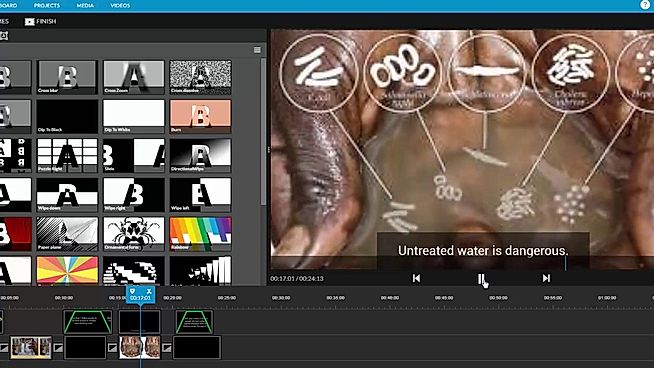
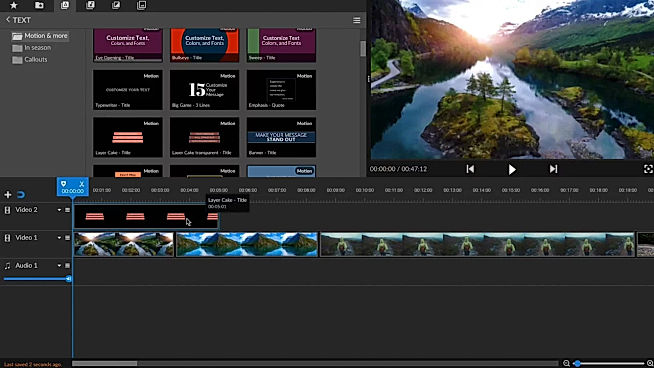
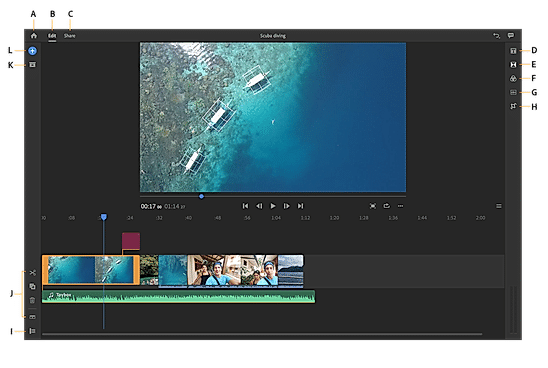
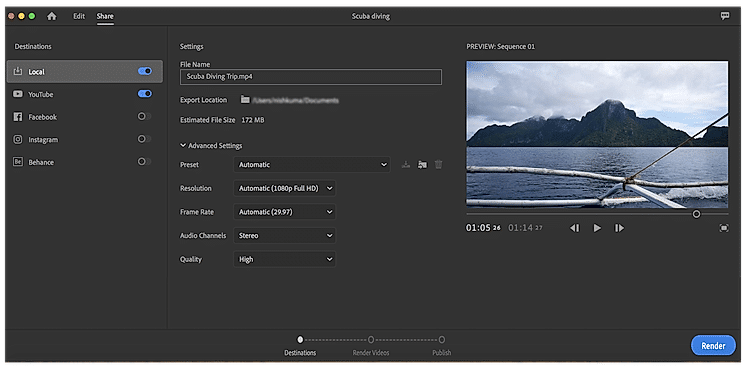
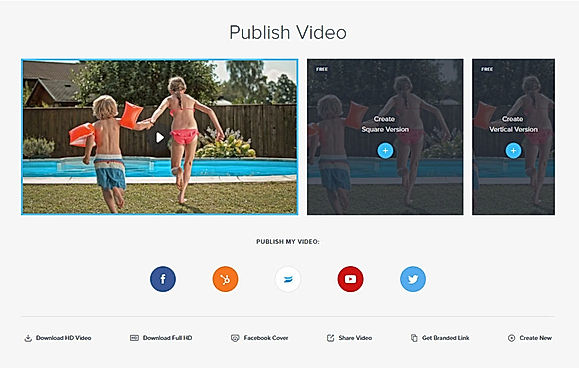
| Description | WeVideo helps to create stunningly gorgeous professional-grade videos and offers impressive video editing solution. This video editing software comes with screencasting capabilities. It is mobile-friendly and can be run on Android native & iOS native. WeVideo allows you to upload an image/logo of your company or of anything you like, and overlay such graphics onto the video player for spreading brand awareness. Social sharing feature helps in sharing the videos on social media channels for helping the users enjoy better prominence, through wider coverage. WeVideo comes with other important video editing features, like speed adjustment, text overlay, video capture, audio tools etc. Read more | Adobe Premiere Rush is a creative video processing app that can be used to shoot, edit and share high-quality videos as per need. The application features a creative user interface to help users make their content stand out from the rest. Also furnished with simple and intuitive mobile-ready and desktop-friendly tools for motion graphics and audio outputs, the application makes a hassle-free task for users to generate interactive videos having a high connectivity rate. Adobe Premiere Rush’s inbuilt templates also help users to add and edit polished titles of their choice and make changes accordingly. Preset and manual colour correction technology present within the app, facilitates seamless colour outputs. Users are also allowed to change the pace of the generated videos and adjust audio setups alike. Adobe Premiere Rush’s exclusive product suite comes equipped with facilities like unlimited exports, 100GB cloud storage and region-based customer support. Read more | Veed is an online video editing tool that enables anyone to create impactful videos and grow their audiences. It sports some handy features such as the ability to trim videos and filter them according to various looks. Users can even add images to the videos, crop them, add text, or draw on them. Veed also functions as a social media video creating tool that can create videos according to the channel that it will be posted on. They can even experiment with tools such as rotate, trim, add images, stickers, emojis and more. Users can even make video memes online through the tool up uploading a target video, editing them according to various features, and downloading the edited video after quick rendering. By leveraging creative storytelling, Veed makes it super easy and swift to make online video adverts that drive campaigns with personalized branding and call(s)-to-action. Read more | Promo.com is an advanced online video making platform serving the needs of real estate, marketing, travel, recruiting & HR, eCommerce business and Saas companies. It can be used to create Instagram Ads, LinkedIn Ads, Facebook Ads, Promo Videos and Youtube Ads. Tools hosted by Promo.com includes Image resizer, online collage maker, photo to video maker, social media calendar and Facebook video covers. Moreover, users can avail of 4000+ top graded templates or can also design their own. Promo.com’s visual library comprises 100M HD quality photos and videos. A five star rated customer support team helps users get their queries resolved and generate the best videos possible. About 2.5 million professionals from all around the globe trust Promo.com to get their job done. It possesses active partnerships with renowned platforms like YouTube, Instagram, gettyimages, Triple Scoop Music and Facebook Marketing Partners. Read more |
| Pricing Options |
|
|
|
|
| SW Score & Breakdown |
97% SW Score The SW Score ranks the products within a particular category on a variety of parameters, to provide a definite ranking system. Read more
|
89% SW Score The SW Score ranks the products within a particular category on a variety of parameters, to provide a definite ranking system. Read more
|
92% SW Score The SW Score ranks the products within a particular category on a variety of parameters, to provide a definite ranking system. Read more
|
96% SW Score The SW Score ranks the products within a particular category on a variety of parameters, to provide a definite ranking system. Read more
|
| SaaSworthy Awards | # 2 Most Worthy # 4 Highly Rated | # 17 Most Popular | # 5 Fastest Growing | # 12 Highly Rated # 13 Fastest Growing |
| Total Features |
11 Features
|
10 Features
|
12 Features
|
11 Features
|
| Common Features for All |
3D Video Editing
Audio Tools
Brand Overlay
Collaboration
Media Library
Merge video
Social Sharing
Split Video
Supports HD Resolution
Text Overlay
Video Capture
Video Speed Controller
Video Stabilization
|
3D Video Editing
Audio Tools
Brand Overlay
Collaboration
Media Library
Merge video
Social Sharing
Split Video
Supports HD Resolution
Text Overlay
Video Capture
Video Speed Controller
Video Stabilization
|
3D Video Editing
Audio Tools
Brand Overlay
Collaboration
Media Library
Merge video
Social Sharing
Split Video
Supports HD Resolution
Text Overlay
Video Capture
Video Speed Controller
Video Stabilization
|
3D Video Editing
Audio Tools
Brand Overlay
Collaboration
Media Library
Merge video
Social Sharing
Split Video
Supports HD Resolution
Text Overlay
Video Capture
Video Speed Controller
Video Stabilization
|
| Organization Types Supported |
|
|
|
|
| Platforms Supported |
|
|
|
|
| Modes of Support |
|
|
|
|
| API Support |
|
|
|
|
| User Rating |
|
|
|
|
| Rating Distribution |
|
|
|
|
| User Sentiments |
User-friendly interface, Extensive Stock Media Library, Cloud-based accessibility, Comprehensive Editing Features Limited Free Version Functionality, Slow Upload/Export Speeds, Occasional Software Glitches/Crashes, Complex Navigation and Workflow |
Not Available
|
Not Available
|
Not Available
|
| Review Summary |
WeVideo users widely commend its intuitive interface, ease of use, and extensive features that cater to both beginners and professionals. Reviewers highlight its user-friendly drag-and-drop editor, rich templates, and wide range of customizable options. Additionally, the platform's integration with stock media libraries and social media platforms is seen as a major advantage. However, some users have reported experiencing occasional technical glitches and limited customer support, suggesting room for improvement in these areas. |
Adobe Premiere Rush is a popular video editing software praised for its user-friendliness and quick editing capabilities. Users appreciate its simplified interface, making it easy for beginners to create professional-looking videos. While it lacks the advanced features of Premiere Pro, its intuitive design and efficient workflow allow for quick edits and on-the-go video creation, particularly for social media content. Users highlight the ability to add text, transitions, and adjust audio quickly, making it a valuable tool for streamlining video production. However, some users find limitations in the feature set and note occasional crashes, while others wish for more customization options for graphics and effects. |
VEED.io is a popular video editing platform lauded for its user-friendly interface, making it accessible to both novice and experienced editors. Users consistently praise its automatic subtitling feature, which significantly saves time and effort. VEED.io also offers a rich library of stock videos, music, and sound effects, enhancing content quality. Users appreciate the platform's constant updates and improvements, though some note occasional bugs and lagging issues. Overall, VEED.io is a valuable tool for creating engaging and accessible video content, particularly for social media and short-form videos. |
Not Available
|
| Read All User Reviews | Read All User Reviews | Read All User Reviews | Read All User Reviews |
AI-Generated from the text of User Reviews
| Pricing Options |
|
|
|
|
|
Pricing Plans
Monthly Plans
Annual Plans
|
Free Free Power $4.99 $9.99 per month Unlimited $7.99 $15.99 per month Professional $19.99 $39.99 per month Business $36.99 $73.99 per month Individual Free Plan Free WeVideo for Teachers $89.00 $89.00 per year WeVideo for Classroom $299.00 $299.00 per year WeVideo for Schools Custom |
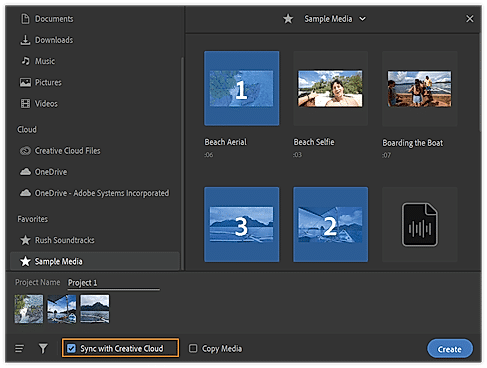
Premiere Rush Starter Free Adobe Express $9.99 $9.99 per month |
Lite $12.00 $24.00 per month Pro $29.00 $55.00 per month Enterprise Custom |
Annual Agency $99.00 $199.00 per month |
|
View Detailed Pricing
|
View Detailed Pricing
|
View Detailed Pricing
|
View Detailed Pricing
|
Get personalized recommendations from our experts on call
Trusted by more than 5 Million users across the globe.
Thank you for the enquiry. One of our software analysts will contact you soon.
| Screenshots |

+ 1 More
|
+ 2 More
|
Not Available |
|
| Videos |

+ 1 More
|

|

+ 3 More
|

+ 3 More
|
| Company Details | Located in: Menlo, California Founded in: 2011 | Located in: San Jose, California | Located in: London, United Kingdom Founded in: 2017 | Located in: Tel Aviv, Israel |
| Contact Details |
+1 650-800-3400 |
Not available |
Not available |
Not available |
| Social Media Handles |
|
|
|
|

Looking for the right SaaS
We can help you choose the best SaaS for your specific requirements. Our in-house experts will assist you with their hand-picked recommendations.

Want more customers?
Our experts will research about your product and list it on SaaSworthy for FREE.