MEET CLARA - THE AI BEHIND SMARTER SOFTWARE CHOICES
MEET CLARA - THE AI BEHIND SMARTER SOFTWARE CHOICES
MEET CLARA - THE AI BEHIND SMARTER SOFTWARE CHOICES
|
97% SW Score The SW Score ranks the products within a particular category on a variety of parameters, to provide a definite ranking system. Read more 
|
80% SW Score The SW Score ranks the products within a particular category on a variety of parameters, to provide a definite ranking system. Read more 
View Details
|
Featured
90% SW Score The SW Score ranks the products within a particular category on a variety of parameters, to provide a definite ranking system. Read more 
Switcher Studio |
Featured
92% SW Score The SW Score ranks the products within a particular category on a variety of parameters, to provide a definite ranking system. Read more 
|
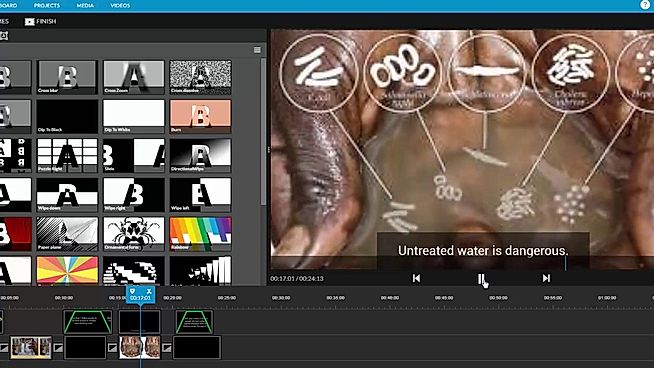
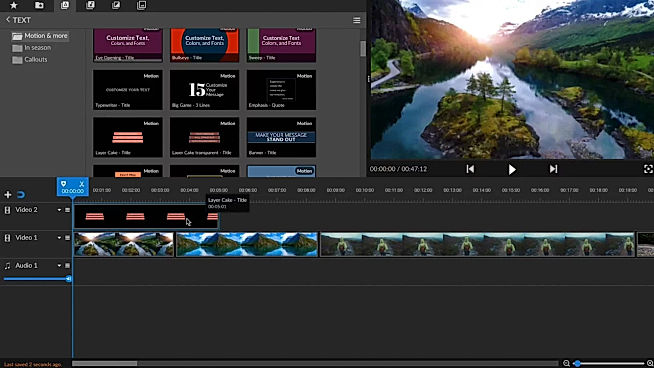
| Description | WeVideo helps to create stunningly gorgeous professional-grade videos and offers impressive video editing solution. This video editing software comes with screencasting capabilities. It is mobile-friendly and can be run on Android native & iOS native. WeVideo allows you to upload an image/logo of your company or of anything you like, and overlay such graphics onto the video player for spreading brand awareness. Social sharing feature helps in sharing the videos on social media channels for helping the users enjoy better prominence, through wider coverage. WeVideo comes with other important video editing features, like speed adjustment, text overlay, video capture, audio tools etc. Read more | Parmonic is a robust AI-based munchable video automation software designed for B2B marketers. It helps users turn multiple videos into bite-sized ones that are easy to consume. Expert services delivered by this platform are trusted widely by top companies like Symantec, Hewlett Packard Enterprise, AutoDesk, and more. Businesses also get to leverage Munchie- the platform's AI assistant who is in charge of creating omnichannel munchable assets to increase engagement rates in real-time. The AI-powered technology of the platform performs detailed visual, linguistic, and content analysis, before recommending key moments from large-sized videos. Moreover, users can turn webinars, events, interviews, and testimonials into smaller and easily digestible videos as per convenience. Parmonic's magic highlighter facility lets users select or deselect particular areas of their video. Furthermore, users can easily augment the visuals of the munchables, add subtitles, translate them and prepare transcriptions with the platform's automated tools. Lastly, videos can be conveniently converted into any format ready for transmission across different channels. Read more | Switcher Studio is a comprehensive live streaming software for iOS that enables companies to live stream videos using multiple cameras of their choice. The software offers a wide range of live video sharing facilities on platforms like Facebook, YouTube, LinkedIn, Microsoft Stream, Twitch and more. In addition, companies can also use the RTMP streaming facility to broadcast their videos on any platform. Users can invite up to 5 remote guests, co-hosts or customers, to join the streaming videos from anywhere. At Switcher Studio, companies can link up to 9 cameras or they can also use a single camera for recording purposes. Users can even merge pre-recorded videos, audios, logos, graphics or any other media asset into live videos to stream together. Further, the software lets users manage and edit their entire live video in real-time. Switcher Studio also offers guided tutorials and a help centre to find solutions to any query. Moreover, users can also join an online community to learn how to use the software in the most efficient way. Read more | Veed is an online video editing tool that enables anyone to create impactful videos and grow their audiences. It sports some handy features such as the ability to trim videos and filter them according to various looks. Users can even add images to the videos, crop them, add text, or draw on them. Veed also functions as a social media video creating tool that can create videos according to the channel that it will be posted on. They can even experiment with tools such as rotate, trim, add images, stickers, emojis and more. Users can even make video memes online through the tool up uploading a target video, editing them according to various features, and downloading the edited video after quick rendering. By leveraging creative storytelling, Veed makes it super easy and swift to make online video adverts that drive campaigns with personalized branding and call(s)-to-action. Read more |
| Pricing Options |
|
|
|
|
| SW Score & Breakdown |
97% SW Score The SW Score ranks the products within a particular category on a variety of parameters, to provide a definite ranking system. Read more
|
80% SW Score The SW Score ranks the products within a particular category on a variety of parameters, to provide a definite ranking system. Read more
|
90% SW Score The SW Score ranks the products within a particular category on a variety of parameters, to provide a definite ranking system. Read more
|
92% SW Score The SW Score ranks the products within a particular category on a variety of parameters, to provide a definite ranking system. Read more
|
| SaaSworthy Awards | # 2 Most Worthy # 4 Highly Rated |
Not Available
|
Not Available
|
# 5 Fastest Growing |
| Total Features |
11 Features
|
5 Features
|
9 Features
|
12 Features
|
| Common Features for All |
Audio Tools
Brand Overlay
Collaboration
Media Library
Merge video
Social Sharing
Split Video
Supports HD Resolution
Text Overlay
Video Capture
Video Speed Controller
Video Stabilization
|
Audio Tools
Brand Overlay
Collaboration
Media Library
Merge video
Social Sharing
Split Video
Supports HD Resolution
Text Overlay
Video Capture
Video Speed Controller
Video Stabilization
|
Audio Tools
Brand Overlay
Collaboration
Media Library
Merge video
Social Sharing
Split Video
Supports HD Resolution
Text Overlay
Video Capture
Video Speed Controller
Video Stabilization
|
Audio Tools
Brand Overlay
Collaboration
Media Library
Merge video
Social Sharing
Split Video
Supports HD Resolution
Text Overlay
Video Capture
Video Speed Controller
Video Stabilization
|
| Organization Types Supported |
|
|
|
|
| Platforms Supported |
|
|
|
|
| Modes of Support |
|
|
|
|
| API Support |
|
|
|
|
| User Rating |
|
|
|
|
| Rating Distribution |
|
|
|
|
| User Sentiments |
User-friendly interface, Extensive Stock Media Library, Cloud-based accessibility, Comprehensive Editing Features Limited Free Version Functionality, Slow Upload/Export Speeds, Occasional Software Glitches/Crashes, Complex Navigation and Workflow |
Not Available
|
Not Available
|
Not Available
|
| Review Summary |
WeVideo users widely commend its intuitive interface, ease of use, and extensive features that cater to both beginners and professionals. Reviewers highlight its user-friendly drag-and-drop editor, rich templates, and wide range of customizable options. Additionally, the platform's integration with stock media libraries and social media platforms is seen as a major advantage. However, some users have reported experiencing occasional technical glitches and limited customer support, suggesting room for improvement in these areas. |
Not Available
|
Not Available
|
VEED.io is a popular video editing platform lauded for its user-friendly interface, making it accessible to both novice and experienced editors. Users consistently praise its automatic subtitling feature, which significantly saves time and effort. VEED.io also offers a rich library of stock videos, music, and sound effects, enhancing content quality. Users appreciate the platform's constant updates and improvements, though some note occasional bugs and lagging issues. Overall, VEED.io is a valuable tool for creating engaging and accessible video content, particularly for social media and short-form videos. |
| Read All User Reviews | Read All User Reviews | Read All User Reviews | Read All User Reviews |
AI-Generated from the text of User Reviews
| Pricing Options |
|
|
|
|
|
Pricing Plans
Monthly Plans
Annual Plans
|
Free Free Power $4.99 $9.99 per month Unlimited $7.99 $15.99 per month Professional $19.99 $39.99 per month Business $36.99 $73.99 per month Individual Free Plan Free WeVideo for Teachers $89.00 $89.00 per year WeVideo for Classroom $299.00 $299.00 per year WeVideo for Schools Custom |
Parmonic Custom |
Business Plan $71.00 $79.00 per month |
Lite $12.00 $24.00 per month Pro $29.00 $55.00 per month Enterprise Custom |
|
View Detailed Pricing
|
View Detailed Pricing
|
View Detailed Pricing
|
View Detailed Pricing
|
Get personalized recommendations from our experts on call
Trusted by more than 5 Million users across the globe.
Thank you for the enquiry. One of our software analysts will contact you soon.
| Screenshots |

+ 1 More
|
Not Available | Not Available | Not Available |
| Videos |

+ 1 More
|
Not Available |

+ 2 More
|

+ 3 More
|
| Company Details | Located in: Menlo, California Founded in: 2011 | Located in: Atlanta, Georgia Founded in: 2016 | Located in: Louisville, Kentucky Founded in: 2014 | Located in: London, United Kingdom Founded in: 2017 |
| Contact Details |
+1 650-800-3400 |
Not available |
Not available |
Not available |
| Social Media Handles |
|
|
|
|

Looking for the right SaaS
We can help you choose the best SaaS for your specific requirements. Our in-house experts will assist you with their hand-picked recommendations.

Want more customers?
Our experts will research about your product and list it on SaaSworthy for FREE.