MEET CLARA - THE AI BEHIND SMARTER SOFTWARE CHOICES
MEET CLARA - THE AI BEHIND SMARTER SOFTWARE CHOICES
MEET CLARA - THE AI BEHIND SMARTER SOFTWARE CHOICES

Microsoft OneDrive for Business |
91% SW Score The SW Score ranks the products within a particular category on a variety of parameters, to provide a definite ranking system. Read more 
Visit Website
|
98% SW Score The SW Score ranks the products within a particular category on a variety of parameters, to provide a definite ranking system. Read more 
Visit Website
|
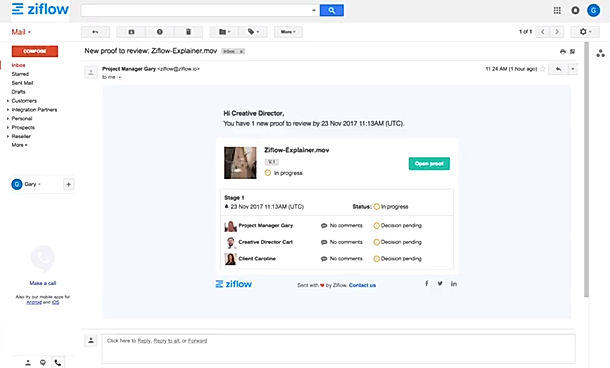
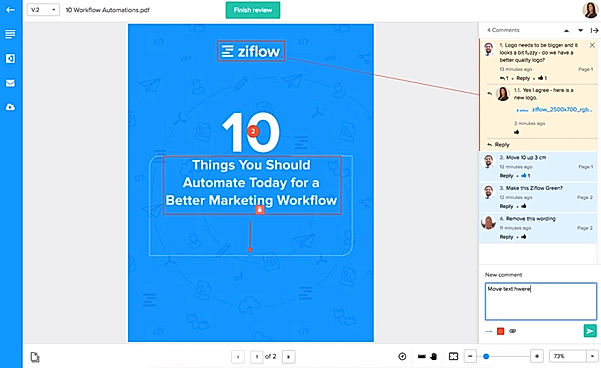
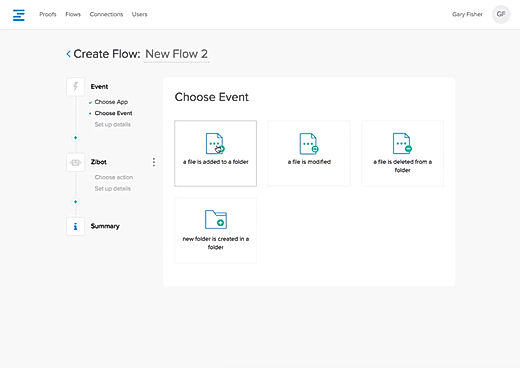
| Description | Ziflow is an online proofing software that accelerates the delivery of projects. It streamlines the review as well as the creative content approval process. It supports over 1,200 file types and users can include comments and automatic annotations on the creative copy itself. This means no more wasting time on deciphering email threads to check feedback. Also, miscommunication and duplication can be avoided as team members can review and reply to comments. Automated workflow is one of its strong value points, and users can quickly automate mundane tasks like sharing and conversions, FTP uploads and renaming. The software is compliant with SOC2 and guarantees enterprise security. Additionally, users are allowed to view all the changes or modifications in real-time, compare versions and easily change user permissions and roles. Furthermore, the software can be easily integrated with third-party marketing technology suites. Cloud integration is also possible for Google Drive and Dropbox. Read more | Hightail is an intuitive collaboration application for businesses to share information and files among team members. The application provides a secure network for large file sharing and also notify users through email about the delivery of the file. Users can also share URLs to collaborate without uploading the entire files. The app sends a notification when their content has been accessed. It allows users to manage creative projects with tools especially made for visual content. Admins also get to manage creative assets, decisions, feedback and approvals in one place. With Hightail, every member of the team can see all comments right after they have made and receive email notifications for project updates in real-time. Users can sync files from Dropbox and Microsoft OneDrive and respond to feedback from customers without leaving the Adobe Creative Cloud. They can also talk to each other and share information safely with enterprise-level security. Read more |
| Pricing Options |
|
|
| SW Score & Breakdown |
91% SW Score The SW Score ranks the products within a particular category on a variety of parameters, to provide a definite ranking system. Read more
|
98% SW Score The SW Score ranks the products within a particular category on a variety of parameters, to provide a definite ranking system. Read more
|
| Total Features |
9 Features
|
10 Features
|
| Common Features for All |
Annotation and Markup Tools
Audit Trail
Chat (Messaging)
Custom Roles
Due Date Tracking
File Management System
File Sharing
Proof Comparison
Status Tracking
Task Management
Version Control
White Labeling
|
Annotation and Markup Tools
Audit Trail
Chat (Messaging)
Custom Roles
Due Date Tracking
File Management System
File Sharing
Proof Comparison
Status Tracking
Task Management
Version Control
White Labeling
|
| Organization Types Supported |
|
|
| Platforms Supported |
|
|
| Modes of Support |
|
|
| User Rating |
|
|
| Rating Distribution |
|
|
| User Sentiments |
Easy to Use Interface, Effective Collaboration Features, Comprehensive Proofing Tools, Streamlined Workflow Process Occasional Software Bugs, Confusing Navigation, Limited Mobile Functionality, Overwhelming Email Notifications |
Not Available
|
| Review Summary |
Overall, users find Ziflow to be a user-friendly and efficient tool for managing their approval processes. Reviewers appreciate its intuitive interface, customizable workflows, and integration capabilities. The automation features are seen as a major time-saver, enabling users to streamline their approval processes and improve productivity. However, some users have reported occasional technical issues and a learning curve when first setting up the software. Additionally, a few reviewers have expressed concerns about the pricing structure, suggesting that it may not be suitable for smaller businesses or those with limited budgets. |
User reviews for Hightail highlight its reliable file transfer capabilities and ease of use for sending large files, particularly for professionals in creative and business fields. Users appreciate its secure sharing options, tracking features, and overall effectiveness for exchanging large files. However, some users express frustration with the login process, the lack of folder sharing functionality, and issues with the mobile app. Overall, Hightail is considered a solid option for managing large file transfers but improvements in user interface and features are desired. |
| Read All User Reviews | Read All User Reviews |
AI-Generated from the text of User Reviews
| Pricing Options |
|
|
|
Pricing Plans
Monthly Plans
Annual Plans
|
Basic $9.00 $10.00 per month Starter $18.00 $20.00 per month Business $36.00 $40.00 per month Enterprise $54.00 $60.00 per month |
Lite Free Pro $12.00 $12.00 per month Teams $24.00 $24.00 per user / month Business $36.00 $36.00 per user / month |
|
View Detailed Pricing
|
View Detailed Pricing
|
Get personalized recommendations from our experts on call
Trusted by more than 5 Million users across the globe.
Thank you for the enquiry. One of our software analysts will contact you soon.
| Screenshots |

+ 2 More
|
Not Available |
| Videos |

+ 2 More
|

+ 2 More
|
| Company Details | Located in: London, United Kingdom | Located in: San Francisco, California |
| Contact Details |
Not available |
Not available |
| Social Media Handles |
|
|

Looking for the right SaaS
We can help you choose the best SaaS for your specific requirements. Our in-house experts will assist you with their hand-picked recommendations.

Want more customers?
Our experts will research about your product and list it on SaaSworthy for FREE.