
 MEET CLARA - THE AI BEHIND SMARTER SOFTWARE CHOICES


|
82% SW Score The SW Score ranks the products within a particular category on a variety of parameters, to provide a definite ranking system. Read more 
View Details
|
80% SW Score The SW Score ranks the products within a particular category on a variety of parameters, to provide a definite ranking system. Read more 
View Details
|
Featured
83% SW Score The SW Score ranks the products within a particular category on a variety of parameters, to provide a definite ranking system. Read more 
Worksuite |
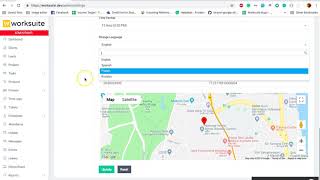
| Description | Resource Management by Spreadsheet is an advanced resource management software, developed specifically for effective teams and projects to facilitate easy plan making, budget forecasting, team hiring and team utilization. The platform makes it simple to assemble the right team for the task, stay on track with project timelines and budgets, and reliably predict hiring needs. With Resource Management by Spreadsheet, you can find and plan the ideal project team, manage staffing problems in real time, and anticipate hiring requirements. You can examine numerous projects and teams, schedule projects reliably based on your team's capabilities, and estimate the project pipeline. You can use pre-filled timesheets that make it simple for your staff to report work hours and stay focused on important matters. Users can visualize complicated data to detect project patterns, evaluate business performance, and plan for expansion. You can use this integration to assign work to teams, react to changing project requirements, and balance deliverables and availability. Additionally, users can see their team's resourcing plan and availability directly from their Smartsheet project sheet with this platform. Read more | Planview LeanKit is an enterprise Kanban platform that helps engineers optimize their jobs for better service and productivity. Engineering teams can leverage the solution to get their works monitored via online Kanban boards besides modeling and processing complex workflows in a flexible way. They can track the real-time status of assigned jobs by leveraging custom categorization labels represented by multiple work types. Besides offering cross-team work connections facilities, Planview LeanKit helps users with the identification of bottlenecks within processes and delivery-related risks. Team managers also get to set limits on the maximum number of Work in Process items along with leveraging real-time assistance in tasks like Complex Process Mapping, Contextual Work Collaboration, Visible Process Policies, Work Planning and Delivery. Additionally, they can integrate the platform with existing enterprise applications like ITSM, PPM and agile planning facilities in real-time. Planview LeanKit assures advanced data security and privacy protection in an integrated manner. Read more | Worksuite generates a space for every department, major project or team to share information, knowledge and keep the tasks planned. Moreover, it comes with an attendance module that permits the workers to sign-in and sign-out directly from their dashboard, which not only saves a lot of time, but also enhances efficiency. With the help of this software, you can track all your projects in the most effortless way. It flaunts a reports section that allows you to scrutinise what's suitable and what’s not for your firm. Worksuite has the ability to automate the process of revenue recognition and billing to ensure smooth operations. You also get real-time message sections that support your team members to review projects instantly. It allows you to add members to the team according to your desire and keep them connected with the progress. You can get a free demo of Worksuite via a web conference. Read more | ClickUp is a simple, cloud-based collaboration and project management tool created for all user types. With ClickUp, you have all the features needed to help simplify and streamline your processes including sales, marketing, design and development. ClickUp features an agile board view that allows you to monitor every task on your team in one board and assign tasks to various members of the team. Tasks progress can be viewed in form of percentage and can be marked either “resolved” or “in progress” or users can alternatively customize their task progress statuses. A Gantt chart lets you view your tasks in timeline by list or person and automatically add updates in real time. ClickUp organizes task management in a hierarchal manner and allows you to sort tasks according to their priority. This property allows for improved productivity and lets you to structure your projects by assigning tasks to groups and arranging those groups under different categories. The software can be seamlessly integrated to Slack and similar apps through Zapier. The machine learning capability of the software assists project managers give realistic timeframes for completion of projects and lets teams accomplish their tasks before the deadline. Read more |
| Pricing Options |
|
|
|
|
| SW Score & Breakdown |
82% SW Score The SW Score ranks the products within a particular category on a variety of parameters, to provide a definite ranking system. Read more
|
80% SW Score The SW Score ranks the products within a particular category on a variety of parameters, to provide a definite ranking system. Read more
|
83% SW Score The SW Score ranks the products within a particular category on a variety of parameters, to provide a definite ranking system. Read more
|
|
| SaaSworthy Awards |
Not Available
|
Not Available
|
Not Available
|
# 1 Most Worthy # 7 Highly Rated |
| Organization Types Supported |
|
|
|
|
| Platforms Supported |
|
|
|
|
| Modes of Support |
|
|
|
|
| API Support |
|
|
|
|
| User Rating |
|
|
|
Not Available
|
| Rating Distribution |
|
|
|
Not Available
|
| User Sentiments |
Ease of Use, Effective Time Tracking, Comprehensive Reporting, Clear Visualisation of Resource Allocation Lack of Advanced Features (e.g., sub-phase tracking, bulk import), Limited Integrations with other tools, Occasional Software Glitches (e.g., crashing, display errors), Steep Learning Curve for New Users |
Ease of Use, Visual Workflow Management, Dashboard Customization, Effective Team Collaboration Limited Reporting Functionality, Occasional Software Bugs, Lack of Seamless Integrations, Mobile Application Usability |
Not Available
|
Customizable Workspaces, Extensive Integrations, User Friendly Interface, Comprehensive Task Management Mobile App Performance, Slow Loading Times, Steep Learning Curve, Limited Free Plan Functionality |
| Review Summary |
Users praise 10,000ft's user-friendliness, intuitive interface, and comprehensive features. They appreciate its robust reporting capabilities, customization options, and its ability to streamline their workflows. Many users find its budgeting and forecasting modules particularly useful. However, some users mention occasional technical glitches and a learning curve associated with its advanced features. Overall, 10,000ft receives positive feedback for its ease of use, powerful features, and its ability to improve financial planning and forecasting accuracy. |
Overall, users find the tool to be user-friendly and visually appealing, with a simple and intuitive interface that facilitates easy navigation. Its flexibility and adaptability are highly praised, allowing users to customize and tailor the tool to their specific needs and preferences. The tool's ability to provide real-time visibility, track progress effectively, and enhance collaboration is deemed valuable. However, some users express concerns regarding the occasional occurrence of glitches and bugs, as well as the need for improvement in certain areas like reporting capabilities, customer support responsiveness, and the handling of large datasets. |
Not Available
|
Users appreciate ClickUp's user-friendly interface, customization options, and comprehensive features, making it suitable for teams of various sizes and industries. It excels in project management, task tracking, and collaboration. However, some users have experienced occasional technical glitches and limitations in reporting and integrations. Additionally, the pricing structure can be complex for some users. Overall, ClickUp is a popular choice for project management, offering a range of features and customization options, but users should be aware of potential technical issues and pricing complexities. |
| Read All User Reviews | Read All User Reviews | Read All User Reviews |
AI-Generated from the text of User Reviews
| Pricing Options |
|
|
|
|
|
Pricing Plans
Monthly Plans
Annual Plans
|
Resource Management by Smartsheet Custom |
Planview LeanKit $20.00 $20.00 per user / month |
Regular License $45.00 $45.00 One-Time Payment Extended License $275.00 $275.00 One-Time Payment |
Free Free Unlimited $7.00 $10.00 per user / month Business $12.00 $19.00 per user / month Enterprise Custom test $10.00 $12.00 per user / month |
|
View Detailed Pricing
|
View Detailed Pricing
|
View Detailed Pricing
|
View Detailed Pricing
|
Get personalized recommendations from our experts on call
Trusted by more than 5 Million users across the globe.
Thank you for the enquiry. One of our software analysts will contact you soon.
| Screenshots |

+ 3 More
|

+ 5 More
|

+ 6 More
|

+ 4 More
|
| Videos |
+ 1 More
|

|
+ 3 More
|

+ 4 More
|
| Company Details | Located in: Bellevue, Washington | Located in: London, England | Founded in: 2016 | Located in: San Diego, CA Founded in: 2016 |
| Contact Details |
425-324-2360 |
+ 44 (0) 1189637716 https://www.planview.com/products-solutions/products/leankit/ |
Not available |
Not available |
| Social Media Handles |
Not available |
|
Not available |
|

Looking for the right SaaS
We can help you choose the best SaaS for your specific requirements. Our in-house experts will assist you with their hand-picked recommendations.

Want more customers?
Our experts will research about your product and list it on SaaSworthy for FREE.







