 MEET CLARA - THE AI BEHIND SMARTER SOFTWARE CHOICES

Brandmark |
98% SW Score The SW Score ranks the products within a particular category on a variety of parameters, to provide a definite ranking system. Read more 
View Details
|
92% SW Score The SW Score ranks the products within a particular category on a variety of parameters, to provide a definite ranking system. Read more 
View Details
|
Featured
93% SW Score The SW Score ranks the products within a particular category on a variety of parameters, to provide a definite ranking system. Read more 
Looka |
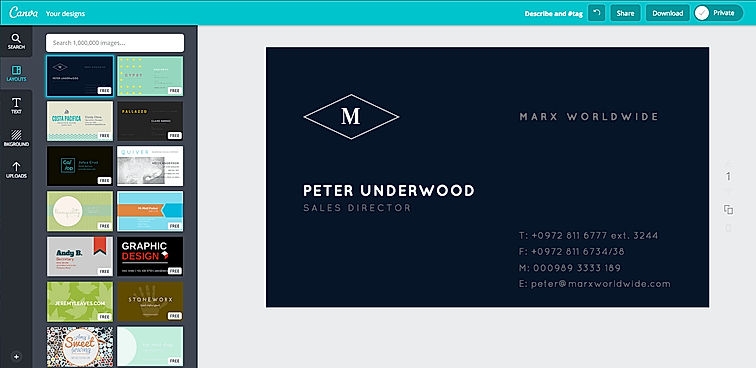
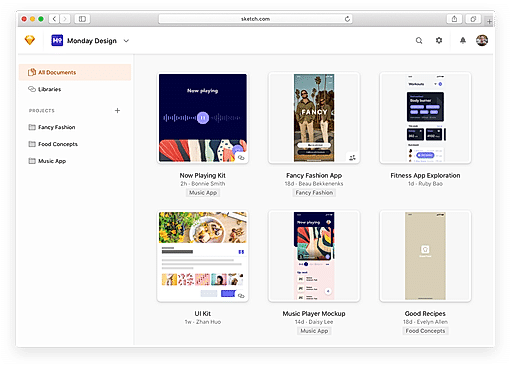
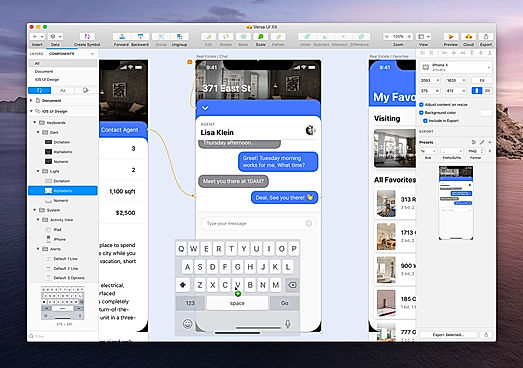
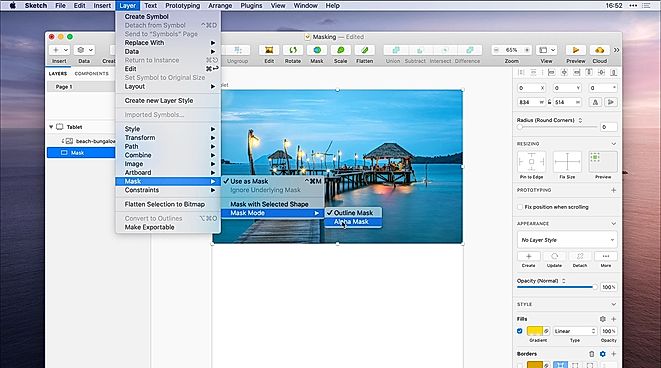
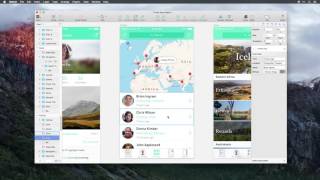
| Description | Canva offers a simple design platform for users to create quality graphic designs. This online design application has simple drag and drop tool which makes designing easy for the users. It has around 8000 default templates that you can use to create appealing designs. It also allows you to create custom designs that holds your brand name. In addition, this software supports configuration and collaboration using which designs can be viewed and modified by multiple users. It is an user-friendly application with millions of texts and fonts that you can use in order to create presentations and social media graphics. Test QA Read more | Sketch is a powerful drawing app built for artists and designers. It comes with a variety of plugins and extensions to customise the workflow. The platform is also equipped with flexible collaboration tools to design outstanding graphics. Whether it’s pixel-precise icons or it’s a concept of a whole new product, the app has all the fundamental tools that an artist needs to do amazing work. From Vector Editing to Templates and Boolean Operations to Colour Variables, Sketch provides every feature at any stage of the designing process. The app also includes shared libraries, reusable components and tools to keep everything organised and scale the designing process. Users get the benefit of testing out their ideas and getting feedback on their work. They also get access to plugins, assistants and integrations that allow them to do more. If users need any other tool, they can create one easily. Read more | Looka software is an AI-powered platform to design a logo to build a brand. The software offers tools to create hundreds of branded marketing materials and no design skills required. Grow your business with professional-quality marketing materials. Brand Managers, Small and Medium companies make use of the software. Read more |
| Pricing Options |
|
|
|
| SW Score & Breakdown |
98% SW Score The SW Score ranks the products within a particular category on a variety of parameters, to provide a definite ranking system. Read more
|
92% SW Score The SW Score ranks the products within a particular category on a variety of parameters, to provide a definite ranking system. Read more
|
93% SW Score The SW Score ranks the products within a particular category on a variety of parameters, to provide a definite ranking system. Read more
|
| SaaSworthy Awards | # 1 Most Worthy # 1 Fastest Growing | # 5 Most Popular # 7 Highly Rated |
Not Available
|
| Total Features |
6 Features
|
5 Features
|
6 Features
|
| Common Features for All |
Built-in Templates
Collaboration
Image Editor
Premium Icons
Privacy Control
Transparency Tool
|
Built-in Templates
Collaboration
Image Editor
Premium Icons
Privacy Control
Transparency Tool
|
Built-in Templates
Collaboration
Image Editor
Premium Icons
Privacy Control
Transparency Tool
|
| Organization Types Supported |
|
|
|
| Platforms Supported |
|
|
|
| Modes of Support |
|
|
|
| API Support |
|
|
|
| User Rating |
Not Available
|
|
|
| Rating Distribution |
Not Available
|
|
|
| User Sentiments |
User-friendly interface, Extensive library of templates and design elements, Value for money, Extensive integration options Poor Customer Service, Confusing account cancellation process, Technical issues and bugs with mobile application, Limited video editing functionality |
Ease of Use, Intuitive Interface, Extensive Plugin Ecosystem, Powerful Symbol Functionality MacOS Exclusivity, Limited Prototyping Functionality, Performance Issues with Large Files, Limited Vector Editing Capabilities |
Easy to use interface, Excellent customer service, High-quality logos, Wide range of design options Limited logo editing capabilities, Occasional technical issues (e.g., corrupted files), Confusing package options, Limited font selection |
| Review Summary |
Canva is a user-friendly graphic design platform that empowers individuals and businesses to create stunning visuals. Reviewers praise its intuitive interface, extensive template library, and wide range of customization options. Many users highlight Canva's value for money, as it offers a feature-rich platform at an affordable price. However, some reviewers mention occasional glitches and limitations in the free version. Overall, Canva is a highly recommended tool for non-designers who seek an easy and efficient way to create professional-looking designs. Its user-centric approach and commitment to innovation have earned it a loyal customer base. |
Users appreciate Sketch's user-friendly interface, intuitive tools, and overall ease of use. Many reviewers highlight the extensive range of features and customization options, enabling them to create visually appealing designs effortlessly. The collaborative features, including real-time collaboration and version control, are also highly praised. However, some users have expressed concerns about the occasional bugs and glitches, as well as the pricing, which they feel is somewhat high compared to similar products. Overall, Sketch is lauded for its user-centric design, feature-richness, and collaborative capabilities, making it a popular choice among designers. |
Overall, Looka is a well-received online logo maker with positive feedback from users. Reviewers appreciate its user-friendliness, wide range of customization options, and high-quality logo designs. Many users have successfully created professional-looking logos using Looka. However, some reviewers have expressed concerns about the limited font and icon selection, and occasional technical glitches. Additionally, the pricing structure may not be suitable for all users, with some reviewers mentioning that they would prefer a one-time payment option. |
| Pros & Cons |
|
|
Not Available
|
| Read All User Reviews | Read All User Reviews |
AI-Generated from the text of User Reviews
| Pricing Options |
|
|
|
|
Pricing Plans
Monthly Plans
Annual Plans
|
Canva for Teams $8.33 $10.00 per month Canva Pro $10.00 $15.00 per month Free (Individuals and Teams) Free Canva Enterprise Custom Teachers Custom Schools and Districts Custom Canva for Campus Custom Test QA Silver Edition $50.00 $50.00 per year |
Standard $9.00 $9.00 per user / month Business Custom |
Looka Custom |
|
View Detailed Pricing
|
View Detailed Pricing
|
View Detailed Pricing
|
Get personalized recommendations from our experts on call
Trusted by more than 5 Million users across the globe.
Thank you for the enquiry. One of our software analysts will contact you soon.
| Screenshots |
+ 1 More
|
+ 2 More
|
Not Available |
| Videos |

+ 2 More
|
+ 2 More
|
|
| Company Details | Located in: Sydney, Australia | Located in: Hague, Netherlands Founded in: 2008 | Located in: Ontario, Canada |
| Contact Details |
Not available |
Not available |
+1 888-966-0917 |
| Social Media Handles |
|
|
|
What are the key differences between Canva and Sketch?
What are the alternative products to Canva?
What are the alternative products to Sketch?
What are the key features of Canva?
What are the key features of Sketch?

Looking for the right SaaS
We can help you choose the best SaaS for your specific requirements. Our in-house experts will assist you with their hand-picked recommendations.

Want more customers?
Our experts will research about your product and list it on SaaSworthy for FREE.