MEET CLARA - THE AI BEHIND SMARTER SOFTWARE CHOICES
MEET CLARA - THE AI BEHIND SMARTER SOFTWARE CHOICES
MEET CLARA - THE AI BEHIND SMARTER SOFTWARE CHOICES

Typeform |
91% SW Score The SW Score ranks the products within a particular category on a variety of parameters, to provide a definite ranking system. Read more 
Visit Website
|
85% SW Score The SW Score ranks the products within a particular category on a variety of parameters, to provide a definite ranking system. Read more 
Visit Website
|
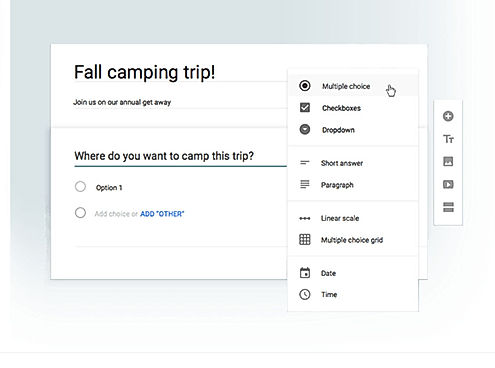
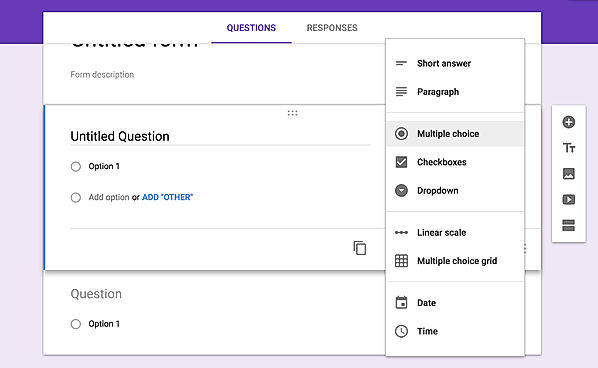
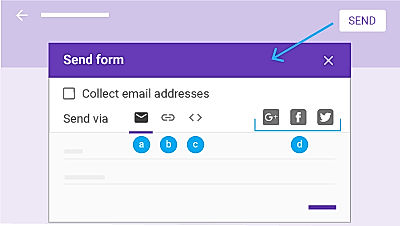
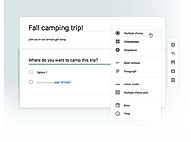
| Description | Google excels in the online form builder arena like any other field. Google Forms come as a part of the Google Drive Suite that features tools like Docs, Sheets, etc. There is a pretty good number of pre-installed themes to choose from to cater to all the segments, be it survey, registration, contact, etc. It has a straightforward building user interface and much easy to use. The users can include multiple question types, including short answers, multiple choices, dropdowns, checkboxes, etc. It even has a photo and video field. Each of the fields has a copy button, in case the users need to add a similar question to different forms. Responses can be received over the email or collected in Google Sheets. After the form has been made, the users can add collaborators by sharing and can even embed it in websites using the code. Hence, with ease of usage, it is definitely the easiest way to get going with the survey or registration. Read more | Heyform is an online form builder used by brands to automate their business operations by creating forms and collecting data. The solution can also be utilised by organisations to build high-end forms and manage in-house data in an efficient manner. Moreover, users even get access to a variety of field types, ready-made templates and customisable themes to choose from. The Drag and drop elements present within Heyform are of great use, enabling brands to streamline their business without coding skills. They can also customise URLs, embed links and sync social media and email accounts as per needs. Further, detailed insights and updates provide by Heyform helps with calculated decision making. The platform gets an individual template for every need, enabling users to choose from 100+ templates and enhance their business productivity levels in real-time. These templates can also be used to connect with employees, generate more leads and conduct comprehensive surveys. Other notable features provided by the software are interesting integrations and seamless collaboration activities. Read more |
| Pricing Options |
|
|
| SW Score & Breakdown |
91% SW Score The SW Score ranks the products within a particular category on a variety of parameters, to provide a definite ranking system. Read more
|
85% SW Score The SW Score ranks the products within a particular category on a variety of parameters, to provide a definite ranking system. Read more
|
| SaaSworthy Awards | # 7 Highly Rated # 19 Fastest Growing | # 8 Fastest Growing |
| Total Features |
10 Features
|
9 Features
|
| Common Features for All |
App Integrations
Complex Forms
Drag and drop Builder
Email Alerts
Form Sharing
Form Templates
HIPAA Compliant
Multi-page Forms
PDF Conversion
Payments
Skip Logic
|
App Integrations
Complex Forms
Drag and drop Builder
Email Alerts
Form Sharing
Form Templates
HIPAA Compliant
Multi-page Forms
PDF Conversion
Payments
Skip Logic
|
| Organization Types Supported |
|
|
| Platforms Supported |
|
|
| Modes of Support |
|
|
| API Support |
|
|
| User Rating |
|
Not Available
|
| Rating Distribution |
|
Not Available
|
| User Sentiments |
Ease of Use, Free of Cost, Data Collection efficiency, Integration with Google Sheets Limited Design Customization, Lack of Advanced Features, Limited Offline Functionality, Limited Question Types |
Not Available
|
| Review Summary |
Overall, Google Forms is a user-friendly and versatile form builder that allows users to easily create and customize forms for various purposes. It offers a wide range of features, including templates, drag-and-drop functionality, conditional logic, and collaboration tools. Users appreciate its ease of use, integration with other Google products, and the ability to share and collaborate on forms. However, some users have reported occasional issues with data loss, limited customization options, and the lack of advanced features found in more comprehensive form builder tools. |
Not Available
|
| Read All User Reviews |
AI-Generated from the text of User Reviews
| Pricing Options |
|
|
|
Pricing Plans
Monthly Plans
Annual Plans
|
Google Forms Free |
Free Free Premium $49.90 $49.90 per month |
|
View Detailed Pricing
|
View Detailed Pricing
|
Get personalized recommendations from our experts on call
Trusted by more than 5 Million users across the globe.
Thank you for the enquiry. One of our software analysts will contact you soon.
| Screenshots |
+ 3 More
|

+ 3 More
|
| Videos |

+ 2 More
|

|
| Company Details | Located in: United States | Located in: Sheridan, Wyoming Founded in: 2020 |
| Contact Details |
Not available |
(302) 513-3637 |
| Social Media Handles |
Not available |
|

Looking for the right SaaS
We can help you choose the best SaaS for your specific requirements. Our in-house experts will assist you with their hand-picked recommendations.

Want more customers?
Our experts will research about your product and list it on SaaSworthy for FREE.