
 MEET CLARA - THE AI BEHIND SMARTER SOFTWARE CHOICES


|
90% SW Score The SW Score ranks the products within a particular category on a variety of parameters, to provide a definite ranking system. Read more 
View Details
|
82% SW Score The SW Score ranks the products within a particular category on a variety of parameters, to provide a definite ranking system. Read more 
View Details
|
Featured
83% SW Score The SW Score ranks the products within a particular category on a variety of parameters, to provide a definite ranking system. Read more 
Worksuite |
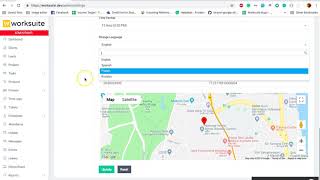
| Description | Intervals is an efficient time tracking and project management software that helps companies to manage their time in a better way and get work done seamlessly. By tracking time effectively with easy-to-use timers, the software helps users to increase their overall ROI on the go. Further, it comes with an elegant dashboard and detailed summaries that help companies to spend less time on project management and more time on completing scheduled work. Intervals also facilitate real-time collaboration between teams by keeping the to-do list organised in one convenient online location. It offers users the right amount of transparency that helps them to build customer trust, complete projects within budget and get paid on time. Also, Intervals come with a fast and friendly support team where users can get quick and thorough answers to all of their queries. They can even forward data and reports to individual clients and teammates located anywhere across the globe in a compatible format, such as CSV, PDF, XML and more. Read more | Resource Management by Spreadsheet is an advanced resource management software, developed specifically for effective teams and projects to facilitate easy plan making, budget forecasting, team hiring and team utilization. The platform makes it simple to assemble the right team for the task, stay on track with project timelines and budgets, and reliably predict hiring needs. With Resource Management by Spreadsheet, you can find and plan the ideal project team, manage staffing problems in real time, and anticipate hiring requirements. You can examine numerous projects and teams, schedule projects reliably based on your team's capabilities, and estimate the project pipeline. You can use pre-filled timesheets that make it simple for your staff to report work hours and stay focused on important matters. Users can visualize complicated data to detect project patterns, evaluate business performance, and plan for expansion. You can use this integration to assign work to teams, react to changing project requirements, and balance deliverables and availability. Additionally, users can see their team's resourcing plan and availability directly from their Smartsheet project sheet with this platform. Read more | Resource Guru is a team scheduling software that runs on the cloud and is ideally suited to freelancers, and businesses of all sizes for gaining new insights and elevating profit rates. It offers a quick and easy way to schedule people, equipment, and other resources through the internet on a single platform with just a few clicks. With Resource Guru, you can get a clear picture of what projects and clients your team are working on with one creative calendar. Vacation, sick days, maternity leave, and any other sorts of time off for your resources can be easily managed using leave management with this software. It provides personal dashboards and up-to-date resources to eliminate the need of sending hundreds of emails that rapidly become obsolete. Resource Guru further provides powerful and detailed reports that let you get fresh insights, track utilization rates, and learn more about your organization. Resource Guru offers a 30-day free trial for trying and testing its premium features and the pricing strategy begins at $3.00 per month. Read more | Worksuite generates a space for every department, major project or team to share information, knowledge and keep the tasks planned. Moreover, it comes with an attendance module that permits the workers to sign-in and sign-out directly from their dashboard, which not only saves a lot of time, but also enhances efficiency. With the help of this software, you can track all your projects in the most effortless way. It flaunts a reports section that allows you to scrutinise what's suitable and what’s not for your firm. Worksuite has the ability to automate the process of revenue recognition and billing to ensure smooth operations. You also get real-time message sections that support your team members to review projects instantly. It allows you to add members to the team according to your desire and keep them connected with the progress. You can get a free demo of Worksuite via a web conference. Read more |
| Pricing Options |
|
|
|
|
| SW Score & Breakdown |
90% SW Score The SW Score ranks the products within a particular category on a variety of parameters, to provide a definite ranking system. Read more
|
82% SW Score The SW Score ranks the products within a particular category on a variety of parameters, to provide a definite ranking system. Read more
|
|
83% SW Score The SW Score ranks the products within a particular category on a variety of parameters, to provide a definite ranking system. Read more
|
| Organization Types Supported |
|
|
|
|
| Platforms Supported |
|
|
|
|
| Modes of Support |
|
|
|
|
| API Support |
|
|
|
|
| User Rating |
|
|
|
|
| Rating Distribution |
|
|
|
|
| User Sentiments |
Easy to Use, Affordable Pricing, Great Time Tracking, Detailed Reporting Outdated User Interface, Limited Integrations, Lack of Mobile App, Limited Customization Options |
Ease of Use, Effective Time Tracking, Comprehensive Reporting, Clear Visualisation of Resource Allocation Lack of Advanced Features (e.g., sub-phase tracking, bulk import), Limited Integrations with other tools, Occasional Software Glitches (e.g., crashing, display errors), Steep Learning Curve for New Users |
Easy to Use Interface, Clear Visual Representation of Schedules, Effective Filtering and Search Functionality, Seamless Calendar Integrations Limited Customization Options, Lack of Mobile Application, Limited Reporting Functionality, Occasional System Glitches |
Not Available
|
| Review Summary |
Users praise Intervals for its user-friendly interface, robust features, and excellent customer support. It is particularly lauded for its intuitive design, making it easy for teams to plan, track, and collaborate on projects. Additionally, users appreciate the software's flexibility, allowing them to customize it to their specific needs. Intervals is also praised for its reporting capabilities, which provide valuable insights into project progress and resource utilization. However, some users have expressed concerns regarding the software's pricing, suggesting that it may be cost-prohibitive for smaller businesses. |
Users praise 10,000ft's user-friendliness, intuitive interface, and comprehensive features. They appreciate its robust reporting capabilities, customization options, and its ability to streamline their workflows. Many users find its budgeting and forecasting modules particularly useful. However, some users mention occasional technical glitches and a learning curve associated with its advanced features. Overall, 10,000ft receives positive feedback for its ease of use, powerful features, and its ability to improve financial planning and forecasting accuracy. |
Overall, Resource Guru is a user-friendly resource scheduling software praised for its intuitive interface, ease of use, and time-saving features. Reviewers highlight its drag-and-drop functionality, comprehensive reporting options, seamless integrations with other platforms, and excellent customer support. While some users mention occasional glitches and a learning curve for more advanced features, the majority find Resource Guru to be a valuable tool for managing and optimizing team resources, improving project visibility, and enhancing collaboration. |
Not Available
|
| Read All User Reviews | Read All User Reviews | Read All User Reviews | Read All User Reviews |
AI-Generated from the text of User Reviews
| Pricing Options |
|
|
|
|
|
Pricing Plans
Monthly Plans
Annual Plans
|
Lite $29.00 $29.00 per month Basic $49.00 $49.00 per month Not So Basic $69.00 $69.00 per month Professional $99.00 $99.00 per month Premium $159.00 $159.00 per month Top Shelf $219.00 $219.00 per month Unlimited $299.00 $299.00 per month |
Resource Management by Smartsheet Custom |
Grasshopper Plan $2.50 $3.00 per user / month Blackbelt Plan $4.16 $5.00 per user / month Master Plan $6.65 $8.00 per user / month |
Regular License $45.00 $45.00 One-Time Payment Extended License $275.00 $275.00 One-Time Payment |
|
View Detailed Pricing
|
View Detailed Pricing
|
View Detailed Pricing
|
View Detailed Pricing
|
Get personalized recommendations from our experts on call
Trusted by more than 5 Million users across the globe.
Thank you for the enquiry. One of our software analysts will contact you soon.
| Screenshots |

+ 5 More
|

+ 3 More
|
Not Available |

+ 6 More
|
| Videos |

+ 1 More
|
+ 1 More
|

+ 1 More
|
+ 3 More
|
| Company Details | Located in: Santa Barbara, California - 93105 Founded in: 2000 | Located in: Bellevue, Washington | Located in: London, England Founded in: 2011 | Founded in: 2016 |
| Contact Details |
800.285.5143 |
425-324-2360 |
Not available |
Not available |
| Social Media Handles |
|
Not available |
|
Not available |

Looking for the right SaaS
We can help you choose the best SaaS for your specific requirements. Our in-house experts will assist you with their hand-picked recommendations.

Want more customers?
Our experts will research about your product and list it on SaaSworthy for FREE.





