MEET CLARA - THE AI BEHIND SMARTER SOFTWARE CHOICES



Simple Data Integration Service
This product profile is currently unclaimed.
The listing is published on SaaSworthy, but the official vendor does not yet manage it. Are you part of the Azure Data Factory team? Claim this profile to manage and update your product information.

0% SW Score The SW Score ranks the products within a particular category on a variety of parameters, to provide a definite ranking system. Read more
Featured
0% SW Score The SW Score ranks the products within a particular category on a variety of parameters, to provide a definite ranking system. Read more

0% SW Score The SW Score ranks the products within a particular category on a variety of parameters, to provide a definite ranking system. Read more

 Deep Dive with Clara AI
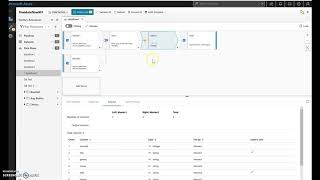
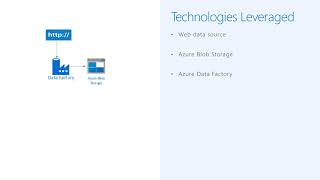
Azure Data Factory (ADF) is a cloud-based data integration service that enables developers to integrate data from a wide range of sources, both on-premises and in the cloud. Data can be pulled from a variety of sources, including SQL Server databases hosted on-premises and cloud-based Azure Storage (Blob and Tables) and Azure SQL Database. ADF then moves the data between the various sources in order to create a unified and consistent data set. This unified data set can then be used for a variety of purposes, such as analytics and reporting. ADF provides access to a range of features that make it easier for developers to move and transform data, including automated data pipelines, visual tools for data mapping, and monitoring and alerting capabilities. By using ADF, developers are able to quickly and easily integrate data from multiple sources, allowing them to quickly analyze data and gain valuable insights.
Read more

Pricing
Platforms Supported
Organization Types Supported
API Support
Modes of Support
Debugging
An integral part in appplication development that locates and corrects code errors in a computer programCustomer Pipeline
Helps to manage sales and business prospects and boosting them down the sales funnelMonitoring
Helps to monitor the database content and data accessibility in an automated and orderly mannerOrchestrator
A web application that manages, controls, and monitors every robot that run repetitive business processesFree Trial
Not available
Azure Data Factory Custom
Pay only for what used with no upfront cost
Features
Disclaimer: The pricing details were last updated on 10/01/2023 from the vendor website and may be different from actual. Please confirm with the vendor website before purchasing.
Learn more about Azure Data Factory Pricing


85% SW Score The SW Score ranks the products within a particular category on a variety of parameters, to provide a definite ranking system. Read more


87% SW Score The SW Score ranks the products within a particular category on a variety of parameters, to provide a definite ranking system. Read more


Azure Data Factory
Azure Data Factor...
Enhance Data Inte...

Security Portal

Validate
What is Azure Data Factory used for?
Learn more about Azure Data Factory features.
Does Azure Data Factory provide API?
No, Azure Data Factory does not provide API.
Vendor Details
Redmond, Washington StateSocial Media Handles


This research is curated from diverse authoritative sources; feel free to share your feedback at [email protected]

Looking for the right SaaS
We can help you choose the best SaaS for your specific requirements. Our in-house experts will assist you with their hand-picked recommendations.

Want more customers?
Our experts will research about your product and list it on SaaSworthy for FREE.