get-free-advice
Clara Icon MEET CLARA - THE AI BEHIND SMARTER SOFTWARE CHOICES
Get Started
Browse Software
Loading...
Freshdesk logo

Freshdesk

  Add to Compare

94% SW Score The SW Score ranks the products within a particular category on a variety of parameters, to provide a definite ranking system. Read more

osTicket logo
Help Desk Software

4.9 14 user ratings

View Details

86% SW Score The SW Score ranks the products within a particular category on a variety of parameters, to provide a definite ranking system. Read more

OTRS logo
Help Desk Software

4.5 98 user ratings

View Details

Overview

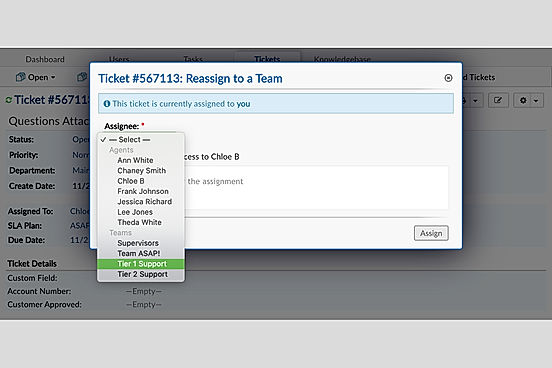
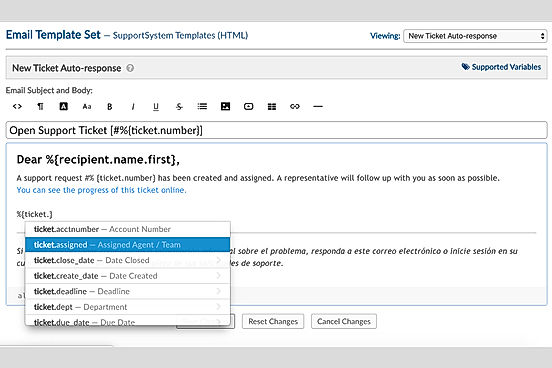
Description osTicket is an open-source helpdesk management software solution that offers both IT asset management and ticket management within the same head. The software is most suited for small and medium-sized enterprise customers. It offers a built-in portal for customers to submit their tickets and track the request status. The auto-assign option helps in automatically routing incoming tickets to the most appropriate departments and members according to their descriptions. On successful submission of tickets, an automated email response is sent out to the customers to keep them posted about the latest update on the queries/issues. osTicket also offers an interactive dashboard and different reporting modules that allow teams to prepare customized reports. The data-rich reports are crucial for the IT department and can be used to gain complete insight into the helpdesk operations like ticket handling procedures, and staffing levels. Additional features such as powerful ticket filter, help topics library ticket locking mechanism to avoid dual response, etc. make os Ticket a complete helpdesk package for enterprises. Read more OTRS is a comprehensive service management software that helps businesses improve their customer service quality in an efficient manner. With this software, users can quickly channelise and prioritise the received requests from individual customers and get those fulfilled within time. The software also lets customers get a clear overview of how long it will take for companies to resolve their problems by checking on ticket wise statuses. OTRS lets companies’ employees and teams balance their workload and deliver high-quality service on time. It comes with customised templates that can be used to deliver accurate answers in real-time. In addition, the software can also be used to improve self-service support by adding complete and up-to-date FAQs as well as chat functions within integrated video guides. Automated reports generated by the software helps businesses to get a clear overview of monitoring the request processing time and enhance their service quality levels accordingly. Moreover, OTRS also helps to reduce service delivery errors by making sure that the agents have included all the important information within the solution email. Read more
Pricing Options
  • Free Trial Not Available
  • Starts at $12.0. Offers Free-forever and Custom plan.
  • Free Trial Not Available
  • Offers Custom plan.
SW Score & Breakdown

94% SW Score The SW Score ranks the products within a particular category on a variety of parameters, to provide a definite ranking system. Read more

  • Features The Feature Score % is calculated using the weighted average method, where core features hold more weight in the final calculation. Read more
    98%
  • Reviews
    80%
  • Momentum
    71%
  • Popularity
    78%

86% SW Score The SW Score ranks the products within a particular category on a variety of parameters, to provide a definite ranking system. Read more

  • Features The Feature Score % is calculated using the weighted average method, where core features hold more weight in the final calculation. Read more
    95%
  • Reviews
    77%
  • Momentum
    66%
  • Popularity
    77%
SaaSworthy Awards # 9 Most Popular # 5 Fastest Growing # 16 Highly Rated

Features

Total Features
17 Features
15 Features
Common Features for All
    Alerts (Escalation) Helps to route critical tickets to the boss or in-house experts and alerting against them when such come
    Automated Routing It helps in automatically directing queries and data to the appropriate agent.
    Community Forums Provides an online discussion site that includes a panel of experts who give expert advice and satisfy queries of any kind relevant to the company
    Contract (SLA Management) Helps to manage, automating and organizing important aspects concerning a service-level agreement
    Customizable Branding This feature enables the customization of brand marketing to meet specific requirements and preferences.
    Document Storage Helps in storing the documents electronically and in a systematic way
    Incident Management Helps in identifying, analyzing and rectifying a bad incident or issues to ensure it does not reoccur in future
    Knowledge Base Helps to compile repetitive customer queries and structures them into retrievable how-to articles or FAQs.
    Known Issue Management Helps to tackle and to manage familiar issues or routine challenges
    Live Chat Allows you to instantly communicate with your customers and/or exchange chat messages online
    Macros (Templated Responses) It helps to store, create, and send pre-written responses to maintain the flow of the conversation.
    Multi-Channel Communication Helps in receiving queries and offering help through multiple channels
    Self Service Portal Provides the employees with a website where they can update their accounts, make bill payments, avail necessary information and other self-help functions
    Social Media Integration Enables integrating the software with social media for better reach and coverage
    Surveys & Feedback Helps to disclose the relationship of customer satisfaction rate with sales trends and also helps to get direct accurate feedback
    Ticket Management Facilitates in recording and organizing customer complaints into tickets and systematically track their progress until they are resolved
  • + 13 More - Show Less
    • Alerts (Escalation) Helps to route critical tickets to the boss or in-house experts and alerting against them when such come
      Automated Routing It helps in automatically directing queries and data to the appropriate agent.
      Community Forums Provides an online discussion site that includes a panel of experts who give expert advice and satisfy queries of any kind relevant to the company
      Contract (SLA Management) Helps to manage, automating and organizing important aspects concerning a service-level agreement
      Customizable Branding This feature enables the customization of brand marketing to meet specific requirements and preferences.
      Document Storage Helps in storing the documents electronically and in a systematic way
      Incident Management Helps in identifying, analyzing and rectifying a bad incident or issues to ensure it does not reoccur in future
      Knowledge Base Helps to compile repetitive customer queries and structures them into retrievable how-to articles or FAQs.
      Known Issue Management Helps to tackle and to manage familiar issues or routine challenges
      Live Chat Allows you to instantly communicate with your customers and/or exchange chat messages online
      Macros (Templated Responses) It helps to store, create, and send pre-written responses to maintain the flow of the conversation.
      Multi-Channel Communication Helps in receiving queries and offering help through multiple channels
      Self Service Portal Provides the employees with a website where they can update their accounts, make bill payments, avail necessary information and other self-help functions
      Social Media Integration Enables integrating the software with social media for better reach and coverage
      Surveys & Feedback Helps to disclose the relationship of customer satisfaction rate with sales trends and also helps to get direct accurate feedback
      Ticket Management Facilitates in recording and organizing customer complaints into tickets and systematically track their progress until they are resolved
  • + 11 More - Show Less
  • Unique Features
      Multi-language Support Available in multiple languages to support global customers
      Multi-language Support Available in multiple languages to support global customers

    Technical Details

    Organization Types Supported
    • Individuals
    • Large Enterprises
    • Medium Business
    • Small Business
    • Individuals
    • Large Enterprises
    • Medium Business
    • Small Business
    Platforms Supported
    • SaaS/Web/Cloud
    • Mobile - Android
    • Mobile - iOS
    • Installed - Windows
    • SaaS/Web/Cloud
    • Mobile - Android
    • Mobile - iOS
    • Installed - Windows
    Modes of Support
    • 24/7 (Live rep)
    • Business Hours
    • Online
    • 24/7 (Live rep)
    • Business Hours
    • Online
    API Support
    • Available
    • Available

    Reviews & Ratings

    User Rating
    4.9/5 14 user ratings
    4.5/5 98 user ratings
    Rating Distribution
    • Excellent

      85.7%
    • Very Good

      14.3%
    • Average

      0%
    • Poor

      0%
    • Terrible

      0%
    • Excellent

      62.2%
    • Very Good

      25.5%
    • Average

      9.2%
    • Poor

      1%
    • Terrible

      2%
    User Sentiments

      Ticket Management, Customization Options, Email Integration, Ease of Use

      Outdated UI Design, Limited Third-Party Integrations, Complex Configuration, Lack of Reporting Functionality

      Not Available
    Review Summary

    osTicket is a popular open-source help desk system praised for its ease of use and customization options, making it ideal for small businesses and internal teams. Users find its integration with email systems seamless, allowing for quick ticket creation and efficient management. While users appreciate its free self-hosted option, some point to outdated design and limited reporting functionality as drawbacks. Despite these shortcomings, osTicket remains a valuable tool for streamlining support processes and organizing customer inquiries.

    Not Available
    Pros & Cons
    • Open-source and cost-effective
    • Built-in customer portal for easy ticket submission and tracking
    • Automated ticket routing and assignment
    • Interactive dashboard and customizable reporting modules
    • Powerful ticket filtering and locking mechanisms
    • May require technical expertise for setup and maintenance
    • Limited customization options compared to paid alternatives
    • Fewer integrations compared to other help desk software
    • Efficient ticket management and prioritization
    • Real-time status updates for customers
    • Customizable templates for quick and accurate responses
    • Automated reporting for monitoring and improving service quality
    • Integrated video guides for self-service support
    • Can be complex to set up and configure
    • Limited integration options compared to some competitors
    • May require additional resources for large-scale implementations
      Read All User Reviews Read All User Reviews

    AI-Generated from the text of User Reviews

    Pricing

    Pricing Options
    • Free Trial Not Available
    • Starts at $12.0. Offers Free-forever and Custom plan.
    • Free Trial Not Available
    • Offers Custom plan.
    Pricing Plans
    Monthly Plans Annual Plans

    Open Source Free

    Cloud Hosted $12.00 $12.00 per month

    Virtual Appliance Custom

    Silver Custom

    Gold Custom

    Titanium Custom

    Platinum Custom

     
    View Detailed Pricing
    View Detailed Pricing

    Have Questions? We can help!

    Get personalized recommendations from our experts on call

    Call Me

    âś” Trusted by more than 5 Million users across the globe.

    Thank you for the enquiry. One of our software analysts will contact you soon.

    Alternatives


    Screenshots & Videos

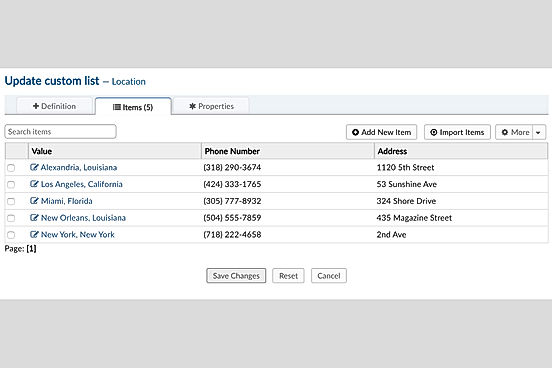
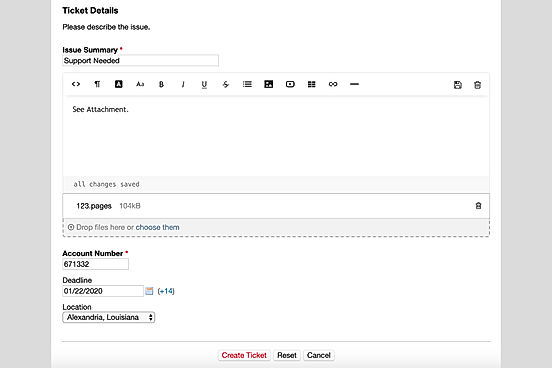
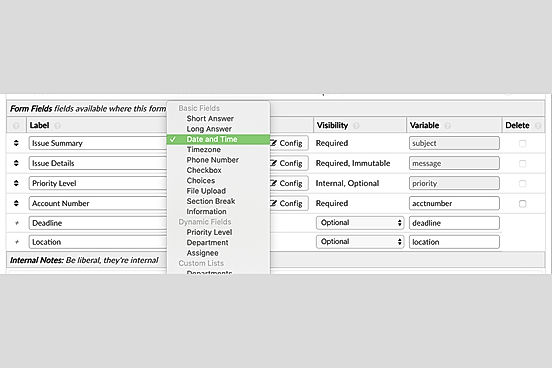
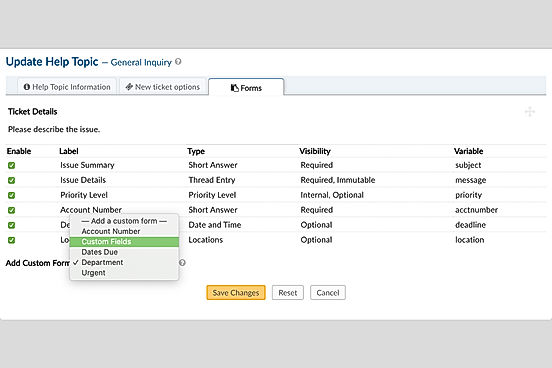
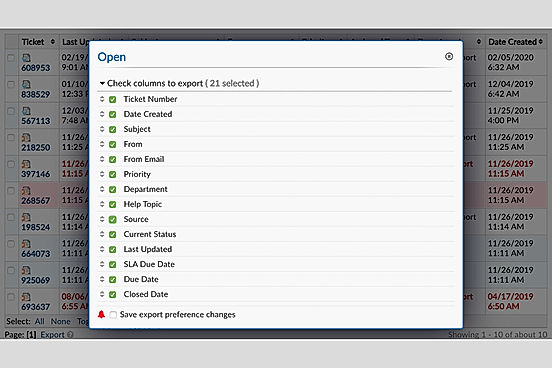
    Screenshots Custom Fields screenshot
    + 10 More
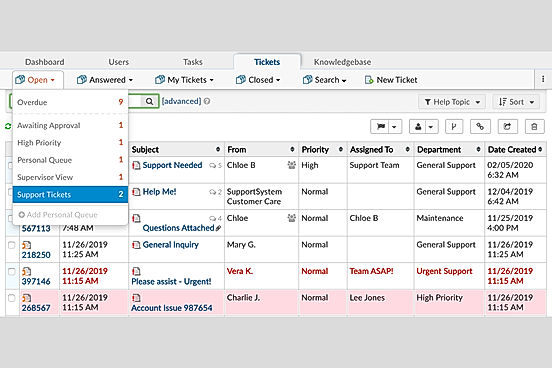
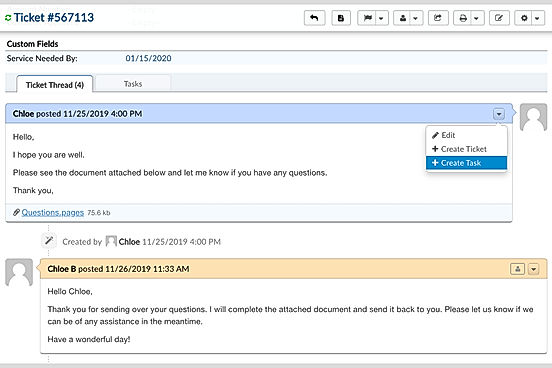
    Dashboard screenshot
    Videos Video Thumbnail
    + 1 More
    Video Thumbnail
    + 1 More

    Vendor information

    Company Details Located in: Alexandria, Louisiana Founded in: 2015 Located in: Oberursel, Germany Founded in: 2003
    Contact Details

    +1 318-290-3674

    https://osticket.com/

    +49 6172 681988-0

    https://otrs.com/otrs-solutions/customer-service/

    Social Media Handles

    FAQs

    What are the key differences between osTicket and OTRS?

    osTicket is open-source and more suited for small and medium-sized enterprises, while OTRS is a comprehensive service management software for larger organizations.

    What are the alternative products to osTicket?

    The top alternatives to osTicket are HelpDesk, UVdesk, Spiceworks Help Desk, HESK, and Jira Service Desk.

    Which SaaS products can osTicket integrate with?

    osTicket integrates with GitHub, Wix, Slack, and Jira.

    What are the key features of OTRS?

    OTRS offers features such as AI Assistant, Alerts (Escalation), Automated Routing, Community Forums, Concurrent Calling, Contract (SLA Management), Customizable Branding, Document Storage, Incident Management, Knowledge Base, Known Issue Management, Live Chat, Macros (Templated Responses), Multi-Channel Communication, Multi-brand Help desk, Multi-language Support, Self Service Portal, Social Media Integration, Surveys & Feedback, and Ticket Management.

    How does the reporting functionality of osTicket compare to OTRS?

    osTicket offers interactive dashboards and reporting modules for customized reports, while OTRS provides automated reports for monitoring request processing time and enhancing service quality.

    We understand SaaS better

    SaaSworthy helps stakeholders choose the right SaaS platform based on detailed product information, unbiased reviews, SW score and recommendations from the active community.

    icon

    Buyers

    Looking for the right SaaS

    We can help you choose the best SaaS for your specific requirements. Our in-house experts will assist you with their hand-picked recommendations.

    icon

    Makers

    Want more customers?

    Our experts will research about your product and list it on SaaSworthy for FREE.

    Get Listed